SendToMP
| 开发者 | binarybeagle |
|---|---|
| 更新时间 | 2026年7月12日 08:21 |
| PHP版本: | 7.4 及以上 |
| WordPress版本: | 7.0 |
| 版权: | GPLv2 or later |
| 版权网址: | 版权信息 |
详情介绍:
- A visitor fills in your form with their name, email address, postcode, and message.
- SendToMP looks up their MP from the postcode, or lets them search for a Peer by name.
- A confirmation email is sent to the visitor to verify their identity.
- The visitor clicks through and confirms on your site. Only then is the message sent.
- The MP or Peer receives a properly formatted email and can reply to the constituent directly.
- Gravity Forms
- WPForms
- Contact Form 7
- A webhook / REST API endpoint for custom integrations
- Double opt-in confirmation, so a message is only ever sent by the person whose inbox it came from
- Postcode-based MP lookup against the UK Parliament Members API
- House of Lords member search and selection
- Configurable email templates with merge tags
- Submission logging with delivery status tracking
- Rate limiting and anti-spam protection, per email address, per IP, and per postcode
- Address overrides, for when a member's published address is wrong or missing
- Email delivery through your existing SMTP plugin, your own SMTP server, or Brevo
- A copy-and-paste privacy notice describing exactly what the plugin stores and sends
安装:
- Upload the
sendtompfolder to/wp-content/plugins/, or install it from the Plugins screen. - Activate the plugin through the Plugins menu in WordPress.
- Go to SendToMP in the admin menu to configure your settings.
- Build a form using any supported form plugin.
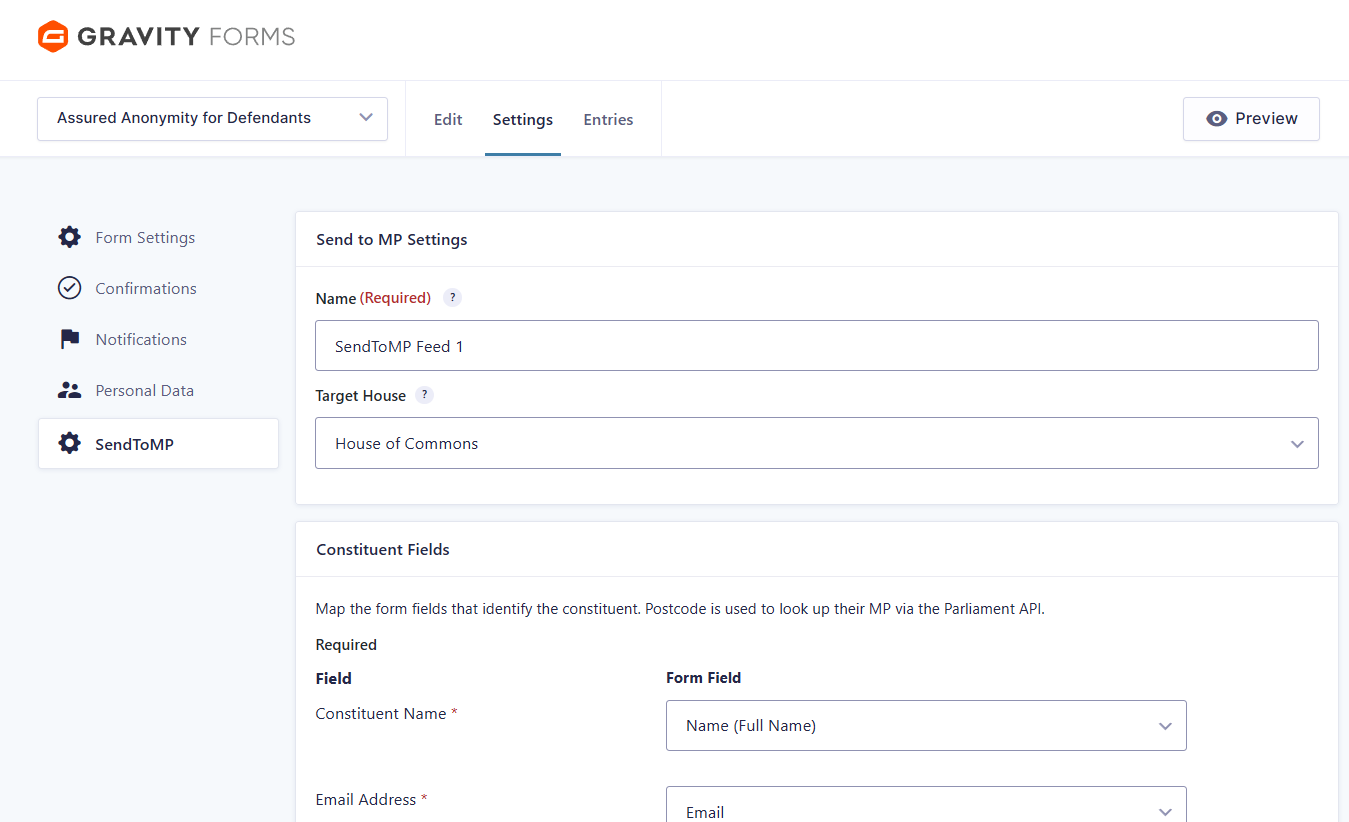
- Map the required fields: name, email, postcode, subject, and message body.
- At least one supported form plugin must be installed and active.
- A reliable way to send email. Configure a provider on the Email Delivery tab, or use an SMTP plugin such as WP Mail SMTP or FluentSMTP. WordPress's built-in
wp_mail()is unreliable for parliamentary inboxes.
屏幕截图:
常见问题:
Why does SendToMP require email confirmation?
Double opt-in ensures that only the actual owner of the email address can send a message to a representative. It prevents abuse, it records explicit consent, and it means the messages that arrive are genuine constituent correspondence. Messages sent this way carry more weight in an MP's office, because the office can trust they are real.
Which form plugins are supported?
Gravity Forms, WPForms, and Contact Form 7. There is also a webhook / REST API endpoint for custom integrations with platforms like Zapier, n8n, Make, or a CRM. All of them are available to every user.
Does this work with the House of Lords?
Yes. Visitors can search for and select a Peer by name.
How does the postcode lookup work?
The postcode is sent to the UK Parliament Members API, which returns the constituency and its sitting MP, along with the contact address Parliament publishes for them. Only the postcode is sent. See the External services section for full detail.
What if Parliament doesn't publish an email address for a member?
Some members, particularly in the Lords, have no published email address. SendToMP will tell the visitor it cannot deliver the message rather than accepting it and failing silently. As the site owner you can supply an address yourself under SendToMP → Address Overrides, which takes precedence over the published one. That is also the place to correct an address that has changed.
Do I need an SMTP plugin?
You need some reliable way to send mail. WordPress's default wp_mail() uses PHP's mail(), which is unreliable, and parliamentary mail gateways are strict. You can configure Brevo or your own SMTP server directly in SendToMP on the Email Delivery tab, or install an SMTP plugin such as WP Mail SMTP, FluentSMTP, or Post SMTP.
What data does SendToMP store, and for how long?
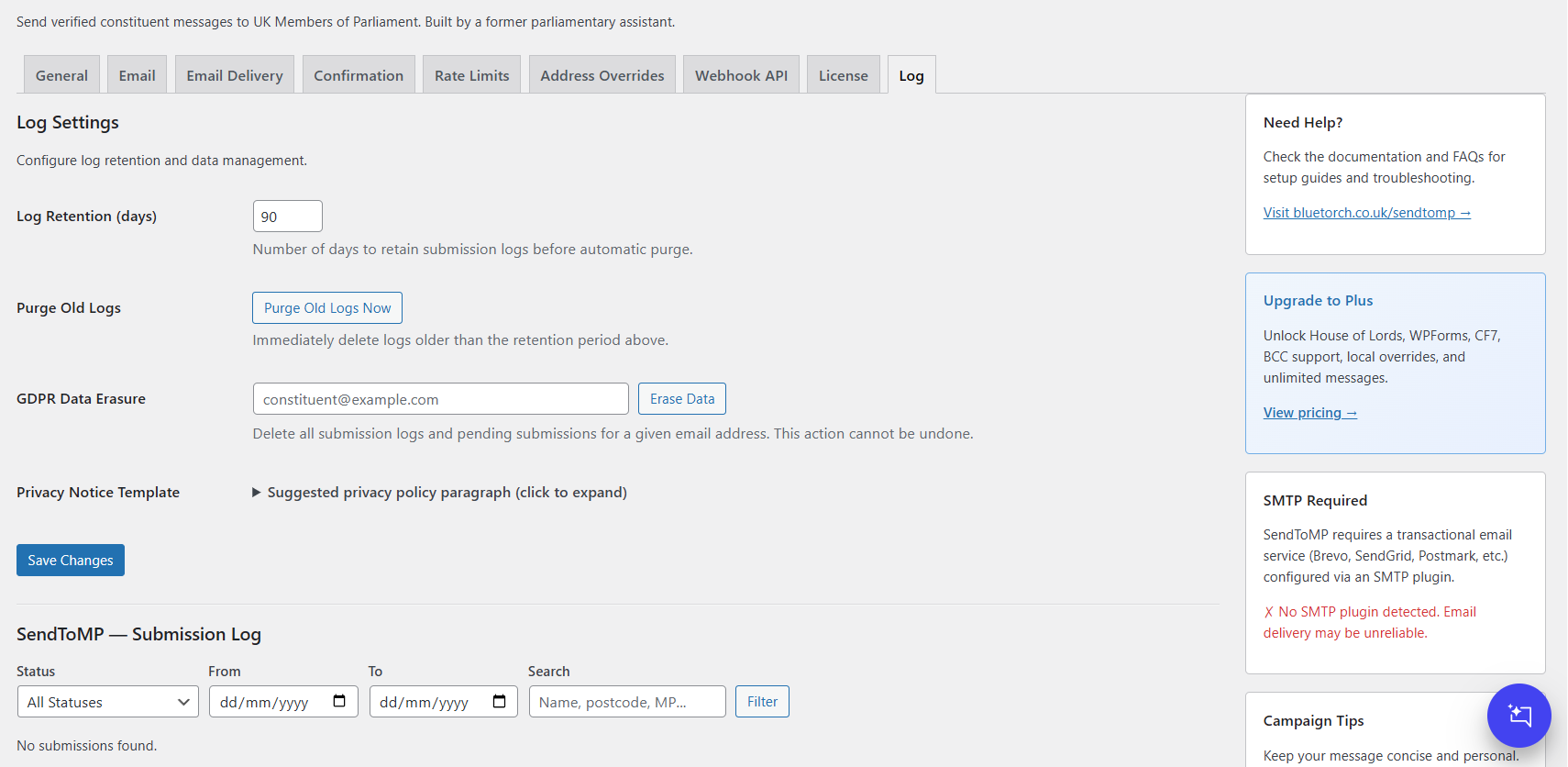
The constituent's name, email address, postcode, and message are stored on your own site. The message itself is held encrypted in a pending record until it is confirmed, and that record is deleted when the confirmation link expires. A row in the submission log recording the name, email address, postcode, subject, and status is kept for the log retention period, which defaults to 90 days, and is then deleted automatically. That log row is kept whether or not the message was ever confirmed. The Privacy tab includes a suggested privacy-policy paragraph that describes this accurately, using your site's own configured expiry and retention values. You are welcome to copy it into your privacy policy.
How do I handle a right-to-erasure request?
Go to SendToMP → Privacy and use the Erase Data tool. Enter the person's email address and the plugin deletes their submission log entries and any pending submissions.
Can I enable auto-updates?
Yes. Updates come from WordPress.org. Click "Enable auto-updates" next to SendToMP on the Plugins screen.
Is there a paid version?
No. Every feature in this plugin is free and fully functional.
更新日志:
- House of Lords fallback restored. When Parliament publishes no contact address for a Peer, the message now goes to the House of Lords Enquiry Service with a courteous covering note, instead of failing. You can still set a specific address for any member under SendToMP → Address Overrides.
- Address Overrides simplified. Overrides are now purely site-level and take precedence over the address returned by the Parliament API. Removed leftover references to an older two-tier "global" override system that no longer exists.
- Clearer, safer confirmation page. Removed a duplicate "Confirm & Send" button that appeared above the message preview and consent text, so confirming always comes after the constituent has seen exactly what will be sent.
- More accurate reply-to wording. The plugin now only tells the recipient — and the constituent — that replies go directly to the sender when your Reply-To setting actually routes them that way.
- Added a Credits & Acknowledgements section to the settings sidebar.
- Tidied up admin copy left over from the 2.0.0 rework, pointed the share button at X, and set the Gravity Forms partner link.
- Everything is free. The licence system has been removed entirely. BCC, the WPForms and Contact Form 7 adapters, the webhook/REST endpoint, local address overrides, full email template customisation, House of Lords targeting, and CSV export are now available to everyone. The 25 messages per month cap on the free plan is gone. No licence key, no tiers, no quota.
- Member lookup now goes directly to the UK Parliament Members API. Previously the plugin resolved members through a middleware service operated by the plugin author. It now queries
members-api.parliament.ukdirectly, with no API key and no intermediary. Parliament is the source of truth for who represents a postcode and where to write to them. - The plugin no longer contacts the author's servers at all. Removed the delivery telemetry that sent a constituent's postcode, the member ID, and your site URL on every confirmed message; removed the daily licence check; removed the licence deactivation call on uninstall; and removed the Brevo setup enquiry form. The plugin sends no analytics or usage data anywhere.
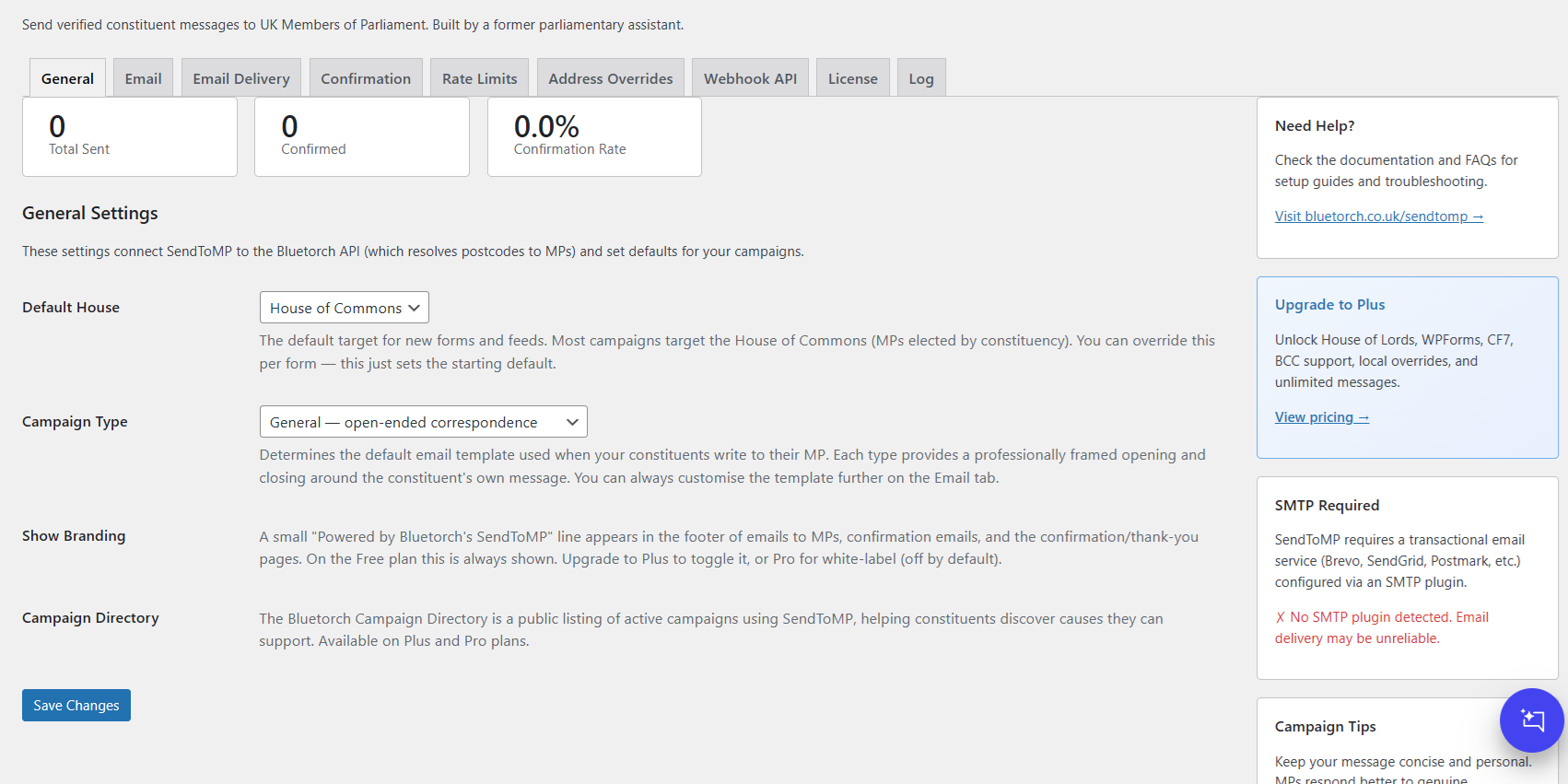
- "Powered by" attribution is now off by default and appears on visitor-facing pages and emails only if you explicitly turn it on under Settings → General.
- New: when Parliament publishes no email address for a member, the plugin now fails at lookup time with a clear message, instead of accepting the message and failing after the constituent has already confirmed. Use Address Overrides to supply an address yourself.
- Fix: the MP's photo on the confirmation page never actually rendered. The pipeline was dropping
thumbnail_urlbefore the page could read it. Introduced in 1.6.10, fixed now. - Fix: the suggested privacy-policy text told site owners to publish a promise that unconfirmed data is "automatically deleted" after 24 hours. That was not true: the submission log row survived for the full retention period. The template now describes what the plugin actually does, using your own configured values.
- Fix: the readme claimed a WP-CLI command existed for right-to-erasure requests. It never did. The Erase Data tool on the Privacy tab is the real mechanism, and the readme now says so.
- Fix: the readme claimed licensed users received plugin updates directly from Bluetorch. No such updater has shipped since 1.3.1. Updates come from WordPress.org.
- Documented every external service the plugin contacts, with links to their terms and privacy policies.
- Inline
<style>and<script>blocks on the confirmation, thank-you, and error pages, in the admin, and in the Gravity Forms editor are now properly enqueued. - The webhook adapter now maps the Parliament API's error conditions to sensible HTTP status codes.
- Housekeeping: WordPress.org directory assets (banner, icon, screenshots) no longer ship inside the plugin ZIP.
- Address Overrides tab clarity: the field previously labelled "Override Email" is now "Send to this email address instead", with description copy explaining what actually happens when the override fires. Column header in the existing-overrides table retitled to match.
- Fix a bug in the member picker on the Address Overrides form where selecting a Lord or MP didn't reliably record which house they belong to — saves could silently default to "commons" for Peers.
- Confirmation page overhaul. The page the constituent lands on when they click the email link now resolves
{mp_name},{mp_constituency}, postcode and all Gravity Forms merge tags in both the subject and body preview — previously the raw placeholders leaked straight to the screen. - Added a "Confirm & Send" button at the top of the card as well as at the bottom, so long messages don't force a scroll to the action.
- New "Redirect after confirming" setting on the Confirmation tab — pick any WordPress page to send the constituent to after they've confirmed.
- Conversion metrics now derivable from the log. Each submission is now represented by a single log row whose status transitions from
pending_confirmationtoconfirmedwhen the constituent clicks the link. Adds apending_idcolumn linking log rows to the pending record, plus aconfirmed_attimestamp. - Auto-resend log entry now uses a distinct
pending_resentstatus so it no longer inflates the "emails sent" denominator.
- Fix a fatal
TypeErrorthat could fire when a constituent submitted the form a second time while an earlier confirmation was still pending. - Fix a related silent failure on the admin "Resend confirmation email" button.
- Bulk actions on the submission log. Each row now has a checkbox, with a "Select all" toggle. A Bulk Actions dropdown lets you delete or export the selected entries in one go.
- Auto-resend on duplicate submissions. When a constituent fills in the form a second time before confirming the first submission, SendToMP now re-sends the original confirmation email using the same token.
- Submission log overhaul. Full detail page per row, colour-coded status pills, error messages surfaced, resend confirmation, delete, and a CSV export button.
- Second "Confirm and send my message" button after the message preview.
- Fix a bug where the MP email and confirmation preview showed "My post code is ." with an empty postcode.
- Live preview on the Confirmation tab, a Media Library picker for the confirmation email logo, and sensible defaults pre-populated.
- Rich HTML confirmation email with a prominent confirm button and a styled preview of the message. Plain-text fallback still sent alongside.
- Fix the "Find My MP" custom field not being used for postcode lookup when a feed also had a legacy mapping pointing at a deleted text field.
- Email Delivery tab shows a success banner and a tick on the active provider tile when delivery is configured.
- New: provider tile picker on the Email Delivery tab — detected SMTP plugin, Brevo via direct HTTP API, Custom SMTP, or the WordPress default.
- New: built-in Brevo integration and bring-your-own SMTP. Credentials are encrypted at rest via AES-256-GCM, optionally with an external key via the
SENDTOMP_SECRET_KEYconstant. - Mailer refactored around a provider interface.
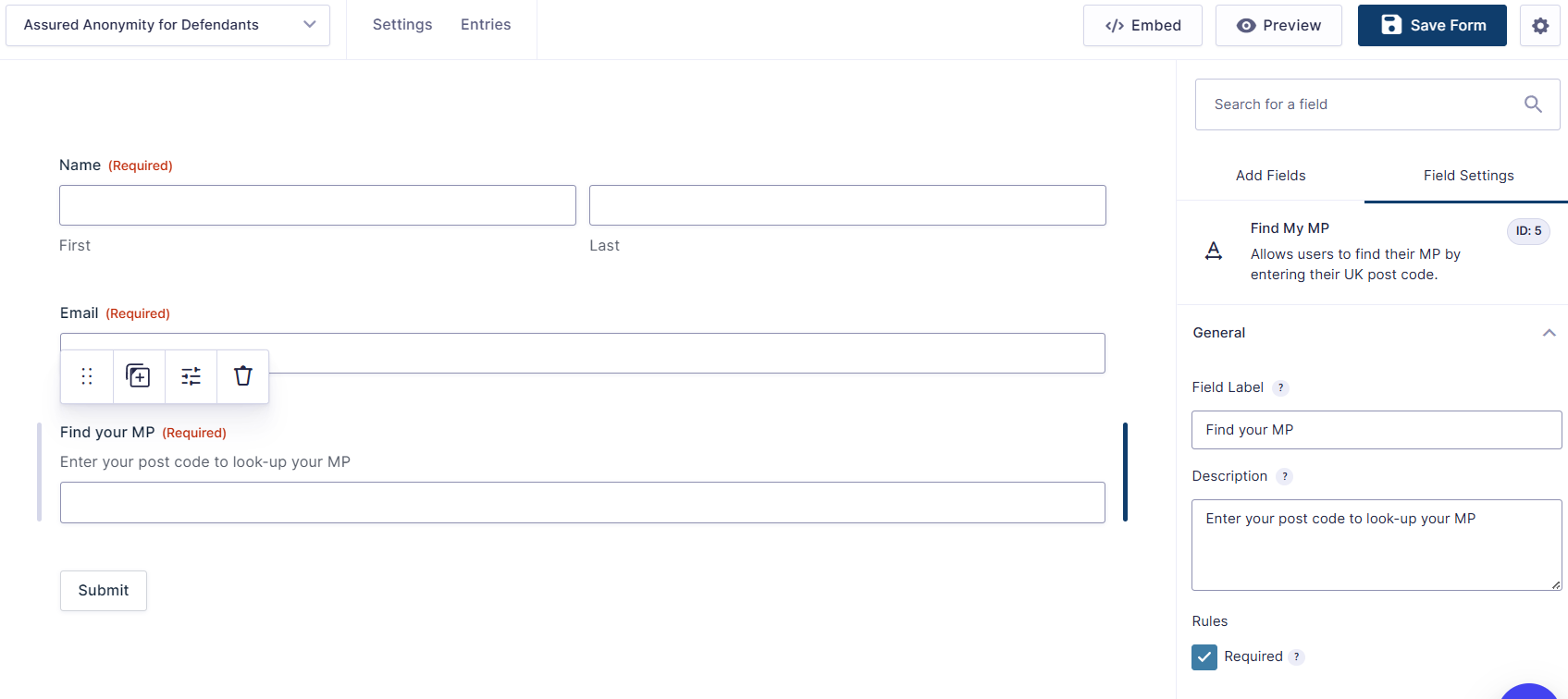
- New: "Find My MP" custom Gravity Forms field, draggable straight from the field picker, pre-wired to the postcode lookup.
- New Status dashboard showing which form plugins are installed and whether email delivery is set up.
- Removed the custom plugin updater. Updates are distributed via WordPress.org.
- Initial release. Older entries have been trimmed. The full history is in the plugin's repository.