
Senti Feedback – Product Feedback, Public Roadmap & Changelog
| 开发者 | bartj |
|---|---|
| 更新时间 | 2026年11月13日 10:24 |
| PHP版本: | 8.1 及以上 |
| WordPress版本: | 7.1 |
| 版权: | GPL-2.0-or-later |
| 版权网址: | 版权信息 |
详情介绍:
- One-Click Frictionless Voting: Visitors upvote in a single tap without being forced through account creation or password screens.
- Privacy by Design: Opaque, first-party continuity cookies track voter identity without third-party tracking pixels or personal data harvesting.
- Spam-Protected Engineering: Honeypot verification, intelligent rate limiting, and database-level vote uniqueness constraints keep boards clean and trustworthy.
- Admin Moderation Queue: Review, approve, merge duplicates, or hold submissions before they appear publicly.
- Complete Progress Visibility: Move approved ideas from consideration into active development so your community sees real momentum.
- Granular Product Filtering: Filter roadmap views by product, category, or release milestone.
- Interactive Exploration: Visitors can open any roadmap card to follow discussion threads, review vote counts, and subscribe to progress updates.
- Version Badges & Publication Dates: Clean chronological release notes formatted with version pills and publication metadata.
- Resolved Feedback Linking: Explicitly show which customer feature requests were fulfilled in each release.
- Automated Subscriber Notifications: Automatically send transactional email updates to voters and followers when an item’s status updates or a release ships.
- Lifetime Spend at a Glance: View the total purchase history and order volume of submitters directly beside their requests in the WordPress admin.
- Verified Customer Badges: Instantly identify whether a suggestion comes from a paying buyer, a store subscriber, or a casual guest.
- Data-Backed Prioritization: Make confident roadmap decisions backed by the actual revenue impact of your customers.
- Plugin & Theme Authors: Replace cluttered support threads with an organized, customer-facing request hub.
- WooCommerce Store Creators: Evaluate feature suggestions against verified buyer history and spend.
- Agencies & Client Workspaces: Offer transparent roadmaps and changelogs to clients directly inside their WordPress admin.
- Software & Web App Teams: Publish public product communication directly on your primary website to compound your own domain SEO.
安装:
- Upload the
senti-feedbackfolder to your/wp-content/plugins/directory, or install the plugin directly via the WordPress admin plugins screen (Plugins > Add New). - Activate Senti Feedback through the 'Plugins' menu in WordPress.
- Senti automatically provisions your public portal structure (parent
/product-updates/portal with child/feedback/,/roadmap/, and/changelog/sections). - Navigate to Senti > Settings in your WordPress dashboard to customize product labels, categories, and portal display options.
- Embed individual Senti blocks on any custom page or link your main navigation directly to the portal page.
屏幕截图:
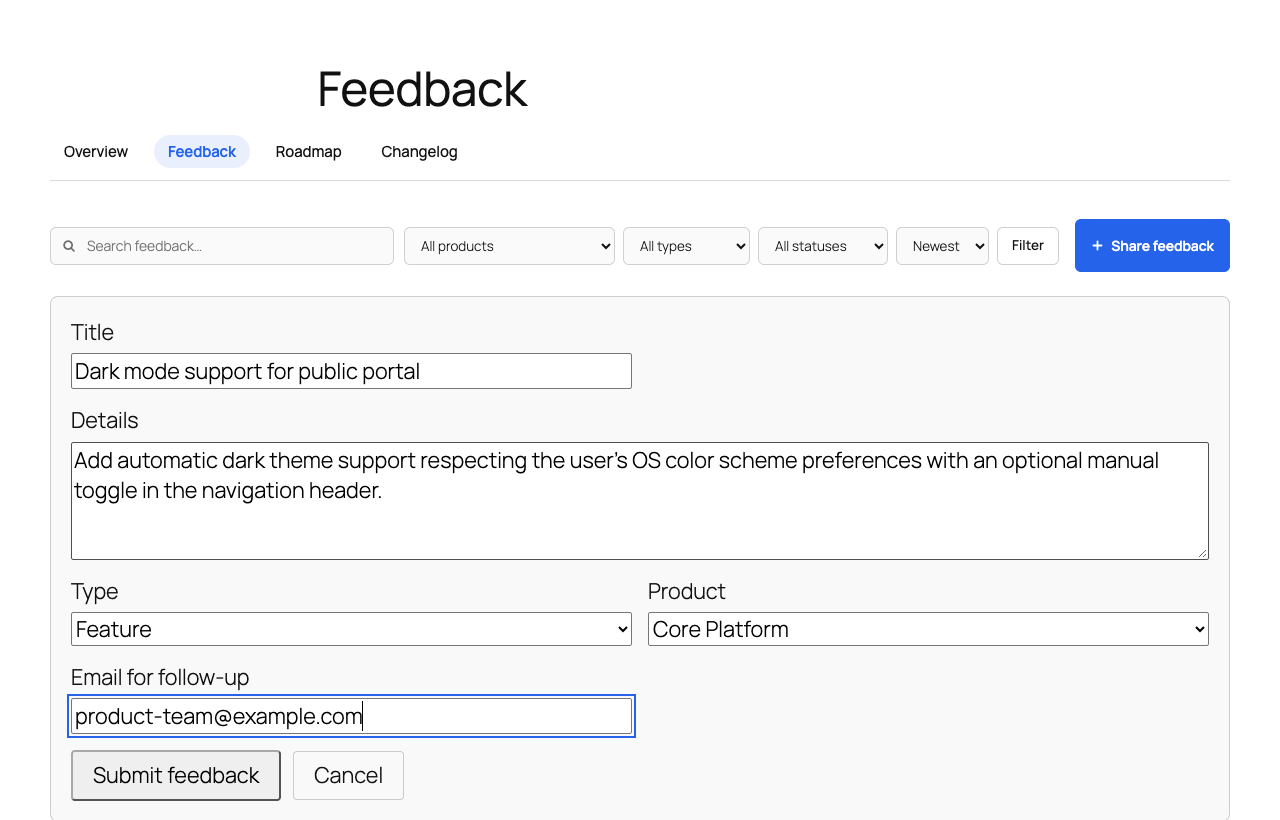


常见问题:
Do visitors need an account to vote or submit ideas?
No. Senti eliminates friction by allowing guest visitors to vote and submit feedback without creating a WordPress account. Guest votes are tracked with secure first-party continuity cookies. If you prefer to restrict voting to registered members, a single toggle in Senti > Settings enables logged-in-only mode.
How does Senti prevent vote manipulation and spam?
Senti utilizes multiple defensive layers: honeypot form fields, database-level vote uniqueness constraints (wp_senti_votes), intelligent rate limiting, and WordPress nonces to prevent CSRF abuse. All submissions can be reviewed in your admin moderation queue before or during publication.
Does Senti require WooCommerce?
No. WooCommerce integration is 100% optional. Senti is a standalone feedback, roadmap, and changelog engine for any WordPress site. If WooCommerce is installed on the same site, Senti enriches the admin feedback view with observed customer data (lifetime spend, recent purchases) to help store owners prioritize ideas from paying buyers.
Can I use Senti with Full Site Editing (FSE) block themes?
Yes. Senti templates detect block themes and cleanly render header and footer template parts alongside classic theme fallbacks. All Senti blocks work natively in the Gutenberg Block Editor and Site Editor.
How does Senti benefit my website's SEO?
Senti hosts all customer feedback, roadmap entries, and release notes directly under your domain (yourwebsite.com/product-updates/). Every customer discussion thread and release changelog creates crawlable, content-rich pages that compound your organic search rankings and domain authority.
Can I customize the roadmap stages and feedback statuses?
Yes. You can manage feedback statuses (e.g., Open, Under Review, Planned, In Progress, Shipped, Declined) and organize your roadmap columns (e.g., Now, Next, Later) to match your team's development workflow.
How do email notifications work?
Senti features double opt-in email subscriptions. When visitors submit feedback or subscribe to updates, they confirm their email address. When you change an item's status or publish a changelog release, Senti triggers notifications through your standard WordPress email setup (including WP Mail SMTP or any transactional email provider).
Will Senti slow down my site?
No. Senti is built with performance as a core requirement. It uses modern vertical architecture, clean database indexing, and lightweight frontend scripts with progressive enhancement. There are zero external scripts, tracking pixels, or third-party API dependencies.
更新日志:
- Branding & documentation: added repository header banner and icon, refined description and feature capabilities.
- Initial release: Public feedback board, frictionless idea voting, column-based roadmap, release changelogs, double opt-in subscriptions, and optional WooCommerce customer context.