
SEO Ready
| 开发者 |
mahdiyazdani
mypreview gookaani |
|---|---|
| 更新时间 | 2026年6月10日 18:46 |
| PHP版本: | 7.4 及以上 |
| WordPress版本: | 7.0 |
| 版权: | GPLv3 or later |
| 版权网址: | 版权信息 |
详情介绍:
- SEO Title: Add a custom title for search engines.
- Meta Description: Write a focused description for search results.
- Meta Keywords: Add relevant keywords for content organization.
- Canonical URL: Help search engines understand the preferred version of a page.
- Redirect URL: Send visitors to another URL using a meta refresh redirect.
- Redirect Delay: Control the delay before the redirect happens.
- Noindex Control: Prevent selected content from appearing in search results.
- Nofollow Control: Ask search engines not to follow links on selected content.
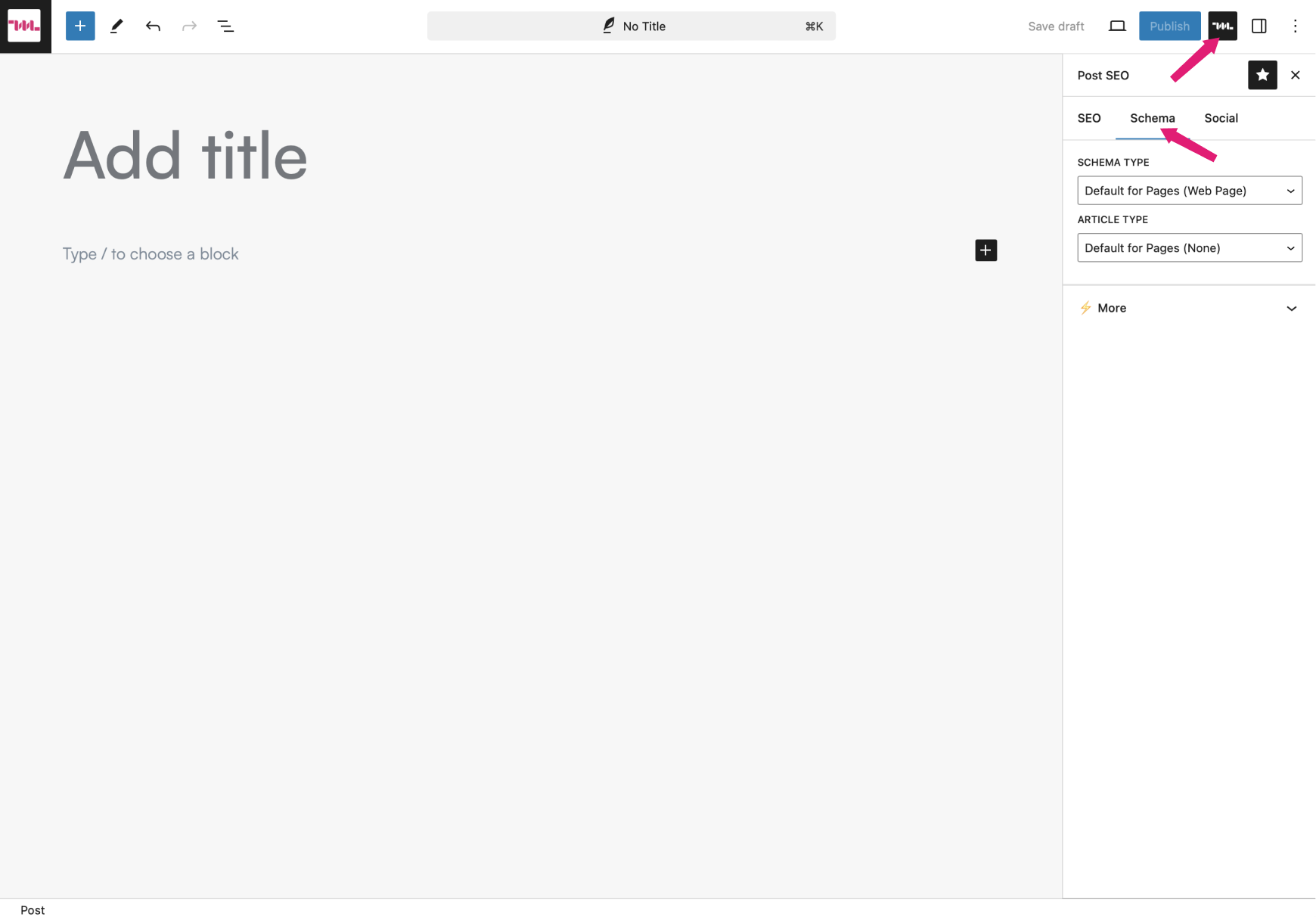
- Web Page
- Item Page
- About Page
- FAQ Page
- QA Page
- Profile Page
- Contact Page
- Collection Page
- Checkout Page
- Search Results Page
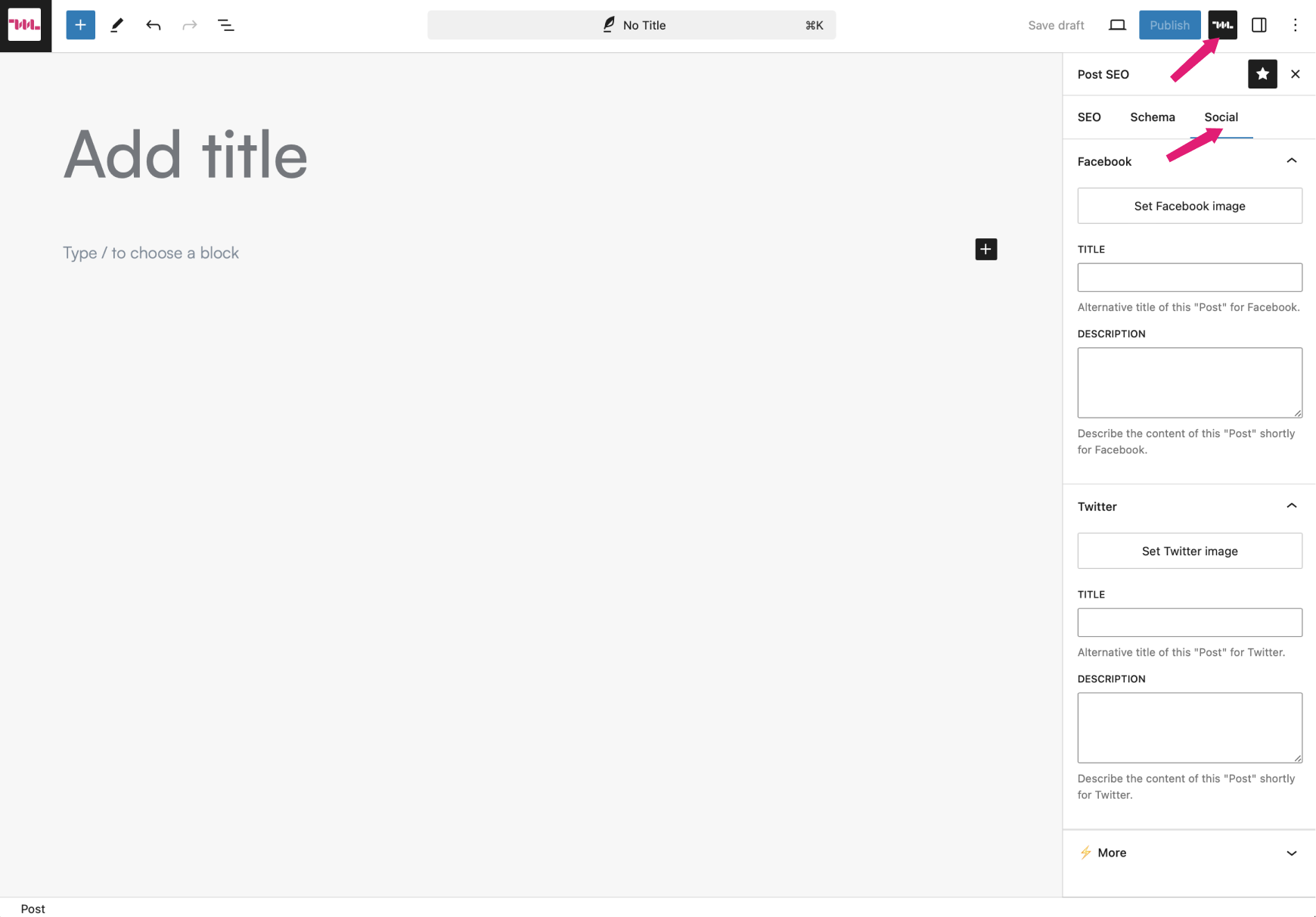
- Social sharing image
- Social sharing title
- Social sharing description
- Improve search result titles and descriptions.
- Add page-level schema markup.
- Control how pages appear on social media.
- Add breadcrumbs for better navigation.
- Build FAQ sections directly in the editor.
- Manage noindex and nofollow settings per page.
- Keep your SEO workflow simple and focused.
安装:
- PHP version 7.4 or greater.
- MySQL version 5.6 or greater, or MariaDB version 10.0 or greater.
- WordPress version 5.9 or greater.
- Log in to your WordPress dashboard.
- Go to Plugins > Add New.
- Search for "SEO Ready".
- Click "Install Now".
- Activate the plugin.
- Download the plugin ZIP file.
- Go to Plugins > Add New in your WordPress dashboard.
- Click "Upload Plugin".
- Choose the ZIP file and click "Install Now".
- Activate the plugin.
/wp-content/plugins/ directory using FTP, then activate it from the Plugins screen.
Updating
Automatic updates should work smoothly. Before updating any WordPress plugin, it is always recommended to back up your website.屏幕截图:
常见问题:
What is SEO Ready?
SEO Ready is a lightweight WordPress SEO plugin that helps you manage essential SEO settings for pages and posts, including SEO titles, meta descriptions, canonical URLs, schema markup, social sharing data, breadcrumbs, and FAQ content.
Do I need to be an SEO expert to use SEO Ready?
No. SEO Ready is designed to be simple and editor-friendly. You can manage important SEO settings directly from the WordPress editor without advanced technical knowledge.
Can I customize SEO settings for each page or post?
Yes. SEO Ready lets you customize SEO titles, meta descriptions, keywords, canonical URLs, redirects, search visibility, link follow behavior, schema, and social sharing data on individual pages and posts.
Does SEO Ready support schema markup?
Yes. SEO Ready includes schema type controls for pages and posts, including Web Page, FAQ Page, Contact Page, Collection Page, Search Results Page, and more.
Can I control how my content appears on Facebook and Twitter/X?
Yes. SEO Ready lets you set custom social sharing images, titles, and descriptions for Facebook and Twitter/X.
Does SEO Ready include breadcrumbs?
Yes. SEO Ready includes a Breadcrumbs block for the WordPress block editor. You can add it to supported pages and customize its delimiter, site title display, current page title, spacing, colors, typography, and alignment.
Does SEO Ready include an FAQ block?
Yes. SEO Ready includes an FAQ block that helps you create structured question-and-answer sections using the WordPress block editor.
Can I prevent a page from being indexed by search engines?
Yes. SEO Ready includes a noindex control that allows you to prevent selected pages or posts from appearing in search results.
Can I use SEO Ready with any WordPress theme?
SEO Ready is designed to work with most modern WordPress themes, especially themes built for the block editor.
Is SEO Ready lightweight?
Yes. SEO Ready focuses on essential SEO features and avoids unnecessary bloat, making it a practical option for users who want simple SEO controls without a large plugin footprint.
更新日志:
- Compatibility with WordPress 7.0.
- Add "FAQ" editor block.
- Fix fatal error when endpoint function is not available.
- Fix blog breadcrumb trails not displaying in the single post view.
- Add "Breadcrumbs" editor block.
- Compatibility with WordPress 6.6.
- Add redirect support using head meta tag.
- Prevented the generation of SEO tags for archive templates.
- Introduces support for Social and Schema type meta tags.
- Ensures compatibility with WordPress 6.3.
- Compatibility with WordPress 6.1.
- Refactored underlying code.
- Compatibility with WordPress 6.0.
- Updated node modules.
- Initial release.