
Seoella - Automated SEO
| 开发者 | seoella |
|---|---|
| 更新时间 | 2026年10月6日 20:51 |
| PHP版本: | 6.4 及以上 |
| WordPress版本: | 7.0 |
| 版权: | GPLv2 or later |
| 版权网址: | 版权信息 |
详情介绍:
Most SEO platforms analyze and recommend. Seoella executes.
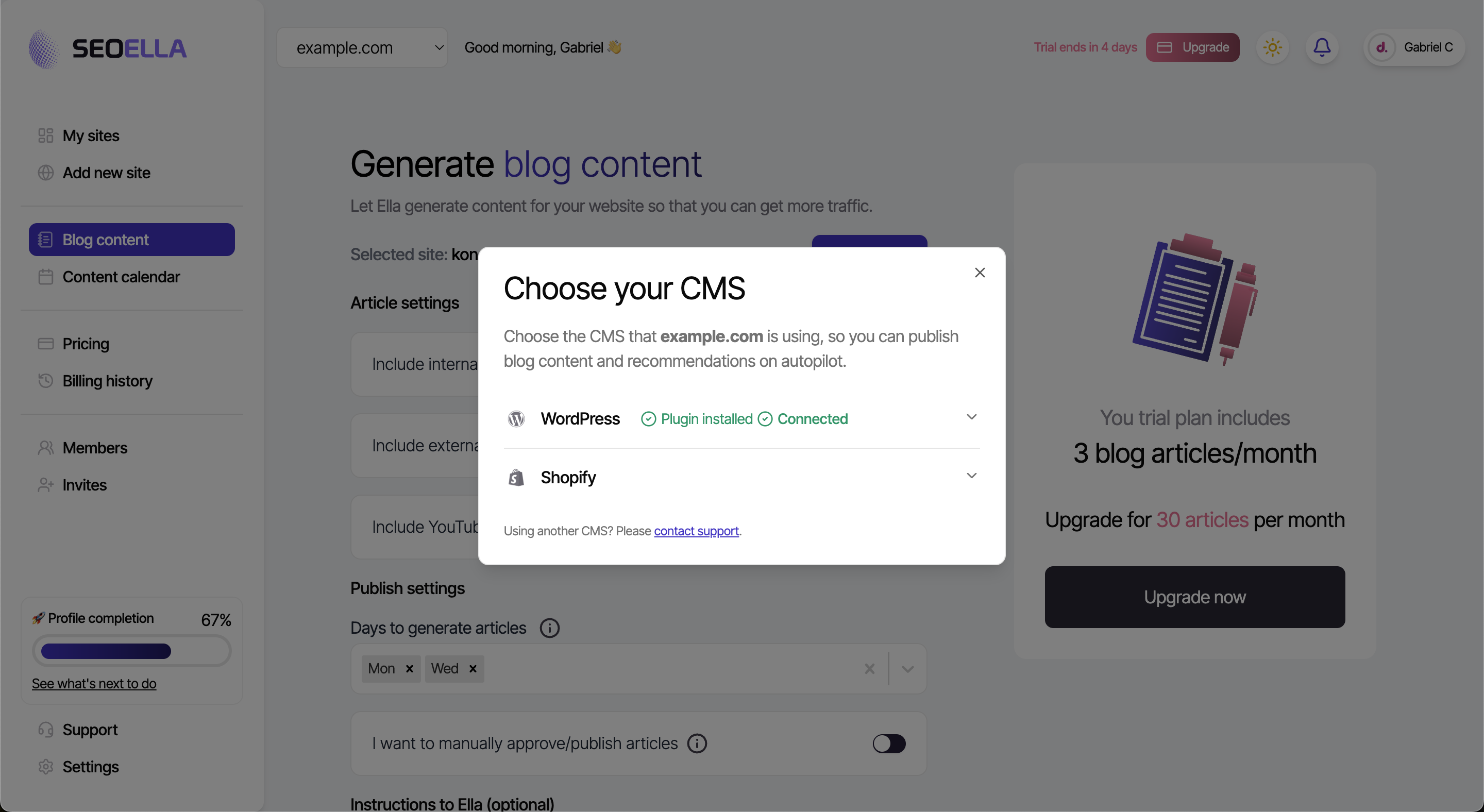
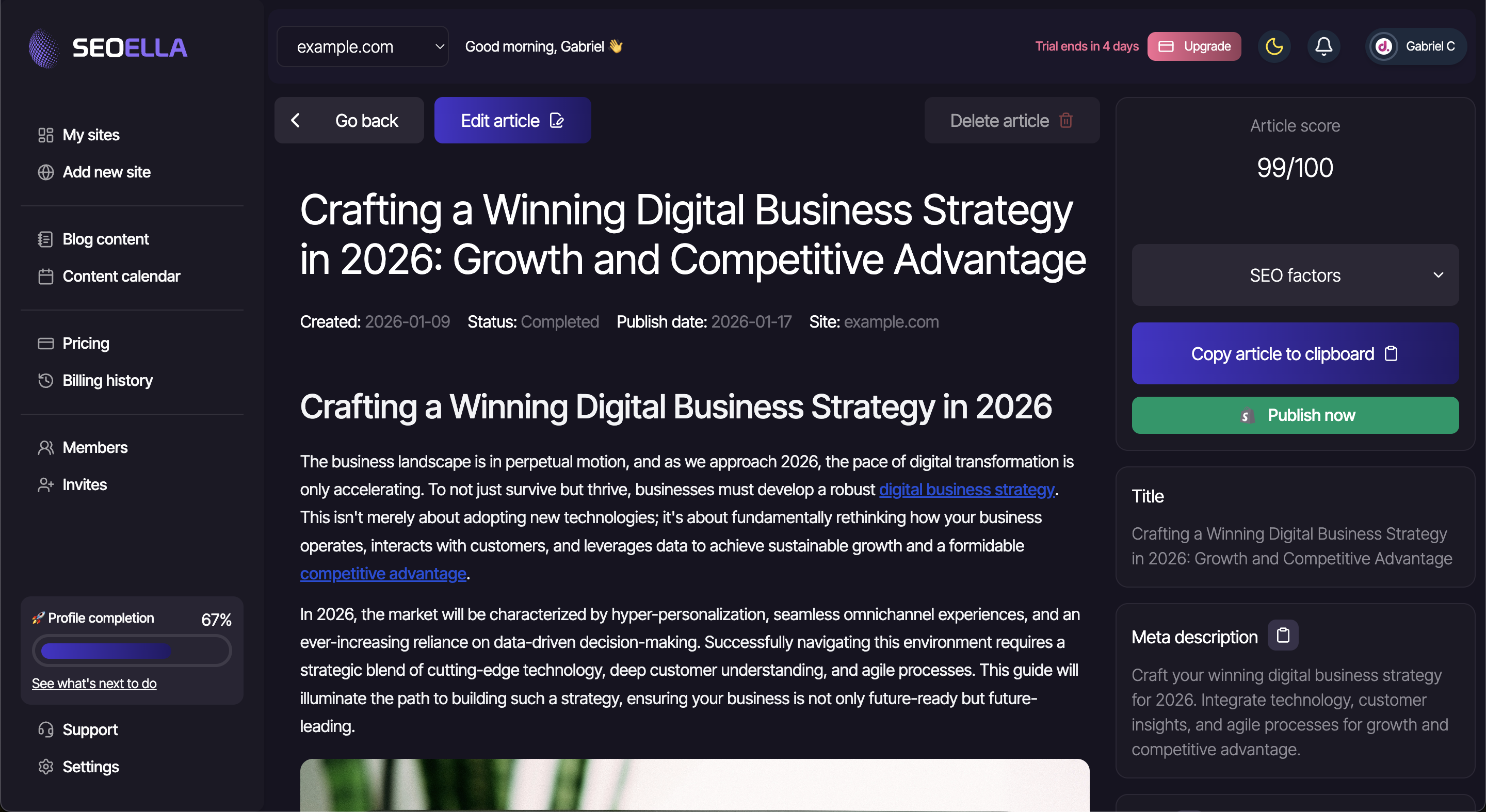
Approve and implement thousands of SEO improvements in one click to your Wordpress website. Automatically publish optimized blog content written by Ella.
安装:
- Upload the plugin files to the /wp-content/plugins/seoella-automated-seo directory, or install the plugin through the WordPress plugins screen directly.
- Activate the plugin through the 'Plugins' screen in WordPress.
- In your Seoella dashboard, open Connect CMS → Generate pairing code, then paste the code in WordPress → Seoella Connector → Connect (recommended).
- For legacy push connections only: generate an Application Password on your WordPress Profile page and enter it in Seoella along with the webhook secret from the plugin settings.
屏幕截图:
常见问题:
Will the articles be published automatically?
You can choose if you want articles to be published automatically on the publish date, or if you want to manually publish all articles.
I have trouble publishing articles from Seoella?
Firstly, please check if you have connected to your Wordpress CMS inside your Seoella dashboard. If you still have issues, please contact our support and we will guide you further.
How does Ella write content?
Ella uses advanced AI to research and write SEO-optimized blog posts tailored to your niche.
Will the approved SEO suggestions override my previous data?
Yes, your SEO data in WordPress will be automatically replaced with the recommendations generated in Seoella once they are approved. However, you can change this settings under "Override SEO data" in the plugin settings.
更新日志:
1.4.8
- Fix: Approved meta titles and descriptions now persist into Yoast, Rank Math, and All in One SEO admin fields (including AIOSEO's aioseo_posts table), not only the live page source.
- Fix: Pull-agent URL resolution matches the REST path for static front pages.
- Fix: Pull-agent optimization jobs (including image alt text) run with administrator capabilities under WP-Cron so capability checks no longer silently fail.
- Fix: Image alt sync falls back to basename matching when WordPress cannot map a CDN/resized URL to a media attachment.
- Fix: Updating an already-published Seoella article now refreshes the live WordPress post instead of skipping it, so "Publish changes" from the dashboard works.
- Fix: Set featured-image alt text on published Seoella articles and backfill missing alt text on existing posts when the plugin updates.
- Fix: Default script loader fallback now points to https://app.seoella.com/api/script_v1.js instead of the legacy S3 bucket.
- Fix: Output meta description and Open Graph tags in the document head when no Yoast, Rank Math, or All in One SEO plugin is installed.
- Fix: Store Seoella meta description on publish and set-seo-meta even without a third-party SEO plugin, so existing posts can pick it up from excerpt after update.
- Fix: Lower the WordPress requirement to 6.4 so sites on 6.4–6.8 receive plugin updates from wordpress.org.
- Fix: Installation path now uses the wordpress.org slug seoella-automated-seo.
- Fix: Pairing always uses the configured Seoella API URL instead of a stale stored backend URL from an older connection.
- Fix: Backend URL from Seoella pair/ping responses is stored as returned by the server (respects SEOELLA_BACKEND_BASE_URL in wp-config when set).
- Improve: Settings page shows the API URL used for pairing.
- Security: the webhook secret is no longer returned to anonymous callers of the status endpoint; only site administrators can read it.
- Fix: a publish job that Seoella retried could create a duplicate post; articles are now published only once.
- Fix: SEO title/description jobs on sites without a supported SEO plugin are no longer retried and reported as failures.
- Fix: the "Override SEO data" checkbox showed as off on new installs while the setting was actually on.
- New: Pull-based agent — connect with a pairing code from Seoella (no Application Password required).
- New: WP-Cron poll picks up publish and SEO jobs from Seoella; works behind Cloudflare without origin API access.
- New: Pairing code UI on the Seoella Connector settings page.
- Legacy push connections (Application Password + webhook) remain supported for existing sites.
- Fix: Webhook ping no longer wipes the stored uniqueKey when the script-tag API lookup fails.
- Fix: Remember the Seoella API base URL from the connection ping (staging vs production).
- Fix: Receive and store tracking script config (uniqueKey) from Seoella during webhook ping.
- Fix: Clear script options on disconnect.
- Improve script-tag lookup hints in plugin settings when script is missing.
- Fix: Seoella script was not injected in
<head>because WordPress stripped the data-URI script tag viawp_kses. - Fix: Script is now output as an inline bootstrap loader using the site unique key from Seoella.
- Fix: Improved domain matching (www vs non-www) when fetching the script config from Seoella.
- Fix: Auto-fetch script config on admin load and after a successful CMS connection ping.
- Add webhook secret to the public status endpoint so Seoella can auto-fetch it on "Check status".
- Add webhook-disconnect endpoint to reset connection status when disconnecting from Seoella.
- Treat connection as stale after 7 days without a successful ping.
- Add "Reset connection status" button in plugin settings.
- Fix: include
class-seoella-optimizations.phpin the plugin package (required for apply-optimizations REST API).
- Add on-page optimization support via REST (
/apply-optimizations). - Tested up to WordPress 7.0.
- SEO meta title/description endpoints and plugin settings.