SEOPix — AI Image SEO Optimizer
| 开发者 | simonbenhamou |
|---|---|
| 更新时间 | 2026年4月20日 01:50 |
| PHP版本: | 7.4 及以上 |
| WordPress版本: | 6.9 |
| 版权: | GPL-2.0-or-later |
| 版权网址: | 版权信息 |
详情介绍:
SEOPix optimizes your WordPress images for SEO in one click. When you upload an image, AI analyzes it and:
- Compresses — up to 90% smaller without quality loss
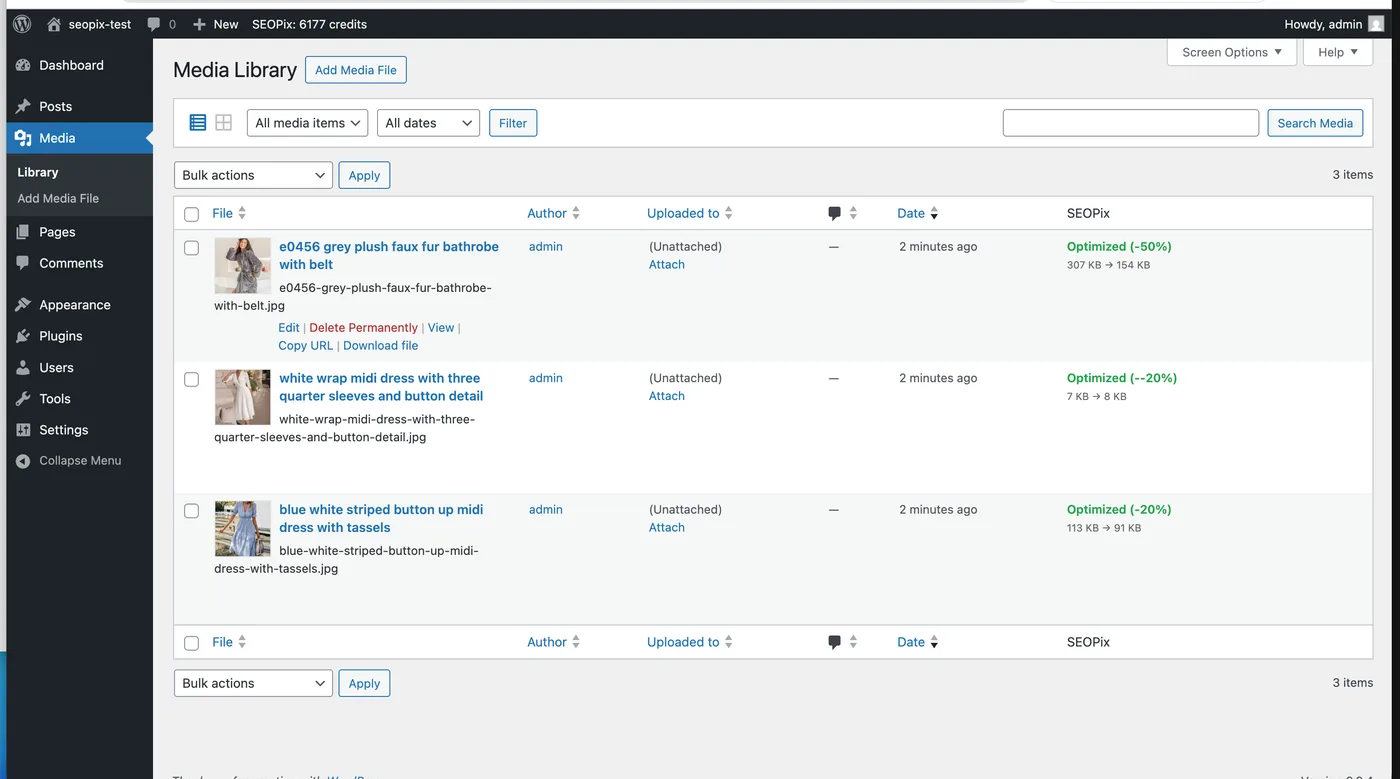
- Renames — generates SEO-friendly filenames based on image content (e.g. IMG_4523.jpg → vintage-leather-bag.webp)
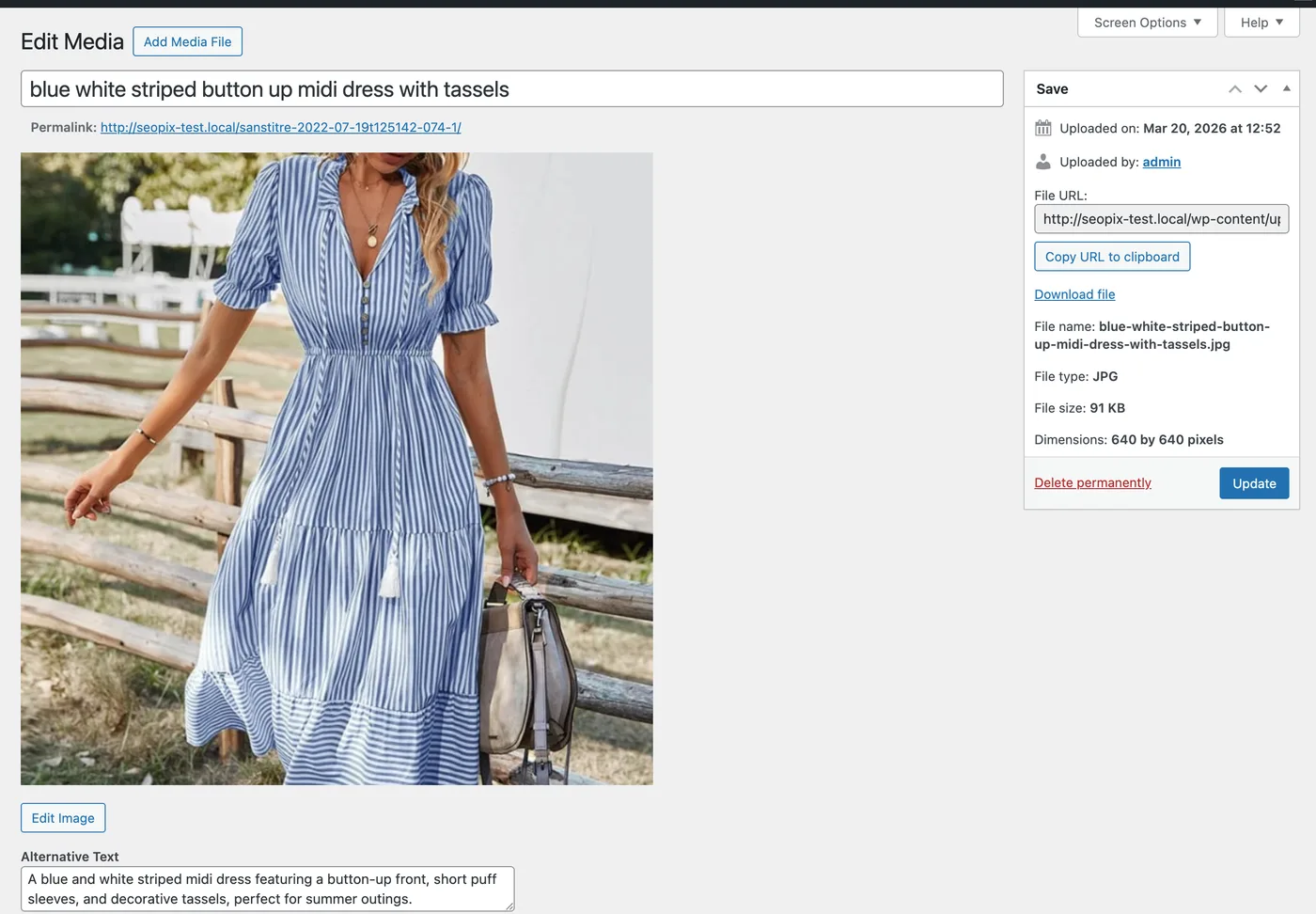
- Generates alt-text — descriptive, keyword-rich alt-text in 7 languages
- Converts format — WebP, JPEG, or PNG
- Auto-optimize on upload (can be toggled off)
- Manual "Optimize" button in Media Library
- Bulk optimize selected images
- Platform presets: Web, Shopify, Etsy, Amazon, Instagram
- Alt-text in 7 languages: EN, FR, ES, DE, IT, PT, NL
- Shows compression savings per image
- No server-side processing — uses seopix.co API
- Install the plugin
- Get a free API token at seopix.co
- Enter the token in Settings → SEOPix
- Upload images — they're automatically optimized
- Free: 15 credits/month (1 credit = 1 image)
- Credit packs: from $14.99 (500 images, never expire)
- Subscriptions: from $4.99/month (100 images/month, credits accumulate)
安装:
- Upload the
seopixfolder to/wp-content/plugins/ - Activate the plugin through the Plugins menu
- Go to Settings → SEOPix
- Enter your API token (get one free at seopix.co)
屏幕截图:
常见问题:
Do I need an account?
Yes, you need a free account at seopix.co to get an API token. The free plan includes 15 image optimizations per month.
What happens to my original images?
The original file is replaced with the optimized version. The filename is updated to the SEO-friendly name, and alt-text is set automatically.
Does it work with existing images?
Yes. Use the "Optimize" button in the Media Library or select multiple images and use the "Optimize with SEOPix" bulk action.
What formats are supported?
Input: JPEG, PNG, WebP, GIF, BMP, TIFF, AVIF Output: WebP, JPEG, or PNG (configurable)
更新日志:
1.0.3
- Updated pricing information in the readme to reflect current SEOPix plans (credit packs from $14.99, subscriptions from $4.99/month).
- Added "External services" section to the readme, documenting the SEOPix API (seopix.co) used by the plugin for image processing and credit lookup, with links to the SEOPix Terms of Service and Privacy Policy.
- Initial release
- Auto-optimize on upload
- Manual and bulk optimization
- Platform presets (Web, Shopify, Etsy, Amazon, Instagram)
- Alt-text generation in 7 languages