
SeqWins Display - live walkthrough for multi-step FAQs/guides/wizards
| 开发者 | destinyexpress |
|---|---|
| 更新时间 | 2026年11月16日 21:53 |
| PHP版本: | 7.4 及以上 |
| WordPress版本: | 7.1 |
| 版权: | GPLv2 or later |
| 版权网址: | 版权信息 |
详情介绍:
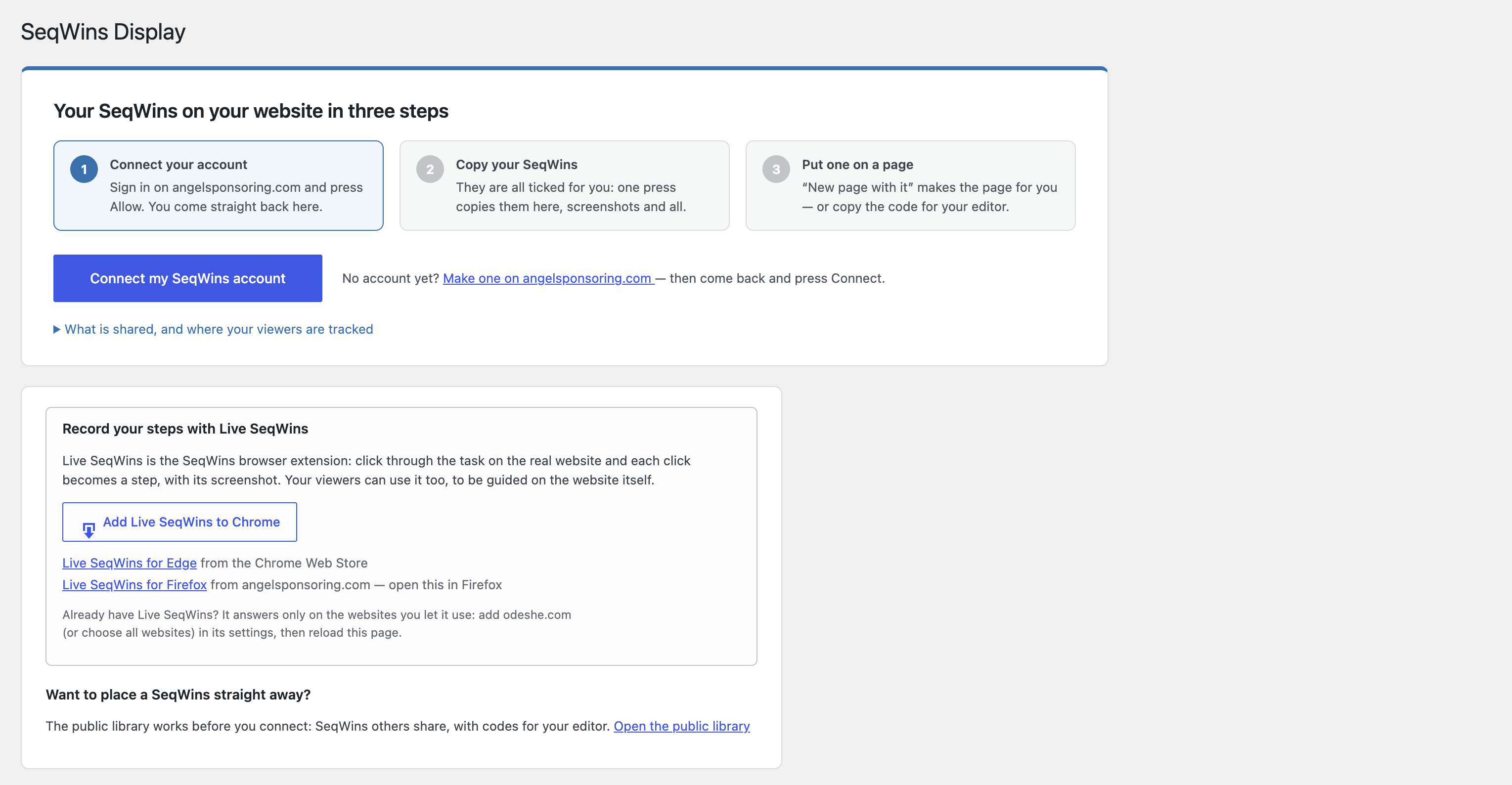
- In wp-admin, go to SeqWins Display and press Connect to SeqWins.
- Sign in to angelsponsoring.com and approve your website. You are brought straight back.
- Tick the SeqWins you want on this website and press Copy.
- New page with it: one press on the SeqWins or Library screen makes a draft page holding it.
- Block: "SeqWins", in the block editor's Embeds group (whole or card).
- Shortcode:
[seqwins_display id="123"],[seqwins_display id="123" view="card"]. - WPBakery: a "SeqWins" element in the Content group, and "SeqWins library".
- A library of cards:
[seqwins_display_library columns="3"]— every SeqWins copied here, including ones you copy later. - Widget: "SeqWins", for sidebars and footers.
- Paste its link or embed code: a SeqWins' address from angelsponsoring.com on a line of its own, or its embed code, is drawn here — no frame.
- Instantly: when you edit a SeqWins on angelsponsoring.com, or redact one of its screenshots, your website is told straight away and the copy is refreshed.
- When viewed: checked in the background, at most every five minutes. Your visitors never wait for it.
- Twice a day: every copy is checked.
- Whenever you like: press Refresh now on the SeqWins screen.
- The title and the whole of step 1 are in the page itself; later steps' screenshots are fetched as the viewer moves on.
- One small stylesheet and one small deferred script, only on pages with a SeqWins. A card costs a few kilobytes.
- Screenshots come from your own website, and a ready-to-show copy of each SeqWins is kept in your object cache or transients.
- Pages showing a SeqWins can be cached like any other page, and are cleared automatically when it changes, in the common caching plugins.
- Each step reached and ticked off, in order. A step whose link must be opened first waits for it; the last tick can be undone.
- Signed-in viewers carry on from any device: their progress is kept with their account on your website. A guest who signs in or signs up keeps what they had done.
- Guests carry on later on their device when they tick Remember my progress on this device (one cookie holding a random code, set only when they tick it). Everybody else is recorded for their visit.
- Agreement to the terms for using SeqWins, ticked before the first step.
- Tags from the address they arrive on —
…/your-page/#newsletterrecords "newsletter". - Where people stop: the step most people reach without going further.
- No cookie unless a visitor asks for one by ticking "Remember my progress on this device" (or saying yes to preference cookies on a consent banner that uses the WP Consent API). It holds a random code, and unticking removes it. No IP addresses or anything else that identifies a guest are kept.
- You choose how long records are kept — 30 days to two years after a viewer's last visit — and can delete them all at any time. Visits nobody asked to remember are deleted the next day. Both ways of carrying on can be switched off under Tracking & privacy.
- WordPress's privacy tools (Tools → Export / Erase Personal Data) include opt-ins and signed-in viewers' progress, found by email address. Suggested wording for your privacy policy is added under Settings → Privacy.
- angelsponsoring.com receives no records of people, and the daily totals (numbers per SeqWins per day) only if you switch sharing on.
- Screenshots come from your website. Visitors' browsers load nothing from angelsponsoring.com unless you choose to, or they press play on a video, press Show on a public-library SeqWins, or follow a link.
- The connection key is stored encrypted, and notes from angelsponsoring.com are signed and checked on arrival.
- Deleting the plugin keeps your data unless you first tick Delete everything when the plugin is deleted.
安装:
- Install and activate the plugin.
- Go to SeqWins Display in wp-admin and press Connect to SeqWins.
- Sign in to angelsponsoring.com, approve your website, and choose your SeqWins.
define( 'SEQWINS_DISPLAY_SOURCE', 'https://staging…' ); to wp-config.php.屏幕截图:


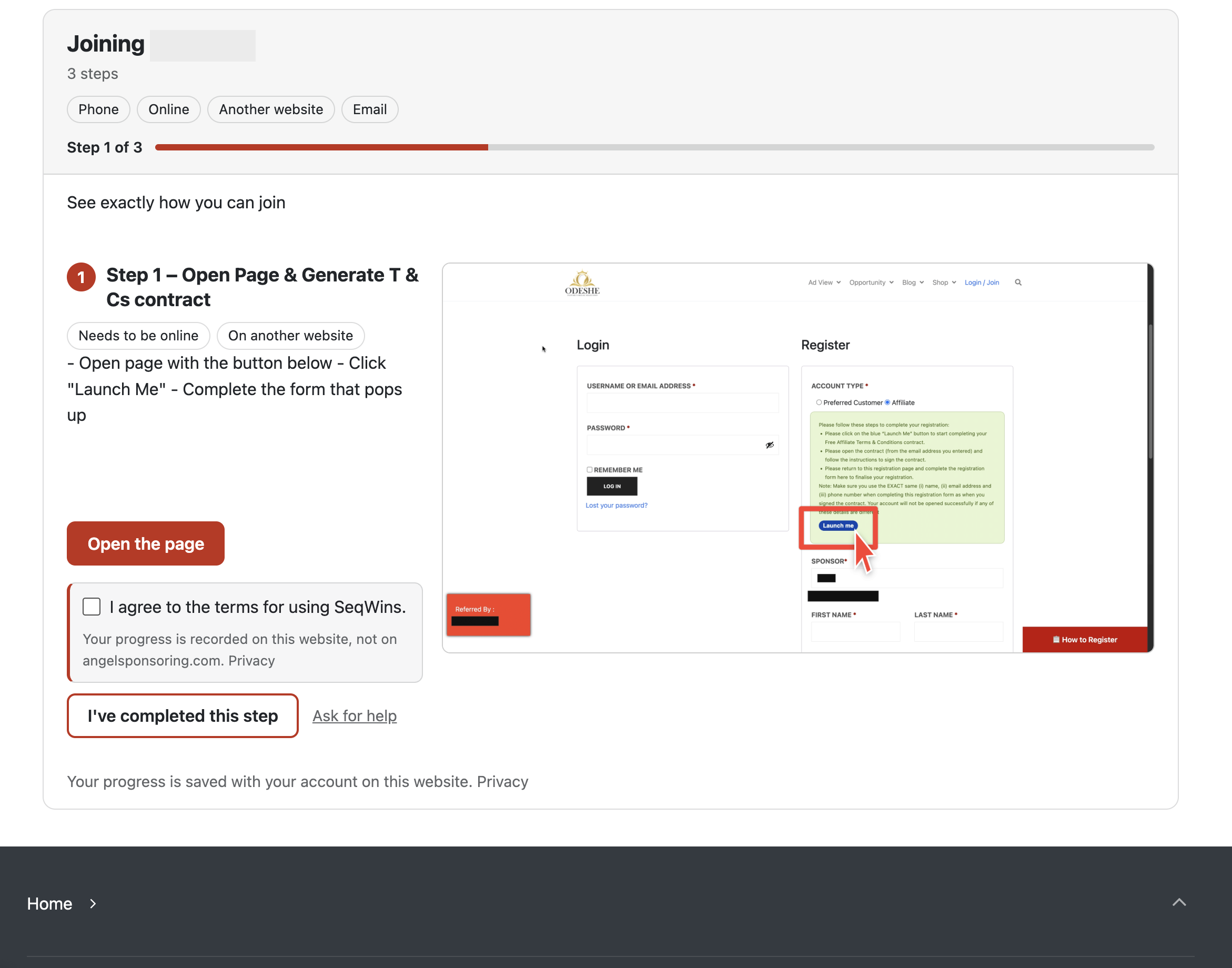
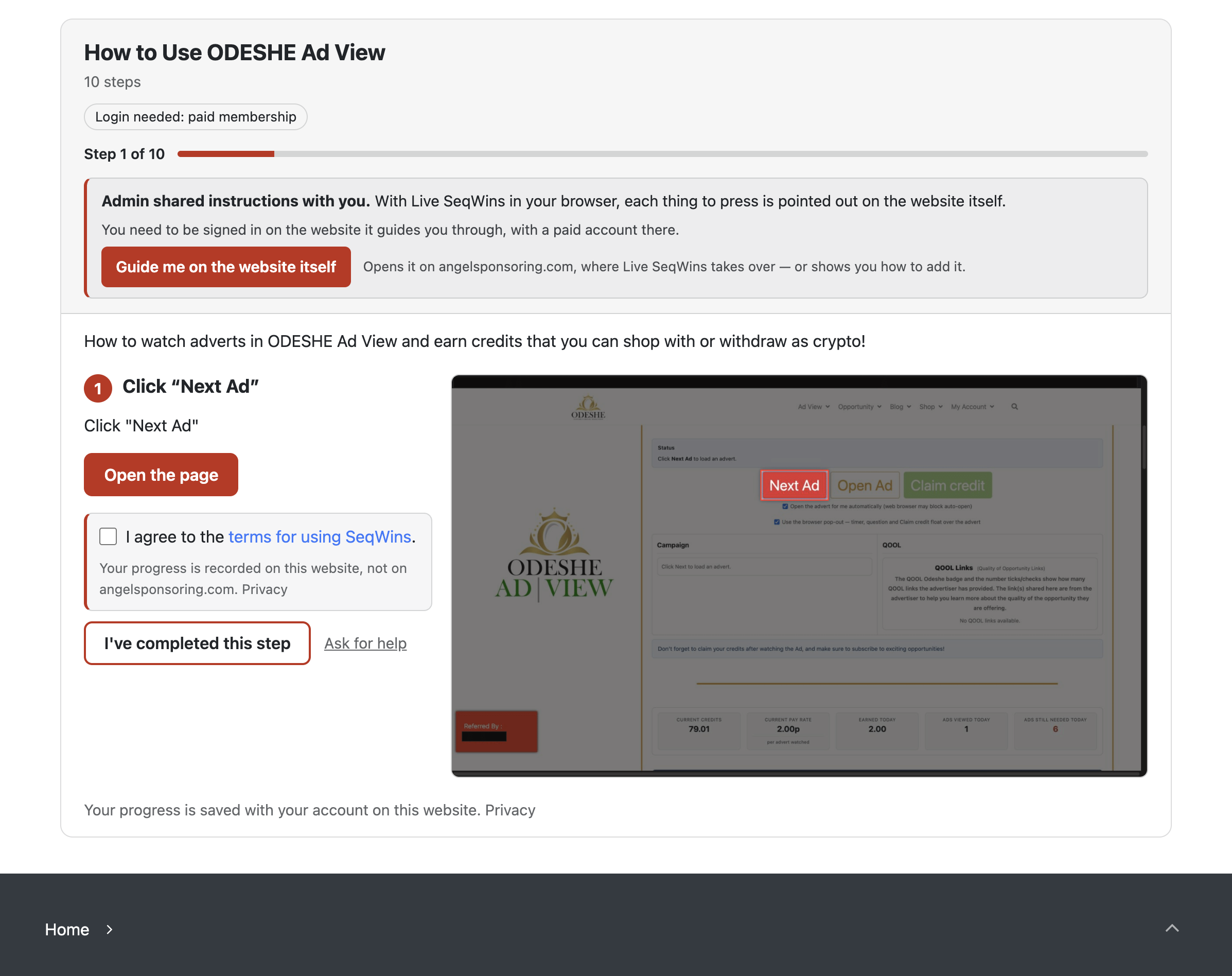


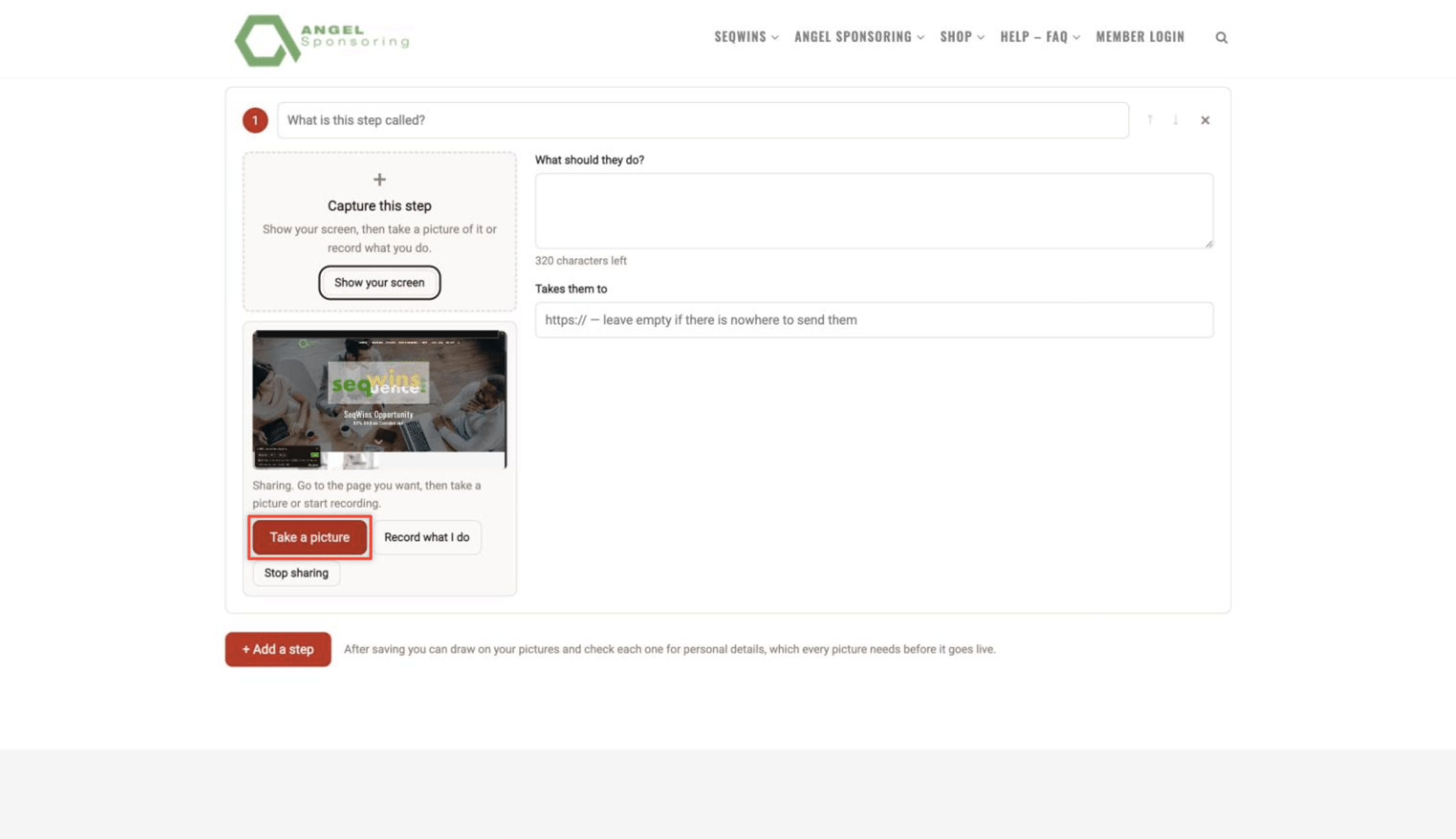
常见问题:
Do I need an account on angelsponsoring.com?
Yes. SeqWins are made and stored there, and the plugin shows the ones in your account.
Can more than one account be connected to a website?
No. Each website connects to one SeqWins account, chosen by whoever manages the website.
I approved the connection but was not brought back.
The approval page shows a connection code. Open SeqWins Display on your website, choose "Enter the code instead", and type it in. It works once, within ten minutes.
It says this site's security keys have changed.
Some security plugins change the keys in wp-config.php, and the saved connection is encrypted with them. Press Connect to SeqWins again. Your copied SeqWins are kept, and shown meanwhile.
How is the connection kept secure?
- Connecting uses a one-time code that only works together with a secret your website never sends anywhere, so it is useless to anybody who sees it.
- The connection key is stored encrypted in your database (libsodium, or OpenSSL AES-256-GCM), with a key made from your site's own security keys in wp-config.php. It can only read your own account's details and SeqWins, and can be disconnected at any time, from your website or from your account on angelsponsoring.com.
- Notes from angelsponsoring.com are signed (HMAC-SHA256 with your connection's key) and checked on arrival. Notes that are unsigned, wrongly signed, more than five minutes old or already received are refused.
- Visitors' requests to
/wp-json/seqwins-display/v1/viewercan only record that visitor's own progress, opt-in or help request on a SeqWins copied here, are limited in number, are never cached, and store no IP addresses. - Every form and button in wp-admin checks a nonce and that you may manage the site.
What happens to my copies if angelsponsoring.com is down, or I disconnect?
They are shown as usual. Your website checks its copies twice a day; if a check fails it tries again over the next hour, and while it can't get through, copying and refreshing wait, with a message in wp-admin saying why. They carry on by themselves once the connection returns (or once you connect again).
My website is behind a firewall. Will updates still arrive?
Yes. The instant notes may not get through, but copies are still checked when viewed and twice a day, and you can press Refresh now at any time.
What happens when I redact a screenshot?
The pictures copied to your website are deleted straight away and never shown again. Its steps keep showing, with "This picture is being updated" where each screenshot was, until the new pictures arrive — even on pages your visitors already have open.
Which editors can I place a SeqWins with?
- Block editor: the "SeqWins" block in the Embeds group, with "Show: the whole SeqWins / its card".
- Shortcodes work in the classic editor, Shortcode blocks and text widgets.
- WPBakery: a "SeqWins" element in the Content group (whole or card), and "SeqWins library".
- Embed code from angelsponsoring.com works in either form (card or whole).
- The public library gives a block, shortcode, WPBakery code and HTML for each SeqWins it lists.
Where is viewers' progress kept?
For every SeqWins copied to your website: in your website's own database, in four tables — wp_simplet_display_progress (each visit's steps), wp_simplet_display_viewers (when they were seen, their tags and terms agreement), wp_simplet_display_leads (opt-ins) and wp_simplet_display_counts (daily totals, numbers only). They are removed when the plugin is deleted with "Delete everything" ticked.
So that nobody can fill your database by sending made-up progress, each visit can record only so much: about six changes per step of a SeqWins an hour, plus 30 to spare, and your website starts recording at most 120 new visits a minute. Past either limit the SeqWins carries on working on the page; that visit's progress just isn't recorded.
Can I make or edit a SeqWins in WordPress?
No. SeqWins are made and edited on angelsponsoring.com. The plugin takes you there with one button, and shows, records and reports on what you make.
Where do opt-ins go?
Into your website's own database (wp_simplet_display_leads), and an email to you for each one, with who, which SeqWins and which page. They are included in WordPress's export and erase tools by email address, and are not sent to angelsponsoring.com. A mailing-list plugin on your website can pick them up through the seqwins_display_lead_captured action.
Does it set cookies?
Only when a visitor asks: ticking Remember my progress on this device sets sd_viewer (a random code, HttpOnly) and sd_consent, for your retention period. Unticking removes them. Signed-in viewers need no cookie of ours: their progress is kept with their account. Consent banners that use the WP Consent API are told about the cookie, and a yes to preference cookies there counts as ticking the box. You can switch the box off under Tracking & privacy.
Where are the screenshots kept?
In a folder inside your website's uploads folder (usually wp-content/uploads/simplet-display/), one folder per SeqWins, not in your Media Library. They are deleted when you remove a SeqWins from your website, or delete the plugin with "Delete everything" ticked. You can choose to serve them from angelsponsoring.com instead, under Tracking & privacy; this website's copies are then used if angelsponsoring.com cannot be reached.
I deleted the plugin. Is my data gone?
Not unless you ticked Delete everything when the plugin is deleted (under SeqWins Display → Tracking & privacy) first. By default, deleting the plugin keeps your copied SeqWins, opt-ins, stats and settings, so reinstalling it and pressing Connect brings everything back. Switching the plugin off (which deleting does first) disconnects it from your SeqWins account, unless you untick Disconnect from angelsponsoring.com when the plugin is switched off.
Will it slow my pages down, or upset my caching plugin?
No. Pages without a SeqWins carry nothing from it. Pages showing a SeqWins can be cached like any other page: they are the same for every visitor who is not signed in, and set no cookie when viewed. Each visitor's progress goes to your website separately, as a request no cache keeps.
- Cached pages showing a SeqWins are cleared automatically when it changes in WP Rocket, LiteSpeed Cache, W3 Total Cache, WP Super Cache, WP-Optimize and SiteGround Speed Optimizer. Other caches can listen for the
seqwins_display_purge_postaction. - The small viewer script is kept out of "delay JavaScript", combining and minifying (WP Rocket, LiteSpeed Cache, SiteGround Speed Optimizer, Autoptimize, Cloudflare Rocket Loader), so the first press of a button always works.
- SeqWins Display → Cache tools shows what is kept and which caching plugins were found, with buttons to check or refresh every copy, copy the screenshots again, clear the fast copies, or clear cached pages.
更新日志:
- Viewers' pages and the privacy tools say "SeqWins" directly, with nothing in between.
- Requests to angelsponsoring.com name the plugin and nothing else about it.
- Keeps less of angelsponsoring.com's answer: what the plugin does not use is no longer stored.
- As planned for 3.3: SeqWins Display names itself in every request, and angelsponsoring.com answers with the plugin's whole service for any connected account.
- Viewers carry on later, on every site: signed-in viewers from any device, and guests on their device when they tick "Remember my progress on this device". Both on, and each can be switched off under Tracking & privacy.
- As planned: every action and filter is named
seqwins_display_…. - Errors SeqWins Display reports are its own; other plugins and themes report theirs.
- Fixed: a SeqWins copied to your website could fail to appear on its page.
- Fixed: the SeqWins screen could fail to open once connected, and the Check, Refresh and Copy again buttons under Cache tools could fail.
- A public-library SeqWins placed without copying it shows a "Show this walkthrough" button, and loads from angelsponsoring.com only when it is pressed (unless you choose otherwise under Tracking & privacy).
- Your account's details arrive when you connect, and are asked for again only when angelsponsoring.com says they changed or you press Check now.
- Each visit can record only so much progress, so the visitors' address can't be used to fill your database.
- Adds license.txt (GPLv2 or later).