
Set Value Logic for Fluent Forms
| 开发者 | sghoshnbu |
|---|---|
| 更新时间 | 2026年8月26日 23:26 |
| PHP版本: | 7.4 及以上 |
| WordPress版本: | 7.1 |
| 版权: | GPLv2 or later |
| 版权网址: | 版权信息 |
详情介绍:
- Rule 1 sets Calculated value to
{marks} * {credit} - Rule 2 sets Grade to
Dwhen the calculated value is under 30,Cunder 60,Bunder 100, andAotherwise
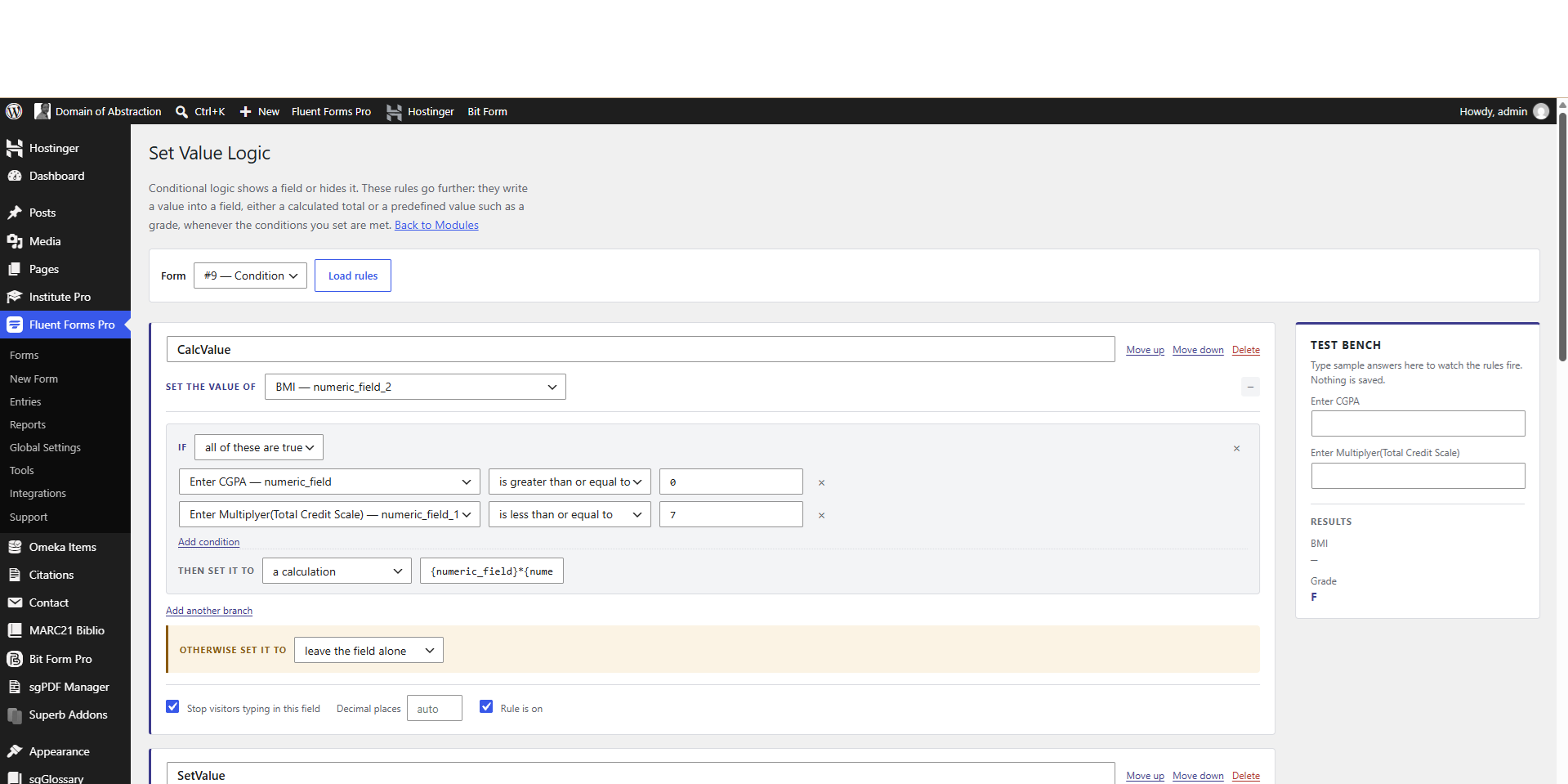
- Calculate a field from other fields using a formula
- Write a fixed value when conditions match, with as many if / otherwise-if branches as you need
- Fall back to a default value when no branch matches
- Clear a field
- Round to a set number of decimal places
- Stop visitors typing into a computed field
{marks} * {credit}. Anything that is not a number counts as zero.
Operators: + - * / % ^, comparisons < <= > >= == !=, logic && || !, and parentheses.
Functions: min max sum avg abs round floor ceil sqrt pow if len number. The first four accept any number of arguments.
Division by zero returns zero rather than an error, so a half-filled form does not show NaN while someone is still typing.
Formulas never go near eval(). They are tokenised and run on a small stack machine, and any name that is not a known function is rejected before evaluation.
Condition operators
Equal to, not equal to, greater than, greater than or equal to, less than, less than or equal to, contains, does not contain, starts with, ends with, is one of, is not one of, is empty, is not empty.
When both sides look like numbers they are compared as numbers, so 10 is correctly greater than 9. Text comparison ignores case.
Values are worked out twice, on purpose
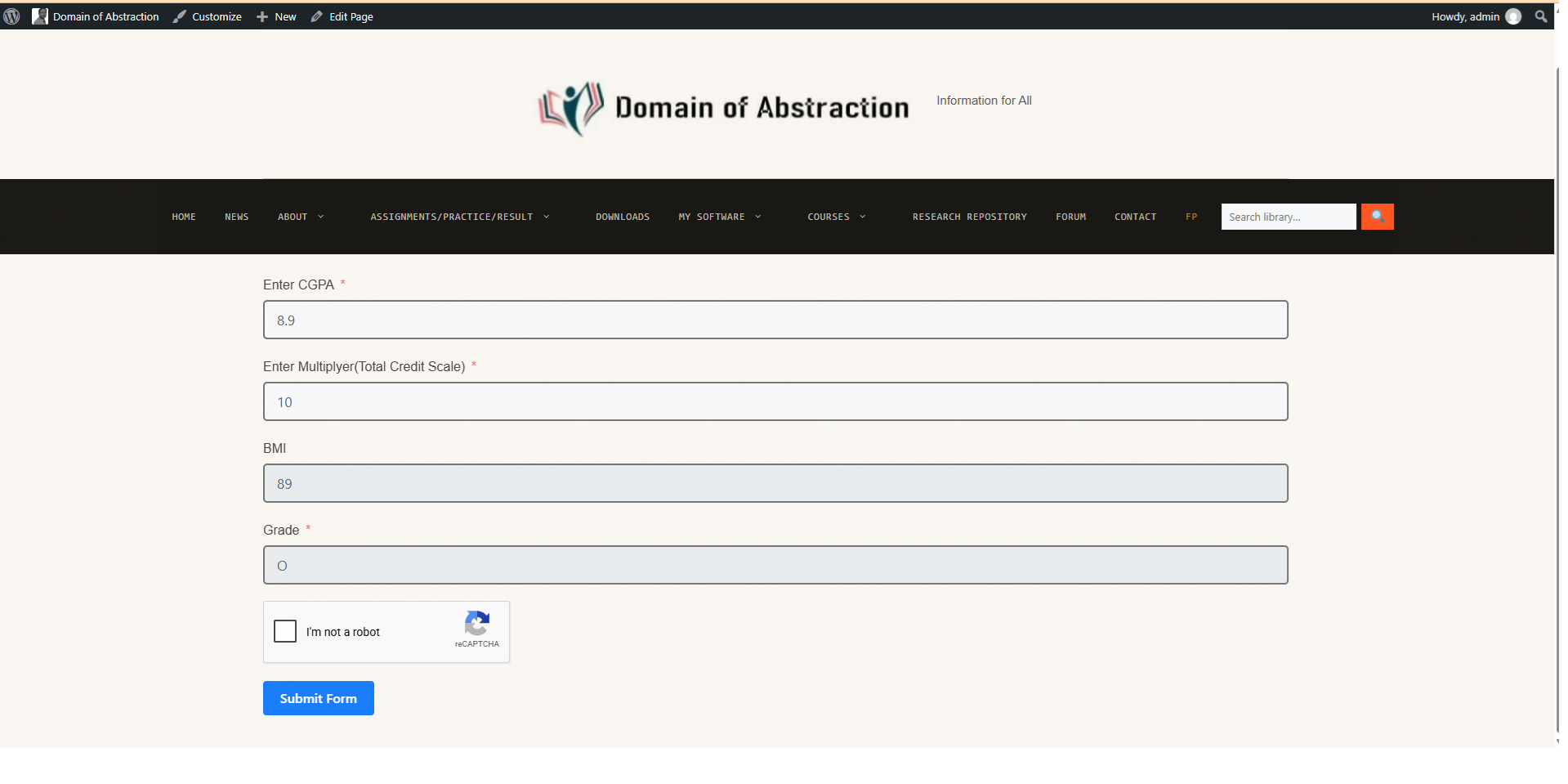
A read-only input can be edited with browser developer tools, so a computed value is never trusted as submitted. Every rule runs again in PHP before the entry is written, and those results are what reach the entry, notifications and integrations.
Where it lives
The plugin appears as a card on Fluent Forms → Integrations → Modules, alongside the other modules, with the same on/off switch.
Once it is switched on, each form gains an Advanced Conditional Logic entry in its Settings & Integrations sidebar, directly below Conditional Confirmations. That is where you write rules for that form. The gear icon on the modules card opens the same builder with a form picker, if you would rather start there.
There is no extra item in the WordPress admin sidebar.
Requires Fluent Forms
This is an add-on. It needs the free Fluent Forms plugin installed and active, and works with both the free and Pro editions. It is an independent project and is not affiliated with, endorsed by, or supported by WPManageNinja LLC, the makers of Fluent Forms.
Privacy
The plugin contacts no external service, loads no remote assets, and collects no data about you or your visitors. Rules are stored in your own database and nowhere else.
Source code
No build step is used. Every JavaScript and CSS file shipped in the plugin is the original, readable source. Development happens at the link in the plugin header.
安装:
- Install and activate Fluent Forms if it is not already running.
- Upload the plugin through Plugins → Add New → Upload Plugin, or install it from the plugin directory.
- Activate it.
- Go to Fluent Forms → Integrations → Modules and find the Set Value Logic card. It is on by default.
- Click the gear icon on the card to open the rule builder, choose a form, and add your rules.
屏幕截图:
常见问题:
Does this need Fluent Forms Pro?
No. It works with the free edition of Fluent Forms and with Pro.
Where do I write rules for a form?
Open the form, go to Settings & Integrations, and choose Advanced Conditional Logic from the sidebar. The gear icon on the modules card opens the same builder with a form picker.
Why is the Advanced Conditional Logic entry missing from my form?
The module is switched off. Turn it on under Fluent Forms → Integrations → Modules and the entry reappears, with your saved rules intact.
The Advanced Conditional Logic pane is empty. What now?
Fluent Forms has a "no conflict" mode under Global Settings that removes other plugins' scripts from its own admin pages. This plugin adds itself to Fluent Forms' allow list for that, so it should not happen. If it does, check that you are on version 1.0.5 or later.
The pane says my form has no named fields. What does that mean?
Every rule addresses a field by its Name Attribute, set on the Advanced tab of each field in the form editor. If no field on the form has one, there is nothing for a rule to point at. Add fields, give them names, then reload the pane.
What happens if someone edits a computed field with developer tools?
The submitted value is discarded. Every rule is evaluated again in PHP before the entry is saved, so the stored value is the one your rules produce.
Can a rule read a field that another rule fills in?
Yes. Rules run in repeated passes until the values settle, so a grade rule sees the current total no matter which order the rules are listed in.
Can I test rules before putting them on a live form?
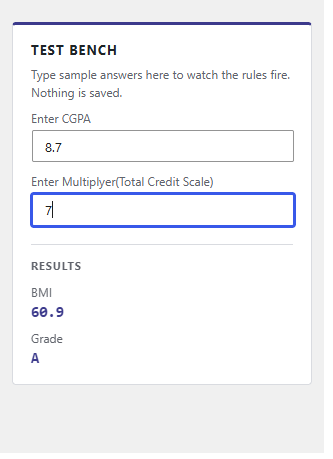
Yes. The rule builder has a test bench on the right. Type sample answers and watch the results resolve. Nothing is saved until you press Save rules.
Does it work with multi-step forms and containers?
Fields inside containers and step wrappers are supported. Fields inside repeaters are listed, but a rule targets a single input rather than every repeated row.
What happens to my rules if I switch the module off?
They stay in the database and stop running. Switching the module back on brings them back exactly as they were.
Does it send anything to an external server?
No. There are no outbound requests of any kind.
更新日志:
- Aligned the plugin folder, main file and text domain on a single slug, so translations load correctly.
- Fixed the rule builder being stripped from Fluent Forms admin pages by its no-conflict mode, which left the Advanced Conditional Logic pane empty.
- Fixed a blank Advanced Conditional Logic pane: the rule builder now loads its assets from the pane itself instead of matching the screen by query string.
- The builder now explains an empty form or a loading failure on screen rather than showing nothing.
- Added "Advanced Conditional Logic" to each form's Settings & Integrations sidebar, so rules can be edited without leaving the form.
- Escaped the values interpolated into internal parser exception messages.
- A formula calling a function with too few arguments, such as if(1), now fails cleanly instead of raising a PHP notice.
- Updated the tested-up-to version.
- Fixed the settings page returning "Sorry, you are not allowed to access this page" when opened from the module card's gear icon.
- First release.