
ShadowSync SEO
| 开发者 | jamingovender1 |
|---|---|
| 更新时间 | 2026年10月16日 16:22 |
| PHP版本: | 7.4 及以上 |
| WordPress版本: | 7.1 |
| 版权: | GPL-2.0-or-later |
| 版权网址: | 版权信息 |
详情介绍:
llms.txt generation and per-bot crawler controls, so you can decide how AI systems such as ChatGPT, Claude, Gemini and Perplexity read your site.
Every feature listed below is included and fully functional. There are no locked features, no trial periods and no usage limits.
Auditing and analysis
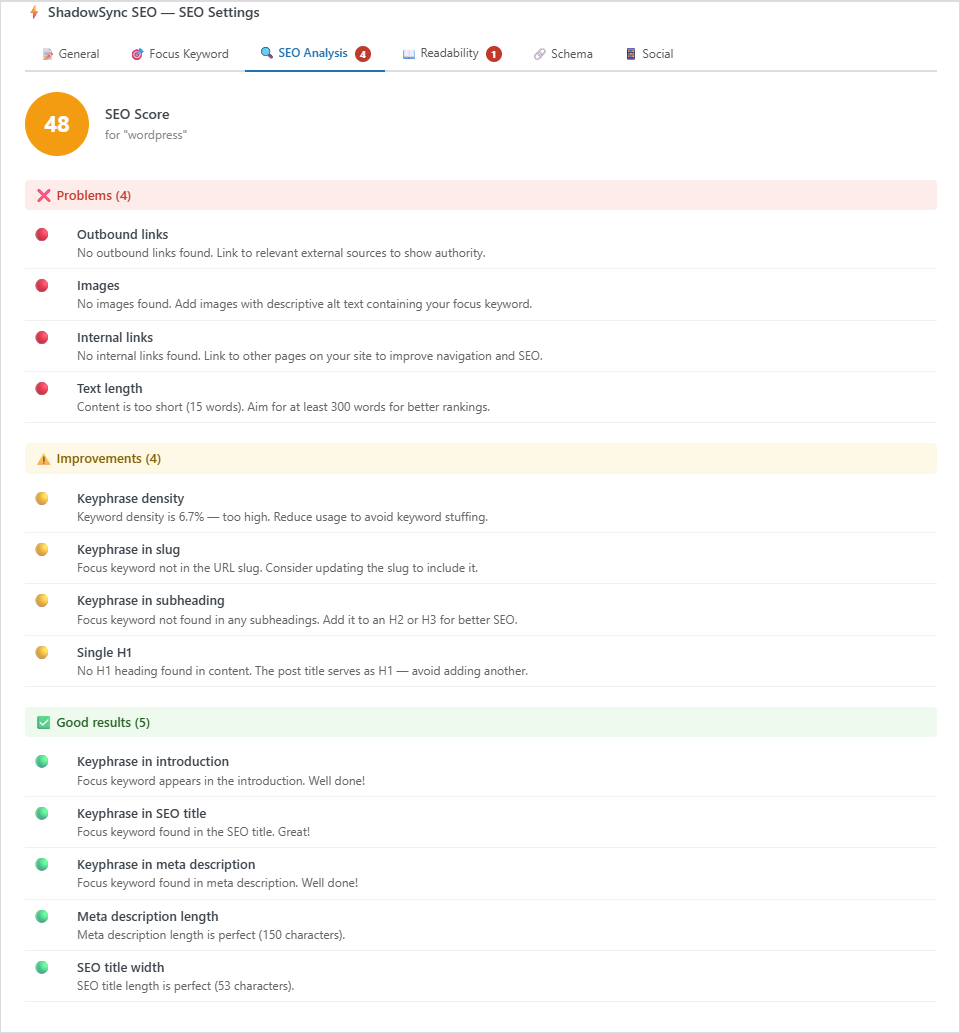
- SEO audit engine with 0–100 scoring against a 13-point checklist
- Focus keyword analysis, re-checked each time you save
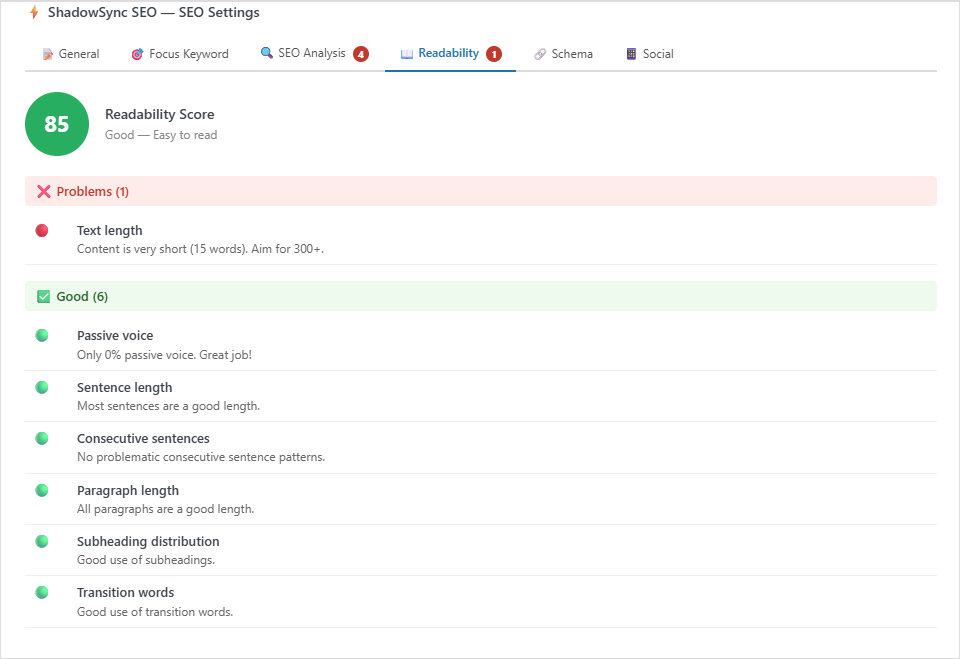
- Readability analysis covering passive voice, sentence length, transition words, paragraph length and subheading distribution
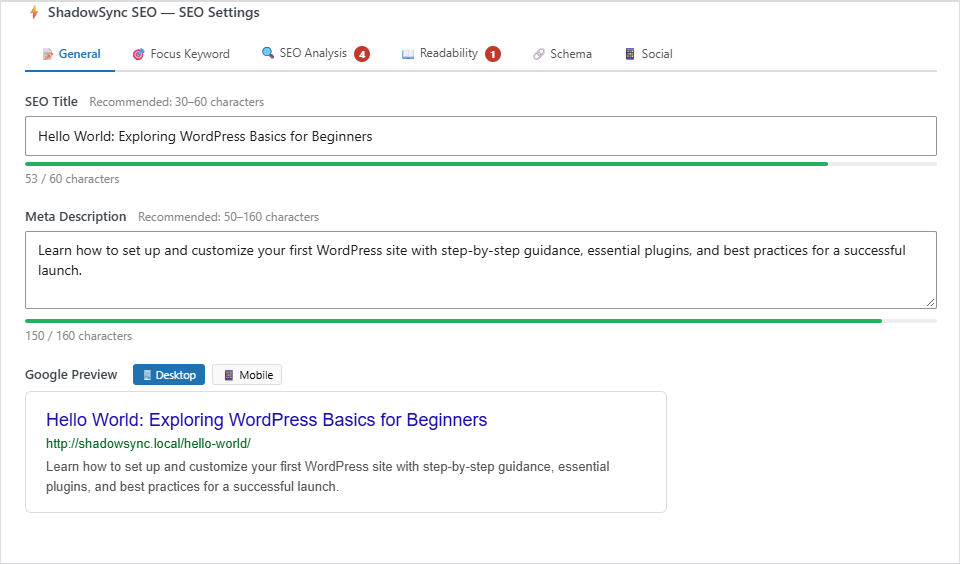
- Meta title and description editor with live Google preview for desktop and mobile
- Social share preview, with Open Graph and Twitter Card output for Facebook, WhatsApp, LinkedIn and X
- Per-post and per-post-type noindex/nofollow controls
- Search Appearance settings
- XML sitemap generation, updated automatically as you publish
- Schema markup (JSON-LD): WebSite and Organization on the home page
- Per-page schema type, chosen in the meta box: WebPage, AboutPage, ContactPage, ItemPage or FAQPage
- Per-post schema type, chosen in the meta box: Article, BlogPosting, NewsArticle or HowTo
- FAQPage questions are taken from headings in the page that end with a question mark, each answered by the text beneath it
- HowTo steps are taken from the first numbered list in the post
- BreadcrumbList JSON-LD, plus a shortcode and a Gutenberg block
- robots.txt visual editor with syntax validation
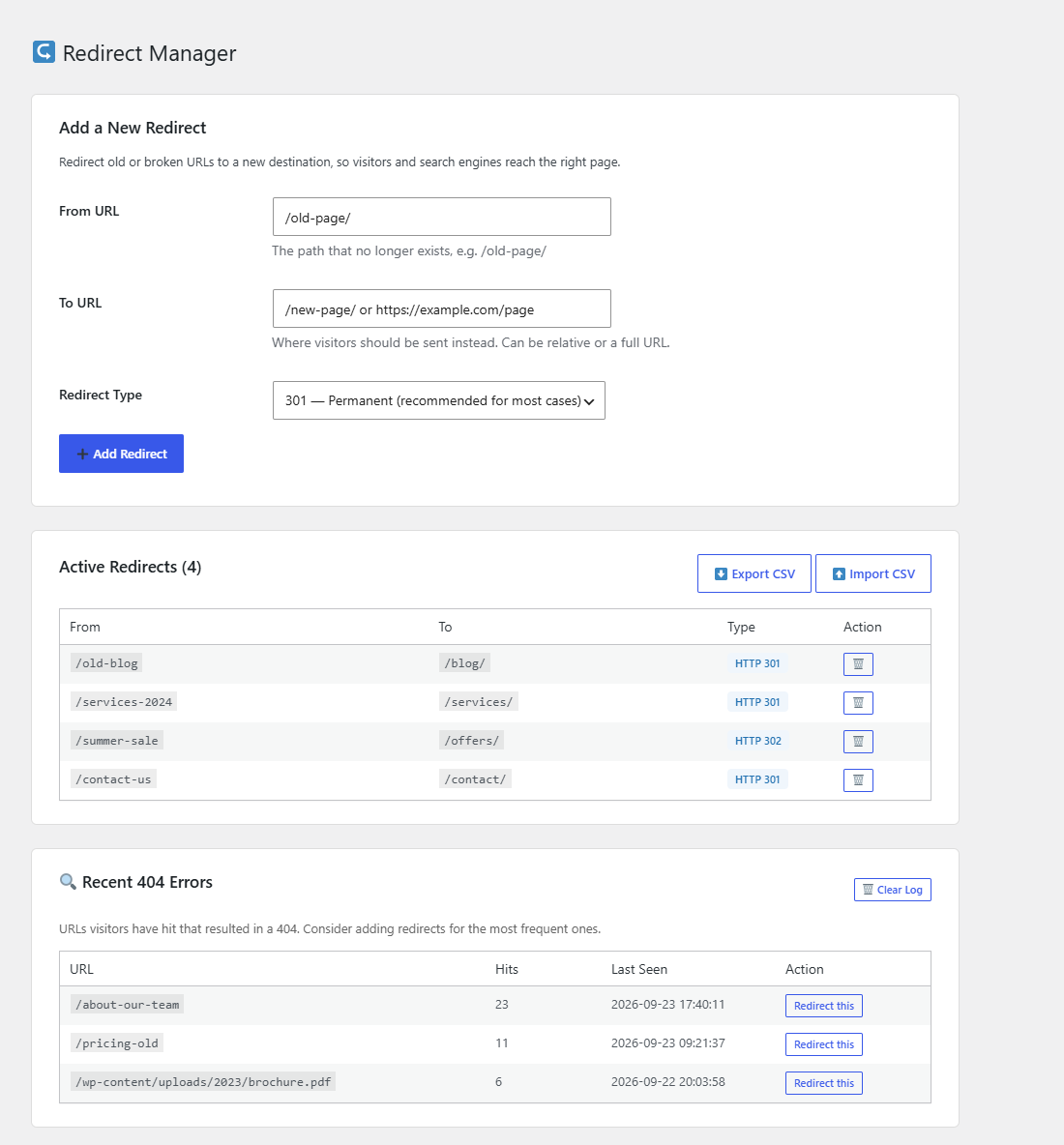
- Redirect manager for 301, 302 and 307 redirects, with 404 tracking and CSV import/export
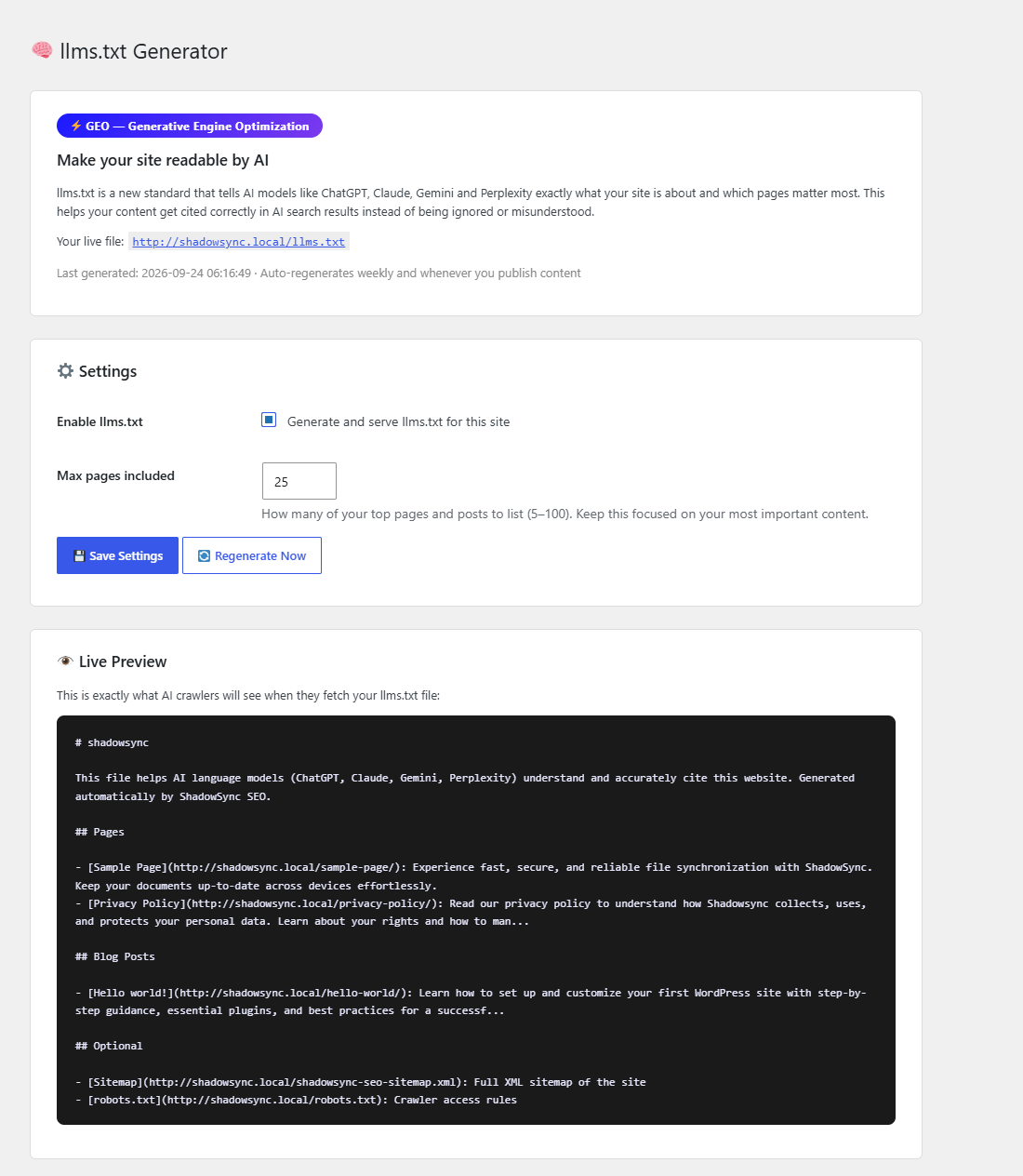
- llms.txt generator with weekly automatic regeneration
- AI Bot Access Manager for allowing or blocking individual AI crawlers
安装:
- Upload the plugin to your
/wp-content/plugins/directory, or install it through the WordPress Plugins screen - Activate the plugin
- Go to ShadowSync SEO → Dashboard and click "Run SEO Scan"
- Open any post or page and use the SEO meta box to edit titles, descriptions, keywords and schema
屏幕截图:

常见问题:
Do I need an account or an API key?
No. The plugin runs entirely on your own site and does not require an account, an API key or any third-party service.
Does it send my content anywhere?
No. All auditing, scoring and analysis happens locally on your server. The plugin makes no outbound requests with your content.
Can I use it alongside another SEO plugin?
It is best to run only one SEO plugin at a time. Running two will usually produce duplicate meta tags, sitemaps and schema markup, which search engines may read inconsistently.
Does it slow down my site?
No scripts or stylesheets are loaded on the front end. The only front-end output is meta tags and schema markup, typically under 3KB per page.
What is llms.txt and why would I want one?
llms.txt is a proposed standard that gives AI language models a structured summary of your site, in the same spirit as an XML sitemap for search crawlers. The plugin generates one for you and keeps it up to date.
How do I add breadcrumbs to a page?
Use the block editor and insert the "Breadcrumbs" block, or place the shortcode [shadowsync_seo_breadcrumbs] in any post, page or widget. BreadcrumbList structured data is output automatically either way, whether or not you display the trail.
Can I control which AI crawlers access my site?
Yes. The AI Bot Access Manager lets you allow or block individual crawlers such as GPTBot, ClaudeBot, PerplexityBot and Google-Extended, and writes the matching robots.txt rules for you.
更新日志:
- The Breadcrumbs block now appears in the block editor, with a live preview
- The Social tab's title and description are now used for Open Graph and Twitter Card tags
- Dashboard scores now check the SEO title when one is set, and no longer mark pages down for having no H1 in the content, matching the editor's analysis
- Added robots.txt visual editor with AI bot quick-add rules
- Added llms.txt generator with weekly auto-regeneration
- Added AI Bot Access Manager
- Added redirect manager with 404 tracking and CSV import/export
- Added per-post and per-post-type meta robots controls, and Search Appearance settings
- Added breadcrumb schema with shortcode and block
- Schema output now follows the type chosen in the meta box, including FAQPage and HowTo
- Moved all JavaScript and CSS to the WordPress enqueue system
- Hardened nonce, input and output handling throughout
- Added SEO Analysis tab, readability analysis, schema tab and social tab
- Initial release