
ShelfDate – Estimated Delivery Dates for WooCommerce
| 开发者 | morpheous7 |
|---|---|
| 更新时间 | 2026年11月23日 07:56 |
| PHP版本: | 7.4 及以上 |
| WordPress版本: | 7.1 |
| 版权: | GPLv2 or later |
| 版权网址: | 版权信息 |
详情介绍:
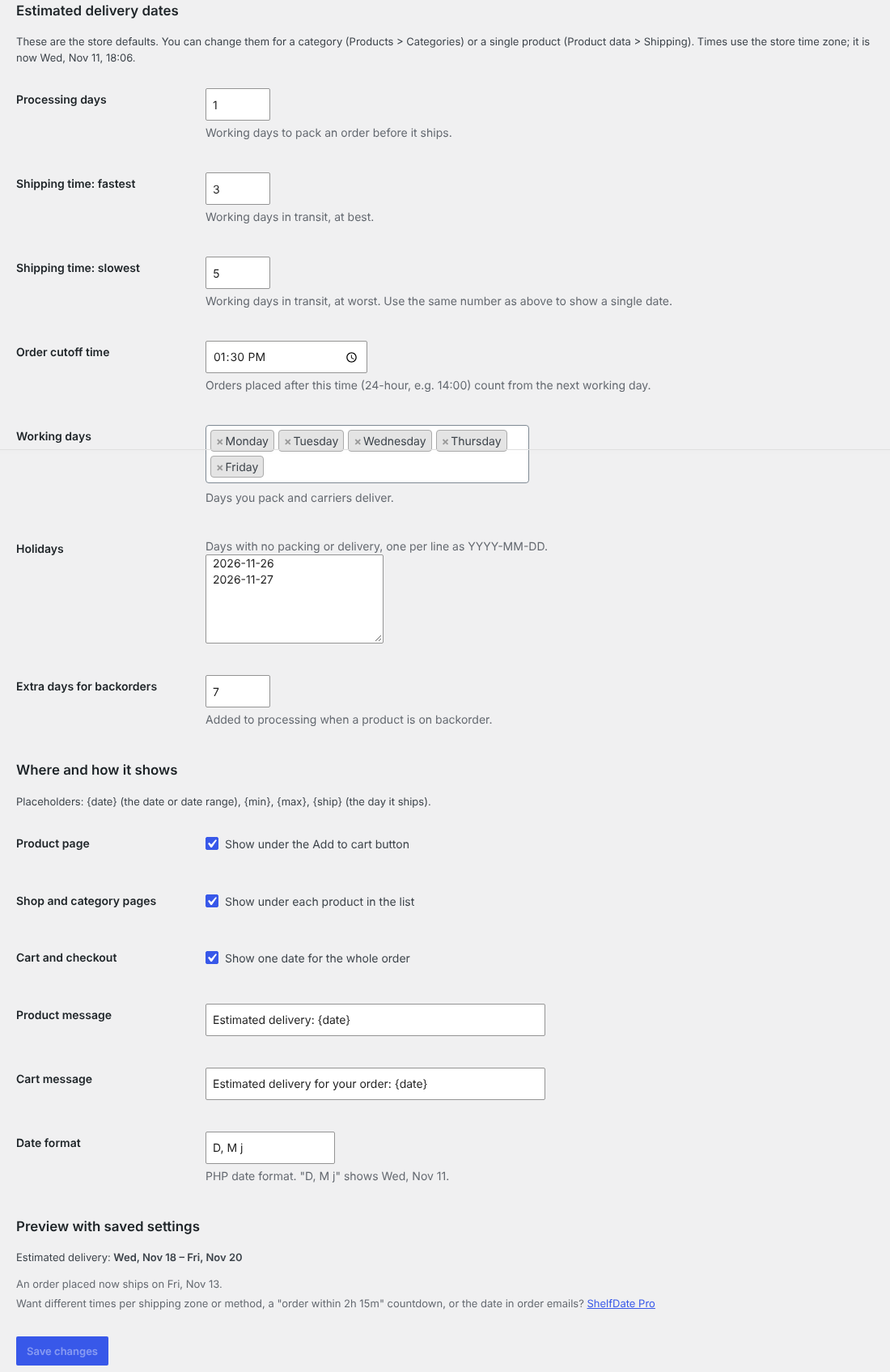
- Accurate dates: order cutoff time, processing days, working days and holidays are all taken into account, in your store's time zone.
- Per category and per product: set longer times for made-to-order items or faster times for in-stock basics. Products override categories, categories override the store default.
- Backorders: add extra days automatically when a product is on backorder. Out-of-stock, virtual and downloadable products show no date.
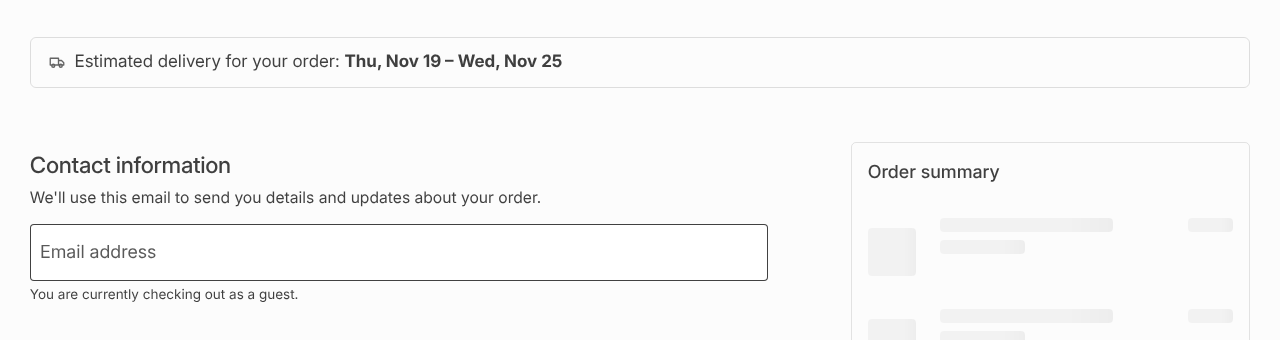
- Everywhere it helps: under the Add to cart button, on shop and category pages, and one date for the whole order in the cart and checkout. Works with classic and block themes, including the cart and checkout blocks.
- Never out of date: if your site uses page caching, ShelfDate quietly refreshes the date in the visitor's browser, so nobody sees yesterday's estimate.
- Your words: edit the message and date format. Use {date}, {min}, {max} and {ship}.
- Shortcode:
[shelfdate]on a product page, or[shelfdate product_id="123"]anywhere.
屏幕截图:
常见问题:
Where do I set it up?
WooCommerce > Settings > Delivery dates. The bottom of that page shows a live preview with your saved settings.
How is the date worked out?
If an order comes in before the cutoff on a working day, it counts from today; otherwise from the next working day. ShelfDate then adds the processing days and the shipping days, skipping non-working days and holidays.
Can a category or product have different times?
Yes. Edit the category under Products > Categories, or the product under Product data > Shipping. Leave a box blank to use the default. When a product is in several categories, the one with the longest delivery time is used.
Can I show a countdown like "Order within 3h 17m"?
Yes, with ShelfDate Pro. The free plugin shows the estimated delivery date; Pro adds the live countdown to your daily cutoff.
Can different shipping zones get different dates?
Yes, with ShelfDate Pro. You set shipping days per shipping zone and per shipping method, so nearby customers see an earlier date than far-away ones.
Which products don't show a date?
Out-of-stock, virtual and downloadable products don't show an estimate. You can also hide it on any product under Product data → Shipping.
Will ShelfDate slow my store down?
No. It adds two small files to product pages (about 1.5 KB together) and at most one small database query.
Does it work with page caching?
Yes. Pages cached for more than 30 minutes get a fresh estimate in the browser after they load.
更新日志:
- Translations: Portuguese (Brazil) and Spanish (Spain and Mexico) are now included. WordPress.org language packs are used instead when they exist.
- Faster: all settings are stored together and load with WordPress, so product pages make at most one small extra database query. Existing settings move over automatically.
- The settings page shows at most one line about Pro.
- Links now point to the new ShelfTabs page. If ShelfTabs is also installed, the settings page mentions the ShelfTabs + ShelfDate Pro bundle.
- The Pro link on the settings page now opens the ShelfDate page and hides once Pro is installed.
- A one-line note about ShelfTabs, our free product tabs plugin (hidden when ShelfTabs is installed).
- Developer hooks so add-ons can change the message (shelfdate_message_template, shelfdate_cart_message_template, shelfdate_message_html_vars).
- First release.