
Shieldome Security Scanner
| 开发者 | nemanjashieldome |
|---|---|
| 更新时间 | 2026年11月6日 18:50 |
| PHP版本: | 7.4 及以上 |
| WordPress版本: | 7.1 |
| 版权: | GPLv2 or later |
| 版权网址: | 版权信息 |
详情介绍:
- Exposed configuration and backup files
- Outdated WordPress core, themes, and plugins with known vulnerabilities
- XML-RPC exposure and brute-force attack surface
- Missing or misconfigured security headers
- SSL/TLS certificate validity and configuration
- Debug information and verbose error disclosure
- User enumeration via author archives
- OWASP Top 10:2025 checks - the same engine used by the Shieldome SaaS platform
安装:
- Upload the plugin files to
/wp-content/plugins/shieldome-scanner, or install directly through the WordPress plugins screen. - Activate the plugin through the 'Plugins' screen in WordPress.
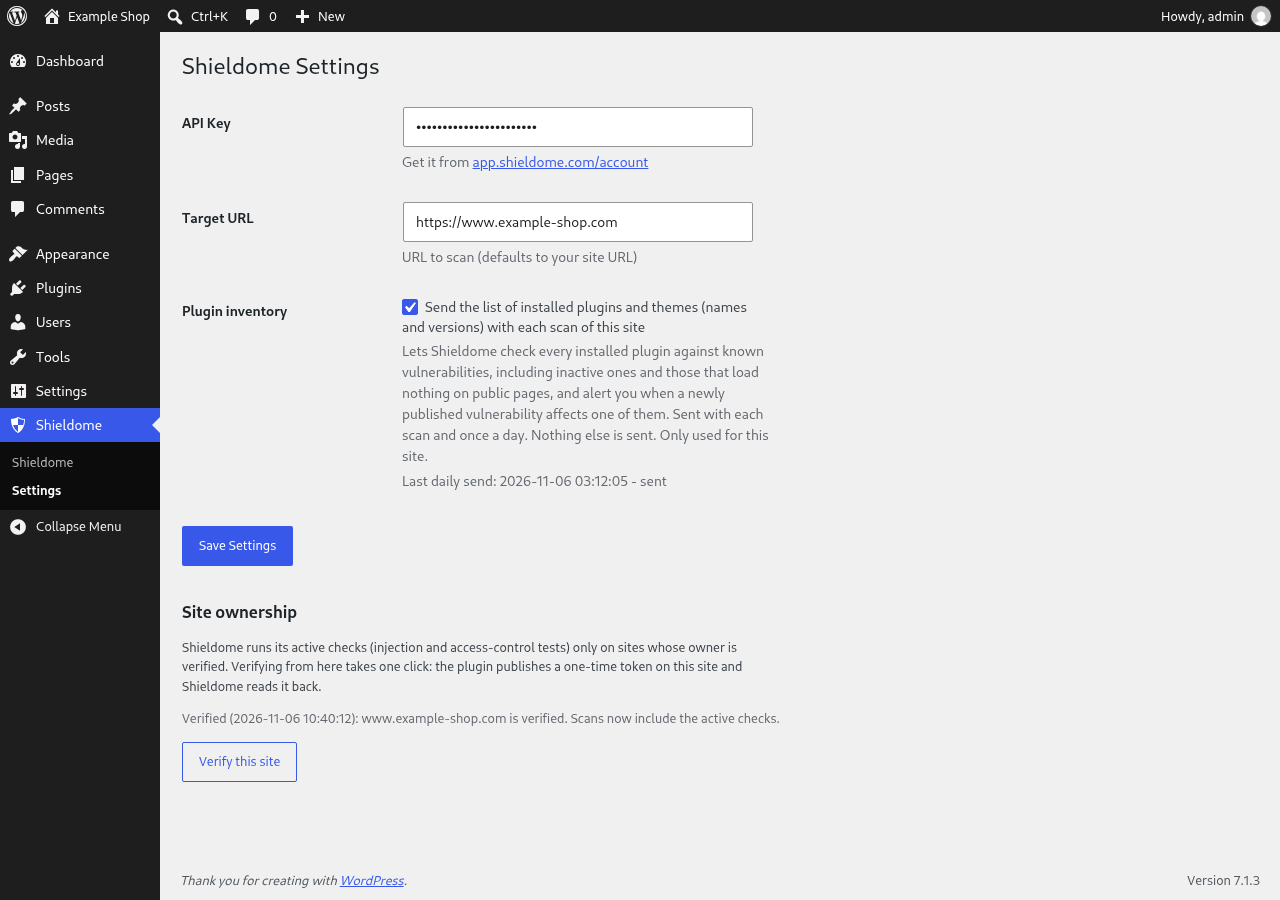
- Go to Shieldome → Settings and enter your Shieldome API key (get one at app.shieldome.com/account - sign up for a free trial if you don't have an account yet).
- Go to Shieldome in the admin menu and click Scan Now.
屏幕截图:
常见问题:
Do I need a Shieldome account?
Yes. The plugin is a dashboard interface to the Shieldome scanning service - it needs an API key from a Shieldome account to run scans. Create one at app.shieldome.com; new accounts include a free trial.
Is this plugin free?
The plugin itself is free and open source (GPLv2). Running scans through it uses your Shieldome account's plan the same way the Shieldome web dashboard does - there is no separate charge for using the plugin versus the website.
Does this scan run on my server?
No. Scans run on Shieldome's infrastructure against your site's public URL, the same as an external visitor would see it. This plugin only triggers the scan and displays the result - it adds no scanning load to your own server.
What data does the plugin store on my site?
Only your API key, target URL, and the summary of your most recent scan (grade, risk score, date) - stored as standard WordPress options. Full scan details and history live in your Shieldome account, not on your WordPress site.
What does the plugin send to Shieldome?
With each scan of this site, and once a day: the target URL and, unless you turn it off in Shieldome → Settings, the list of installed plugins and themes (slug, version, active or not) and the WordPress version. The daily list lets Shieldome alert you when a newly published vulnerability affects an installed plugin, without waiting for the next scan. Shieldome checks that list against the Wordfence Intelligence vulnerability database, so inactive plugins and plugins that load nothing on public pages are covered too. No content, users or settings are sent. The list is not sent when the target URL is another site.
Why verify my site?
Shieldome runs its active checks (injection and access-control tests that send crafted requests to your site) only on sites whose owner has been verified, so nobody can run them against a site they do not control. Unverified sites still get the full passive assessment. The plugin verifies its own site in one click from Shieldome → Settings; you can also verify with a DNS TXT record from your Shieldome account.
Can I scan a site other than the one the plugin is installed on?
Yes. Set a different Target URL in Shieldome → Settings.
更新日志:
- New: one-click site ownership verification in Shieldome → Settings, so scans of this site include Shieldome's active checks without setting up a DNS record
- Fixed: a finished scan always showed grade "F" in the admin page; it now shows the real grade
- Ready for translation (text domain shieldome-scanner); input sanitising and output escaping tightened
- New: uninstalling removes the plugin's options and its daily event
- Readme: an "External services" section describing exactly what is sent to Shieldome and when
- New: the inventory is also sent once a day (WP cron), so scheduled scans use it and you are alerted when a newly published vulnerability affects an installed plugin; the settings page shows the last daily send
- New: scans of this site include the list of installed plugins, themes and the WordPress version (names and versions only; can be turned off in Settings), so every installed component, active or inactive, is checked against known vulnerabilities
- Fixed: scan requests were rejected due to an incorrect authentication header (the plugin previously could not successfully start a scan under any configuration)
- Fixed: the target URL was not being sent correctly to the scan API
- Fixed: scan results (grade, risk score) were read from the wrong response field and never displayed after a completed scan
- Initial release