
Shift SnapCopy for WPBakery
| 开发者 | shiftinnovation |
|---|---|
| 更新时间 | 2026年11月5日 00:11 |
| PHP版本: | 8.1 及以上 |
| WordPress版本: | 7.1 |
| 版权: | GPLv2 or later |
| 版权网址: | 版权信息 |
详情介绍:
WPBakery Page Builder can copy and paste one element at a time. Shift SnapCopy adds what is missing when you build pages for real:
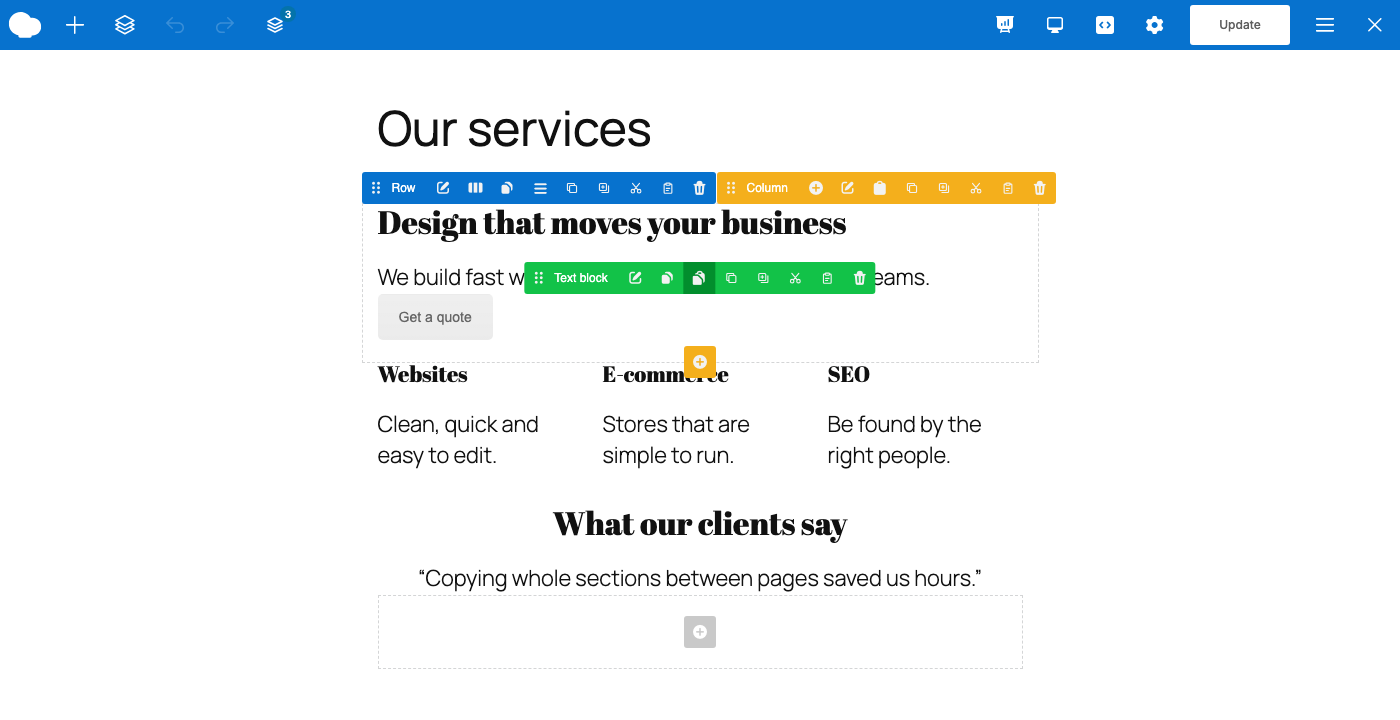
- Cut sections, rows, columns and elements, not only copy them.
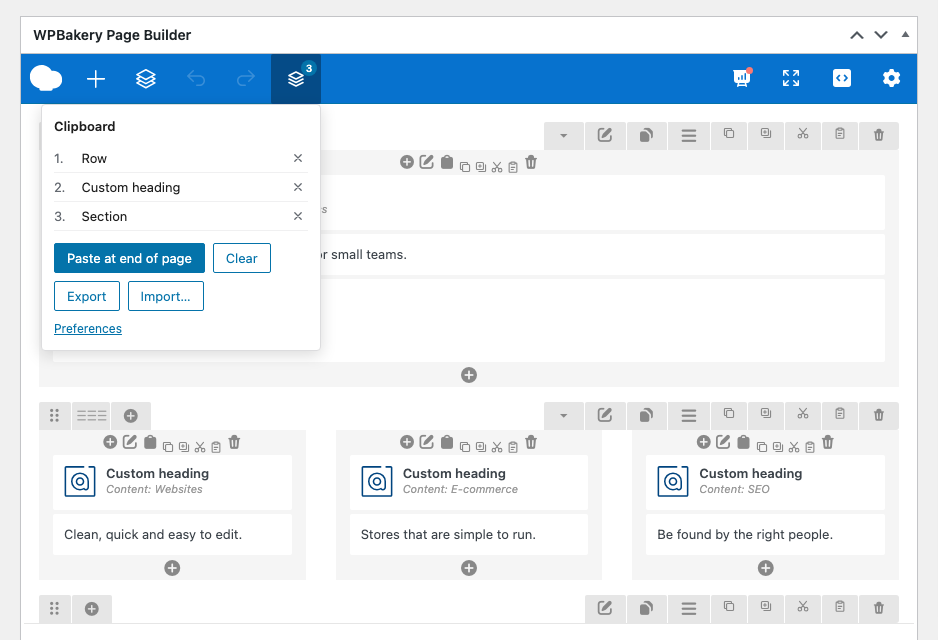
- A clipboard stack: copy several pieces, then paste them all together.
- Copy the content of a column, or of a section, without the container itself.
- Export and import the clipboard as a JSON file. Strings exported by some older clipboard add-ons can be imported too.
- The same buttons in the backend and in the frontend editor.
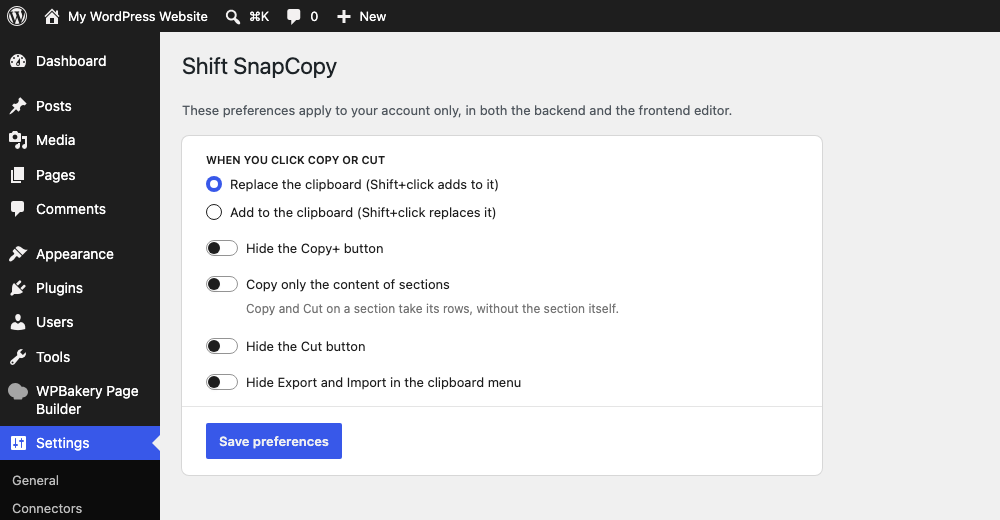
- Your own preferences: choose whether Copy replaces or adds to the clipboard, and hide the buttons you do not use (Settings → Shift SnapCopy).
安装:
- Make sure WPBakery Page Builder 6.11 or later is installed and active.
- Upload the plugin to
/wp-content/plugins/shift-snapcopy, or install it from the Plugins screen. - Activate it. The toolbar appears in the WPBakery editor.
屏幕截图:
常见问题:
I used another clipboard add-on before. Can I keep my clipboard?
Often, yes. If your previous add-on stored its clipboard in the browser under vcc_ keys, the first time you open the page builder its items and its "hide Cut" and "hide Export/Import" preferences are copied to Shift SnapCopy. Strings exported from it can be imported from the clipboard menu. Shift SnapCopy only reads that data: it never changes or removes it, so the other add-on keeps working if you still use it.
更新日志:
1.0.1
- Data of other clipboard add-ons is now only read, never changed or removed.
- Clearer wording about importing from other clipboard add-ons.
- First release.
- Copy, Copy+, Cut and Paste on every section, row, column and element, in the backend and the frontend editor.
- Clipboard stack with a navbar menu: paste at the end of the page, remove single items, clear.
- Copy the content of a column, and optionally of a section.
- Export and import the clipboard as a JSON file.
- Per-user preferences in Settings → Shift SnapCopy.
- Copies the clipboard and preferences of an older clipboard add-on on first use.
- Translations: Italian, German, Spanish, French.