
Shipclock Pre-Orders for WooCommerce
| 开发者 | vdelafuente |
|---|---|
| 更新时间 | 2026年11月9日 08:36 |
| PHP版本: | 7.4 及以上 |
| WordPress版本: | 7.1 |
| 版权: | GPLv2 or later |
| 版权网址: | 版权信息 |
详情介绍:
- Pre-orders on any simple or variable product, on as many products as you like.
- Mixed carts: pre-orders and in-stock items in the same order. Prefer stricter rules? Allow only pre-orders together, or one pre-order per order. The customer's cart is never emptied when a pre-order is added.
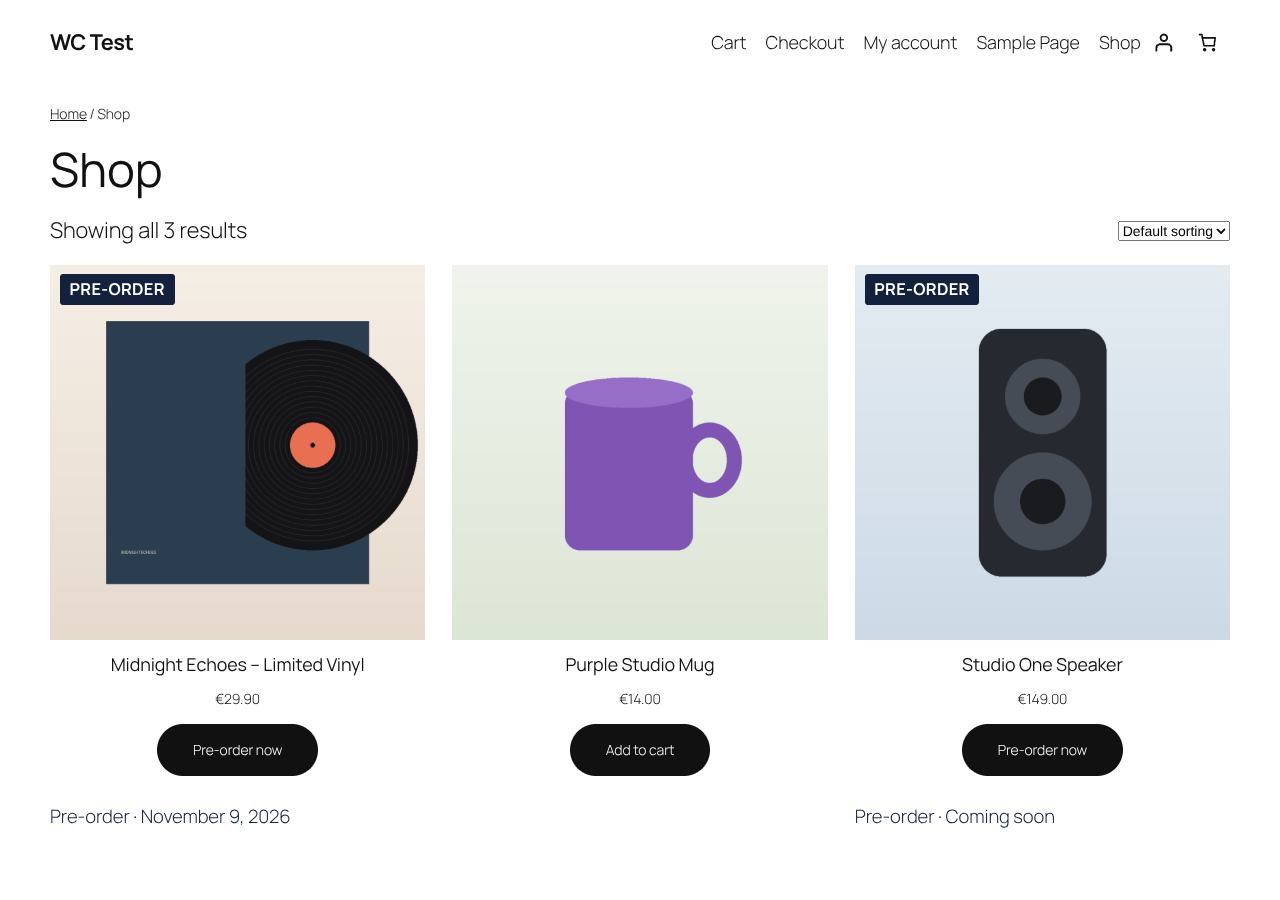
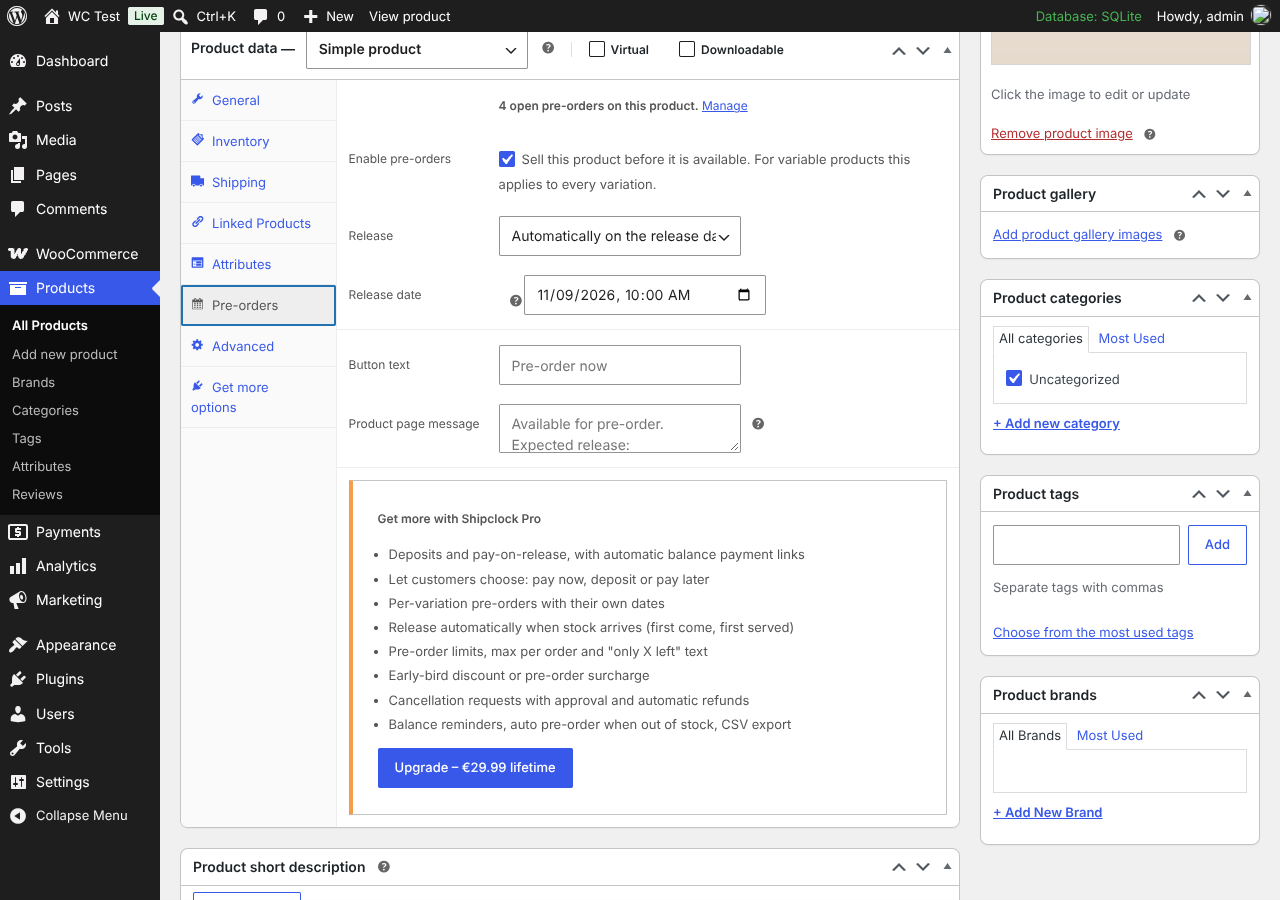
- Release date and time with automatic release, or release manually whenever you are ready.
- Live countdown on the product page, plus
[shipclock_countdown]and[shipclock_release_date]shortcodes. - "Pre-order" badge and release message in the shop, custom button text ("Pre-order now") and "Place pre-order" at checkout.
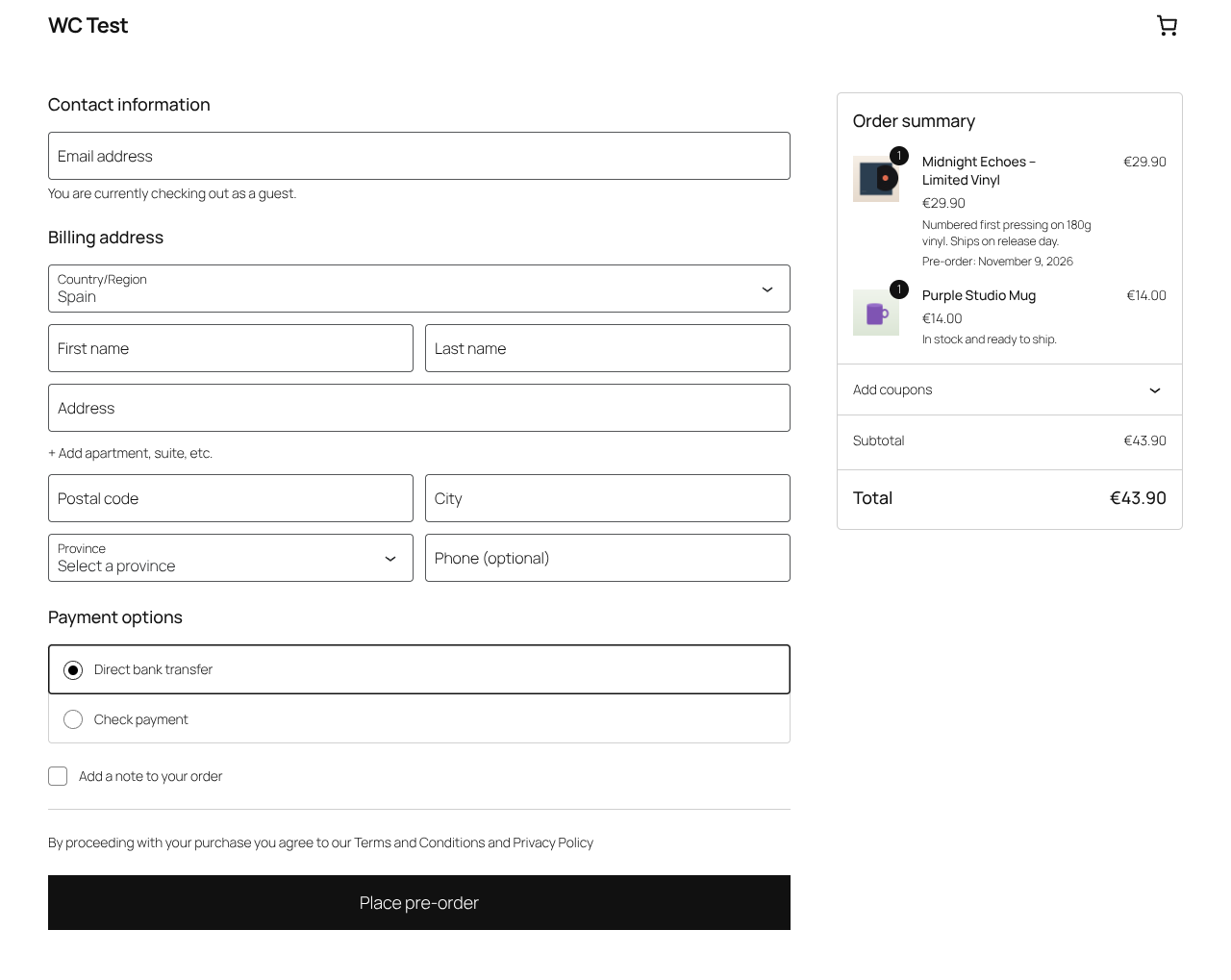
- Works with the Cart & Checkout Blocks and the classic checkout. HPOS compatible.
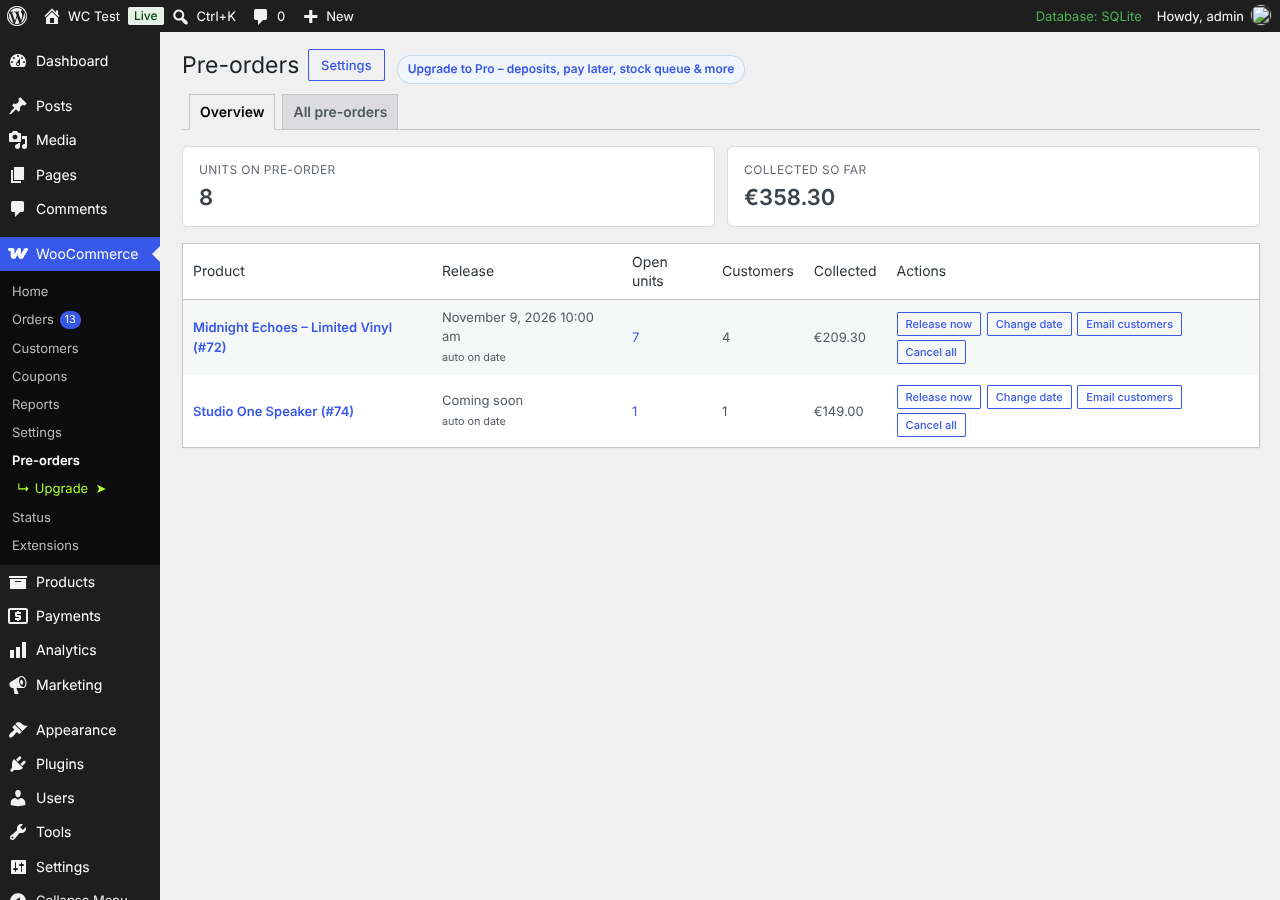
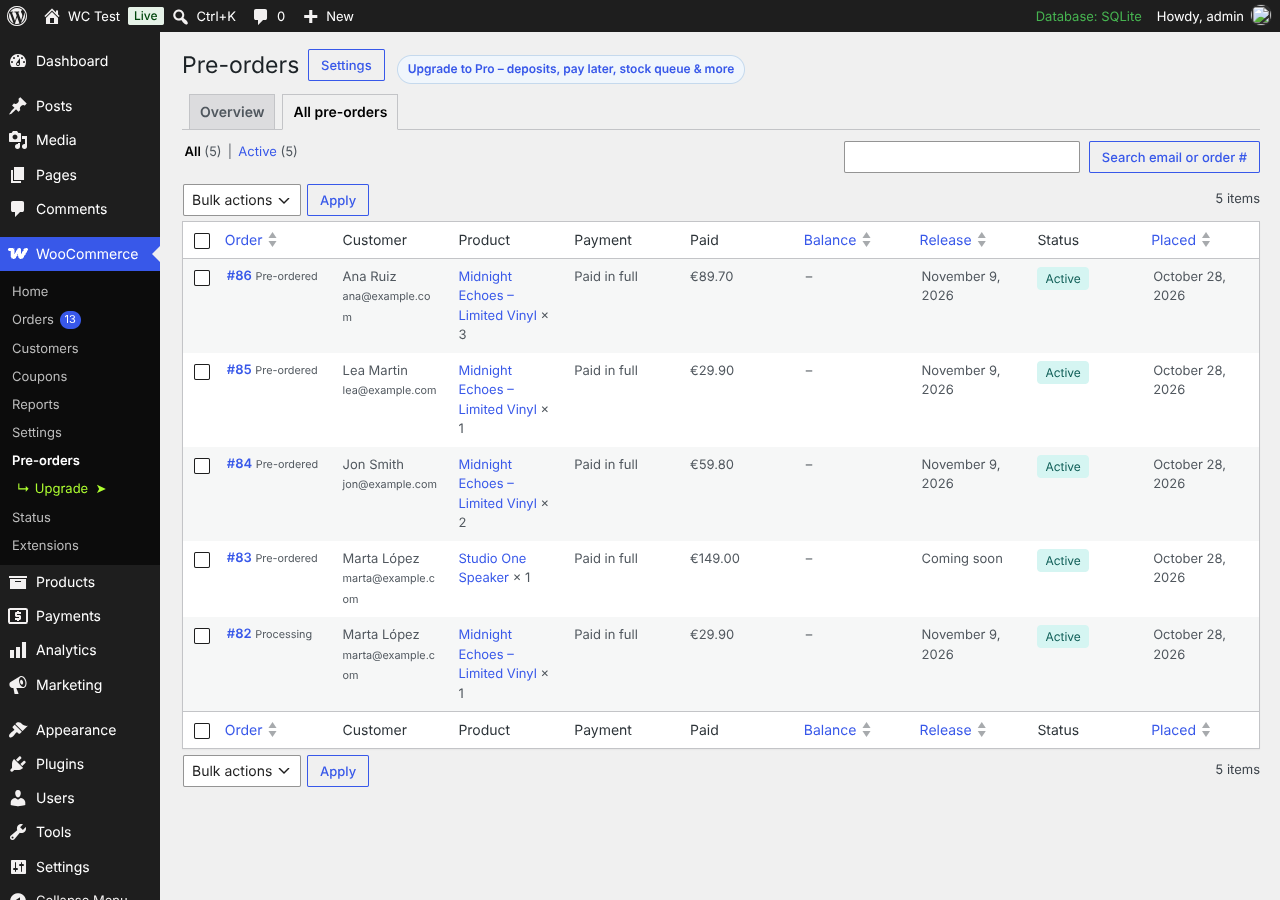
- Pre-order dashboard: units on pre-order, customers and money collected per product. Release now, change the date, email all customers of a product or cancel – in one click.
- Change the release date and notify every customer automatically.
- Pre-ordered order status, a pre-order column in the orders list and a pre-order box on each order.
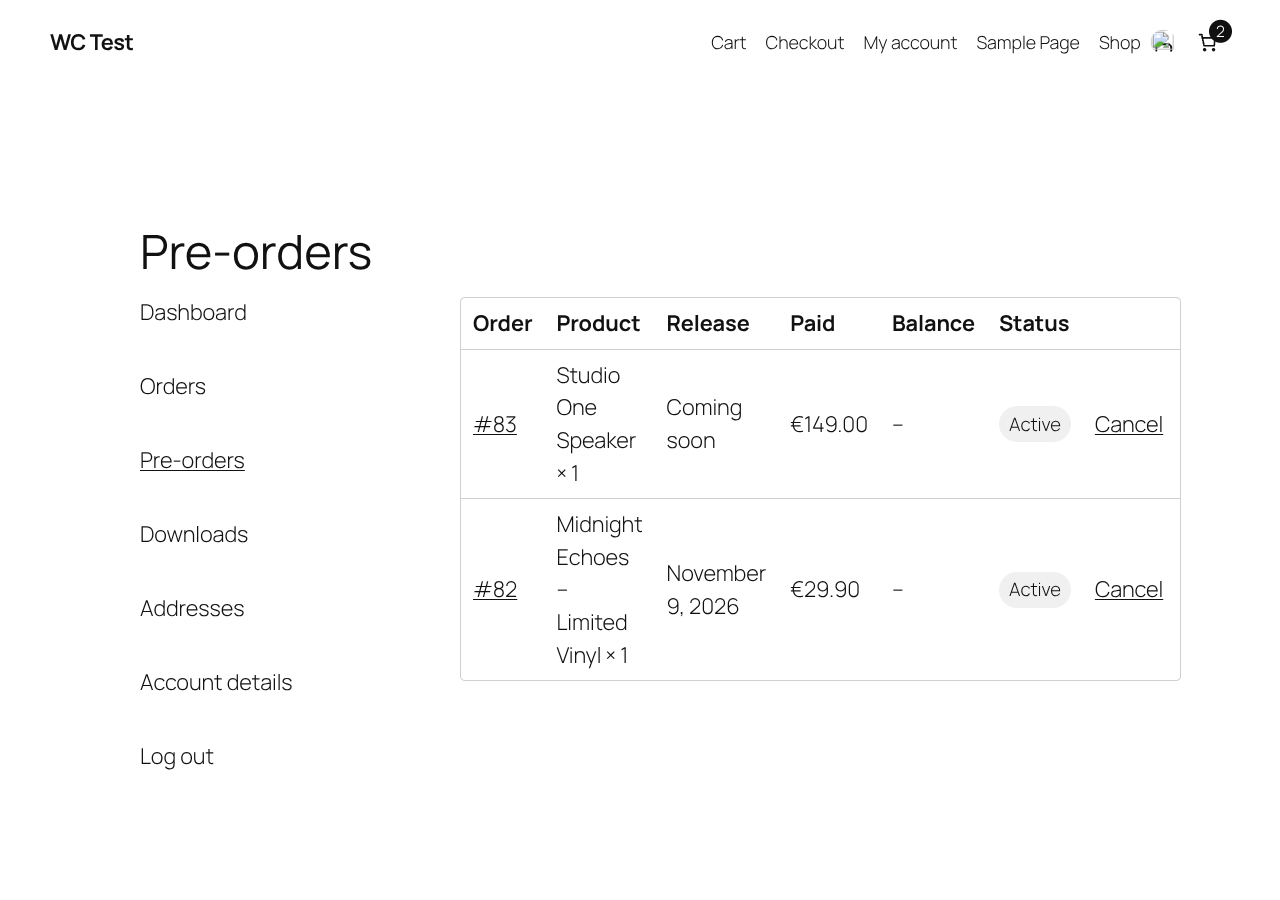
- My Account → Pre-orders for customers, with release dates and (optional) cancellation.
- Emails: pre-order confirmed, available, release date changed, cancelled, custom message, and admin notifications – all editable in WooCommerce → Settings → Emails.
- Clean stock handling: stock goes negative to show units owed, no "out of stock" or "backorder" email spam for pre-orders, and pre-order products stay visible even with "Hide out of stock items".
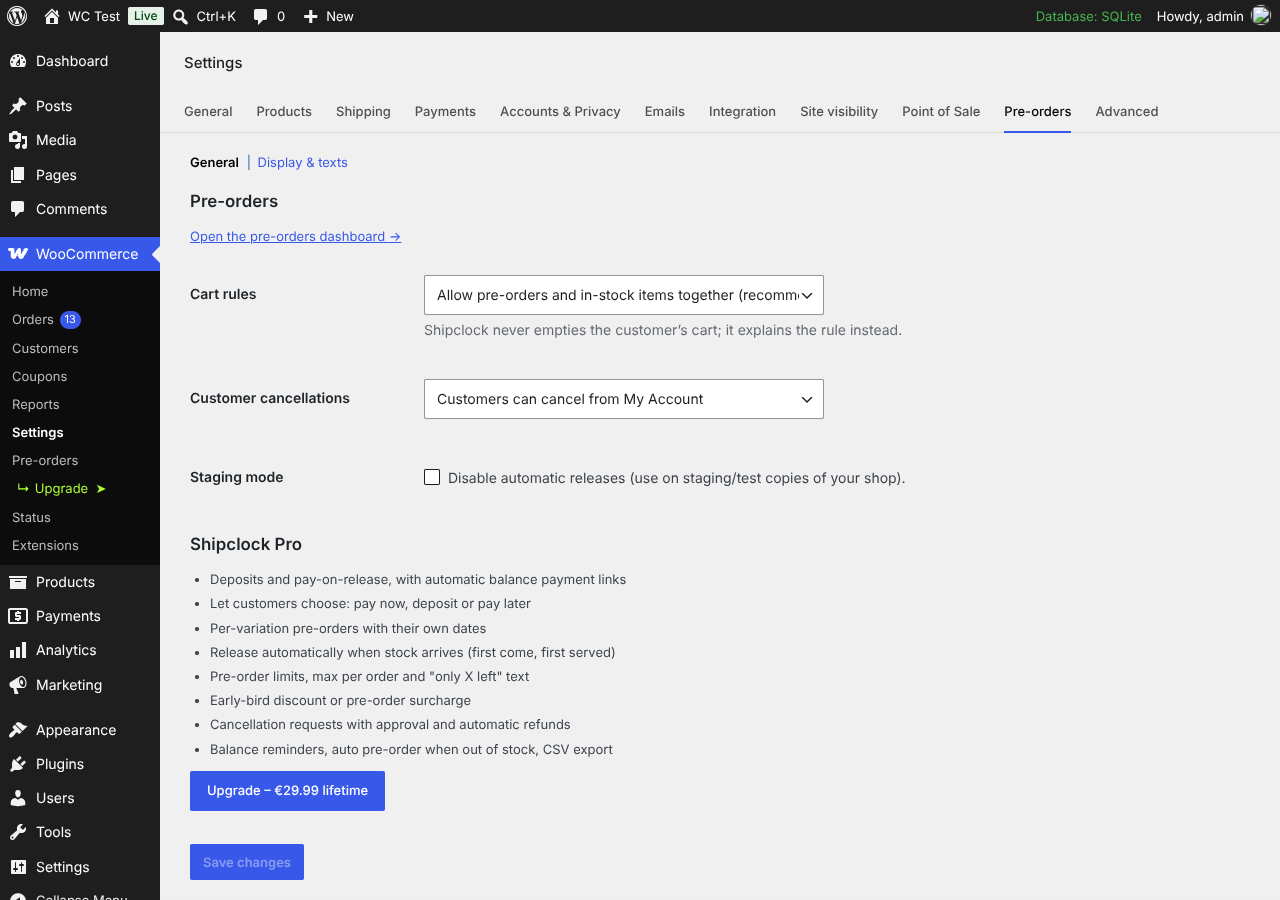
[shipclock_products]shortcode and?pokit_filter=only/?pokit_filter=excludeshop filters.- Staging mode to switch off automatic releases on test copies of your shop.
- Deposits and pay-on-release, with automatic balance payment links that work with every payment gateway
- Customer choice: pay in full, pay a deposit or pay on release
- Per-variation pre-orders, each with its own date and limit
- Release automatically when stock arrives, first come first served (partial shipments too)
- Pre-order limits, max per order and "Only 3 left" scarcity text
- Early-bird discounts or pre-order surcharges
- Cancellation requests with approval, and automatic refunds
- Balance reminders, auto-cancel of unpaid balances, auto pre-order when a product sells out, CSV export
安装:
- Install and activate WooCommerce.
- Install Shipclock Pre-Orders from Plugins → Add New, or upload the zip, and activate it.
- Edit a product, open Product data → Pre-orders and tick Enable pre-orders. Add a release date if you have one.
- Manage everything in WooCommerce → Pre-orders. Store-wide options are in WooCommerce → Settings → Pre-orders.
屏幕截图:
常见问题:
Can customers buy a pre-order and an in-stock product together?
Yes, that is the default. You can switch to "pre-orders only" or "one pre-order per order" in the settings if your fulfilment needs it. The cart is never emptied automatically.
What happens on the release date?
The pre-order switches back to a normal product, open pre-orders are marked as released, customers get a "your pre-order is available" email and the orders move to Processing so you can ship them. You can also release manually at any time.
Can I change the release date after people have ordered?
Yes. Change it on the product or from the dashboard; customers can be notified automatically with an optional message.
Does it work with the Checkout block?
Yes. The "Place pre-order" button text and pre-order details work in both the Checkout block and the classic checkout.
Does it work with variable products?
Yes. In the free version pre-orders apply to the whole product. Pro lets each variation have its own pre-order settings.
How are customers charged?
In the free version the customer pays in full at checkout, like any other order. Pro adds deposits, pay-on-release and customer choice.
Will I lose data if I delete the plugin?
No. Data is kept unless you add define( 'POKIT_REMOVE_ALL_DATA', true ); to wp-config.php before deleting the plugin.
更新日志:
- Shortcodes renamed to
[shipclock_countdown],[shipclock_release_date]and[shipclock_products]. - Unique order status name and cleaner package.
- Renamed to Shipclock Pre-Orders for WooCommerce.
- First release.