Shipjoy Free Shipping Bar For WooCommerce
| 开发者 | elenovadigital |
|---|---|
| 更新时间 | 2026年1月12日 02:42 |
| PHP版本: | 7.4 及以上 |
| WordPress版本: | 6.9 |
| 版权: | GPLv2 or later |
| 版权网址: | 版权信息 |
详情介绍:
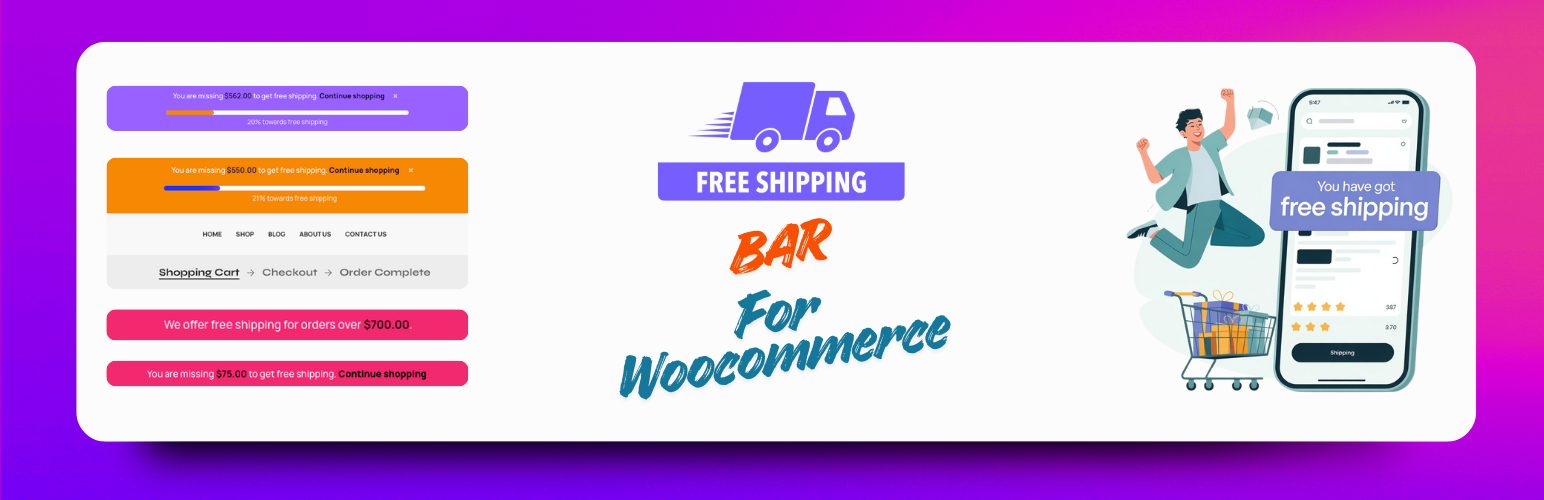
- Free Shipping Bar - Show Free shipping bar to encourage more sales
- Full Customisation Setup of Shipping Bar - Customize Colors, Texts, Display locations and more
- Customizable Progress Bar - Show progress toward free shipping threshold
- Flexible Positioning - Place Shipping bar at top or bottom of the page
- Custom Messages - Personalize messages for different cart states
- Auto-Detection - Automatically detects free shipping zones from WooCommerce
- Manual Override - Set custom minimum amounts if needed
- Beautiful Design - Modern, responsive interface that matches any theme
- Shortcode Support - Dynamic content with built-in shortcodes to match with woocommerce
- No Coding Required - Easy-to-use admin interface
- Initial Delay Setup - Set Delay Time of shipping bar to your needs
- Full Responsive - Works on all display sizes
- Top/Bottom shipping Bar - Notification bar across your entire site
- Cart Page - Full progress display on the cart page (Pro)
- Checkout Page - Reminder on checkout to add more items (Pro)
- Bar background color
- Text color
- Link color
- Price color
- Font size and alignment
- Progress bar colors
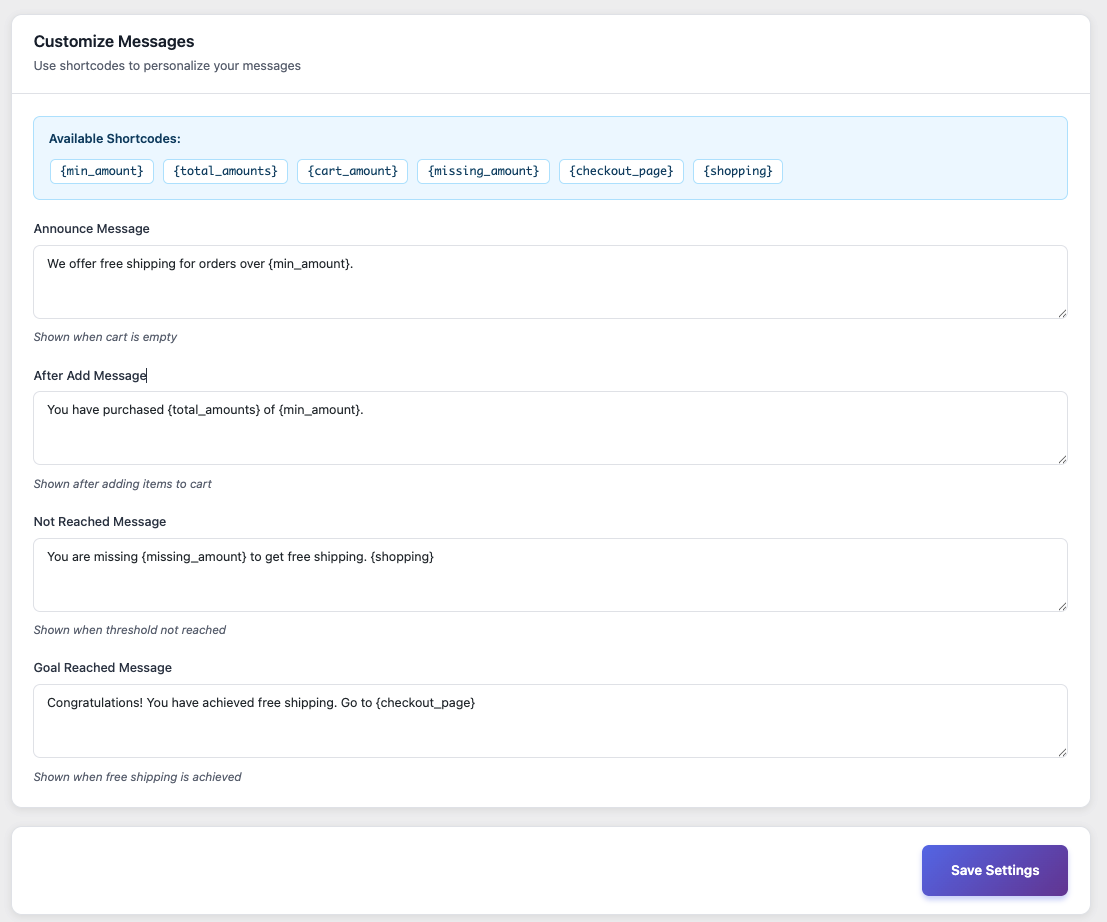
- Announce message (empty cart)
- After add message (items in cart)
- Not reached message (below threshold)
- Goal reached message (free shipping unlocked)
{min_amount}- Minimum amount for free shipping{total_amounts}- Current cart total{cart_amount}- Current cart subtotal{missing_amount}- Amount needed to reach goal{checkout_page}- Link to checkout page{shopping}- Link to continue shopping
- Animated Progress Effects - Eye-catching animations for progress bar
- Sticky Bar Option - Keep free shipping bar visible while scrolling
- Box Shadow Effects - Add depth to your shipping bar
- Hover Animations - Interactive hover effects
- Entrance Animations - Smooth bar appearance
- Custom CSS - Advanced styling options
- Multiple Locations - Cart and checkout page displays
- Shortcode Support - Place bars anywhere with shortcodes
- Priority Support - Get help when you need it
- Text Animation Effects - Get Text Animation Effects
- Hide On pages - Hide Free Shipping Bar on Specific Pages
- More Font Support - Get More Fonts for your free shipping bar
- Install and activate the shipjoy Free shipping and progress bar plugin
- Plugin automatically detects your free shipping zones
- Customize colors and messages to match your brand
- The progress bar appears automatically across your site
- Customers see how close they are to free shipping
- Watch your average order value increase!
- Online stores wanting to increase average order value
- Shops offering free shipping thresholds
- WooCommerce stores of any size
- Stores wanting to reduce cart abandonment
- Anyone looking to boost conversions
- POT file for easy translation
- RTL language support
- Multilingual compatibility
安装:
- Log in to your WordPress dashboard
- Navigate to Plugins > Add New
- Search for "Shipjoy Free Shipping Bar"
- Click "Install Now" and then "Activate"
- Go to Shipjoy in your admin menu to configure settings
- Download the plugin ZIP file
- Log in to your WordPress dashboard
- Navigate to Plugins > Add New > Upload Plugin
- Choose the downloaded ZIP file and click "Install Now"
- Activate the plugin
- Go to Shipjoy in your admin menu to configure settings
- Go to Free Shipping Bar in your WordPress admin menu
- Enable the shipping bar
- Choose bar position (top or bottom)
- Select your free shipping zone or set a custom minimum amount
- Customize colors to match your brand
- Edit messages using available shortcodes
- Choose display locations (mini cart, cart, checkout)
- Save your settings and you're done!
屏幕截图:
常见问题:
Does this plugin require WooCommerce?
Yes, this plugin requires WooCommerce to be installed and activated.
How does the plugin detect free shipping amounts?
The plugin automatically detects free shipping zones configured in WooCommerce > Settings > Shipping. You can also manually override the amount in the plugin settings.
Can I customize the messages?
Absolutely! You can customize all messages and use dynamic shortcodes to show amounts, cart totals, and links.
Will this work with my theme?
Yes! The plugin is designed to work with any WordPress theme. You can customize colors to match your brand perfectly.
Can I show the bar in multiple locations?
Yes, you can display progress bars in the mini cart, and with Pro version, also on cart and checkout pages.
Does it work with AJAX add to cart?
Yes! The plugin updates dynamically when items are added to the cart using AJAX.
Can I translate the plugin?
Yes, the plugin is fully translation-ready with a .pot file included for easy translation.
What if I have multiple shipping zones?
You can select which shipping zone to use, or let the plugin automatically detect the first free shipping zone.
Is there a Pro version?
Yes! Shipjoy Pro includes animations, sticky bars, box shadows, custom CSS, and more display locations. Learn more →
How do I get support?
For free version support, please use the WordPress support forum. Pro users get priority email support.
更新日志:
- Added separate color controls for free shipping bar color
- Close option controls added for shipping bar
- Added Font Support for progress bar
- Responsive issues fixed in the free shipping bar
- Added More notes to the controls for easy configuration.
- Improved UI
- Improved Security
- Fixed price color not applying to all price elements
- Enhanced admin UI with better organization
- Fixed color picker synchronization
- Added progress bar display in mini cart
- Added progress bar display on cart page (Pro)
- Added progress bar display on checkout page (Pro)
- Added display location controls
- Improved admin interface with tabbed navigation
- Enhanced color customization options
- Added Pro upgrade notices
- Improved responsive design
- Initial release
- Customizable shipping progress bar
- Auto-detection of WooCommerce free shipping zones
- Top/bottom bar positioning
- Custom messages with shortcodes
- Color customization
- Responsive design
- Translation ready