SignoffFlow - Client Approval Workflow & Client Portal
| 开发者 | vzisis |
|---|---|
| 更新时间 | 2026年8月9日 00:41 |
| PHP版本: | 7.4 及以上 |
| WordPress版本: | 7.0 |
| 版权: | GPLv2 or later |
| 版权网址: | 版权信息 |
详情介绍:
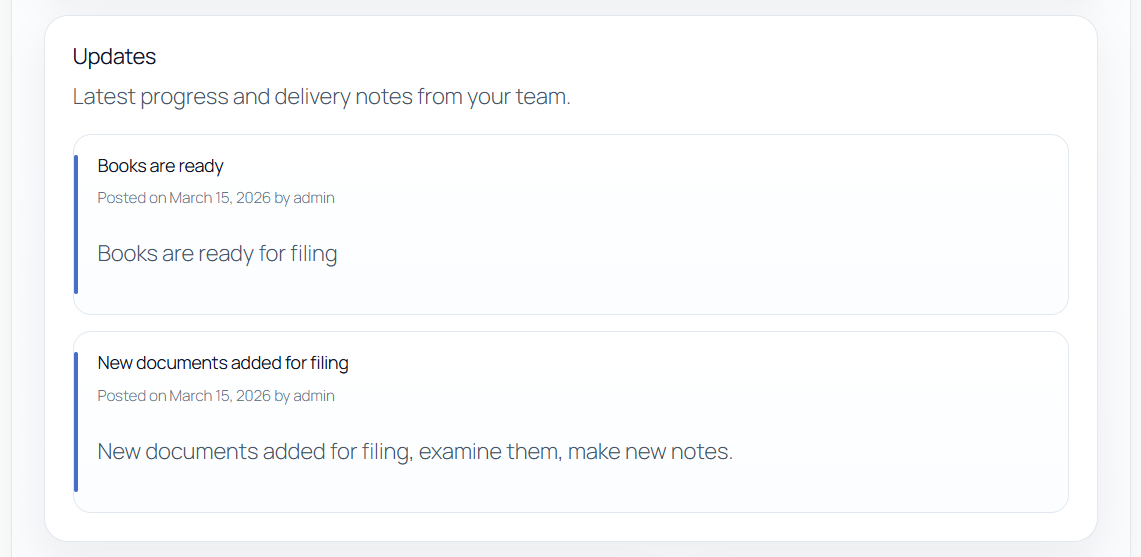
- Share project updates (timeline)
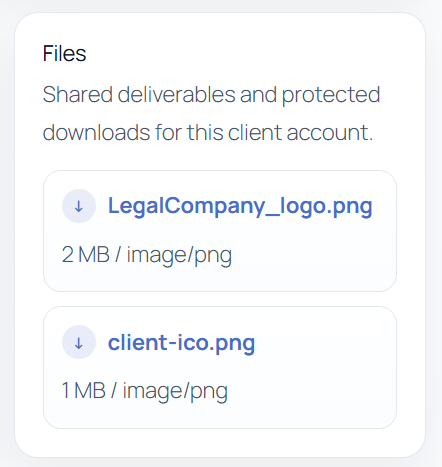
- Share files with protected downloads
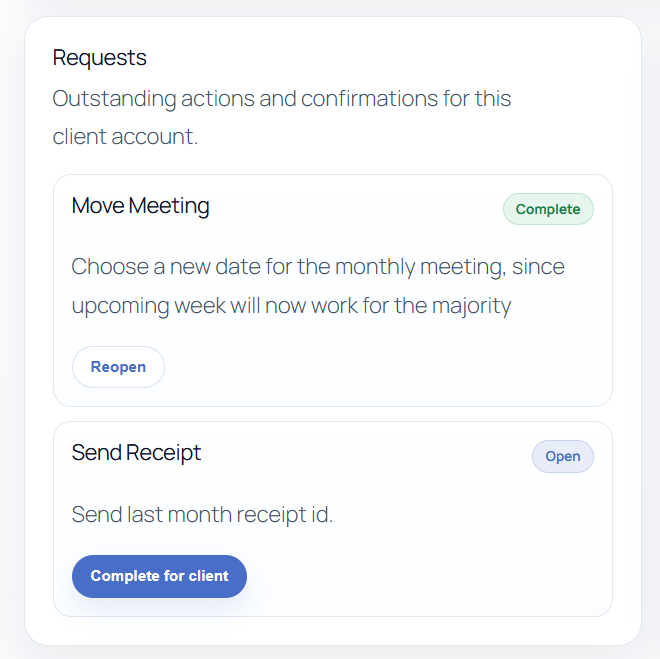
- Send client requests/tasks, track approval outcomes, and collect short response notes
- Review an immutable activity history for every approval request
- Scan and filter approval requests by status in WordPress admin
- Follow state-aware setup progress through the first real client response
- Create an optional sample workflow for a safe staff-only preview, then remove it exactly Portal access is restricted to WordPress users assigned to a client account, plus staff users with management capability.
- Collect client confirmations on deliverables and tasks
- Keep client communication out of email threads
- Share files securely with per-client access control
- Provide a branded agency client portal experience
安装:
- Upload the plugin folder to
/wp-content/plugins/or install it as a zip in WordPress. - Activate SignoffFlow through the WordPress Plugins screen.
- Go to
SignoffFlow > Settings. - Use the state-aware setup panel to create a portal page automatically, or create your own page and add the
[cliapwo_portal]shortcode. - Confirm the portal page is selected in SignoffFlow settings.
- Create a client account in
SignoffFlow > Clients. - Assign one or more WordPress portal users to that client account.
- Add updates, files, and requests for that client account.
屏幕截图:
常见问题:
Who can see a client portal?
Only WordPress users assigned to that client account, plus staff users with the cliapwo_manage_portal capability.
How are files protected?
Clients receive protected download links that go through an access-checked endpoint. Files are stored in a dedicated cliapwo-private uploads subdirectory instead of standard public Media Library URLs, and the portal UI does not expose raw file paths.
Apache hardening files are created automatically for that directory. Nginx hosts may still need an equivalent deny rule added at the server level.
Does the plugin send email notifications?
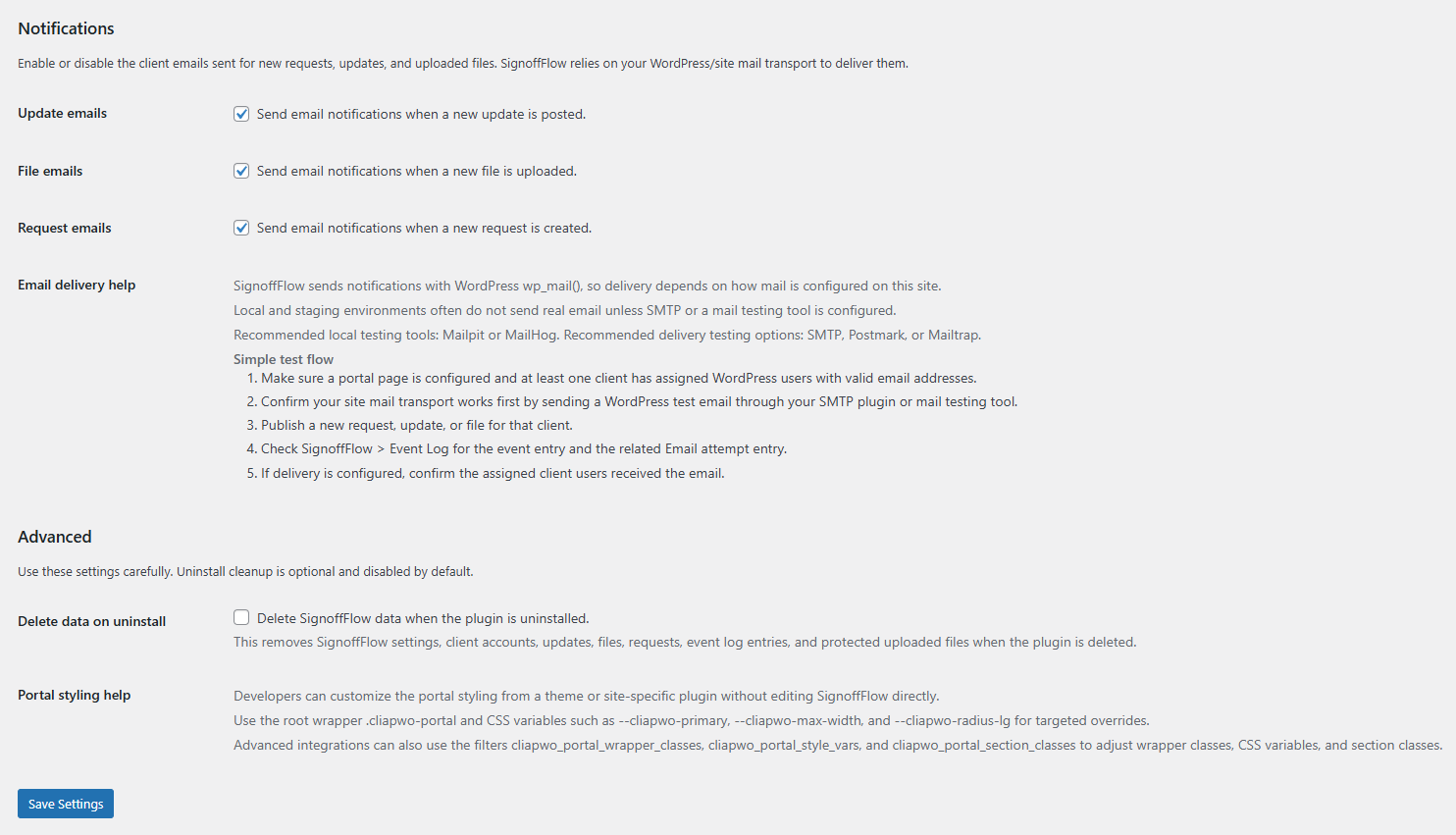
Yes. SignoffFlow can send request, update, and file notifications with wp_mail() to all WordPress users assigned to the related client account. Notification types can be toggled in SignoffFlow > Settings.
Can I test notifications on a local site?
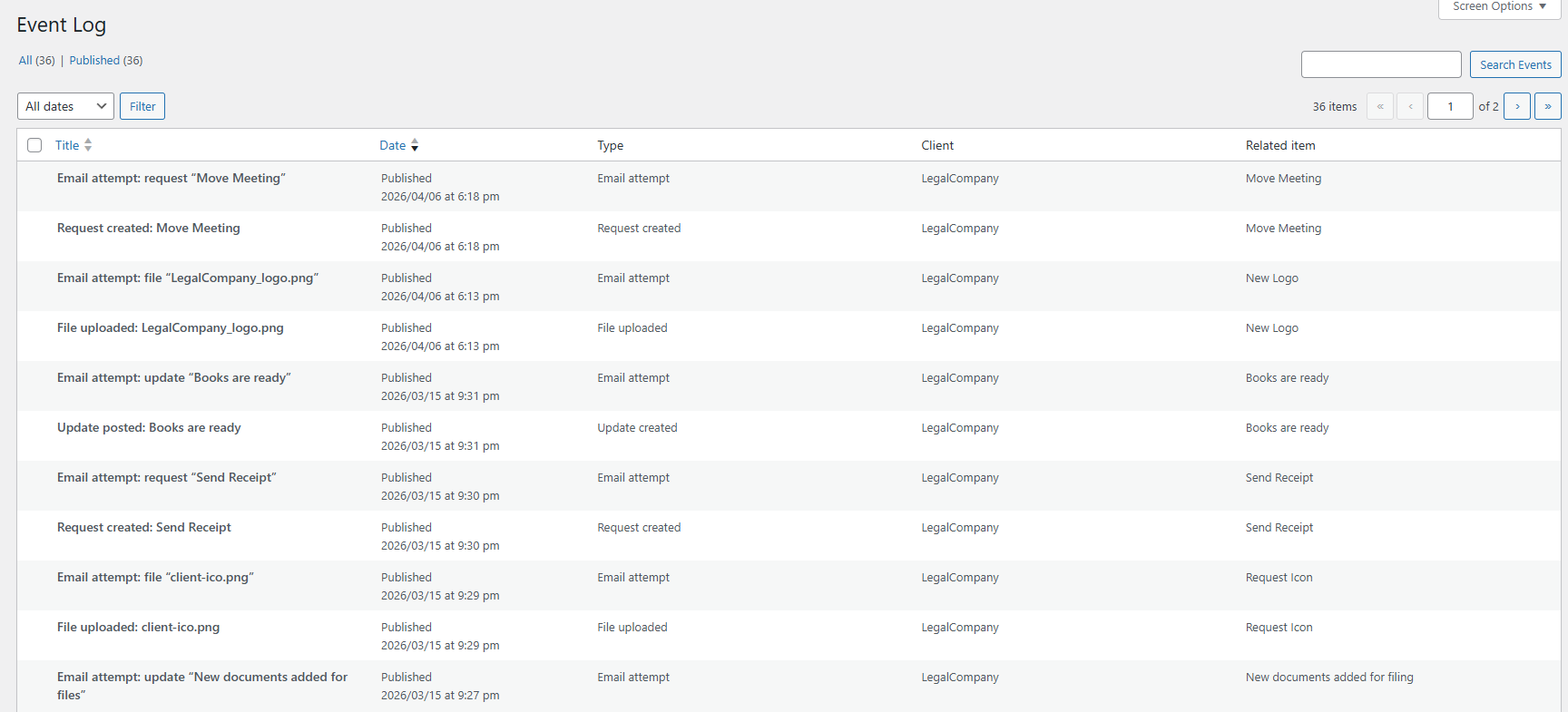
Yes, but local mail delivery depends on your environment. SignoffFlow records Email attempt entries in the Event Log for each notification. If WordPress cannot confirm delivery, SignoffFlow also shows a dismissible admin notice on its own screens so you can check the Event Log and review your mail transport. The Notifications settings screen also includes an Email delivery help section with a simple test flow and recommendations for Mailpit, MailHog, SMTP, Postmark, and Mailtrap.
Can developers customize the portal styling?
Yes. The portal uses a stable root wrapper (.cliapwo-portal), documented CSS variables, and a small set of filters for wrapper classes, section classes, and inline style variables.
For installed sites, see the Portal styling help note in SignoffFlow > Settings. Customizations should be added from a theme or site-specific plugin rather than by editing SignoffFlow directly.
How do client response notes work?
Clients can add a response note of up to 500 characters when choosing an approval outcome. A note is optional for Approved and required for Changes requested, Rejected, and Blocked. The latest response, responder, and response time are shown in the client portal and request admin screen. Each real status transition is also preserved in an immutable per-request activity history, including response-note snapshots from earlier approval cycles.
Can I filter requests by approval status?
Yes. The Requests admin screen includes status badges and filters for Open, Approved, Changes requested, Rejected, and Blocked requests.
更新日志:
- Added explicitly opt-in sample client, update, and approval-request content with a signed staff preview.
- Added idempotent repair and marker-validated permanent cleanup without creating users, files, emails, tracking, or onboarding progress.
- Added non-notifying sample event entries so the example request includes its creation history.
- Replaced the static quick-setup checklist with five automatically detected onboarding milestones.
- Added direct next-step actions, accessible progress presentation, and a concise completion state after the first client response.
- Added per-administrator dismissal and reopening without site-wide notices or external tracking.
- Reserved a sample-content marker so future demo records cannot falsely complete real onboarding progress.
- Added immutable per-request activity histories for request creation, client responses, staff reopen actions, and staff status changes.
- Added a collapsed client-safe portal timeline and a complete request history in WordPress admin.
- Added a bounded migration that preserves one reliable response from existing latest-response metadata without duplicating events.
- Centralized and serialized status transitions so unchanged saves do not create history entries.
- Added color-coded request status badges to the Requests list and request edit screen.
- Added admin filtering for Open, Approved, Changes requested, Rejected, and Blocked requests.
- Included legacy completed requests in the Approved filter and requests without stored status in the Open filter.
- Improved portal action hierarchy, keyboard focus, translated-label wrapping, and mobile button layout.
- Revised the client portal page with a focused, responsive workspace, section navigation, account controls, and accessible motion.
- Added short client response notes to approval requests.
- Required an explanatory note for Changes requested, Rejected, and Blocked outcomes while keeping notes optional for Approved.
- Added the latest response outcome, note, responder, and timestamp to the client portal and request admin screen.
- Preserved the previous client response when staff reopen a request.
- Added richer approval outcomes for requests: Approved, Changes requested, Rejected, and Blocked.
- Existing completed requests remain compatible and are shown as Approved for clearer approval workflow language.
- Tested with WordPress 7.0.