
Sikshya LMS – LMS Course Builder, Online Courses & eLearning
| 开发者 |
mantrabrain
ughimire1 MantraBrain gangadharkashyap |
|---|---|
| 更新时间 | 2026年10月17日 08:25 |
| 捐献地址: | 去捐款 |
| PHP版本: | 7.4 及以上 |
| WordPress版本: | 7.1 |
| 版权: | GPLv2 or later |
| 版权网址: | 版权信息 |
详情介绍:
- Sell — Free or paid online courses with Stripe and PayPal, coupons, and orders via native checkout in the free core.
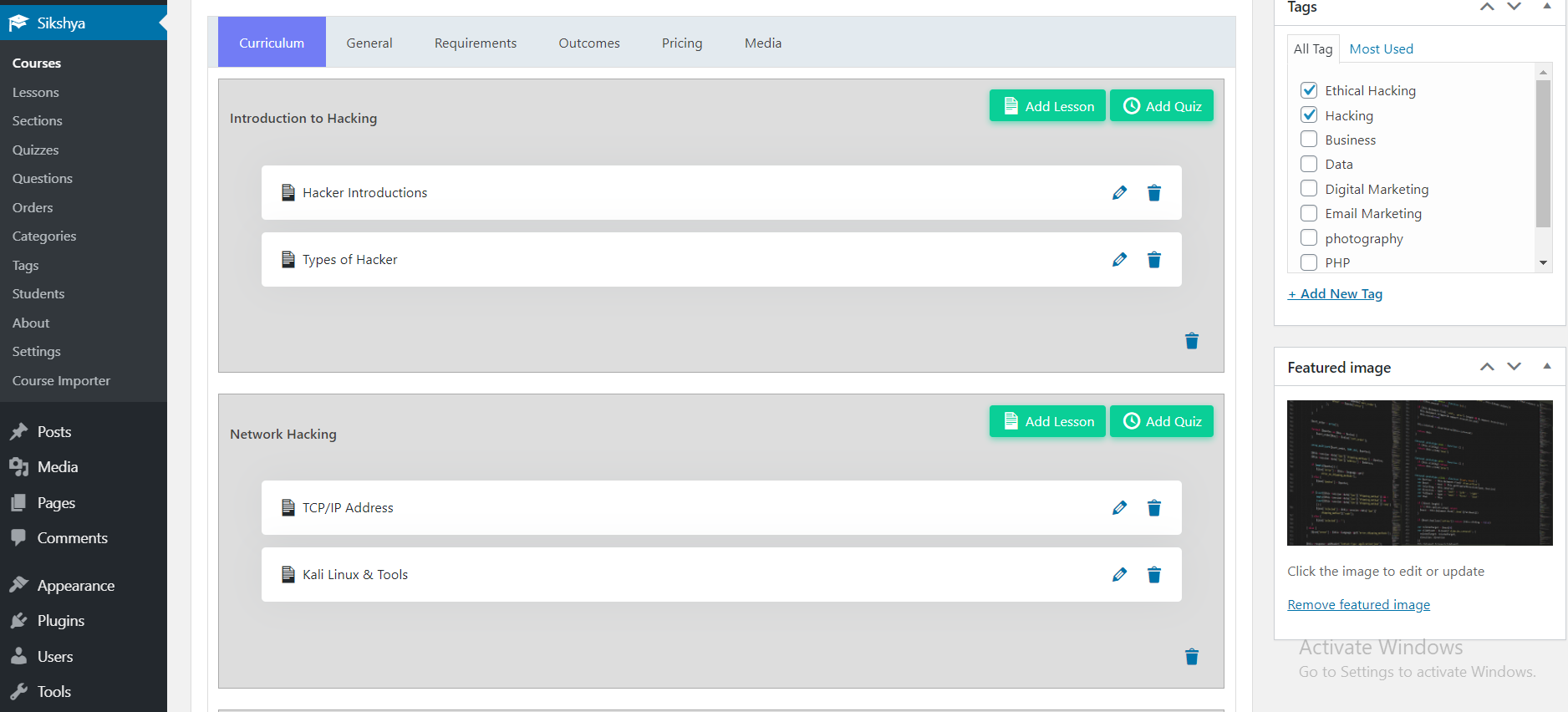
- Teach — Visual course builder, structured curriculum, video & text lessons, quizzes & auto-grading, assignments, and course certificates.
- Support learners — Dashboards, progress, and role-aware flows for instructors and staff.
- Creator-first workflow — A fast admin experience (React-powered shell) so you spend time teaching, not hunting through scattered WordPress screens.
- Commerce that belongs in the free core — Paid courses, coupons, orders, and mainstream gateways are part of the baseline story—not an afterthought locked behind “contact sales.”
- Sensible defaults — Fewer knobs on day one; advanced automation, marketplace, and reporting unlock with Sikshya Pro when you are ready to scale.
- WordPress-native — Courses, lessons, quizzes, and questions follow familiar custom post types and capabilities, with REST-oriented services where documented—so agencies and developers can extend predictably.
- Compatible with your stack — Works with the WordPress block editor (Gutenberg), Classic Editor, and popular page builders such as Elementor and Divi alongside your existing theme.
- No code required to publish lessons and quizzes—you work inside Sikshya’s admin screens like other WordPress plugins.
- Your theme controls fonts and many layout basics; Sikshya adds course templates and learner views so selling and learning stay consistent.
- Start small: create one course, one short lesson, and one quiz; invite a test student account before you invite paying customers.
- Payments are optional: offer free courses first, then connect Stripe or PayPal when you sell.
- Coaches, consultants, and creators shipping paid programs without hiring a platform team.
- Training companies & academies replacing spreadsheets with enrollments, progress, and assessments.
- Teams doing internal training who need completion tracking and light certification.
- Agencies standardizing one dependable LMS layer across client sites (including multisite when configured carefully).
- Blended learning — Self-paced lessons plus scheduled touchpoints (extended live tooling ships in Pro where applicable).
- Customer education — Product training and onboarding academies tied to your brand site.
- Community & cohort programs — Clear curriculum and progress signals; pair with your favorite community plugins as needed.
- Unlimited courses, lessons, and quizzes (within your hosting limits).
- Structured curriculum with sections/chapters and drag-and-drop style ordering.
- Course landing content: descriptions, FAQs, announcements, preview lessons.
- Course archive with search and filters aligned to your theme.
- Lesson types: text, video via URL/embed-style delivery, downloadable materials.
- Optional transcript field (downloadable URL + paste-in text) for accessibility and SEO.
- Graceful media fallback when an embed or source can't load.
- Quiz builder: multiple choice, true/false, short answer, essay, fill-in-the-blank, ordering, matching.
- Passing marks, attempts, and timer-oriented assessment controls.
- Sequential progression and chapter-style gating where configured.
- Mid-attempt auto-save so a refresh doesn't wipe in-progress answers.
- Per-type score breakdown + optional per-question explanations on review.
- Assignments with submission and manual grading for real-world evaluation.
- Two ready-to-use certificate templates (Heritage + Vertex) ship in the free core, marked default so they survive updates.
- PDF download from the learner profile when a course is completed.
- QR-based external verification ships in the Pro Advanced certificates addon.
- Student dashboard: enrollments, progress, resume learning.
- Downloadable lesson attachments and course resources, protected per learner.
- Role-aware flows for administrators and instructors.
- Free courses, paid courses, and manual enrollment by staff.
- Stripe and PayPal as first-class payment paths in settings.
- Coupons: percentage or fixed discounts, redemption limits, optional date windows.
- Order management: visibility, notes, and administrative refund-style workflows as implemented per release.
- Capability checks, nonces, and disciplined REST patterns aligned with WordPress security expectations.
- Transactional email hooks for enrollment, purchase, and completion journeys (templates evolve by release).
- Translation-ready (
sikshyatext domain); RTL-friendly layouts are a continuous improvement target—report theme-specific gaps via support.
- Themes — Built to cooperate with well-coded WordPress themes; use a default theme briefly if you need to isolate CSS conflicts.
- Multisite — Network-enabled; validate roles, capabilities, and data boundaries per site before production.
- Developers — Hooks and filters around enrollments, lesson completion, and quiz outcomes; REST coverage is summarized on the product site and expanded in Sikshya documentation.
- Content drip & scheduled unlock — Release lessons over time (“day 3 after signup”, dates, cohort pace) instead of opening the full catalog on day one. Best for paced programs and term-style delivery; disable for purely self‑paced libraries.
- Course reviews & ratings — Collect star ratings and written reviews on course pages with moderation before they go live. Builds social proof in the catalog; turn off when public reviews don’t fit your model.
- Prerequisites (lessons & courses) — Require completion of chosen lessons or whole courses before the next step unlocks—ideal for sequencing, compliance, or leveled paths. Leave off when every course stands alone.
- Instructor dashboard — Gives each teacher a concise snapshot (e.g. enrollments on their courses) without sharing the whole admin site. Useful when instructors should see their numbers only.
- Drip & automation emails — Optional transactional emails when drip rules unlock lessons or schedules (templates in Email templates). Pair with Content drip when you want “lesson unlocked” style notices.
- Calendar — Shows learners a dated schedule—enrollments, upcoming drip unlocks, assignment due dates—on My account plus REST data for custom UIs. Handy when deadlines and releases should appear in one place.
- Professional email delivery & branded templates — Route Sikshya emails through a proper ESP (SendGrid-style setup) and wrap messages with your branding. Improve deliverability versus generic PHP mail.
- Course discussions & Q&A — In-course discussions and Q&A with instructor moderation for cohort-led learning. Skip when comments are handled entirely outside Sikshya.
- Multi-instructor & co-authors — Assign multiple instructors per course with optional revenue splits for shared authoring and payouts. Keeps ledger-style splits disciplined at checkout.
- Advanced analytics & exports — Download enrollment-style and progress-ready data for Excel/Sheets and offline planning. Bridges dashboard charts and spreadsheets when stakeholders need files.
- Gradebook — Consolidates quizzes and graded assignments into a per‑learner, per‑course scores view plus export workflows. Targets real grading—not “completion only.”
- Student activity log — Timeline of milestones (enrollment, completions, quizzes, submissions, checkout) when you must answer what happened, when. Helpful support and dispute trail.
- Advanced certificates (builder, QR, verification) — Verification links/pages, richer layouts, and optional QR tying to proofs beyond the basic PDF. Use when authenticity checks matter externally.
- Subscriptions & memberships — Sell ongoing access via recurring billing models instead of strictly one-shot course sales. Fits memberships and renewals layered on gateways you configure.
- Course bundles — Sell several courses together for one bundled price—“bootcamp packs” or value SKUs—with enrollment logic tied to the pack.
- Advanced coupons & upsells — Coupon rules beyond a flat discount—minimum order, applicability to chosen courses—and checkout guardrails accordingly.
- Dynamic checkout fields — Add configurable checkout questions (text, select, checkbox) with simple visibility rules. Store answers on orders or profiles when you need VAT, referrals, consent, etc.
- Advanced assignments — Rubric-style grading guidance and uploads restricted by file types for stricter coursework hand-ins.
- Advanced quiz types — Groups / pools of reusable questions when you assemble many quizzes without duplicating stems—think organized question banking.
- Live classes (Zoom / Meet / Classroom) — Persist meeting links and platform labels directly on lessons so learners always hit the correct live URL from the syllabus.
- Social login — Let learners sign in with Google-style providers when policy allows fewer passwords-only accounts.
- SCORM / H5P — Embed packaged SCORM or H5P experiences inside Sikshya lessons—bridge vendor-built interactives inside your Sikshya path.
- Multi-vendor marketplace — Track vendor ownership per course plus platform-vs-seller splits for many independent sellers sharing one storefront.
- White label & branding — Tune Sikshya-facing labels and learner/admin chrome toward your agency or customer brand—including login accents where supported.
- Webhooks — Deliver signed JSON to your HTTPS endpoints whenever major LMS lifecycle events occur for custom automation backends.
- Zapier — First-class Zapier workflow entry points so Sikshya events can fan into thousands of Zap actions without bespoke code projects.
- Email marketing (Mailchimp / MailerLite) — Keep marketing lists synced from enrollments/completions so campaigns react to Sikshya learning milestones.
- Public API & API keys — Issue revocable secrets for bespoke apps/partners integrating over REST without sharing WordPress passwords.
- Multisite & network license tools — Guidance surfaces for multisite admins mapping licenses across subsites on true WordPress networks.
- Enterprise reporting — Automated weekly KPI-style email rollups aimed at inbox-friendly executive snapshots—pair with analytics exports when you need detail too.
- Multilingual (WPML / Weglot) — Bridges Sikshya’s front-end/interface strings into popular translation stacks so multi‑language sites localize consistently beside your theme/content.
- 👉 LearnDash Vs Sikshya LMS — How LearnDash compares to Sikshya LMS on free tier, lifetime licensing, and total cost of ownership for WordPress course creators.
- 👉 Tutor LMS Vs Sikshya LMS — How Tutor LMS compares to Sikshya LMS on free-tier scope, OAuth 2 + PKCE API access, and pricing model.
- 👉 LifterLMS Vs Sikshya LMS — How LifterLMS compares to Sikshya LMS on flat-tier pricing vs a free core plus separately-versioned add-ons.
- 👉 LearnPress Vs Sikshya LMS — How LearnPress compares to Sikshya LMS on commerce, course builder UX, and the Pro feature ladder.
- 👉 MemberPress Vs Sikshya LMS — How MemberPress compares to Sikshya LMS as a course-first LMS vs a membership-first plugin.
- Stripe — Terms of service · Privacy
- PayPal — User agreement · Privacy
- Embedded or linked video — YouTube, Vimeo, or other hosts may apply their own embed terms, cookies, or analytics; see each provider’s policies.
安装:
- Install Sikshya LMS from Plugins → Add New (search “Sikshya” or “Sikshya LMS”) or upload the
sikshyafolder towp-content/plugins/. - Activate the plugin.
- Open Sikshya in the WordPress admin menu and walk through setup: required pages, permalink structure (pretty URLs recommended), basic branding, and email sender settings.
- Under Payments, add Stripe and/or PayPal using test keys first; run a small test purchase before switching to live keys.
- Create your first course, add at least one lesson and (optionally) a quiz, publish, then open the public course URL in a private browser window to see what learners see.
- Optional: read the step-by-step Sikshya documentation on Mantrabrain for installation detail and privacy controls.
- Optional: join the Sikshya LMS Facebook Community for tips from other site owners.
屏幕截图:
常见问题:
What is an LMS (in one sentence)?
A learning management system is software that hosts your lessons, tracks who finished what, and often handles enrollment or payment—so you are not emailing PDFs and spreadsheets by hand.
Is Sikshya LMS free?
Yes. This plugin ships a full free core for building courses, enrolling learners, running quizzes, and selling with baseline checkout features. Advanced modules and priority support are available with Sikshya Pro.
Do I need coding skills?
No for day-to-day course building. Developers can still extend Sikshya using WordPress hooks, filters, and documented REST endpoints.
Does Sikshya work with any WordPress theme?
It is designed for broad theme compatibility. If layouts clash, test with a default WordPress theme to separate theme CSS from LMS templates.
Does Sikshya work with the block editor?
Yes. Use the native Sikshya blocks (Courses, Login, Registration) or legacy Shortcode blocks with [sikshya_courses], [sikshya_login], and [sikshya_registration] — settings and output match. Sikshya course pages and learner templates work alongside block-based pages and standard WordPress themes.
Does Sikshya work with page builders like Elementor or Divi?
Yes. Sikshya’s output is standard WordPress templates and shortcodes, so it composes cleanly with Elementor, Divi, Beaver Builder, Bricks, and Oxygen. Drop the Sikshya shortcodes ([sikshya_courses], [sikshya_login], [sikshya_registration]) into any builder widget that renders shortcodes; the rest of your course / lesson / quiz templates render through Sikshya’s own template layer, which respects your theme’s typography and color tokens.
Can I migrate from LearnDash, Tutor LMS, or LearnPress to Sikshya?
Sikshya stores courses, lessons, and quizzes as standard custom post types, which makes structured imports possible with tools such as WP All Import or with a small migration script targeting the Sikshya REST endpoints. Migrating learner progress (completion history, scores) typically requires a custom mapping — open a support ticket if you’re planning a large migration and want a template script to start from.
Is Sikshya mobile-responsive?
Yes. The course catalog, course pages, learner dashboard, quiz player, and learn-page chrome are designed mobile-first with sticky learn-page headers, tap-friendly touch targets (44×44 minimum), keyboard-accessible quiz controls, and ARIA semantics that work with screen readers. Tested on iOS Safari, Android Chrome, and modern WebView contexts.
Is Sikshya GDPR-compliant?
Sikshya stores only the learner data you choose to collect (account, enrollments, progress, orders) on your WordPress install — nothing is shipped to third-party servers by Sikshya itself. Personal-data export and erasure hooks for WP’s built-in privacy tools are supported, so subject-access and right-to-erasure requests flow through the standard WP Tools → Export/Erase Personal Data screens. Any payment, video, or analytics service you configure has its own privacy obligations — see the Use of third-party services section above.
How do I sell courses?
Create a paid course, set the price, connect Stripe and/or PayPal under Sikshya payment settings, and run a test transaction before accepting live payments.
Can I use WooCommerce or another cart instead?
The free core emphasizes native-style course checkout for speed and clarity. Deeper cart and membership integrations may appear in Pro or via future integrations—check the product page for the current roadmap.
Does Sikshya support subscriptions or memberships?
Recurring subscriptions and advanced membership rules are part of the Sikshya Pro positioning. The free tier focuses on strong one-time (and free-course) selling.
Is Sikshya multisite compatible?
Yes, the plugin is flagged for network use. Always verify instructor/student capabilities and data isolation per subsite in staging.
Where is Sikshya LMS documentation?
Official guides live on Mantrabrain: Sikshya LMS documentation covers installation, privacy & optional usage tracking, and links to deeper help as the knowledge base grows.
Is Sikshya a self-hosted LMS?
Yes. Sikshya runs entirely inside your own WordPress installation (self-hosted). You are not required to use a separate hosted LMS service to deliver courses, track progress, or process payments you configure (for example Stripe or PayPal).
Can I translate Sikshya?
Yes. Strings use the sikshya text domain and are compatible with Loco Translate, WPML, TranslatePress, and similar workflows.
Where can I get help or talk to other users?
Use Contact support for account or technical issues, and join the Sikshya LMS Facebook Community for peer discussion and best practices.
How do I report a security vulnerability?
Email at mantrabrain@gmail.com with details (do not post exploit steps in public reviews). You may also use the vendor contact page on the product site for coordinated disclosure.
How does Sikshya relate to Sikshya Pro?
Sikshya (this plugin) is the free foundation. Sikshya Pro is a separate commercial add-on that unlocks advanced features and service levels.
Will this hurt my site’s SEO?
Sikshya outputs normal WordPress pages and URLs. Use clear course titles, excerpts, and internal links from your homepage or blog—same good habits as any WordPress site. Pair with your preferred SEO plugin for meta titles and sitemaps.
What shortcodes and blocks does Sikshya provide?
Sikshya registers the shortcodes below. Paste them into any page, post, or widget that runs WordPress shortcodes (Shortcode block, Classic editor, or a theme template that calls do_shortcode). Attribute names are lowercase unless noted.
Quick reference
- Sikshya Courses block (or
[sikshya_courses]) — Grid or list of published courses (same card UI as the catalog). - Sikshya Login block (or
[sikshya_login]) — Sign-in form (Sikshya auth handler; errors stay on the same page). - Sikshya Registration block (or
[sikshya_registration]) — Create a Sikshya student account; optional instructor intent submits a pending teaching application.
[sikshya_courses]
What it does: Queries published courses and renders them with the same course card partial used on archives and the catalog.
Attributes (all optional except where a default is listed):
per_page— Number of courses per page. Default9. Minimum1, maximum50.columns— Layout hint.3forces a three-column grid; other positive values (up to6) adjust the auto grid;0or omitted uses the default auto layout.view—gridorlist. Defaultgrid.category— Filter by course category taxonomy slug (not the numeric ID).tag— Filter by course tag taxonomy slug.search— Free-text search string (same idea as the catalog search).orderby—date,title, orprice. Defaultdate.order—ascordesc. Defaultdesc.pagination—1(show paging) or0(single page). Default1. When enabled, page links use the query argumentsikshya_courses_pageso paging does not clash with the main query.
[sikshya_courses]
[sikshya_courses per_page="12" view="grid" category="web-design" orderby="price" order="asc" pagination="1"]
[sikshya_courses view="list" search="wordpress" pagination="0"]
[sikshya_login]
What it does: Renders an email-or-username + password form that authenticates through Sikshya’s admin-post handler (wp_signon). Failed logins show a notice on the same URL (no redirect to wp-login.php). Used on the virtual login page and inside checkout.
Attributes:
redirect_to— Absolute or relative URL after successful login. Validated withwp_validate_redirect. If empty, the handler falls back to the HTTP referer, then the site home URL.
[sikshya_login]
[sikshya_login redirect_to="/my-account/"]
[sikshya_login redirect_to="https://example.com/checkout/"]
[sikshya_registration]
What it does: Renders a registration form (display name optional, email, password). Creates a WordPress user with the Sikshya student role, then triggers the same new-user email notifications WordPress sends after core registration (wp_send_new_user_notifications, admin + user). Intended for checkout (“Create account”) and custom landing pages.
Attributes:
type—studentorinstructor. Defaultstudent.instructordoes not assign the instructor role: the account is a student and a pending instructor application is recorded (same meta as the account “Apply to teach” flow). An administrator approves applications in the dashboard; only then is thesikshya_instructorrole added.redirect_to— Same behavior as[sikshya_login]after successful registration.
sikshya_send_new_user_notifications (bool, user ID) to disable core emails if you replace them with your own.
Examples
[sikshya_registration]
[sikshya_registration type="student"]
[sikshya_registration type="instructor" redirect_to="/courses/"]
更新日志:
- Groups, cohorts and compliance training had no screens at all. All three shipped as working APIs with nothing in the admin, so there was no way to sell a seat, run a scheduled intake, or read a compliance report anywhere in WordPress. Each now has a full screen under the Sikshya menu. Cohorts leads with the intake's start date, because drip schedules count from it — everyone in one intake reaches week two on the same day however late they joined — and it warns you when an intake has no date, since an undated intake anchors nothing and ordinary per-learner drip applies instead. Compliance shows "overdue" and "completed late" apart from the headline percentage, because an auditor asking whether training was done on time is not answered by a figure that counts a late completion as compliant.
- "Log out inactive users after (minutes)" did not measure inactivity. It capped how long a login lasted, so somebody halfway through marking a batch of assignments was signed out mid-task at the two-hour mark whatever they were doing — the one thing the setting's own label promises not to do. A session is now extended while the person is active, so only an idle one runs out. The same setting also ignored "Remember Me": a login you explicitly asked to be remembered expired in two hours rather than the fourteen days WordPress promises, with nothing on screen to explain why you kept being signed out. Remembered logins now keep their full length.
- Importing the sample data twice gave you two of everything. Pressing Tools → import sample data again, or running the setup wizard after an earlier attempt, created a second copy of every sample course. An import cut short by a hosting time limit was worse still: retrying duplicated the courses it had already made instead of finishing the ones it had not, leaving you with a half-built course sitting beside a copy of it. Each imported course is now recognised, so a later import skips what is already finished and rebuilds only what was interrupted, and the import asks for more time up front so it usually completes in one pass. Courses you wrote yourself are never touched, even if they share a name with a sample one.
- Tax was a setting that did nothing. Settings → Commerce has offered a tax rate and a "prices already include tax" switch, and neither was read anywhere — you could configure 8.25% and the store charged nothing extra. Tax is now applied to the amount after any discount, shown on the checkout quote, and recorded on the order. Both modes work: exclusive tax is added on top, and an inclusive price stays exactly what the customer was shown. A rate of 0, which is the default, changes nothing for existing stores.
- The Email → Templates link was broken. Opening it printed two PHP warnings into the page and left you there instead of taking you to Email → Templates, because the redirect ran after the page had already started rendering. It now redirects before any output.
- Admin list screens were slow on busy sites. The orders screen issued a database query for every order on the page — fetching its lines, each line's course title and the payer separately — and the quiz-attempts screen did the same for every attempt. On a real dataset those two pages cost 65 and 64 queries; they now cost 9 and 6. Nothing about what they show has changed.
- Audio lessons could not be created. The lesson player already handled them, but the type was missing from the picker and the server turned an audio lesson into a text one. You can now pick "Audio lesson", paste a direct link to an .mp3, .m4a, .ogg or .wav file, and learners get a player — with the existing transcript field alongside it for accessibility.
- Requires Sikshya Pro 1.0.10. The compliance screen reports on the audience Pro assigns, and Pro 1.0.10 is the release that stopped capping that audience at 5,000 learners.
- Make a course mandatory for a role, group or cohort with a deadline, and report on who is compliant. Somebody who joins the audience later inherits the obligation without you re-assigning anything.
- Recurring training reopens on its own cycle, dated from when the learner actually certified rather than from the old deadline, and every past cycle stays on the record as the audit trail.
- Overdue is worked out from the deadline and the clock rather than stored, so a report is never stale. Waivers record who granted them and why, and are counted separately from training that actually happened.
- Requires Sikshya Pro 1.0.8.
- Run a course as a scheduled intake that learners move through together. A cohort has a start date, and drip schedules count from it rather than from each learner's own sign-up — so everyone in the January intake reaches week two on the same day, however late they joined. Ordinary per-learner drip cannot express that.
- Joining an intake grants its course, each intake reports its own progress, and a whole group can be moved into one in a single step.
- Requires Sikshya Pro 1.0.7.
- Sell a block of seats to an organisation and let them run their own roster. A group owner, or a leader they appoint, adds and removes learners without needing you, and membership grants access to every course the group holds.
- Seats are enforced: once the purchased number is used, adding another learner is refused rather than quietly handing over unpaid access. Reducing a plan below current usage is reported as over-capacity instead of showing a negative number.
- A learner removed from a group keeps their enrolment and progress. For compliance training that record is the thing the customer needs to keep, so leaving a roster does not erase it.
- Requires Sikshya Pro 1.0.6.
- On any site with more than one instructor, instructor A could rewrite instructor B's course, lesson and quiz, rename B's chapters, inject lessons into B's course, and permanently delete B's chapters and lessons — that route force-deletes, bypassing the trash, so the content was unrecoverable. A could also enrol themselves into B's paid course, taking paid content for free.
- The routes checked only plural capabilities such as
edit_sikshya_courses, which every instructor holds for every course, so there was no per-course check at all. WordPress core refused the same writes through/wp/v2; only Sikshya's own routes were open. -
Ownership is now resolved once, in
InstructorPermissions::canEditObject(), and applied to every course-owned object. A lesson, quiz or chapter inherits ownership from its course. Learner personal data was visible to any instructor (high) -
/admin/enrollments,/admin/quiz-attemptsand/admin/issued-certificatesreturned every row on the site — including learner names, email addresses and certificate verification codes — to any instructor, not just rows for their own courses. All three are now scoped. Erasing data on uninstall never actually happened -
WordPress loads only
uninstall.phpwhen deleting a plugin, so Composer's autoloader was never registered and the uninstaller raised a fatal error on its first statement. Nothing was ever removed, whatever you had opted in to — relevant if you rely on this for a data-deletion request. - What it would have removed was also incomplete: 13 of 21 option names in its list have never existed, while roughly 28 options the plugin does write were missing from it, including the JWT signing secret. User meta was not touched at all (cart contents and learner-authored lesson notes survived), and the four scheduled events it cleared are not events Sikshya registers, so the three real ones stayed behind.
- Uninstall now loads correctly, verifies its dependencies before starting so it can never half-erase, and clears options, user meta, stray post meta and its own cron events. Erasure is still strictly opt-in and still defaults to off. Sikshya Pro's data is left to Pro's own uninstaller. An interrupted upgrade could abandon learner enrolments and progress
- Enrolments and progress are migrated after the post types are renamed. A migration stopped in between left no legacy post types behind, so the plugin reported "nothing to migrate" and every learner's enrolment and progress was abandoned in a table nothing reads. Detection now recognises that state and resumes. Certificate verification did not work
-
The public verification endpoint was implemented but never registered, so
/sikshya/v1/public/certificates/verifyreturned 404 and a certificate's verification code could not be checked by anyone. It is now live, and returns only the certificate number, issue date, course title and recipient name. Downloadable files could not be downloaded - Every protected attachment link returned "Authentication required to download this file." as soon as a learner clicked it. The links are signed REST URLs, and WordPress treats a REST request that arrives without a nonce as logged out — which is exactly what a click is. Fetching the URL from JavaScript worked, clicking it never did, so course resources have not been reachable by learners.
- The download endpoint now identifies the requester from the session cookie as well. Authority still comes from the signed token, which names a single attachment and a single account: a link shared with anyone else is still refused, and so is a logged-out visitor. Lesson attachments now work
-
Lesson attachmentshas been listed as a free feature without a working implementation: the meta was written under one key and read under another, no screen offered a way to add files, and no template displayed them. Nothing was lost, because nothing could be saved. - Lessons now have an Attachments field in the lesson editor that opens the media library and takes any number of files. They appear under Resources on the lesson, listed above the course-wide downloads and labelled "For this lesson", with the same per-learner link protection course resources use. Removed from the feature list
-
Wishlistwas advertised but has never had an implementation of any kind. It has been removed from the feature list rather than left as a promise; nothing changes on your site. Fixes - Instructors could not edit their own published courses: the course builder answered "You are not allowed to edit this course", and the Pricing tab failed every save with "Failed to save some data". Both were caused by a capability check that cannot succeed for these post types.
- The front-end admin bar showed no Edit link to an instructor on their own published course.
- Removed a
wpdb::prepare()call with no placeholders on the default Quiz Attempts view. - The lesson Resources tab no longer says "No resources available for this lesson yet" while listing files.
- Lesson attachment ids are validated on save, so a value that is not a real media file can no longer be stored or rendered as a dead link.
-
POST /sikshya/v1/me/enrollrejected every course with404 "Invalid course.", so no learner could enrol in anything. The guard compared the course against the post typesikshya_course, but courses have been registered assik_coursesince 1.0.0 — the comparison could never be true. Present in 1.0.6, 1.0.7 and 1.0.8. Paid courses could be enrolled in for free (critical) - Unmasked by the fix above. The paywall read the price from a single meta key while checkout reads it through the canonical resolver that checks every alias key, so a course priced through any other alias looked free. Both price accessors now use the same resolver as checkout, so the paywall cannot disagree with the code that takes the money. The same stale post-type name, found everywhere else it was hiding
- Audited every identifier in the plugin against what WordPress actually has registered. 36 further occurrences across 12 files still used the pre-1.0.0 names. Consequences on a site with 1,855 courses: the admin dashboard reported 0 courses, usage telemetry reported 0 courses and 0 lessons, lesson and quiz REST endpoints returned nothing, the lesson data layer matched nothing, and the frontend course search returned no results.
- Uninstall did not erase course content. The uninstaller targeted four post types that have never existed, and omitted questions, chapters and certificates entirely. If you enabled "erase data on uninstall", your course content was left behind. It now covers all seven registered post types and the five real taxonomies. Erasure is still strictly opt-in and still defaults to off.
- All references now use shared constants so the names cannot drift from the registry again. Also
- The admin dashboard's course count is now a prepared statement rather than an interpolated query.
- A frontend AJAX handler no longer reads an undefined property when counting courses.
- New filter
sikshya_auth_redirect_tocontrols where a visitor lands after signing in or registering through Sikshya's own forms. It runs after authentication, so theWP_Useris available and the destination can be chosen from the account's roles or capabilities — sending instructors to their teaching view, learners to their courses, and so on. - This was previously impossible to customise, even with code. The destination was resolved before the credentials were checked, so the account was still unknown at the moment it was decided, and nothing in the plugin filtered it. Reported by a site owner whose instructors were landing on the site home page after logging in.
- Applies to all four auth paths: AJAX and non-AJAX sign-in, and AJAX and non-AJAX registration.
$contextisloginorregister. Sikshya Pro 1.0.3 applies the same filter to social sign-in with asocial-logincontext, so a single filter covers every way a visitor can sign in. - Nothing changes by default. With no filter attached the destination is identical to 1.0.7 — an explicit
redirect_to, else a same-origin referer, else the site home. The filtered value still passes throughwp_validate_redirect(), so a filter cannot be used to send visitors off-site.
- Tested up to WordPress 7.1.
Requires at least: 6.0andRequires PHP: 7.4are unchanged, so this update applies to every site already running 1.0.6. load_plugin_textdomain()is now deferred to theinitaction instead of running while the plugin file is being included. WordPress 6.7+ expects translations to be loaded no earlier thaninit, and calling it from the bootstrap is the pattern that trips the_load_textdomain_just_in_timenotice. Nothing in the load path translated that early, so this is a hardening change rather than a fix for a notice anyone was seeing.- Audited against WordPress 7.1 core: no deprecated or removed core functions are called, and all 108 REST routes still declare a
permission_callback. - Readme: the shortcode/block reference moved out of Description and into the FAQ as "What shortcodes and blocks does Sikshya provide?". WordPress.org caps the Description section at 2,500 words and was silently truncating ours (it measured ~2,748), so the tail of the section — including the third-party service disclosure — was being cut from the plugin directory listing. Description is now ~2,246 words with every line preserved; the FAQ section has a 5,000-word cap and sits well under it.
/sikshya/v1/lessons, /sikshya/v1/quizzes, or /sikshya/v1/courses REST routes from an external client should re-check their integration (see below).
REST auth (fixes information disclosure and paywall bypass)
GET /sikshya/v1/lessonsandGET /sikshya/v1/lessons/{id}now require the samecanManageLessonscapability as the write side. Previously anyone could fetch a lesson's fullpost_content+ every_sikshya_*meta key — this was a paywall bypass for paid courses. Learner consumption goes through/me/quiz-attempt(unaffected — still enforces enrollment).GET /sikshya/v1/quizzesandGET /sikshya/v1/quizzes/{id}now requirecanManageQuizzes. Previously exposed the ordered question ID list, passing score, time limit, and attempt cap to any client — assessment enumeration for competitors and cheat-sheet builders.-
GET /sikshya/v1/coursesandGET /sikshya/v1/courses/{id}stay public for catalog use, but the returnedmetais now built from an explicit allowlist (sikshya_course_price,sikshya_course_duration,sikshya_course_level) instead of dumping every meta key — no more leaking_edit_lock, unpublished sale schedules, AI-generation flags, or third-party plugin meta. Cross-site request / race conditions -
POST /sikshya/v1/me/enrollnow enforcespost_type === sikshya_course+post_status === 'publish'before any pricing/addon logic. Previously, a draft or private course whose price meta was zero (or cleared) could be self-enrolled via ID enumeration. - Coupon per-user redemption cap is now atomic (transaction +
SELECT … FOR UPDATEon the redemption rows). Previously two parallel checkouts of aper_user_limit = 1coupon could both pass the initial count check, both insert redemptions, both discount their orders. A lost race now returns a clean "already used" error with the coupon'sused_countrolled back. SocialLoginOAuth state token is now bound to the initiating browser via an HTTPOnlySameSite=Laxcookie and verified withhash_equalson callback. Prevents an attacker from minting a state on their machine and smuggling the callback URL to a victim.-
EnrollmentRepositorylist methods (findAll,findByUser,findByCourse,findByStatus,searchWithFilters) now routeorderby/order/limit/offsetthrough a shared column-whitelist normaliser. No live SQLi existed (callers pass hardcoded values), but the shape was a trap for future callers. Web-register flow -
POST /sikshya/v1/auth/web-registernow records the rate-limit attempt on entry instead of afterwp_create_usersucceeds. Previously the first attacker in a rate-limit bucket got a full free registration + auth cookie before the limiter engaged. -
Instructor application submissions no longer silently re-open a
rejected/suspended/activestatus. Applicants whose application was terminally decided must be re-considered by an admin — they can't reset themselves topendingby re-submitting the form. XSS / output escaping -
React admin: courses list and generic WP-entity list no longer feed WP REST
title.renderedintodangerouslySetInnerHTML. Any Author-level user could store XSS in a post title that then executed in the admin's session on list-page view; both sites now render titles as text via a newdecodeWpTitlehelper. -
Checkout page: dynamic-field labels, help text, textarea values, input placeholders, option labels, and country names are now HTML-entity-escaped before being templated into
innerHTML. Prevents stored XSS via admin-configurable checkout fields. Notes for integrators -
If you have an external client (mobile app, CRM sync, etc.) that reads
GET /sikshya/v1/lessonsor/quizzesanonymously, it will now receive401. Authenticate the client with a REST cookie / JWT / application password held by a user with the appropriate capability, or switch to the curatedPublicApiRoutesfor public consumption.
- Composer:
composer/installersmoved fromrequiretorequire-dev— it's a Composer build-time plugin, not a runtime dependency, so it had no business shipping to customer sites. The runtimerequirelist is now just PHP 7.4+ andfirebase/php-jwt ^6.10— the bare minimum the plugin actually uses at runtime. - Build pipeline:
build.shalready rancomposer install --no-dev --optimize-autoloaderbefore zipping, but the working tree now also reflects production-only deps; a fresh checkout'svendor/weighs in at ~716 KB instead of the previous 78 MB. - Readme: full restructure with a marketing-funnel section order — "Why choose Sikshya?" promoted above the fold; Pro CTA → catalog → competitor comparisons → developer reference flow; new "Compatible with your stack" callout naming Gutenberg, Elementor, Divi; 4 new FAQs (page-builder compatibility, migration from LearnDash/Tutor/LearnPress, mobile-responsiveness, GDPR).
- Readme: all 36 distinct feature pages on
mantrabrain.com/plugins/sikshya-lms/are now deep-linked (Free Course Builder, Video & Text Lessons, Quizzes, Course Certificates, Native Checkout + 31 Pro add-ons), each with feature-specific UTM campaign so analytics attribute click-throughs back to the originating section. - Readme: documentation host migrated from
docs.mantrabrain.com/sikshya-wordpress-plugin/tosikshya.mantrabrain.com/docs/; product page URL aligned with/plugins/sikshya-lms/and "Explore Pro" + "Pricing & plans" CTAs route directly to/pricing/. - Known issue:
firebase/php-jwt ^6.10has a low-severity advisory (CVE-2025-45769, "weak encryption"). The fix requires a major bump to v7.x — slated for the next release after we verify the API delta againstJwtAuthService.
- Quiz auto-save: mid-attempt answers now persist via a new
POST /sikshya/v1/me/quiz-saveendpoint andauto_save_datacolumn — a refresh no longer wipes 30 minutes of work. Hydrates on resume. - Lesson transcripts: new
_sikshya_lesson_transcript_urland_sikshya_lesson_transcript_textmeta with admin UI in the React lesson editor and a calm<details>disclosure beside video / audio players. - Per-question explanations: new
_sikshya_question_explanationmeta surfaced as a "Why?" disclosure after grading on the Review answers view. - Per-type score breakdown: results card now shows multiple-choice / essay / matching / ordering subtotals so learners see where they slipped.
- Course-completion CTA hook: new
sikshya_learn_course_completion_ctaaction above the tabs strip for Pro Certificates Advanced to slot a celebratory card. - Quiz client validation: warns about unanswered questions before submit and scrolls to the first miss.
- Ordering questions: 36×36 touch buttons + Alt+↑/↓ keyboard reorder.
- Tabs ARIA:
role="tab",aria-controls,aria-selected,tabindex,role="tabpanel",aria-labelledby,hiddenmirrored on lesson + quiz templates. - Media fallback: video / audio embeds now render a graceful "open in a new tab" panel when the source fails to load.
- Assignment dropzone: plain-text "Allowed: pdf, docx · Max N MB per file" hint above the dropzone.
- Course title + permalink (target=_blank) added to the Learn sidebar so learners always know which course they're in. Learn page — mobile
-
Content header sticky behaviour fixed for both lesson and quiz pages using
display: contentson the wrapping section (the section was zero-height on the lesson page, killing sticky's pin range). - Tabs strip: edge-fade gradients + scroll-padding signal "more here, scroll to reveal" without needing a visible scrollbar.
- Topbar progress: compact 56px chip in the header; on mobile the topbar scrolls away with the page while the content header pins.
- Header chrome trimmed on phones: hides chapter inline + focus toggle + 5 quiz meta pills so the 52px fixed row never wraps under the topbar. Account page
-
Top-right user menu: now avatar-only (name + email + caret hidden); dropdown z-index lifted and parent
overflow: hiddenremoved so it stops being clipped behind content. - Form-status pill: empty pseudo-class hides the chip on initial load (was rendering as a phantom bordered chip next to "Save profile" on the marketplace view).
- Focus-visible ring on the avatar button. Course landing
- "Expand all / Collapse all" button now ships with unfold-more / unfold-less icons (Material-style double-chevron pair).
- Label wrapped in its own span so the icon swap survives JS text updates. Schema + infra
-
SCHEMA_VERSIONbumped 1.9.0 → 1.10.0 with idempotent migration addingauto_save_datatosikshya_quiz_attempts. - Migrations now run lazily on
admin_init(handles drop-in deploys without re-activation). sikshya_course_completedaction gains an optional 3rd$enrollment_idarg (additive — existing 2-arg listeners unaffected).-
display: contentsmobile-sticky pattern: cleaner than absolutely-positioned shims and respects the document scroll model. Hardening sprint (carry-over from internal audit) -
60+ patches across security, capability checks, post_status guards on learner endpoints, email-listener wiring, perf, i18n, and admin column polish — see
AUDIT_REGRESSION_TESTS.mdfor the full ledger. - Compatibility: no breaking API changes; all public hooks remain backwards compatible.
- Readme: WordPress.org listing refresh—SEO-oriented short description and tags; Quick links (documentation on Mantrabrain, demos, pricing, community); structured sections (At a glance, self-hosted LMS, FAQs including block editor and optional usage insights); third-party services and privacy disclosure aligned with docs.
- Readme: plugin listing title aligned with WordPress plugin directory expectations; screenshot captions tuned for LMS and checkout keywords; Installation and security reporting guidance clarified.
- Plugin metadata: version bump; default documentation URLs in Plugin API / admin bootstrap now point to
https://sikshya.mantrabrain.com/docs/.
- Admin (React shell): Grading & submissions and gradebook screens — toolbar layout fixes so Course, Search, and Status filters align cleanly; contextual helper copy moved below the filter row; clearer sidebar icons for Gradebook and related entries.
- Marketing: Pro upgrade notice now uses “up to 50% off” instead of “50%+ OFF” for clearer, defensible wording (classic admin notice + in-app strip).
- Public: course category index and taxonomy routing improvements for a better category archive experience.
- Build: refreshed compiled admin JavaScript/CSS from current sources.
- Certificate: fixes for issues in the admin certificate designer (layout, editing, and related flows).
- Build: refreshed compiled admin React assets from the latest sources.
- Initial public release.
- Core course, lesson, quiz, and question model with builder-oriented admin UI.
- Student and instructor roles with capability-safe management surfaces.
- Baseline commerce: Stripe/PayPal-oriented checkout, coupons, orders.
- Learner templates, account views, and progress-oriented flows.
- REST-aligned services where documented for integrations.
- Default certificate presets (Regalia & Vertex) ship without QR blocks; QR-style verification remains documented as a Pro-oriented enhancement.
- Requires PHP 7.4+ and WordPress 6.0+; tested on current stable WordPress releases.
- Checkout (with Sikshya Pro Dynamic Checkout Fields): optional server-rendered dynamic field markup—JavaScript attaches listeners and visibility without rebuilding the form in the browser; includes
CheckoutDynamicFieldsViewand refactored checkout helpers (dfBindDynamicFields,dfSyncValuesFromHost).