
SiloNectra
| 开发者 | digitaltcab |
|---|---|
| 更新时间 | 2026年11月22日 18:19 |
| PHP版本: | 7.4 及以上 |
| WordPress版本: | 7.1 |
| 版权: | GPLv2 or later |
| 版权网址: | 版权信息 |
详情介绍:
- WordPress Classic Editor and Gutenberg assistance, plus supported Elementor text/HTML fields.
- Category-aware article discovery and rule-based multilingual keyword/phrase matching.
- Single-keyword toggle, long-tail phrase suggestions and original-text preview.
- Quick, reverse and pillar internal linking through a category-focused workspace.
- Same-category suggestions by default with clearly selected filter controls; cross-category review is optional.
- Saved Pillar articles appear in a separate persisted list.
- One-click linking, pre-insert duplicate detection, link verification and guarded undo.
- An actionable linking queue with per-link Check / Preview / Link Now / Remove / Undo and batch actions; link insertion preserves workspace position.
- Reverse link opportunity cards offer immediate link insertion and preview only when a verified source anchor exists.
- Overview Unknown URLs leads to a traceable Global Links report: source article, anchor keyword, destination URL, edit and inspection actions.
- Manual batch linking with review/approval before applying changes.
- Source -> anchor -> target reports with follow/nofollow link attributes.
- Link Health: orphan candidates, index coverage, unrecognized internal destinations and optional on-demand HTTP checks.
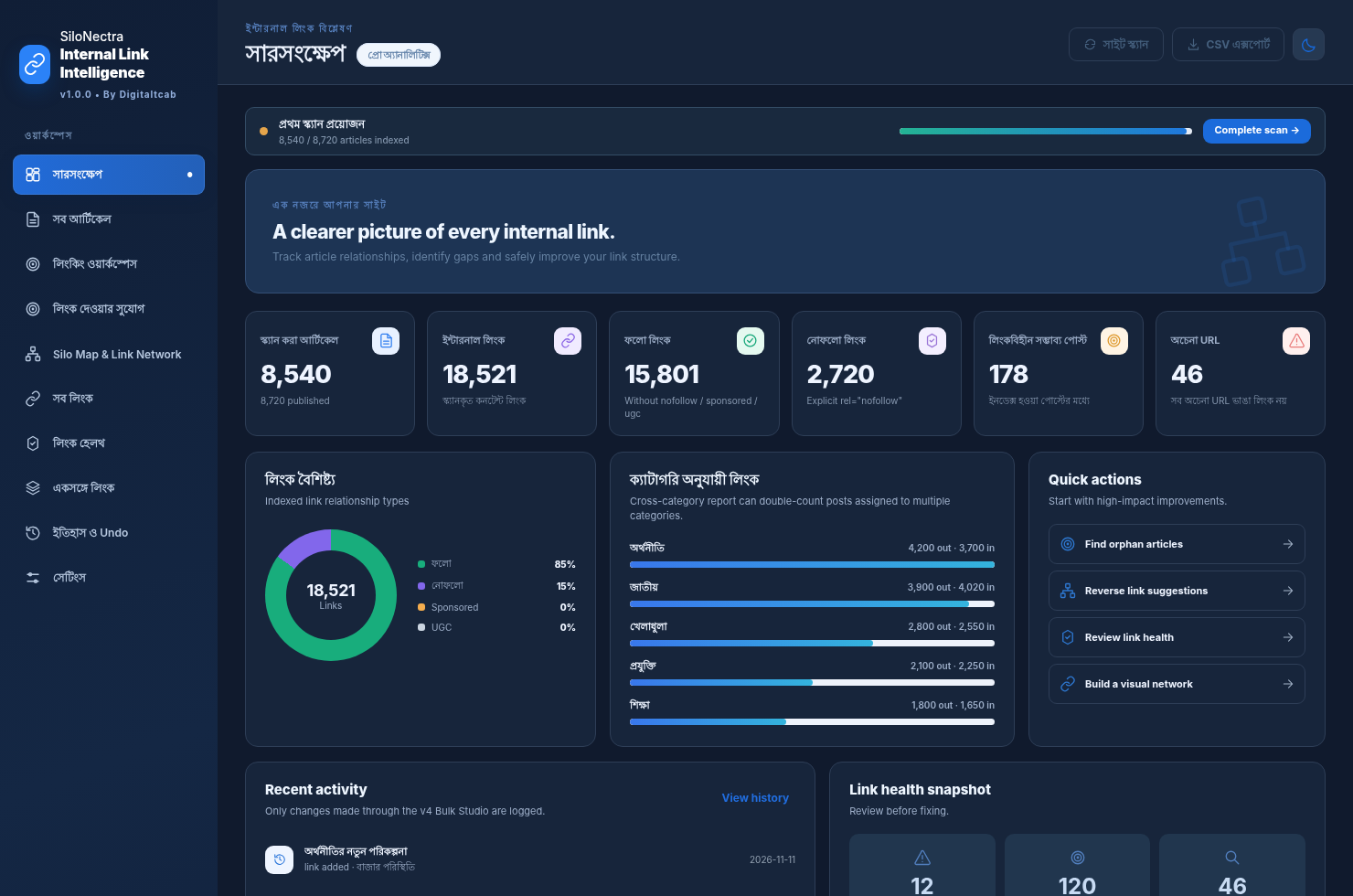
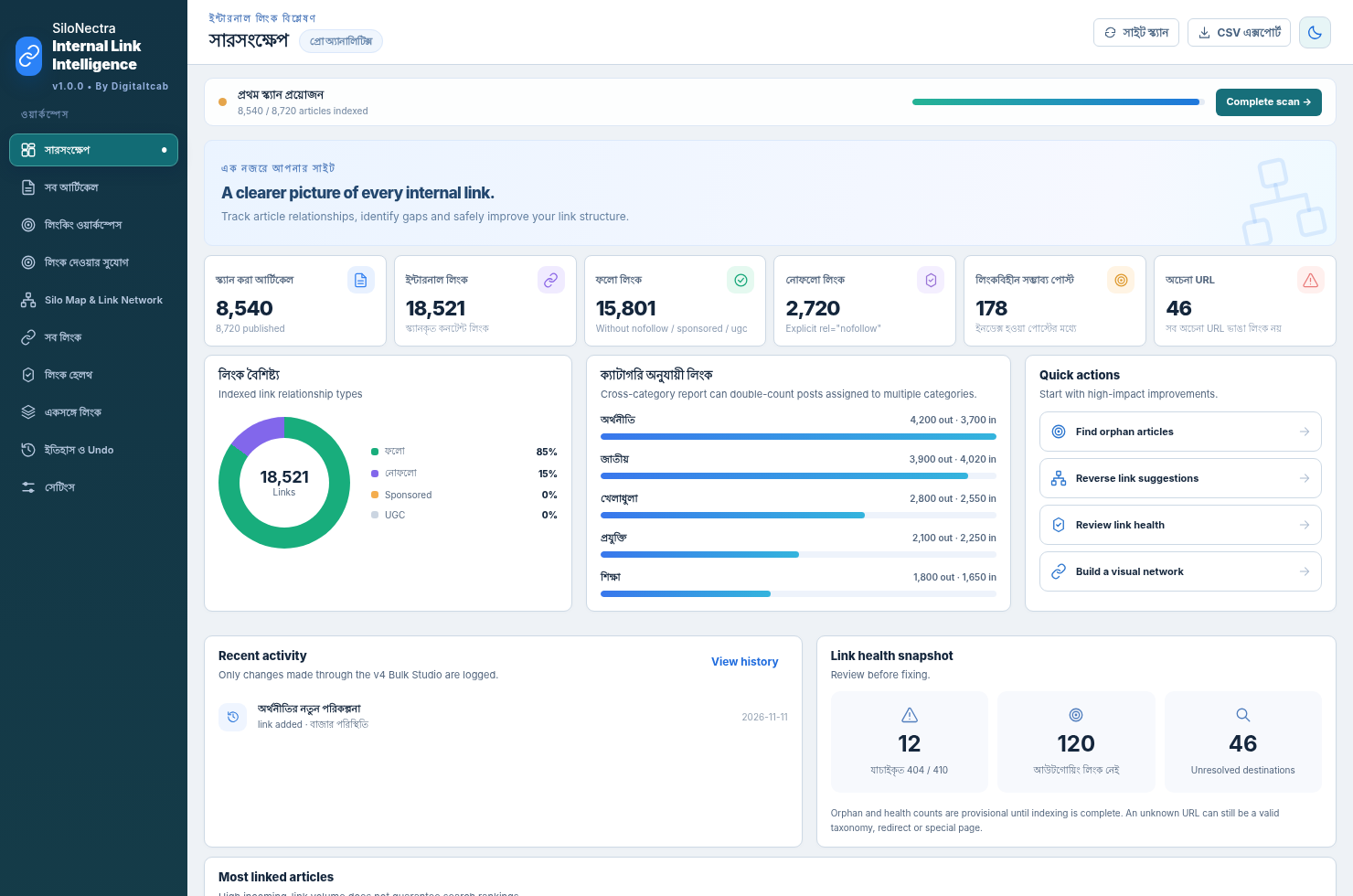
- Category silo map, pillar hierarchy, cross-category review and link network visualizations.
- Reports, CSV export, activity history and guarded rollback for supported edits.
- Three dashboard appearances: Modern Light, Midnight Pro and Data Studio Compact.
- Language options: Bengali, English, Hindi, Arabic, Spanish, French, Portuguese, Indonesian and Urdu. Settings and indexing-status controls are localized; some advanced analytic labels fall back to English.
安装:
- Back up your WordPress database and site files. Test in a staging environment before enabling bulk edits.
- If upgrading from the prior private Smart Internal Link Assistant v4.5.2, deactivate the old plugin first. Do not run both at once.
- Upload
silonectra.zipusing Plugins > Add New > Upload Plugin, or upload thesilonectradirectory to/wp-content/plugins/. - Activate SiloNectra. Existing v4.5.2 link-index tables and settings are reused when present; they are not deleted during the rename.
- Open SiloNectra in the admin menu. Run Scan Site to build or refresh the index.
- Select Settings to choose the dashboard theme and interface language.
屏幕截图:
常见问题:
Does SiloNectra require an AI API key?
No. Matching is rule-based, not an AI language model.
Can it work with any language?
It uses Unicode-aware matching where available; results depend on text segmentation and the structure of each language. It does not claim complete semantic understanding or perfect matching for all languages.
Will scanning edit my posts?
No. Indexing and suggestions are read-only. One-click linking and confirmed bulk operations can change saved post content.
Is Background indexing the same as Google indexing?
No. Background indexing analyzes the site's published WordPress article content and supported Elementor text fields to build SiloNectra's local link inventory. It does not submit URLs to Google/Bing or provide search-engine coverage data. When enabled, short batches run on WP-Cron (which may be delayed by low traffic). The Settings page shows indexed, remaining, last scan and next scheduled run. Use a manual scan to refresh sooner.
How do I change the interface language?
Open SiloNectra > Settings, choose a language and click Save settings. Controls and key dashboard sections use that language; article text and titles are never translated. The interface supports nine language choices; some advanced analytics text may still fall back to English. Refresh an open editor tab to apply the selected editor language.
How are Elementor links handled?
The plugin reads supported Elementor editor field data. Verify changes on the published page. Dynamic/custom widgets may need adaptation.
What is an orphan candidate?
An indexed article with no incoming links found in the indexed content corpus. This is not proof that the article has no links from navigation, category archives or other pages.
Are cross-category links always bad for SEO?
No. Silo boundary reports are review hints, not Google penalties or ranking signals.
Can I undo a link change?
For changes made through supported dashboard operations, rollback is guarded by a content-hash check. It may refuse if the article has changed since the edit. Keep normal backups and revisions.
What happens to my v4.5.2 data?
Deactivating the old plugin does not remove its database tables. SiloNectra deliberately continues using the legacy sila_pro_* tables and settings keys for compatibility. Follow the migration instructions in the user guide.
更新日志:
- Added scalar/placeholder-count and table-identifier validation before SQL preparation, with a prepared-query registry for index reads.
- Added short-lived result caching with generation, post and taxonomy invalidation; exports and write/Undo guards read fresh data.
- Fixed nested category bindings in silo queries and non-numeric searches incorrectly matching unresolved target ID zero.
- Added compound indexes for source/target, duplicate destination and anchor lookups.
- Added explicit audit-log field formats and fixed legacy bulk linking returning the wrong Undo log ID after reindexing.
- Documented narrowly scoped coding-standard exceptions for required custom-table writes and bounded category/pillar queries.
- Fixed an unmatched closing tag on the Articles screen that moved the Article Inspector outside its themed dashboard container.
- Added solid inspector surfaces, fallback colors and improved long-title wrapping.
- Restored inspector keyboard focus so Escape closes the panel and returns focus to its trigger.
- Bundled readable JavaScript/CSS source, matching runtime assets and a dependency-free reproduction/check script.
- Documented source locations, asset mappings, build steps and licensing for WordPress.org review.
- Initial public SiloNectra branding from the private Smart Internal Link Assistant v4.5.2 codebase.
- Added three dashboard appearances and theme preference in Settings.
- Retained prior editor assistance, indexed analytics, link opportunities, safe linking, silo maps and batch tools.
- Added migration guard preventing concurrent activation with the legacy plugin.
- Added WordPress.org-compatible readme, original assets and documentation.
- Pre-submission UX refinement (version remains 1.0.0): clear same/other category controls, direct link opportunity actions, no-anchor warning and Unknown URL source tracing.
- Pre-submission Settings correction (version remains 1.0.0): dedicated local indexing status, clarified WP-Cron versus search-engine indexing, English/Bengali mixed-label cleanup, localized Settings in nine interface choices, and restored analytics report state initialization.
- Pre-submission database hardening (version remains 1.0.0): validated and bound the reported Analytics, Article, Index and Silo SQL query paths; reduced dynamic query fragments, applied identifier placeholders and avoided redundant category membership counts. WordPress Plugin Check must be rerun on a WordPress 7.1 test installation before submission.