Simple Accessibility Tools
| 开发者 | Mediarlos |
|---|---|
| 更新时间 | 2026年6月7日 07:00 |
| 捐献地址: | 去捐款 |
| PHP版本: | 7.4 及以上 |
| WordPress版本: | 7.0 |
| 版权: | GPLv2 or later |
| 版权网址: | 版权信息 |
详情介绍:
Simple Accessibility Tools adds a configurable accessibility toolbar to public WordPress pages to improve reading comfort and navigation.
Included features:
- Increase and decrease font size.
- High contrast mode.
- Visual filters: normal, sepia, inverted, negative, and grayscale.
- Reading line that follows the cursor.
- Increased text, word, and line spacing.
- Readable font mode.
- Link highlighting.
- Pause animations.
- Hide images, videos, and iframes.
- Large cursor mode.
- Reset visitor preferences.
- Visitor preference persistence with localStorage.
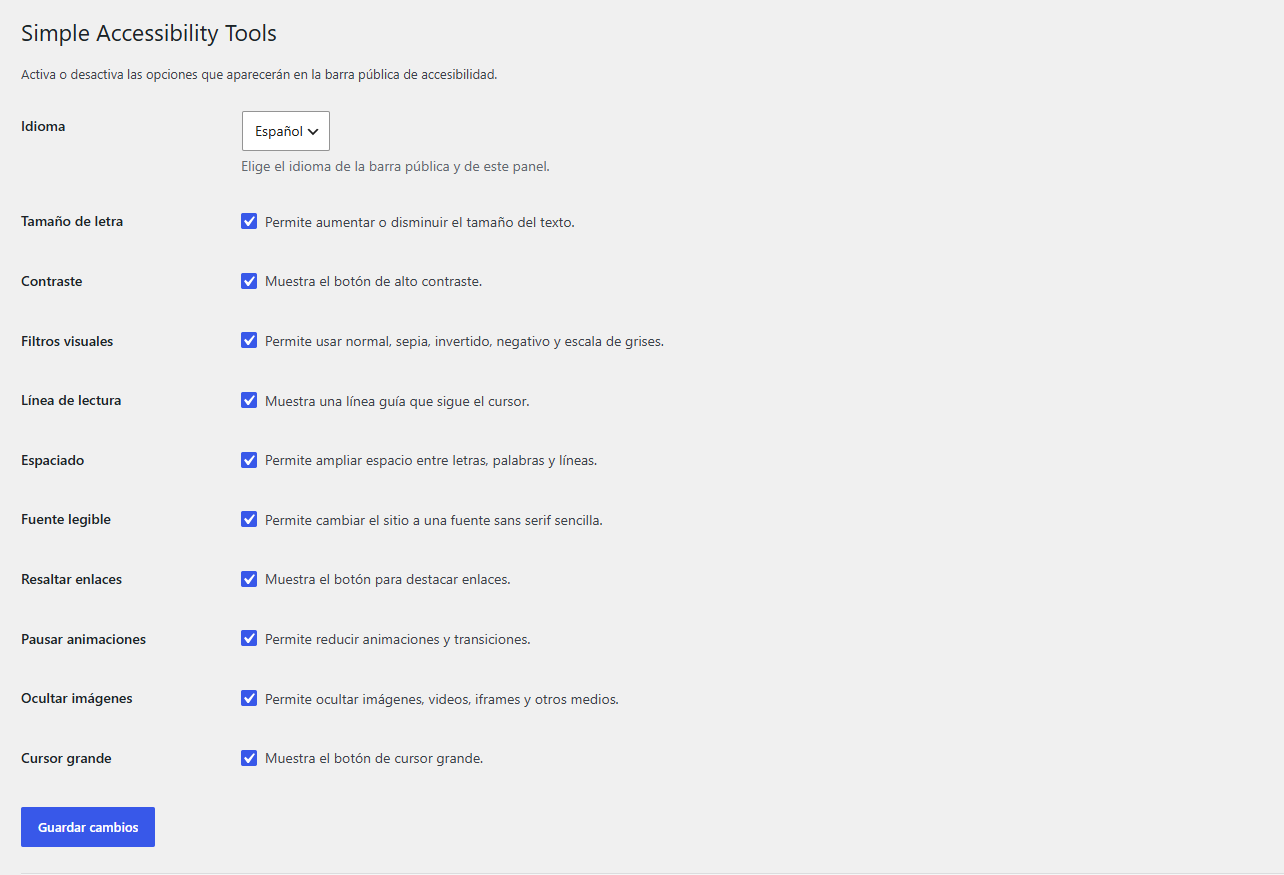
- Admin settings panel with checkboxes to enable or disabPlugin Checkle each option.
- Language selector: Spanish, English, and French. English is the default language.
- "Buy me a coffee" support link inside the admin settings panel.
wp_footer. Visible options and language are managed from Settings > Simple Accessibility Tools.
安装:
- Copy the plugin folder into
wp-content/plugins/simple-accessibility-tools. - Open the WordPress admin dashboard.
- Go to Plugins.
- Activate "Simple Accessibility Tools".
- Go to Settings > Simple Accessibility Tools to choose which options to show and which language to use.
- Visit any public page and use the floating "A" button.
屏幕截图:
常见问题:
Does it work with any theme?
The plugin uses global classes and defensive selectors to work with most themes. Some page builders or external iframes may limit certain effects.
Does it save visitor preferences?
Visitor preferences are saved in the visitor browser using localStorage. The plugin does not create database tables for visitor preferences.
Does it affect the WordPress admin area?
The accessibility toolbar only loads on the frontend. The admin area only displays the settings panel.
更新日志:
1.0.0
- Initial release.