
Simple Custom Content Adder
| 开发者 |
DavidoffNeal
sharethis scottstorebloom |
|---|---|
| 更新时间 | 2026年10月9日 21:18 |
| PHP版本: | 7.0 及以上 |
| WordPress版本: | 7.1 |
| 版权: | GPLv2 |
| 版权网址: | 版权信息 |
详情介绍:
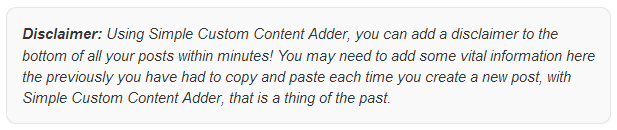
- Automatically - tick Posts and/or Pages, then choose whether the box sits before your content, after it, or both.
- The Custom Content block - drop it exactly where you want it in the block editor, mid-article if you like. It supports wide and full alignment and the block editor's own margin controls.
[scca]- the same box as a shortcode, for the classic editor, widgets, templates and page builders.[scca_hide]- leave the box off one particular post or page.
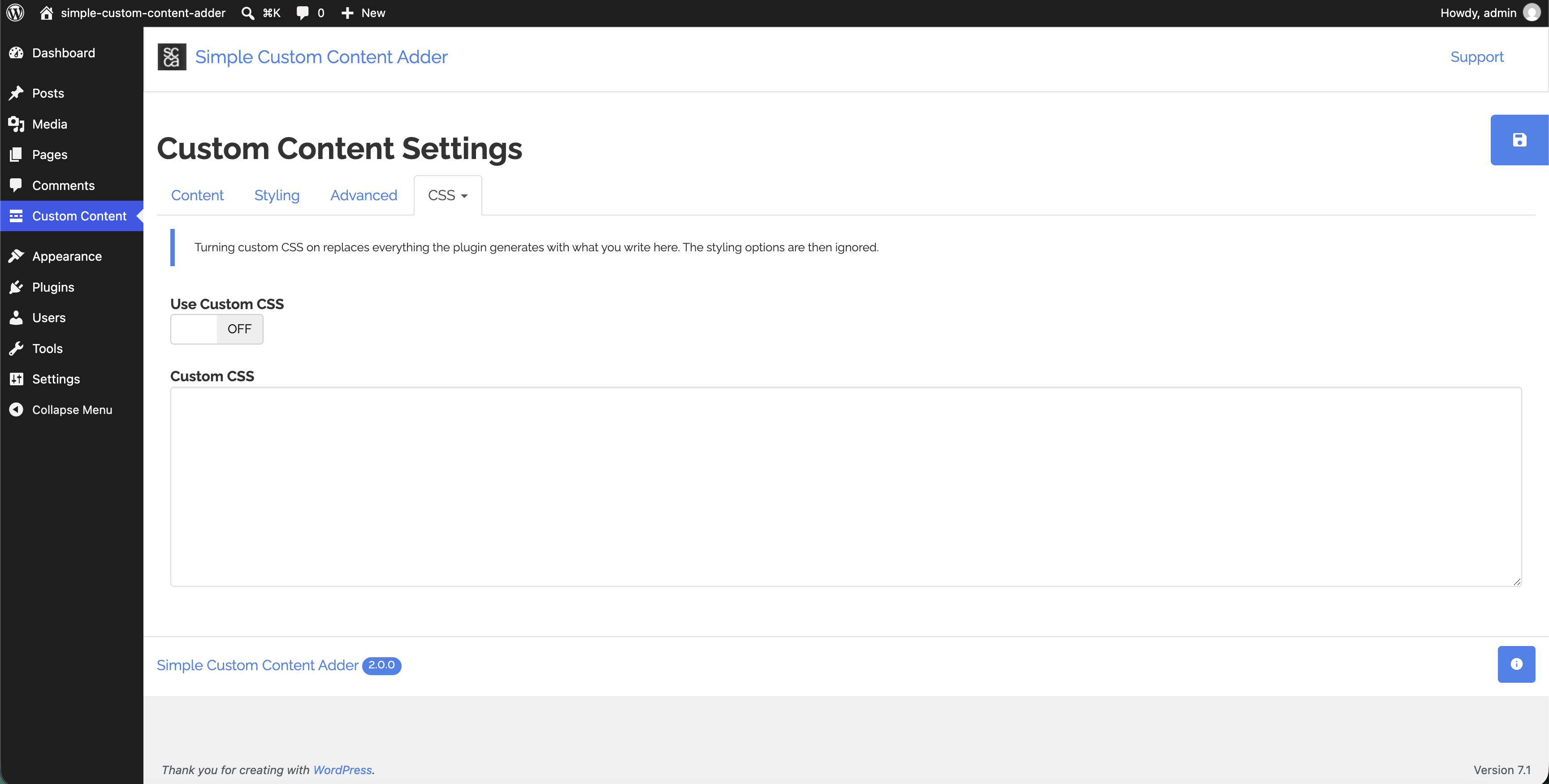
- Additional CSS is appended to the styles the plugin generates, so you can adjust one detail without rebuilding the rest.
- Custom CSS replaces the generated styles entirely, and the styling options step aside.
- Settings are stored in a single record, sanitised on save and escaped on output.
- The admin styles and scripts load only on the plugin's own settings screen, and nothing is fetched from a third-party CDN.
- The box is plain HTML with no per-visitor content, so it caches safely.
- The content filter priority can be raised or lowered when another plugin insists on inserting its own content in the wrong place.
- Every string is translatable.
安装:
- Upload the 'simple-custom-content-adder' folder to the
/wp-content/plugins/directory - Activate the plugin through the 'Plugins' menu in WordPress
- Open Custom Content in your dashboard menu to write your content and style the box
屏幕截图:
![The Advanced tab, with the [scca] and [scca_hide] shortcodes and the content filter priority.](https://cdn.jsdelivr.net/wp/simple-custom-content-adder/assets/screenshot-3.png)
常见问题:
Where are the settings?
In your dashboard under Custom Content. It is a top-level menu item, not under Settings or Plugins.
I have upgraded from version 1.x. Do I need to set everything up again?
No. Your content, colours, sizes and placement are carried across the first time you open the settings screen after upgrading, and the old settings are tidied away afterwards. Version 1.x had a single Posts / Pages / Both dropdown, which becomes a checkbox each. If you were on 1.0, which only ever showed the content on posts, Posts is ticked and Pages is not.
Nothing appears on my site. Why?
Three things to check:
- Locations - at least one of Posts and Pages has to be ticked.
- Content - an empty content box renders nothing at all, by design.
- The front page - your site's front page and blog index are deliberately left alone, even when Pages is ticked. Use the block or the
[scca]shortcode if you want the box there.
Can I stop the content appearing on one particular post?
Yes. Add the [scca_hide] shortcode anywhere in that post's content. The box is left off that post, and every other post is unaffected.
Can I put the box somewhere other than before or after the content?
Yes, in two ways. Use the Custom Content block to place it exactly where you want it in the block editor, or the [scca] shortcode anywhere shortcodes are allowed - a widget, a template, a page builder.
If you only ever want to place it by hand, untick both Posts and Pages and use the block or the shortcode alone.
Does the block keep its own copy of the content?
No. The block shows the content from the settings screen, so editing it once updates every post and page that uses the block. The editor preview is the real front-end markup, so what you see while editing is what your visitors get.
Can I use shortcodes inside my custom content?
Yes. The content is run through WordPress's shortcode handling just like post content, so shortcodes from your other plugins work inside the box.
Can I show a different box on different posts?
Not from this plugin - there is one box, shared by every post and page, which is what makes it a one-place change. Use [scca_hide] on the posts that should not have it.
I styled the box with CSS targeting #scca. Does that still work?
The box is now .scca rather than #scca, because it can appear more than once on a page - before and after your content, or several times via the shortcode. Change #scca to .scca in your CSS, or paste your rules into the Additional CSS box on the settings screen.
The box appears in the wrong place relative to another plugin's content.
Raise or lower Content Filter Priority on the Advanced tab. A lower number runs earlier, a higher number later, and 10 is WordPress's default.
Does it work with a caching plugin?
Yes. The box is rendered as ordinary HTML with no per-visitor content, so it caches safely.
更新日志:
- Add a Live Preview on WordPress.org so you can try the plugin in WordPress Playground before installing.
- Rebuilt for modern WordPress: requires WordPress 5.9 and PHP 7.0.
- New Custom Content block for the block editor, with wide/full alignment and margin controls.
- New
[scca]shortcode to place the box by hand, and[scca_hide]to leave it off a post. - The block and shortcodes suppress the automatic copy, so the content never appears twice.
- New tabbed settings screen with a live preview of the box as you style it.
- New styling options: alignment, maximum width, corner radius, Additional CSS and Custom CSS.
- The content can now be shown on posts and pages at the same time, chosen with a checkbox each.
- The content filter priority is now configurable.
- Shortcodes inside the custom content are now processed.
- Settings are stored in a single record, sanitised on save and escaped on output.
- Admin styles and scripts now load only on the plugin's own settings screen.
- Settings from version 1.x are migrated automatically.
- The box is now
.sccarather than#scca, so it can appear more than once on a page. - The front page and blog index are no longer treated as a page.
- You can now choose to place your Custom Content on Posts and/or Pages, previously it could be added to Posts only.
- Initial release