Simple Export to Markdown
| 开发者 | skreep |
|---|---|
| 更新时间 | 2025年12月3日 17:32 |
| PHP版本: | 7.4 及以上 |
| WordPress版本: | 6.9 |
| 版权: | GPLv2 or later |
| 版权网址: | 版权信息 |
详情介绍:
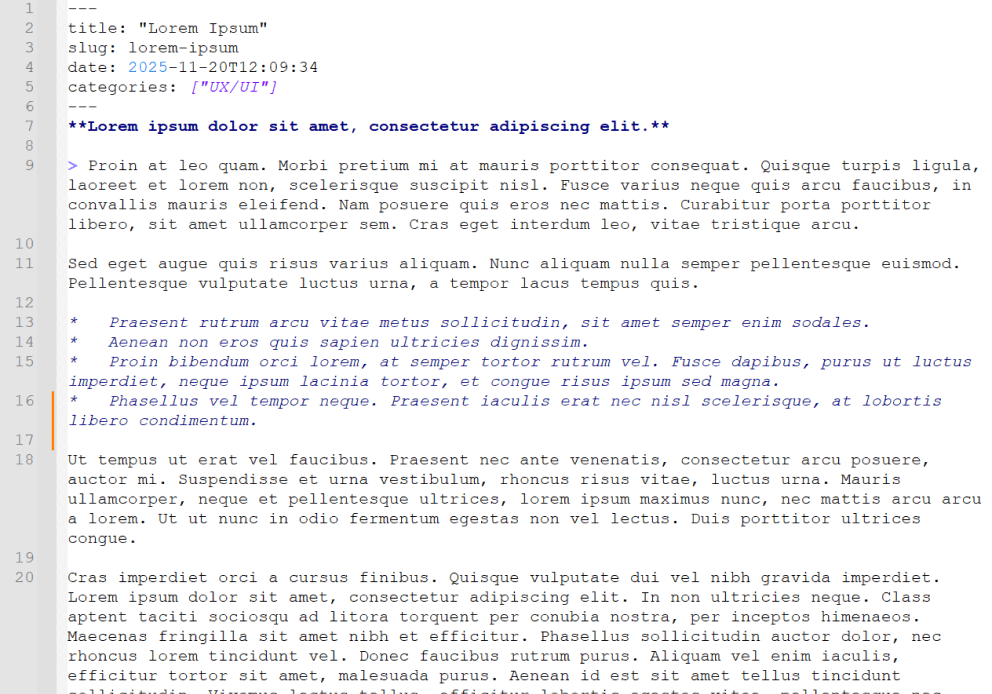
Simple Export to Markdown adds a small, useful panel inside the WordPress block editor.
With a single click, you can export the current post or page to Markdown — either download a
.md file or copy it directly to the clipboard.
The plugin uses the Turndown library to accurately convert Gutenberg blocks into Markdown syntax, preserving headings, paragraphs, images, lists, quotes, and other standard content.
安装:
- Upload the plugin folder to your
/wp-content/plugins/directory, or install the plugin directly via the WordPress Plugins screen. - Activate the plugin through the “Plugins” menu in WordPress.
- Open any post or page in the Gutenberg editor — you’ll see a new sidebar panel named Export to Markdown.
- Click Download .md to save a Markdown file, or Copy Markdown to copy the generated text into your clipboard.
屏幕截图:
常见问题:
Where can I find the export button?
In the Gutenberg editor sidebar (click the Settings icon if the sidebar is hidden), under a panel titled “Export to Markdown”.
Does this work in the Classic Editor?
No. The plugin only works in the modern block (Gutenberg) editor.
Can I export custom blocks?
Yes. Custom blocks will be serialized as HTML before Markdown conversion. Standard HTML will appear correctly in your Markdown output.
Does it save files on the server?
No. All conversion and download happen locally in your browser for security and privacy.