
Simple Fatoora
| 开发者 | futurebase |
|---|---|
| 更新时间 | 2026年10月19日 12:10 |
| PHP版本: | 7.4 及以上 |
| WordPress版本: | 6.9.4 |
| 版权: | GPLv2 or later |
| 版权网址: | 版权信息 |
标签
下载
详情介绍:
- Authorized ZATCA e-invoicing solution provider
- Supports ZATCA Phase 1 and Phase 2
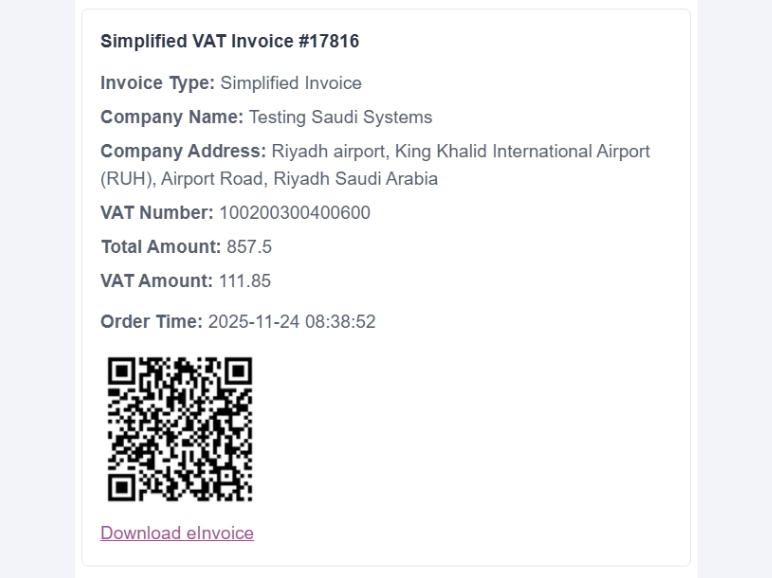
- Generates invoices with ZATCA-compliant QR codes
- Supports both Simplified Tax Invoices (B2C) and Standard VAT Invoices (B2B)
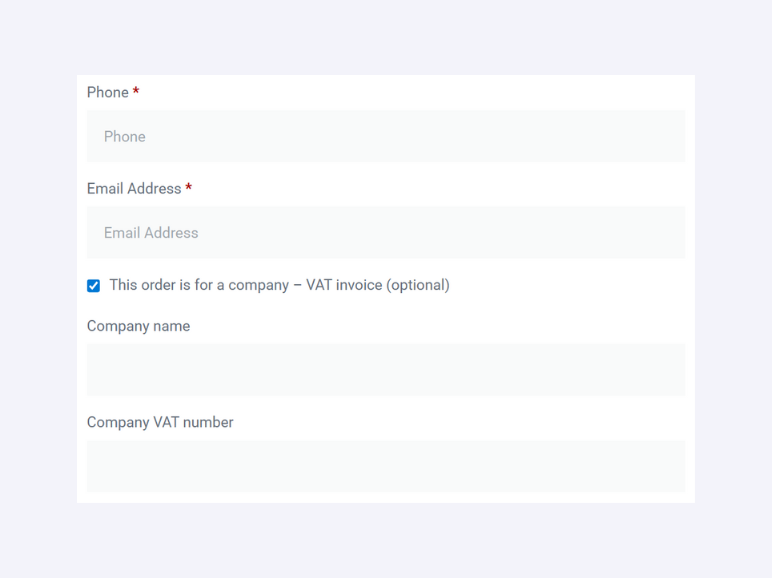
- Lets merchants optionally show company / VAT invoice fields during WooCommerce checkout
- Lets merchants manage setup, invoicing, memberships, and key compliance steps from WordPress
- Supports refund credit notes
- Includes a 3-day trial after registration
- ZATCA Phase 1 and Phase 2 support for WooCommerce
- Automatic e-invoice generation with QR codes
- Support for Simplified Tax Invoices (B2C) and Standard VAT Invoices (B2B)
- Optional company / VAT invoice request at WooCommerce checkout
- Manual invoice generation from the WooCommerce order screen
- Manual quotations that remain outside ZATCA and invoice usage
- Refund credit note support
- Compatible checkout company/VAT fields for both classic checkout and Checkout Blocks
- Safe delayed retries for automatic invoice requests, protected against duplicate invoices
- Guided ZATCA Phase 2 workflow from within WordPress
- Sandbox (test) mode — ZATCA's Fatoora Simulation
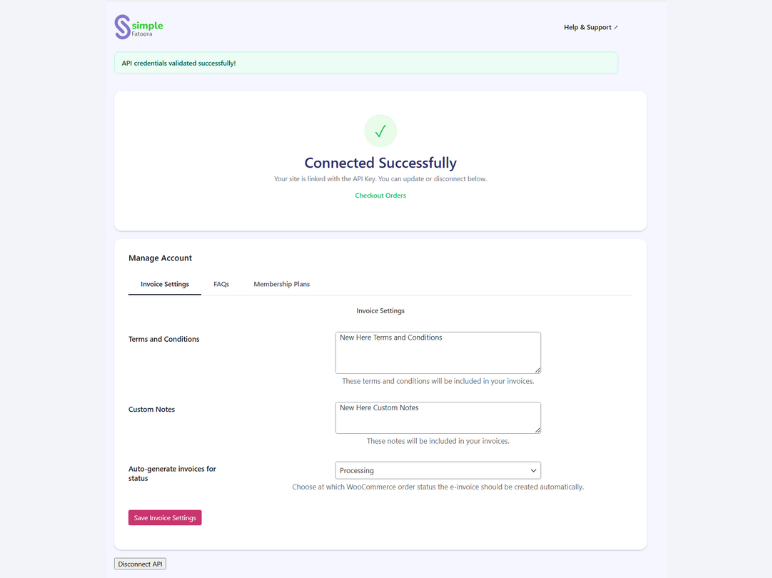
- Create an account, sign in, or connect with API key inside the plugin
- Membership and payment management from the plugin dashboard
- Invoice details and QR code display in emails and order details
- Arabic and English interface support
- Arabic and English language packs that follow each WordPress administrator's profile language
安装:
- Install the plugin from the WordPress Plugins menu or upload it to
/wp-content/plugins/. - Activate the plugin.
- Navigate to WordPress Admin → Simple Fatoora.
- Create a Simple Fatoora account, sign in, or connect using your API key.
- Configure your invoice settings, checkout options, and auto-generation trigger.
- Complete ZATCA Phase 2 steps from the plugin dashboard when needed.
- Save settings and start generating compliant WooCommerce invoices with QR codes.
屏幕截图:
常见问题:
What does the plugin help with in ZATCA Phase 1 and Phase 2?
The plugin helps WooCommerce stores manage invoice generation, QR codes, company invoice workflows, and key ZATCA Phase 2 connection steps directly from WordPress through the Simple Fatoora service.
Does the plugin generate ZATCA-compliant QR codes?
Yes. The plugin generates ZATCA-compliant QR codes for supported invoices and can display them in WooCommerce customer emails, order details, and compatible PDF invoices.
Does WooCommerce checkout support both B2C and B2B invoices?
Yes. WooCommerce checkout supports both Simplified Tax Invoices (B2C) for regular customers and Standard VAT Invoices (B2B) for companies.
Can customers request a company / VAT invoice during checkout?
Yes. After the merchant enables the checkout preference, customers can request a company invoice during checkout by entering their company name and VAT number, and the order can then be processed as a VAT invoice.
Can I manage setup and invoicing from inside WordPress?
Yes. You can create an account, sign in, connect your store, manage invoice settings, handle memberships, complete important ZATCA Phase 2 steps, and work with invoices from the plugin dashboard.
Is there a trial available?
Yes. A 3-day trial is available after registration so you can explore the workflow before subscribing to a membership.
Does the plugin support refund credit notes?
Yes. The plugin supports refund credit notes for WooCommerce refund workflows.
Do I need a Simple Fatoora account?
Yes. You can create an account directly inside the plugin, sign in, or connect using your API key. The plugin uses the Simple Fatoora service to process compliant invoices and QR codes.
Can I generate invoices automatically and manually?
Yes. You can configure automatic generation based on a WooCommerce order status, and you can also generate invoices manually from the order screen.
Does the plugin support Arabic and English?
Yes. The plugin interface supports both Arabic and English.
更新日志:
- Performance Improvements
- Performance Improvements
- Adding support for creating invoices with a previous supply date.
- Adding support for creating purchases with a previous purchase date.
- Adding support for Zero VAT classification.
- Improved ZATCA Phase 2 setup.
- Added Arabic support
- Send documents from your verified business email directly from WordPress.
- Added more options for customizing invoice