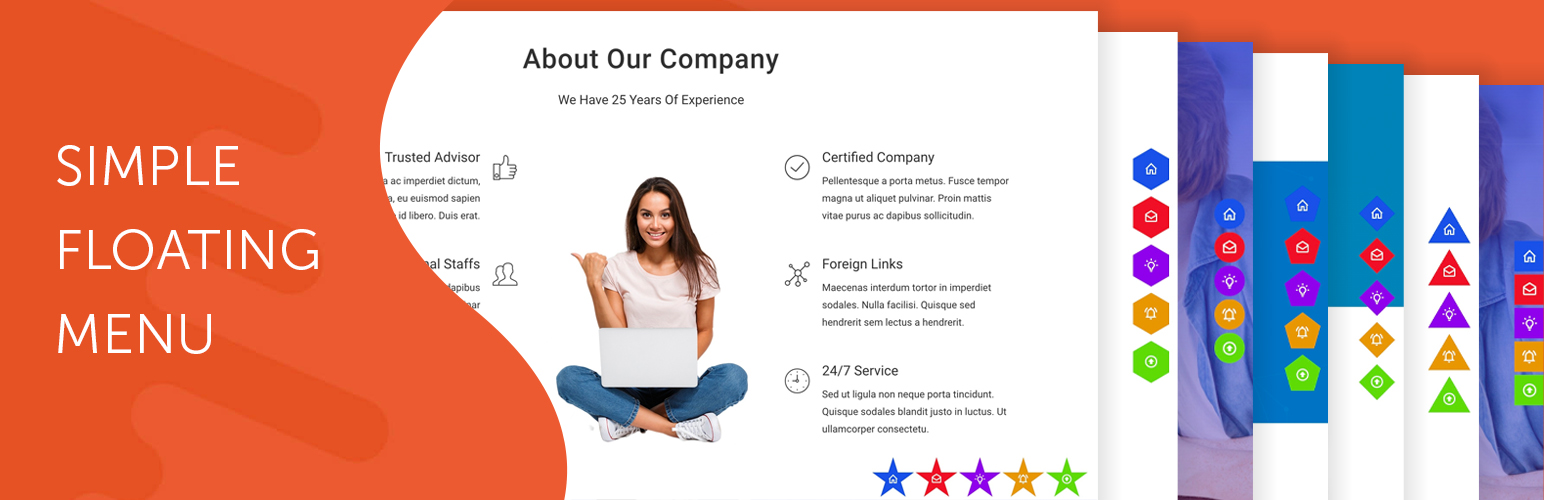
Simple Floating Menu
| 开发者 | hashthemes |
|---|---|
| 更新时间 | 2026年9月17日 18:00 |
| PHP版本: | 7.2 及以上 |
| WordPress版本: | 7.1 |
| 版权: | GPLv2 or later |
| 版权网址: | 版权信息 |
详情介绍:
- Contact buttons — call, WhatsApp, email or your contact page, one tap away on every page
- Social profiles — Facebook, Instagram, YouTube, LinkedIn and more, always in view
- One page sites — buttons that scroll to a section, back to the top or down to the bottom
- Shops — quick links to the cart, the account page or today's offer
- Campaigns — a bar on your landing pages only, and nowhere else
- 5 icon packs with more than 12,000 icons
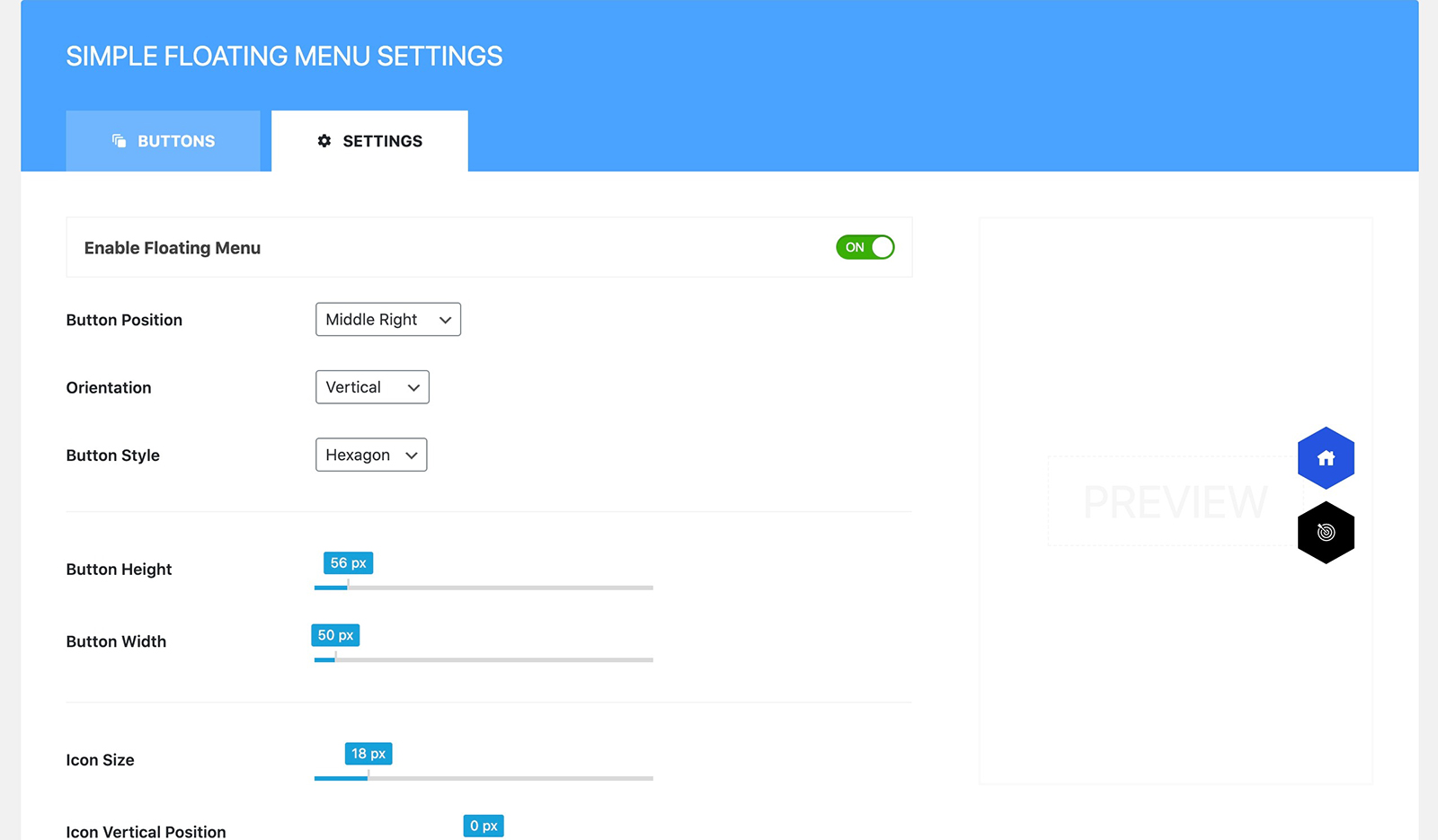
- 9 button shapes, with your own button size, icon size and shadow
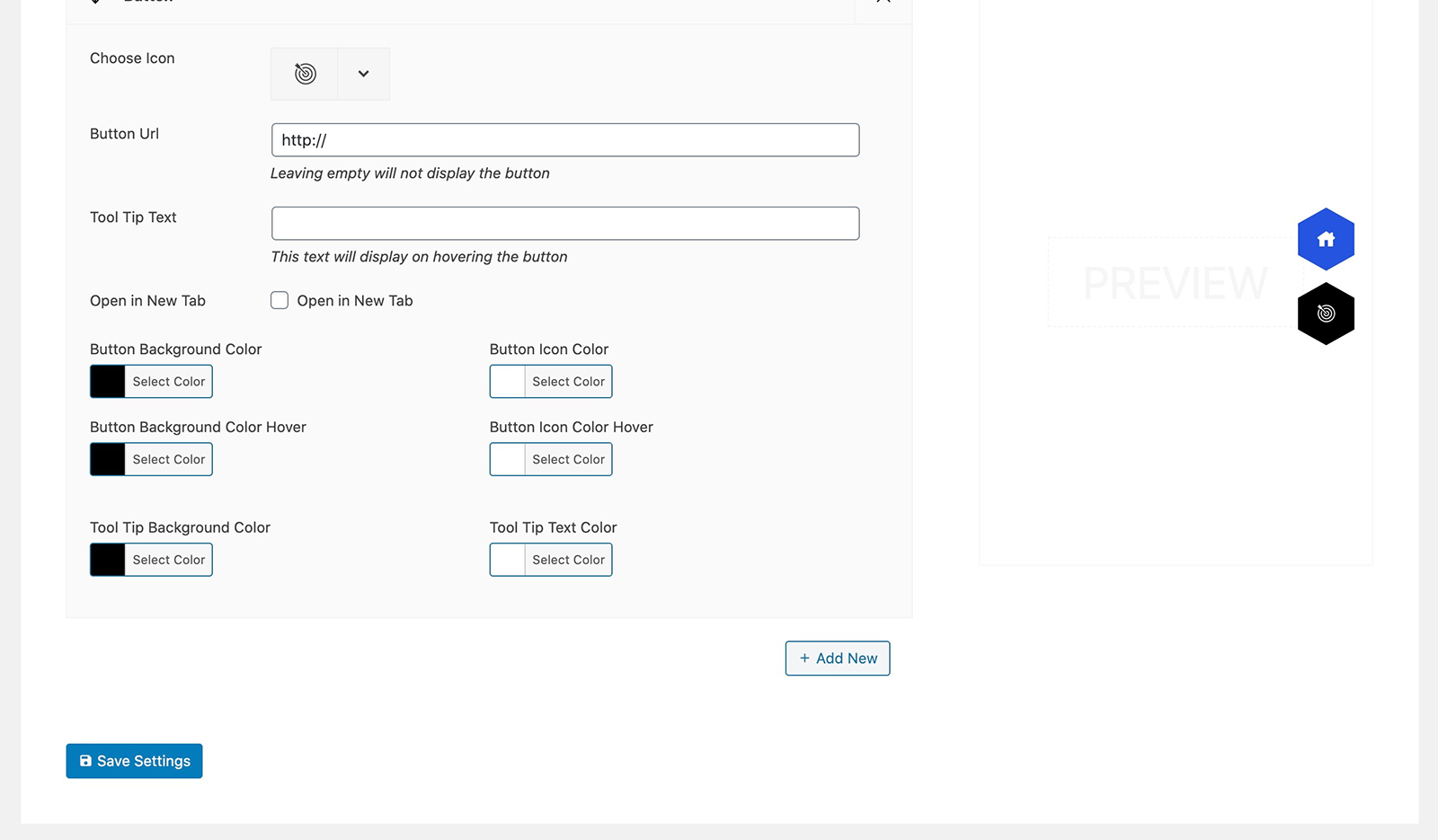
- Colour every button at once, or give any button its own colours, with hover colours for buttons, icons and tooltips
- Tooltips in any of 1,400+ Google fonts with full typography settings, or turned off per button
- 8 positions on the screen, with your own offsets
- Run a bar down the side of the screen or across it
- Show a menu on every page, or only on the pages, posts, archives, search results or 404 page you choose, for menus built on the Floating Menus screen
- Three ready made designs to start from, each with a preview
- Unlimited buttons, and as many menus as you like on one site
- A builder screen with the button list and the selected button's settings side by side
- A live preview beside the settings on the Simple Floating Menu screen, so you see every change as you make it
- Buttons that open a link in the same tab or a new one, or scroll to a section, the top or the bottom
- A label, a title attribute and CSS classes on any button
- Switch a menu off and on again without losing your setup
- Export, import and duplicate a menu to move it between sites
- Serve Google fonts from your own server, to help with GDPR
- A shortcut to the settings on the menu itself, shown to administrators only
- Hooks for developers, and translation ready
- 100+ ready made menus, browsed by category with a screenshot of each and imported in one click
- Side panel, full screen, skew panel and icon rail menus, with submenus
- Circular fans and a one page navigation indicator that highlights the section in view
- Animation that gets noticed: 74 panel entrance and exit effects, wave transitions and eye catching trigger buttons
- The right menu for the right visitor: by login state, user role, device or language, or on a schedule
- Kinds of menu — Free: a floating button bar. Premium: floating bars, circular fans, a one page navigation indicator, side panels, skew panels, full screen menus and icon rails.
- Ready made designs — Free: 3. Premium: over 100, imported in one click.
- Floating bar styles — Free: 3. Premium: 10, plus quarter, half and full circular fans.
- Submenus — Free: a flat row of buttons. Premium: multi level submenus, with 7 ways to open them.
- Icons — Free: 5 packs, 12,000+ icons. Premium: 7 packs, 13,000+ icons, 16 animated hamburger icons, or your own images.
- Button shapes — Free: 9. Premium: 11.
- Animation — Free: none. Premium: bar, trigger button, panel and full screen animations.
- Where it appears — Free: every page, or chosen pages, posts, archives, search results and the 404 page. Premium: the same, plus login state, user role, device and language.
- When it appears — Free: always. Premium: after the visitor scrolls, hidden while they scroll down, or on a schedule.
- Tablet and mobile — Free: one set of sizes. Premium: separate sizes and spacing for each.
- Panel contents — Free: buttons and tooltips. Premium: logo, search, social icons, footer text, badges, or a panel built in Elementor.
- Support — Free: the WordPress.org forum. Premium: premium support from HashThemes.
安装:
- In your dashboard, go to Plugins > Add New and search for "Simple Floating Menu".
- Install and activate it.
- Open Simple Floating Menu > Floating Menus, use Add a menu and start from one of the three designs.
- Add your buttons, choose the pages it shows on, and switch it on.
屏幕截图:
常见问题:
Is Simple Floating Menu free?
Yes. Everything under "Everything in the free version" is free, with no limit on buttons or menus. Super Floating & Flying Menu is a separate premium plugin for sites that want more.
Do I need to know code?
No. Everything is set from your dashboard: pick a design, add your buttons, choose colours and a position, and switch the menu on.
Can I add call, WhatsApp or email buttons?
Yes. Give a button a tel: link, a WhatsApp (wa.me) link or a mailto: link, and pick a matching icon from the built in packs.
Can a menu appear on some pages only?
Yes, for menus built on the Floating Menus screen. Show a menu on every page, or show or hide it on the front page, the blog page, archives, the search page, the 404 page, chosen post types, or chosen posts and pages.
Can a button do something other than open a link?
Yes. A button can scroll to a section on the page, to the top or to the bottom, instead of following a link.
How many menus can I have?
As many as you like. Each one is switched on and off on its own.
Do I have to use Appearance > Menus?
No. This plugin never touches WordPress nav menus. Build separate menus under Simple Floating Menu > Floating Menus, or a single bar on the Simple Floating Menu screen.
What is the difference between the Simple Floating Menu screen and the Floating Menus screen?
The Simple Floating Menu screen builds one bar and has a live preview beside it. The Floating Menus screen builds as many separate bars as you like, each with its own buttons, design and pages to appear on, on a builder screen of its own. Both run on the same front end, and you can use both at once.
Can I serve Google fonts from my own server?
Yes. There is a setting for it, which helps if you need to avoid calling Google from visitors' browsers.
What does the premium version add?
Side panel, full screen, skew and icon rail menus, circular fans, one page navigation, over 100 ready made menus, animations, and rules for who sees a menu and when. The full list is under Premium Upgrade below, and the template gallery lets you try any template live.
Will my menus carry over if I upgrade?
Yes. Super Floating & Flying Menu reads menus built on the Floating Menus screen exactly as they stand, with no import step, and this plugin steps aside while the premium one is active. A bar built on the Simple Floating Menu screen moves across with the premium plugin's Import From Free.
Where can I compare the free and premium versions?
Inside the plugin, under Simple Floating Menu > Free vs Pro, or on the Free vs Pro tab of the Simple Floating Menu screen. Both show the same feature by feature table, with a link to upgrade.
更新日志:
- A Free vs Pro page under Simple Floating Menu, comparing this plugin with Super Floating & Flying Menu feature by feature, with links to upgrade and to the demos. It replaces the Upgrade To Pro menu link, which left the dashboard
- The Premium Features tab on the Simple Floating Menu screen is now a Free vs Pro tab with the same comparison, and the live preview steps aside while it is open
- The old premium feature banners and images are gone, so the plugin is smaller to download
- Readme reorganised: what the free version does and is good for, a grouped list of everything the premium version adds, and the screens named as they appear in the dashboard menu
- Menus that do not need the settings screen, managed under Simple Floating Menu > Menus, with as many as you like on one site
- A builder screen for each menu, with the button list and each button's settings side by side
- Three designs to build a menu on, chosen from a picker with a preview of each
- Import, export and duplicate a menu from the menu list
- Each button now takes a label, a title attribute, its own CSS classes and its own colours
- Buttons can scroll to a section, to the top or to the bottom of the page instead of following a link
- The tooltip can be turned off per button
- Compatibility test with WordPress version 7.1
- New sfm_load_plugin filter, which lets another plugin stand this one down without deactivating it
- Plugin description and feature list rewritten, with a free and premium comparison
- Premium features tab updated to match the current premium version
- Compatibility test with WordPress version 7.0
- Compatibility test with WordPress version 6.9
- Security Bug fixes
- Translation fixes
- Translation fixes
- File formating
- Compatibility test with latest WordPress 6.6
- Compatibility test with latest WordPress
- Fontawesome icon updated with twitter new icon
- Compatibility test with WordPress v6.3
- Design fixes for RTL
- Minor Design fixes for RTL
- Floating Menu displaying in widget fixed
- Minor Fixes
- Compatibility test with WordPress v6.2.2
- Prefix issue on essential font icon fixed
- Prefix removed from font icons wp_enqueue_style
- Font Icons updated
- Icon Picker bug fixed
- Google fonts for typography updated
- Minor design fixes
- Icon not displaying in dashboard menu fixed
- Setting panel first tab not active issue fixed
- Selective display of dynamic styles in setting page only in admin dashboard
- Design issue in admin notice fixed
- Added shadow option for buttons
- Option to load the Google fonts locally to comply with GDPR
- Notice to review the plugin - Added
- Added hooks for developers
- Minor Javascript bug - fixed
- Option to Import/Export Settings - Added
- Slow loading of font icon list when switching font pack - fixed
- Compatibility issue with latest WordPress v5.9 fixed
- All font icons updated to latest version
- Files and codes minimized for better performance
- Stable tag updated.
- Simple Floating Menu displaying in the new gutenberg widget page fixed.
- Minor Design fixes in admin panel
- Minor Changes and Pro Version Upgrade Banner
- Design issue in the ToolTip pointer arrow of the Edit Button for various position/orientation fixed
- Added setting button in front end with disable option in the admin
- Added Option to enable/disable floating menu
- Admin panel design refinement
- Release