
SimpleForm - Form Maker to Chat Apps with Quiz, Poll and Multi Lead Notifications
| 开发者 |
devsabbirahmed
wpazleen sambyte |
|---|---|
| 更新时间 | 2026年9月23日 00:45 |
| PHP版本: | 7.4 及以上 |
| WordPress版本: | 7.1 |
| 版权: | GPLv2 or later |
| 版权网址: | 版权信息 |
详情介绍:
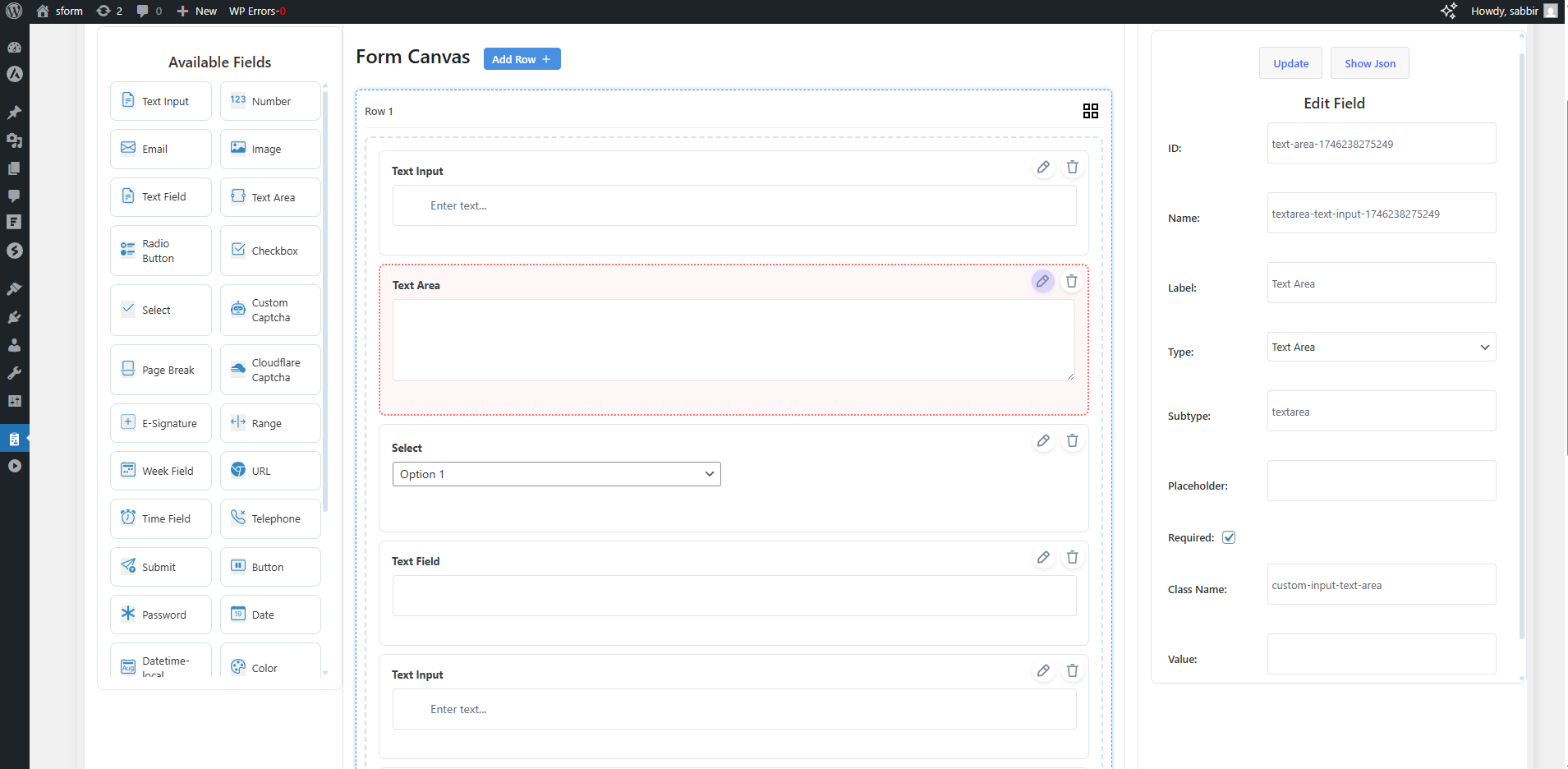
- Drag-and-drop builder with 30+ field types
- Multi-step forms with progress bars and custom step labels
- Conditional logic — show or hide fields based on any input, with AND/OR group conditions
- Horizontal and vertical row layouts — place fields side by side
- Floating widget placement — anchor forms to the bottom-left or bottom-right of the page
- AI Form Builder — generate complete forms from a text prompt using OpenAI, Gemini, or Claude
- Form presets — start from ready-made templates (Contact, WhatsApp, Login, Registration, Multi-step, Survey, and more)
- JSON view — inspect and edit the raw form structure directly in the builder
- Form preview — live preview before publishing
- Form Theme — 7+ built-in themes plus a custom theme builder for colors, borders, radius, and typography
- Gutenberg block — embed forms directly inside the block editor
- Native Gutenberg block with a display mode control, and a custom theme class field, right in the block editor sidebar
- Native Elementor widget for dragging a form directly into any Elementor layout, with the same form selection 30+ Field Types
- Standard: Text, Number, Email, Textarea, Select, Multi-select, Radio, Checkbox, Date, Time, Date-time, Week, URL, Telephone, Password, Hidden, File Upload, Color
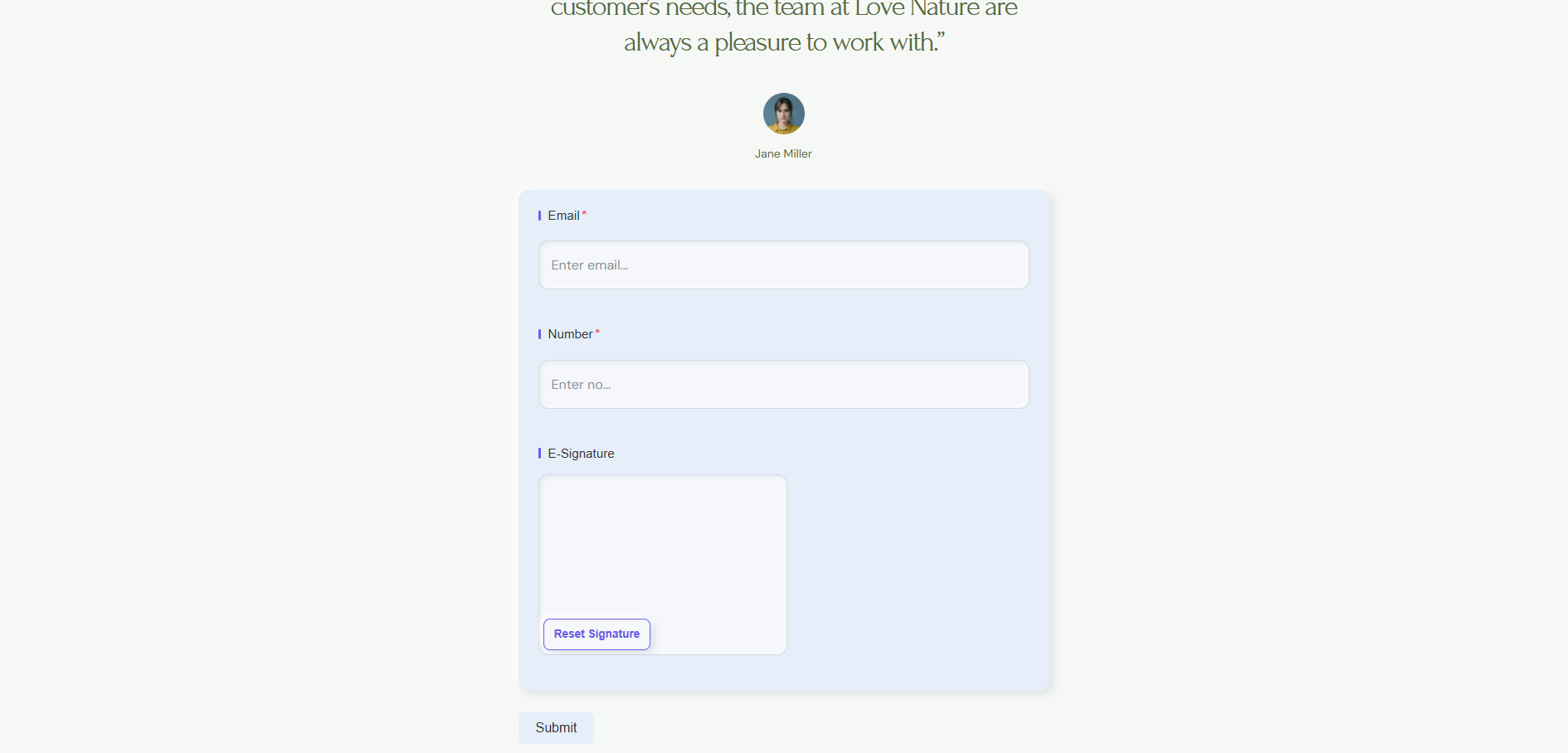
- Advanced: Structured Name (prefix, first, middle, last, suffix), Structured Address (street, city, state, ZIP, country), Country dropdown, Mobile with dial code and country flag, Rich Text editor, E-Signature, Range slider with live output, Calculation / Formula, Cascading Select, Input Mask, Username with real-time availability check
- Survey & Feedback: Star Rating, NPS Score, Likert Scale, Image Choice
- Layout: Heading, Label, Section Break, Spacer, HTML Content block with media, Page Break (also as visual separator)
- Logic & UX: Toggle Switch, GDPR Consent, Terms & Conditions, Coupon / Discount Code, Repeatable Fieldset, Entry Summary, Save Draft button, Quiz Score display, Custom Post Type selector
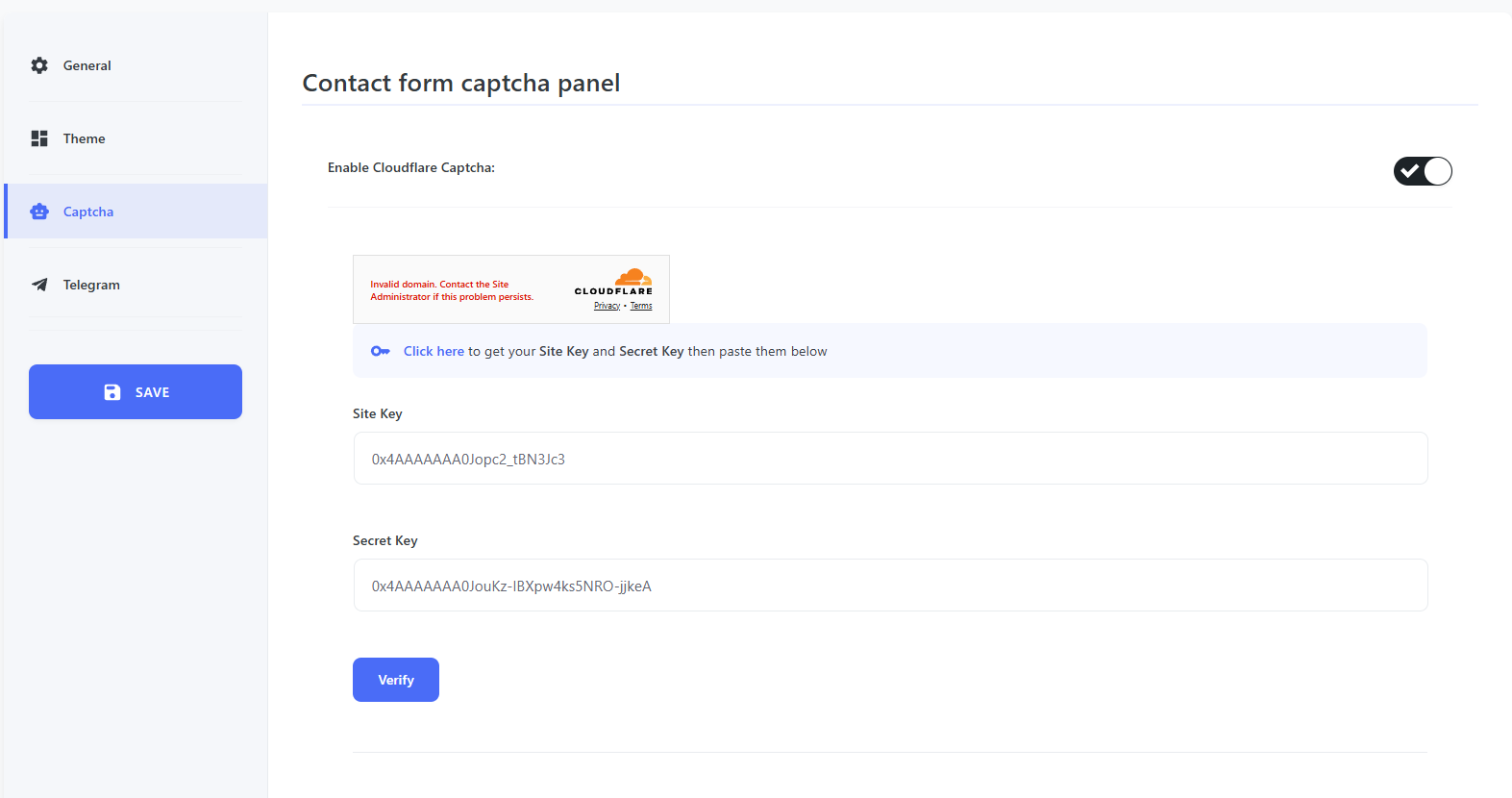
- Security: Cloudflare Turnstile, Google reCAPTCHA v2, Google reCAPTCHA v3, hCaptcha, Custom CAPTCHA, Honeypot
- Auth: Email OTP Verification
- Embed: Video, Audio, Iframe, Image, Link, Button Submission Routing
- WhatsApp — redirect on submit with form data pre-filled in the message; works on mobile and desktop
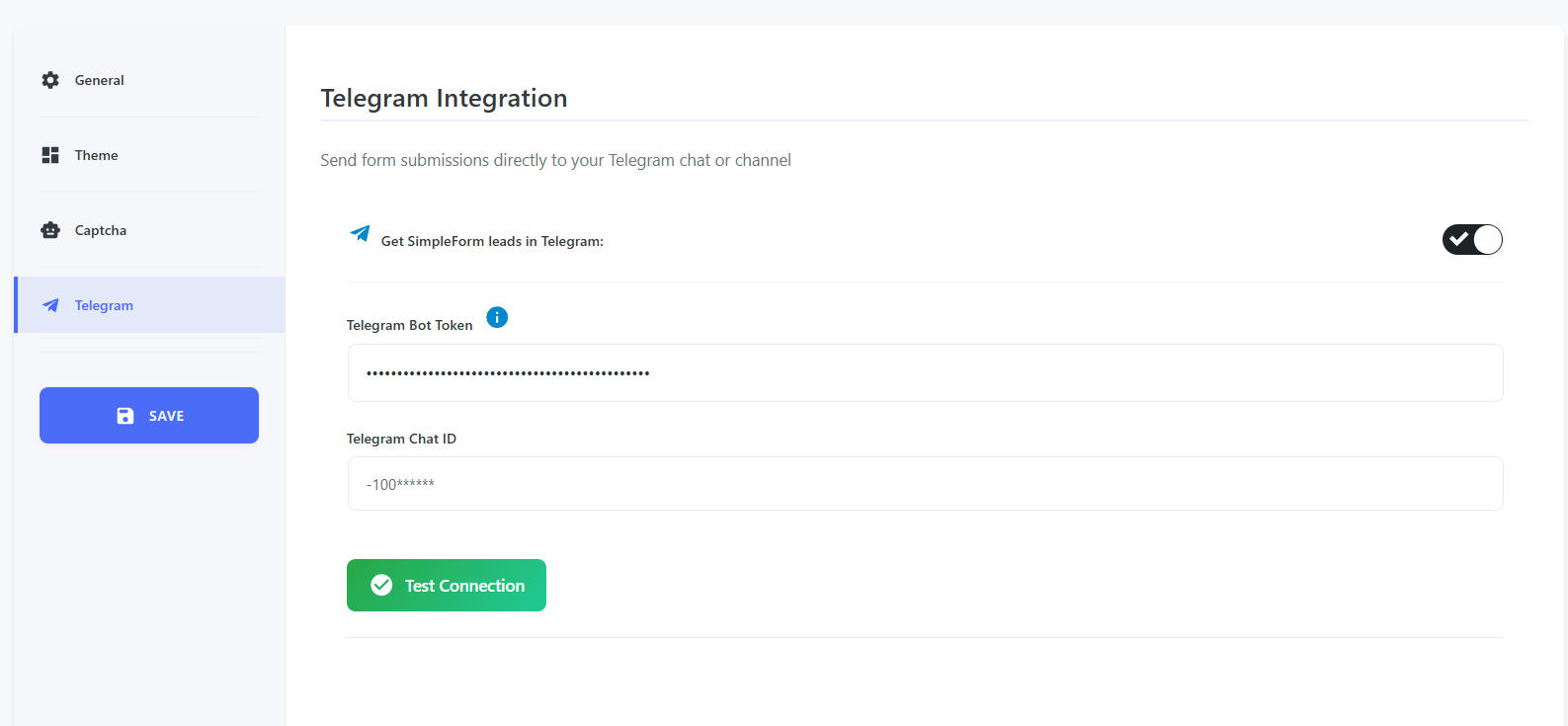
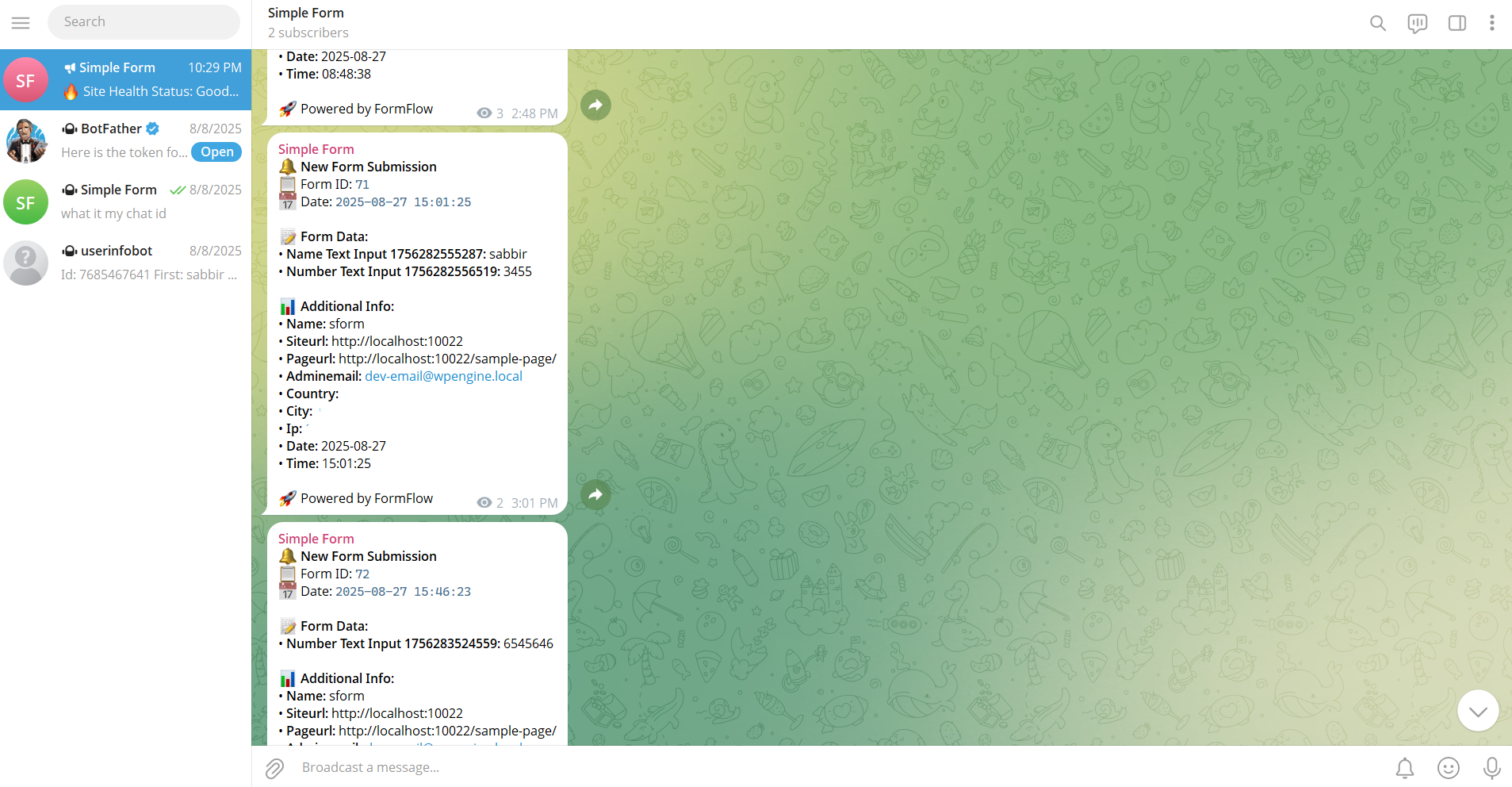
- Telegram — send submissions to any bot, channel, group, or user via a bot token and chat ID
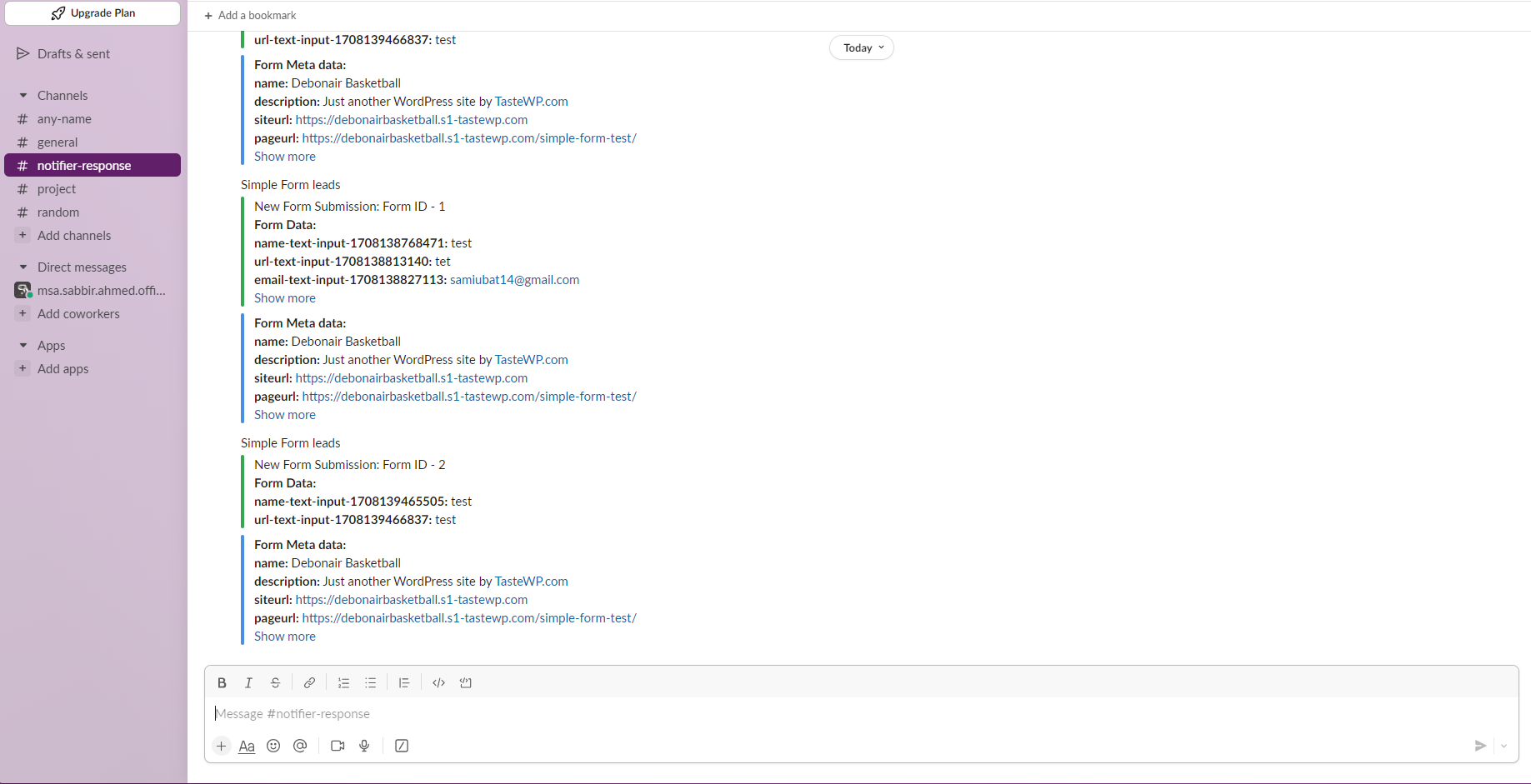
- Slack — post to any channel via webhook; different channels per form
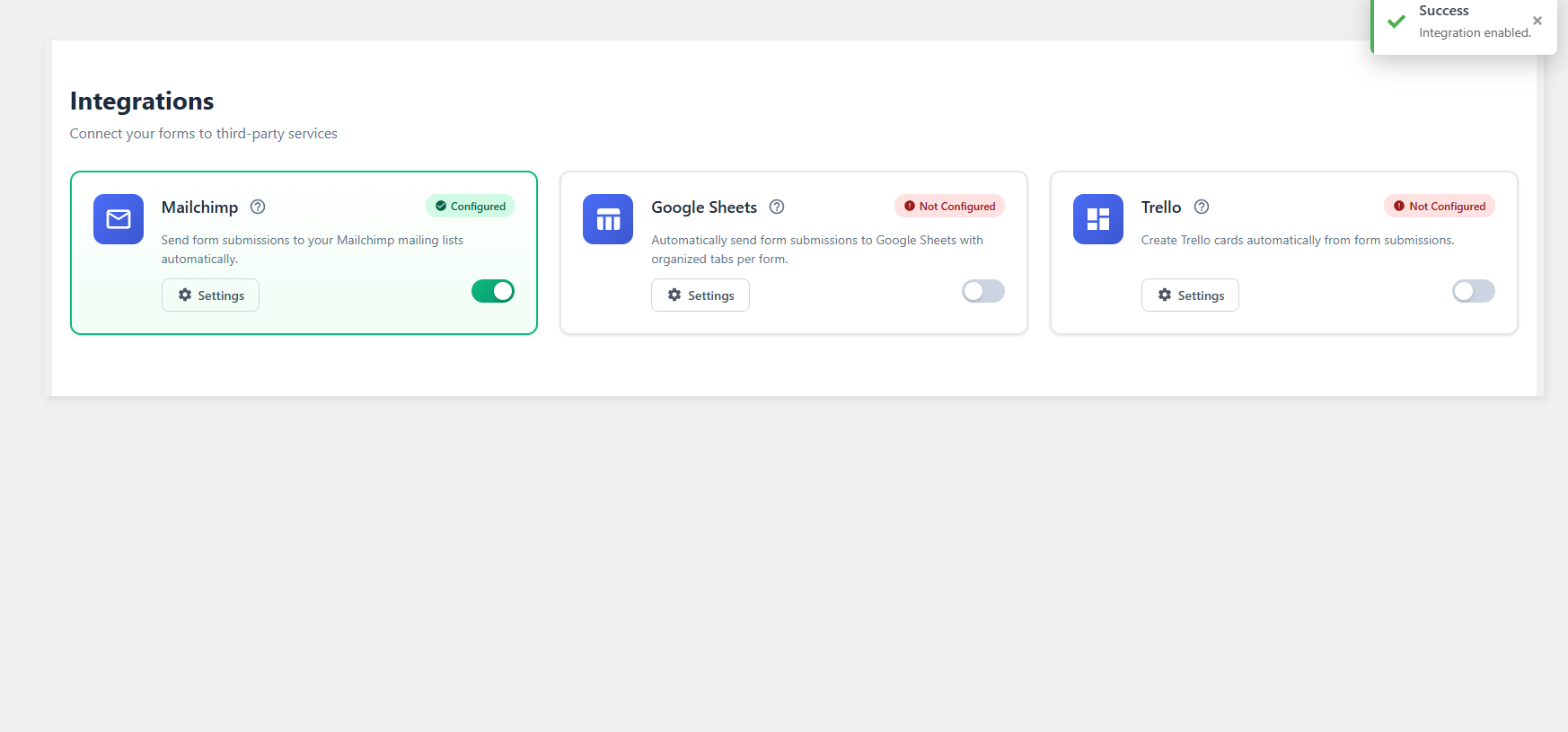
- Google Sheets — OAuth sync; field-to-column mapping; rows added in real time
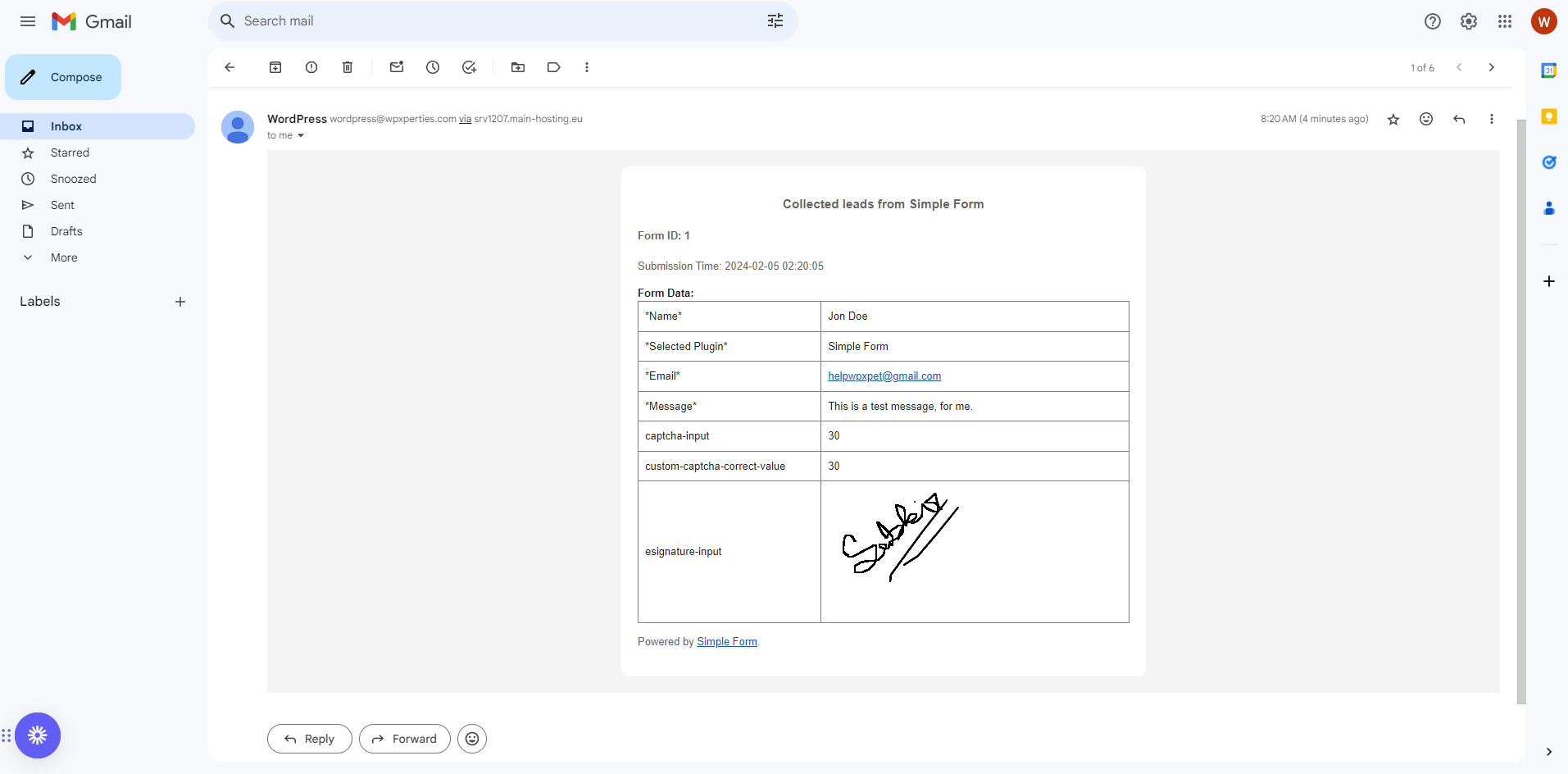
- Email Notifications — multiple notification rules per form with smart tags, custom recipients, subject, and body
- FluentCRM — add contacts to lists and tags on submission
- Mailchimp — subscribe contacts from form submissions
- Trello — create cards from form submissions After Submission
- Thank You page — redirect to any WordPress page, custom URL, or show inline message
- PDF Generation — generate a PDF of each submission; attach to email notifications
-
Smart Tags — insert form values, site data, and user data into email subjects, bodies, and messages using
{field_name}tokens Lead Management - Dashboard showing all submissions with date filters (today, yesterday, last 7 days, last 30 days, custom range), search, and sorting
- Edit individual entries after submission
- Bulk delete entries
- Export as CSV, JSON, or PDF, or print directly
- New submission indicator in the admin menu — no manual refresh needed
- Entry status tracking (read / unread)
- Notes on individual entries Themes & Styling
- 7+ built-in themes: Default, Modern, Minimalist, Neomorphic, Glassmorphism, and more
- Per-shortcode theme override — different forms can use different themes on the same site
- Custom theme builder — edit colors, borders, padding, radius, and typography
- Theme selector with visual previews Quiz Builder
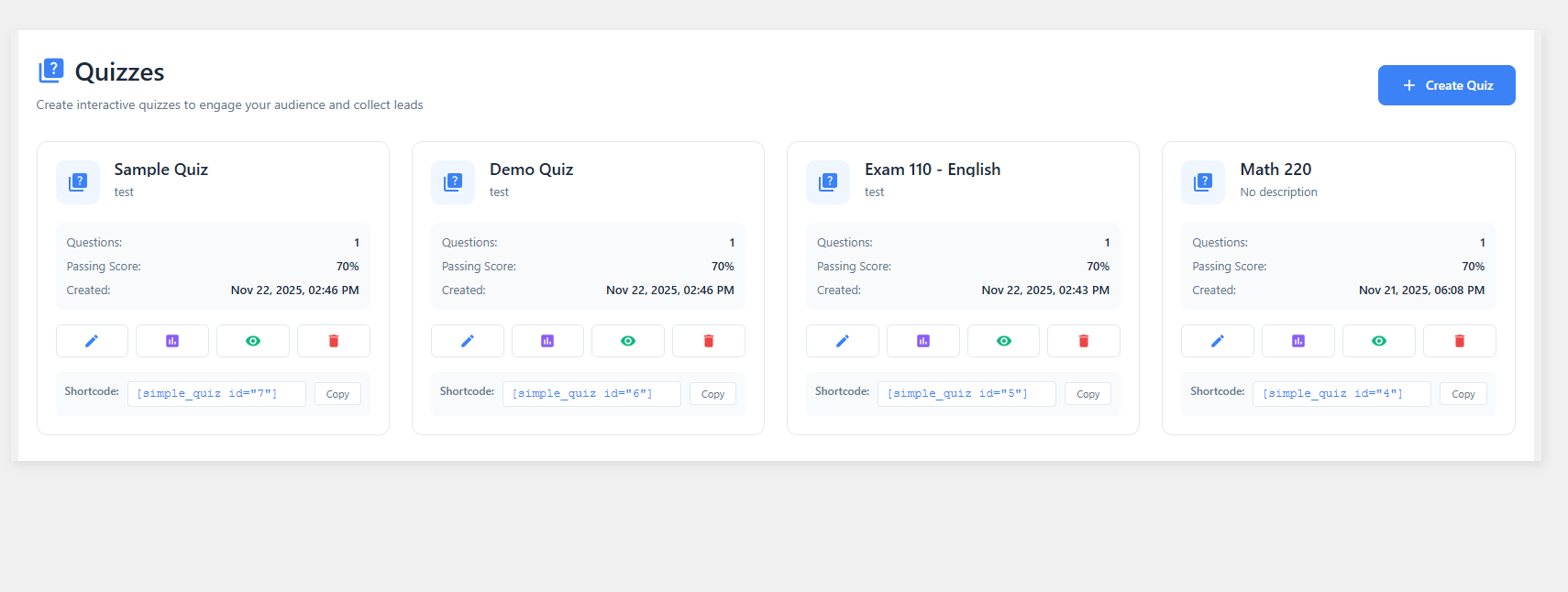
- Scored assessments, personality quizzes, timed exams, knowledge tests
- Image support on questions and answer options
- Correct answer marking, point values, pass / fail thresholds
- Question and answer randomization
- Configurable time limit — auto-submits on expiry
- Results summary shown to the user after completion
- Quiz analytics in the dashboard
-
Embed:
[simple_quiz id="X"]Poll Creator - Single-choice and multiple-choice formats
- Image-based answer options
- Require login before voting
- Closing date control
- Show / hide results before or after voting
- Revote control
- Vote count and percentage analytics over time
-
Embed:
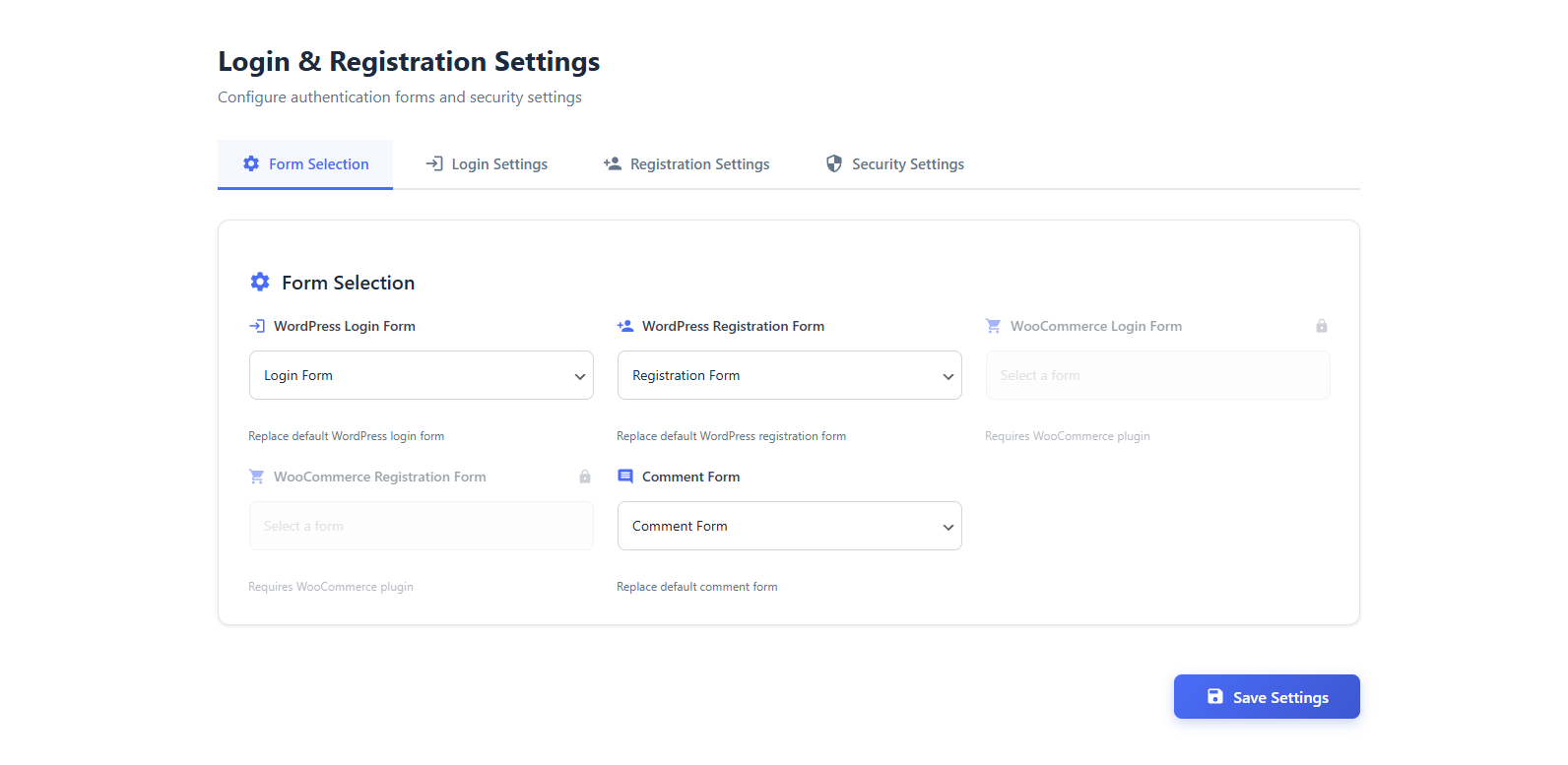
[simple_poll id="X"]Auth & Login - Replace the default WordPress login and registration pages with custom forms
- Custom fields, redirect rules, and email verification support
- WooCommerce login and registration form replacement
- Custom comment form
- All configured under Settings › Auth Settings Settings
- General settings — default behaviors and global options
- Theme settings — site-wide default theme selection
- Spam protection — enable and configure reCAPTCHA v2/v3, hCaptcha, Turnstile, and Honeypot globally
- Telegram settings — global bot token and chat ID
- AI settings — configure OpenAI, Gemini, or Claude API key and model Analytics
- Per-form analytics: total views, total submissions, submission rate
- Time-based charts
- Error log and redirect path tracking
- Compare multiple forms side by side
安装:
- Log in to your WordPress admin panel.
- Go to Plugins > Add New.
- Search for "SimpleForm".
- Click Install Now, then Activate.
- After activation, go to SimpleForm > Forms in the admin menu to build your first form.
- Copy the shortcode from the form list and paste it into any page or post.
屏幕截图:

常见问题:
Can I send WordPress form submissions to WhatsApp?
Yes. SimpleForm includes native WhatsApp integration. When a visitor submits a form, they can be redirected to WhatsApp with the form data pre-filled in the message body. This works on mobile and desktop, and no paid addon or third-party account is required.
Can I receive form notifications in Telegram?
Yes. You connect a Telegram bot to SimpleForm by entering your bot token and the chat ID of the channel, group, or user you want to receive notifications. After that, every submission triggers a Telegram message with the form field data. This is included in the free version.
Does SimpleForm sync submissions to Google Sheets?
Yes. Connect your Google account via OAuth in the Integrations settings, pick a spreadsheet, and map form fields to columns. New submissions create new rows automatically. The OAuth token management was overhauled in version 3.9.0 to resolve previous connection issues.
Can I get form submission alerts in Slack?
Yes. Enter your Slack webhook or configure the Slack integration under Integrations, select a channel, and SimpleForm will post a notification for each new submission. You can set different channels for different forms.
How do I create a quiz with scoring?
Go to SimpleForm in the WordPress admin, open the Quizzes section, and click Create Quiz. Add your questions, mark the correct answers, set point values, and configure the pass/fail threshold. You can add images to questions and answers, set a time limit, and enable randomization. Display the quiz on any page with [simple_quiz id="X"].
Can I set a time limit on a quiz?
Yes. In the quiz settings, enter a time limit in minutes. When the timer runs out, the quiz submits automatically and shows the results.
How do polls work?
Create a poll under the Polls section, add answer options (single or multiple choice), configure voting rules, and embed it with [simple_poll id="X"]. You can restrict voting to logged-in users, set a closing date, and control whether results are visible to voters before or after they vote.
Can I create multi-step forms?
Yes. Add a page break field between sections in the form builder to split the form into steps. A progress indicator appears automatically. You can choose from several progress bar styles and customize the button labels for each step.
Does conditional logic work with multi-step forms?
Yes. Conditional logic applies per-field and works across steps. You can show or hide a field on step 3 based on what a user selected on step 1.
Can I replace the WordPress login page with a custom form?
Yes. Build a custom login form in SimpleForm, then go to Settings > Auth Settings and enable the option to replace the default WordPress login form. You can also replace the registration form, the comment form, and the WooCommerce login and registration forms independently.
Can I export form submissions?
Yes. Open the Leads page and export all submissions as CSV, JSON, or PDF, or print them directly. You can also export individual entries, and filter by date range before exporting.
Does it work with WooCommerce?
Yes. SimpleForm can replace WooCommerce login and registration forms with custom versions that include additional fields and redirect rules.
How is SimpleForm different from WPForms?
WPForms Lite is a strong general-purpose form builder, but native WhatsApp notifications require the paid Twilio addon and Telegram routing needs a Zapier connection. SimpleForm includes WhatsApp, Telegram, Slack, and Google Sheets routing in the free version, plus a quiz and poll builder that WPForms Lite does not include at all.
Is SimpleForm a good free alternative to Fluent Forms?
Yes, if native messaging integrations matter more than Fluent Forms' broader field library. Fluent Forms' free version includes Mailchimp and FluentCRM, but Slack, Google Sheets, and Telegram are Pro-only. SimpleForm includes all four (WhatsApp, Telegram, Slack, and Google Sheets) at no cost, along with quizzes and polls.
How does SimpleForm compare to Formidable Forms?
Formidable Forms is stronger for building directories and web applications through Formidable Views, and SimpleForm does not compete there. But Formidable needs Uncanny Automator or a third-party bridge to reach WhatsApp, Telegram, or Slack, while SimpleForm sends to all three, plus Google Sheets, natively.
Is SimpleForm a good alternative to Ninja Forms?
Ninja Forms keeps its core builder free but puts conditional logic, multi-step forms, and every messaging integration behind paid add-ons or Zapier. SimpleForm includes conditional logic, multi-step forms, and free WhatsApp, Telegram, Slack, and Google Sheets routing without any add-on purchase.
How is SimpleForm different from Forminator?
Forminator's free quiz and poll builder is comparable to SimpleForm's, covering knowledge quizzes, personality quizzes, and real-time polls. The difference is messaging: Forminator has no native WhatsApp, Telegram, or Slack integration, while SimpleForm sends every form, quiz, and poll submission to those channels directly.
Can SimpleForm replace OneClick Chat to Order for WhatsApp orders?
For WhatsApp ordering specifically, yes. OneClick Chat to Order only works on WooCommerce product pages, while SimpleForm's WhatsApp redirect works on any form, quiz, or poll across the whole site, and adds Telegram, Slack, and Google Sheets on top.
What is the best free WordPress plugin for sending form submissions to WhatsApp?
SimpleForm is one of the few WordPress form plugins with native WhatsApp integration built into the free version. Most alternatives, including WPForms Lite and Fluent Forms, require a paid Twilio addon or a Zapier connection to reach WhatsApp.
Is this plugin really free?
Yes. The core features — form builder, quiz builder, poll creator, WhatsApp integration, Telegram integration, Slack integration, Google Sheets sync, lead management, conditional logic, multi-step forms, analytics, and lead export — are all free. A Pro version adds extended features.
Does SimpleForm work on mobile?
Yes. All forms, quizzes, and polls are responsive. The WhatsApp redirect works on both mobile (opening the WhatsApp app) and desktop (opening WhatsApp Web).
更新日志:
- New Feature: Smart Tags & Multiple Email Notifications
- New Feature: AND/OR Conditional Logic Groups
- New Feature: Multi Provider Spam Protection with reCAPTCHA, hCaptcha, and Honeypot
- New Feature: Entry Edit & Advanced Entry Management
- New Feature: PDF Generation from Submissions
- New Feature: Native Gutenberg Block
- New Feature: AI Form Builder with OpenAI, Gemini, and Claude
- New Field: Mobile field with international format, country flag, and dial code picker
- New Field: Structured Name field with first, middle, and last name sub fields
- New Field: Structured Address field with street, city, state, ZIP, and country sub fields
- New Field: Standalone Country dropdown field
- New Field: Rich Text editor field
- New Field: Star Rating field
- New Field: Net Promoter Score field
- New Field: Likert Scale field
- New Field: Image Choice field
- New Field: Toggle Switch field
- New Field: GDPR Consent field
- New Field: Terms & Conditions field
- New Field: Section Break
- New Field: Spacer field
- New Field: Currency field
- New Field: Password with Confirm field
- New Field: Repeatable Fieldset field
- New Field: Range field with live output display
- New Field: Email OTP Verification field
- New Field: Coupon / Discount Code field
- New Field: Calculation / Formula field
- New Field: Cascading Select field
- New Field: Multi select Dropdown field
- New Field: Input Mask field
- Improved: Color Picker field with enhanced color selection support
- New Field: Username field with real time availability checking
- New Field: Quiz Score field
- New Field: Custom Post Type Selection field
- New Field: Draft Button field for saving form progress
- New Field: Entry Preview field
- New Field: HTML block with media support
- Improved: Page Break field can also be used as a visual section separator For older entries, see the changelog.txt file in the plugin repository.