Simple Role Based Pricing
| 开发者 | tlloancy |
|---|---|
| 更新时间 | 2026年10月16日 18:58 |
| PHP版本: | 7.4 及以上 |
| WordPress版本: | 7.1 |
| 版权: | GPLv2 or later |
| 版权网址: | 版权信息 |
标签
下载
详情介绍:
- Percentage, fixed amount, or a final price for a WordPress user role.
- All products, or only selected categories — with a different type/value per category if you need it.
- Optional start and end dates. Leave them empty for a permanent rule.
- Optional per-user override on the WordPress profile. That price wins over the role rule.
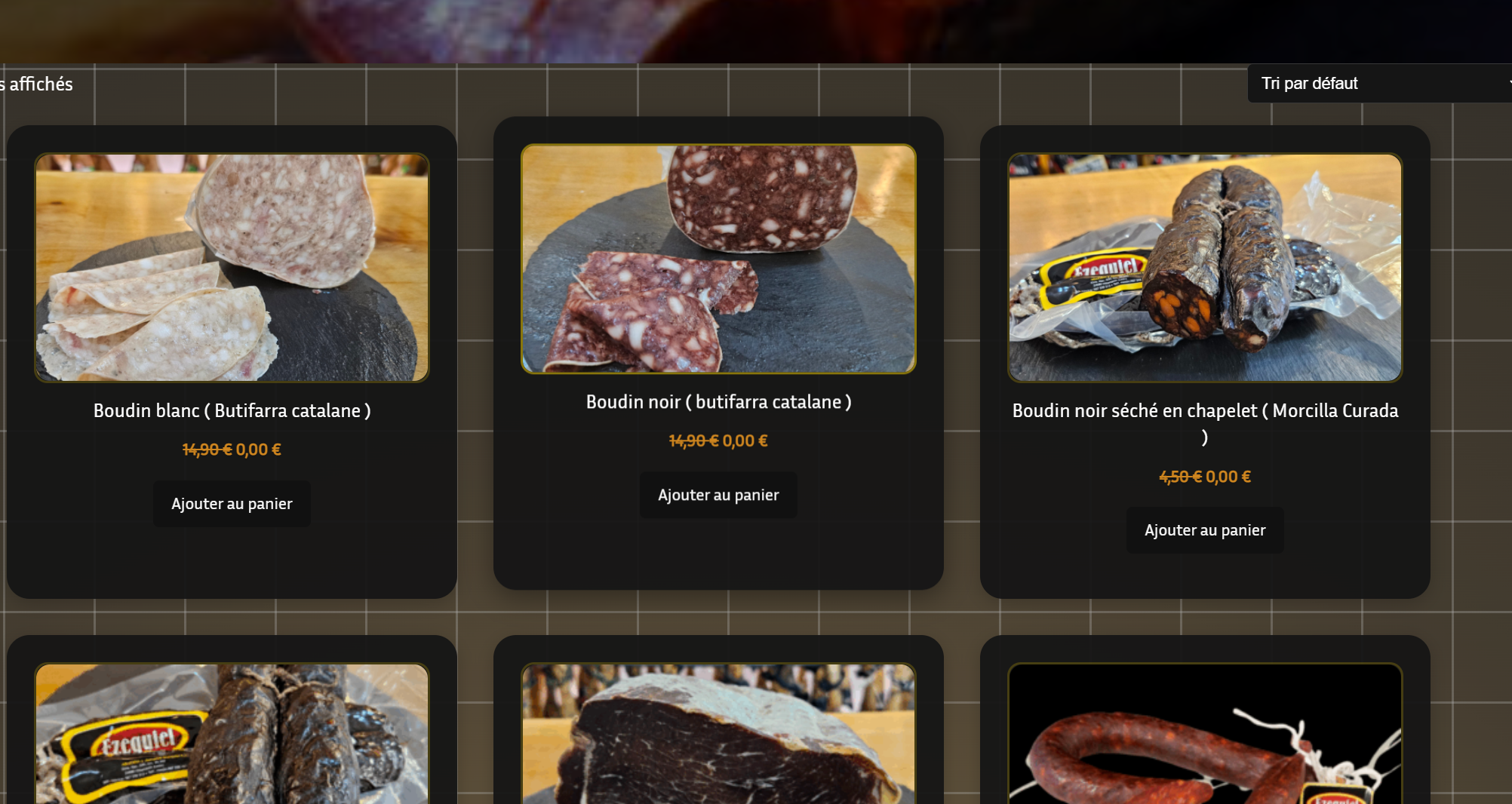
- Logged-in customers see the role price on the shop, the product page, and in the cart.
- Guests keep the catalog price.
- Variable products: the discount applies to each variation, and the parent shows the price range this customer pays.
- If a product is already on a native WooCommerce sale, that sale wins. The role rule does not stack on top.
- Cart totals refresh when the customer logs in, so a guest cart picks up the role price after sign-in.
- The admin catalog and REST exports keep the original prices.
- A wholesale role at −20% on the whole catalog.
- Members-only prices on a few categories, with a different rate on one of them.
- A campaign window for staff or partners, without touching product sale fields.
- One customer who should not follow their role — set it on their user profile.
docs/USER-GUIDE.md (English) and docs/MODE-DEMPLOI.md (French).
Compatibility
- WooCommerce 8.0 or higher (tested up to 11.0).
- HPOS (High-Performance Order Storage) compatible.
- Custom roles from User Role Editor and similar plugins work as-is: if WordPress knows the role, this plugin can price it.
安装:
- Install and activate WooCommerce.
- Upload the plugin, or install it from Plugins → Add New.
- Activate Simple Role Based Pricing.
- Open WooCommerce → Settings → Role Based Pricing.
- Select a role, turn the rule on, set the discount, save.
屏幕截图:
常见问题:
Where are the settings?
WooCommerce → Settings → Role Based Pricing. Select the role first. Everything else on the page is for that role until you save.
What is the difference between the three discount types?
- Percentage — off the regular price (20 = 20% off).
- Fixed amount — subtract that amount in your store currency.
- Fixed price — the customer pays exactly that amount, regardless of the catalog price.
Can I limit a rule to some categories?
Yes. Set Apply To to Specific Categories, pick the categories, save. Each selected category can use the role default (Global) or its own type and value.
Who wins if several rules could apply?
- A native WooCommerce sale price on the product.
- An individual price on the user profile.
- A matching category rule for that role.
- The role’s “all products” rule.
Does it work with variable products?
Yes. Each variation is priced, and the parent shows the min–max range of the prices the logged-in customer pays.
Can I give one user a different price than their role?
Yes. Edit the user under Users, then Simple Role Based Pricing - Individual. That override beats the role rule for that account.
Why didn’t the role discount apply to a product on sale?
On purpose. If WooCommerce already has a sale price, the plugin leaves it. End the sale, or use a product that is not on sale, if the role price should show.
Do I need extra PHP extensions?
No. PHP 7.4+ and WooCommerce 8.0+ are enough. There is no mbstring requirement.
Can I control pricing with AI?
Yes, on WordPress 6.9 or later. Install the official AI plugin and a connector. On WooCommerce → Settings → Role Based Pricing, below Overview, use the text field and Generate (also listed in Context). A user who can manage WooCommerce can also ask the assistant to set, read, or remove a role discount. Without the AI plugin, the rest of the screen is unchanged.
Can I hide prices from visitors who are not logged in?
Yes, with Advanced options on: choose Hide prices and the Add to cart button under Visitors not logged in. It hides prices on the shop pages; it is not a protection for your data.
Can I set a price per product or per variation?
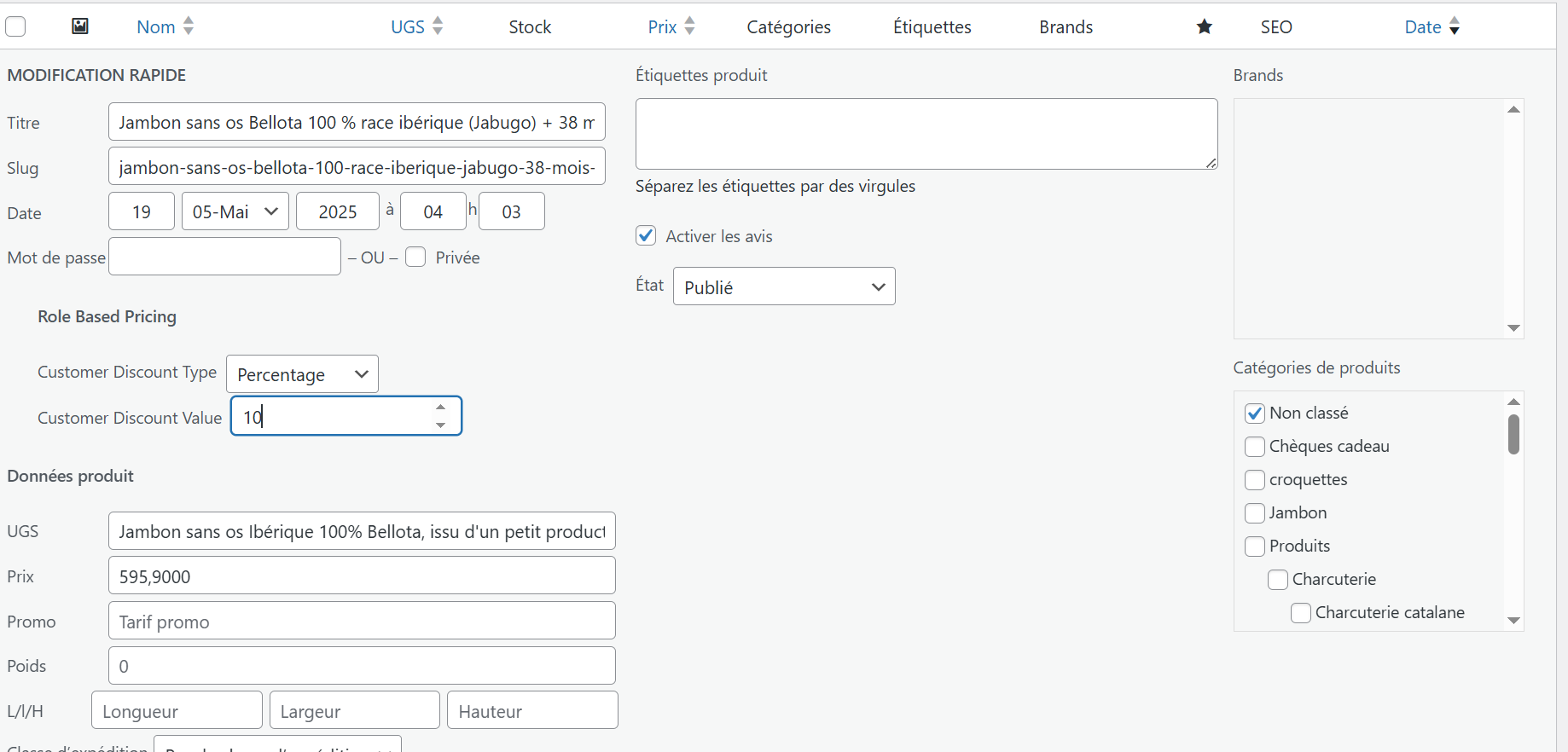
Yes, with Advanced options on. Each simple product and each variation gets one field per role, under the sale price. That price wins over the role rule (a native sale still wins over it). The same prices are in Products → Export / Import as Role price: <role slug> columns.
更新日志:
- Added: Advanced options switch (off by default). While it is off the plugin behaves as before; turning it off keeps everything you typed.
- Added (advanced): guest mode, struck-through or customer-price-only display, lowest-price rule for customers with several roles, subcategories, prices per role on products and variations, CSV export and import of those prices through WooCommerce's own tools.
- Fix: the price range of a variable product shows the prices of the logged-in customer, and WooCommerce's cached range no longer leaks from one role to another.
- Fix: guests and products without a rule no longer report a sale price (themes and product feeds saw a false sale).
- Fix: prices are rounded to the store's decimals, so the unit price shown is the one charged.
- Fix: the struck-through and customer prices follow the shop's tax display setting.
- Fix: an individual exception with an unknown type no longer cancels the role rule.
- Tweak: Generate asks for confirmation before saving, is limited to 20 requests per 10 minutes, and no longer saves a fixed price of zero.
- Tweak: tested with a real WooCommerce 11.3 (simple and variable products, cart, CSV import and export, settings screen).
- Performance: one shared price calculator and rules read once per request (they were re-registered and re-queried on every price shown).
- Security: category settings are rebuilt and validated on the server, and the settings screen no longer builds fields from stored values with innerHTML.
- Fix: discount type and value are validated on every save path (settings screen, user profile, Abilities); a percentage is capped at 100 and a calculated price never goes below zero.
- Fix: unchecking Enable keeps the rule (disabled) instead of deleting it, like the Abilities do.
- Fix: a rule end date without a time now includes the whole last day.
- Fix: the debug log goes through the standard PHP error log (WP_DEBUG and WP_DEBUG_LOG) instead of a file in the uploads folder; the old folder is removed on update.
- Fix: the plugin no longer hides WooCommerce's database update notice.
- Fix: removed the hourly dates cron (the price engine already checks dates), the unused settings class, and made the WooCommerce check work on a network-activated multisite.
- Added: versioned update routine and uninstall.php (removes the table, options and user settings when the plugin is deleted).
- Tweak: the Generate sentence is capped at 500 characters; the review notice dismissal checks the capability.
- Tweak: Plugin Check warnings cleared (request data is read where the nonce is verified; direct queries on the plugin's own table are annotated; no core hook is invoked by the plugin).
- Admin: Generate and the layout map are stack blocks below Overview. Context lists both so you can jump to them.
- AI: Three Abilities (set, get, remove role discounts) for WordPress 6.9+ and the official AI plugin.
- Admin: Optional Generate field on the Role Based Pricing screen (connector / parse / save, then a rule from a sentence).
- Admin: Page layout map moved below the form so Select Role / Enable / discount come first.
- Docs: User guides cover AI phrases; layout map is optional and stays collapsed.
- Compatibility: Tested with WordPress 7.1 and WooCommerce 11.0.
- Docs: Listing and FAQ rewritten to match the plugin. English and French guides in
docs/.
- Admin layout map and block order: drag to rearrange settings, order saved per user.
- Settings workspace: collapsible blocks, per-role Apply To, rule status, unsaved-changes warning.
- Removed the mbstring requirement.
- Per-category discounts and optional start/end dates. Rules stored as JSON.
- Native WooCommerce price filters (no fake coupon). Per-user price override on the profile.
Older patch notes (including 2.3.1–2.3.8) are in
changelog.txt.