Simple Scroll To Top WP
| 开发者 | shovoalways |
|---|---|
| 更新时间 | 2026年4月21日 02:06 |
| 捐献地址: | 去捐款 |
| PHP版本: | 7.2 及以上 |
| WordPress版本: | 6.9 |
| 版权: | GPLv2 or later |
| 版权网址: | 版权信息 |
详情介绍:
安装:
- WordPress 5.2 or greater
- PHP 7.2 or greater
- MySQL 5.0 or greater
- Log in to your WordPress dashboard
- Navigate to Plugins > Add New
- Search for "Simple Scroll To Top WP"
- Click Install Now next to the plugin
- Click Activate Plugin once installation is complete
- Download the plugin from WordPress.org or your email
- Log in to your WordPress hosting via FTP or File Manager
- Navigate to
/wp-content/plugins/directory - Upload the
simple-scroll-to-top-wpfolder - Go to Plugins in your WordPress dashboard
- Find "Simple Scroll To Top WP" and click Activate
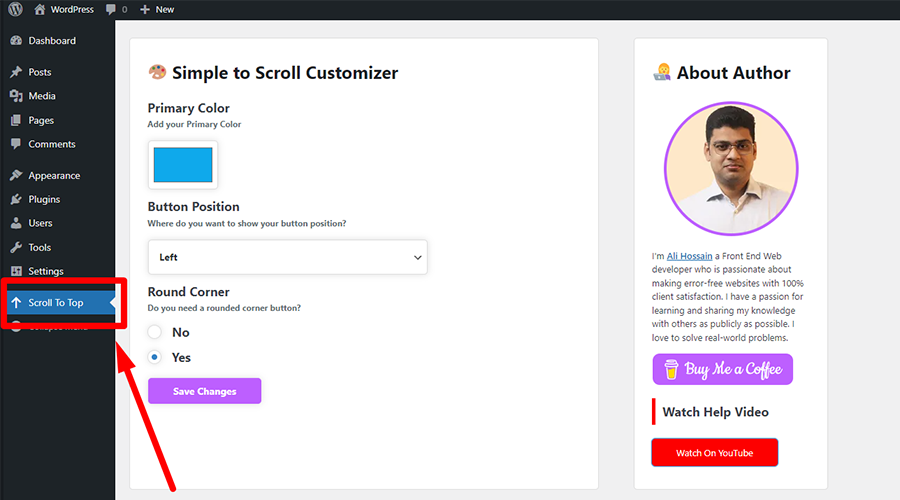
- Go to Dashboard > Scroll To Top (in the admin menu)
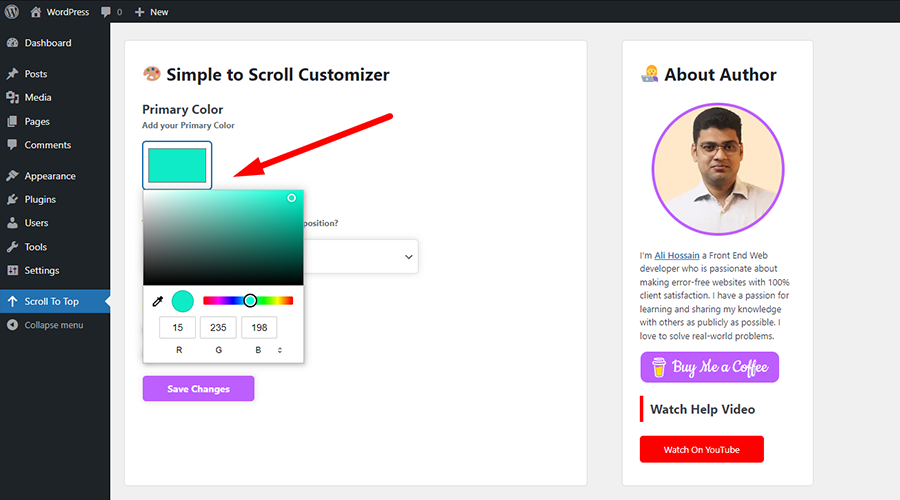
- Configure your preferred settings
- Click Save Changes
- Visit your website and scroll down to see the button in action
屏幕截图:
常见问题:
Is this plugin free?
Yes! Simple Scroll To Top WP is completely free. You can use it on unlimited websites at no cost.
Will this plugin slow down my site?
No. The plugin is optimized for performance with minimal CSS and JavaScript. It has negligible impact on page load times.
Can I customize the button?
Yes! You can customize:
- Button size (30–100 px)
- Button shape (round or square)
- Button color
- Progress ring width (1–10 px)
- Button position (left or right)
- Custom icon upload
- Visibility per device (mobile, tablet, desktop)
How do I hide the button on mobile devices?
In the plugin settings, check the "Hide on Mobile Layout" option under Visibility settings.
Can I use my own icon?
Yes! Upload a custom icon in the "Custom Icon" section. Recommended size is 64×64 pixels.
Does this work with all themes?
Yes, the plugin is designed to work with all WordPress themes, including custom and responsive themes.
How do the progress indicators work?
The circular progress ring around the button fills as users scroll down the page. It starts empty and becomes fully filled when they reach the bottom of the page, giving visual feedback of scroll position.
Is there a minimum WordPress version?
Yes, WordPress 5.2 or greater is required. Older versions are not supported.
更新日志:
- NEW: Enable/Disable plugin toggle
- NEW: Custom icon upload with size guidance (64×64 px)
- NEW: Adjustable button size control (30–100 px)
- NEW: Progress ring width control (1–10 px)
- NEW: Responsive visibility toggles (hide on mobile/tablet/desktop)
- NEW: Smooth circular progress ring animation that fills during scroll
- NEW: Square/Round corner shape toggle
- IMPROVED: Reorganized admin settings for better user experience
- IMPROVED: Updated plugin branding and documentation
- IMPROVED: Progress ring rendering for both round and square buttons
- FIXED: Button appears immediately after scrolling starts (50 px threshold)
- FIXED: Square button no longer shows visual artifacts
- TESTED: Compatible with WordPress 6.9.4
- Latest WordPress compatible
- Updated plugin option
- Button left and right positioning feature
- Initial version