Simple Tracking
| 开发者 | chrsinteractive |
|---|---|
| 更新时间 | 2026年9月19日 05:28 |
| PHP版本: | 7.4 及以上 |
| WordPress版本: | 7.1 |
| 版权: | GPLv2 or later |
| 版权网址: | 版权信息 |
详情介绍:
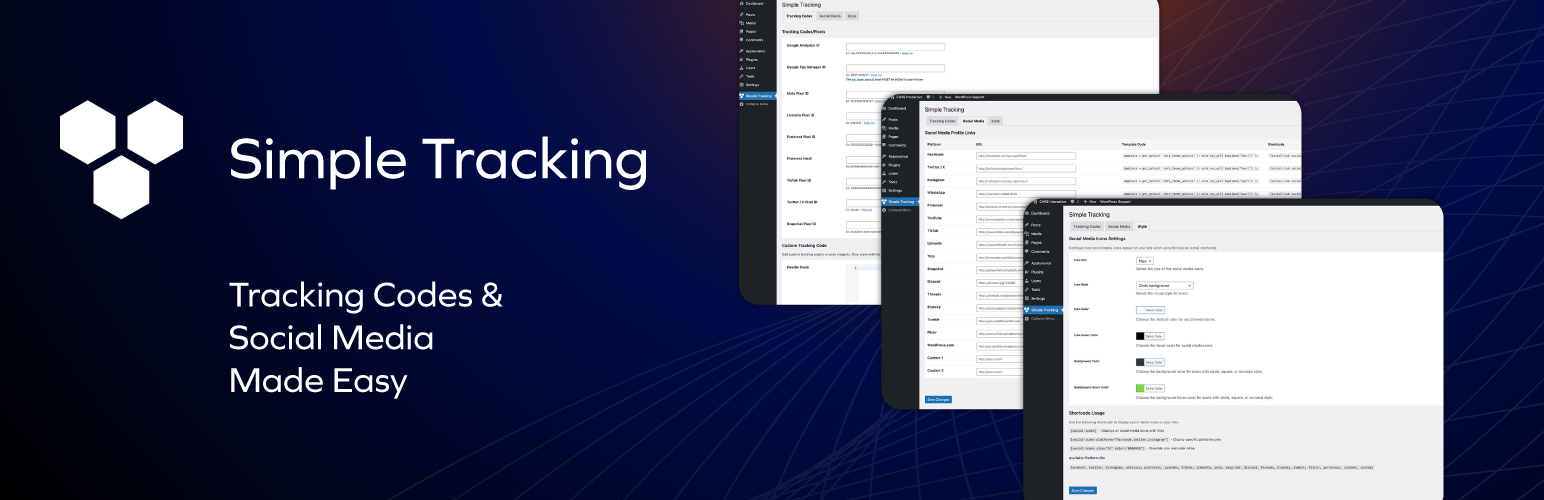
Simple Tracking adds an admin interface where you can easily add your tracking and conversion pixels, such as Google Analytics, Meta Pixel, TikTok Pixel, and more.
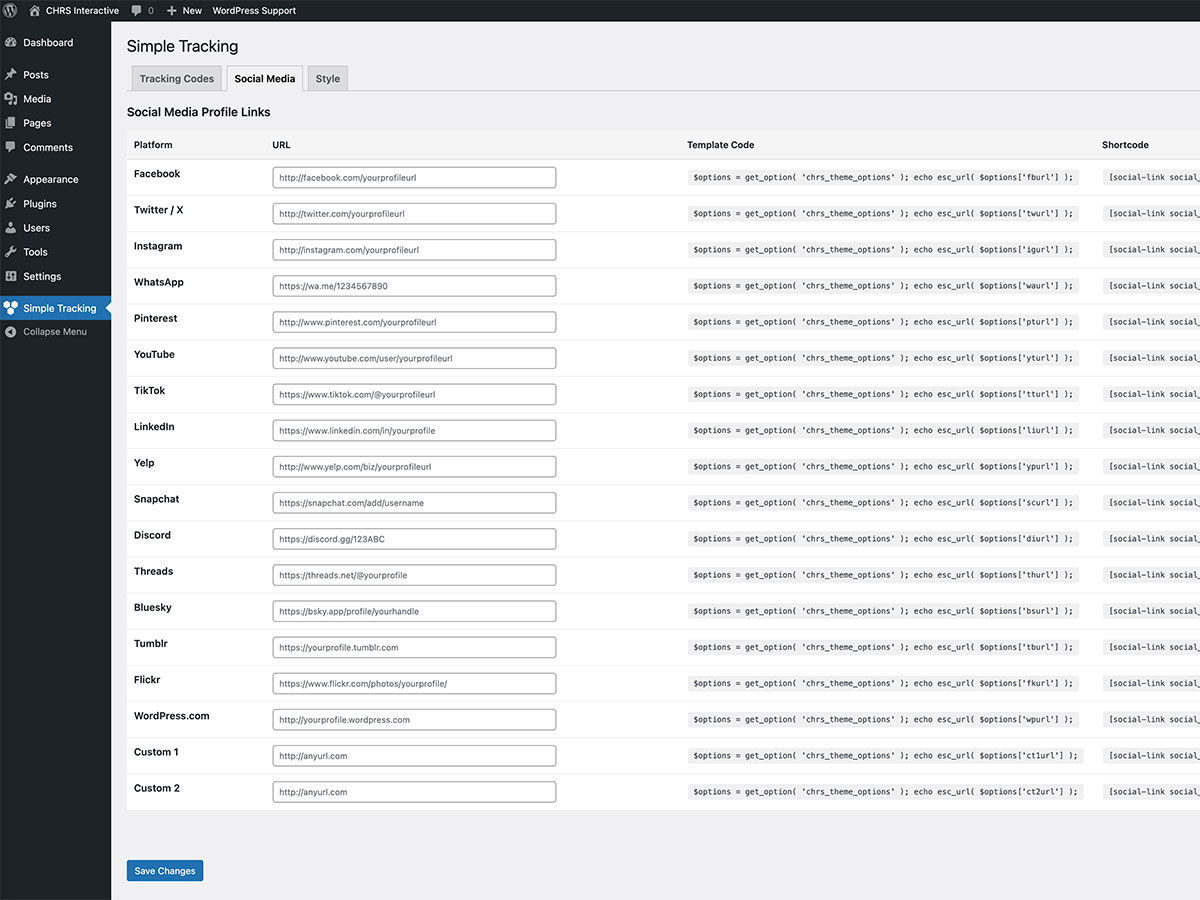
Additionally manage all your social media links, and display them on your site using shortcodes or template code.
Supported Tracking Services
- Google Analytics (GA4)
- Google Tag Manager
- Meta Pixel (Facebook/Instagram)
- LinkedIn Insight Tag
- Pinterest Tag
- TikTok Pixel
- Twitter / X Pixel
- Snapchat Pixel
- Header (wp_head) - Before closing tag
- Body (wp_body_open) - Right after opening tag
- Footer (wp_footer) - Before closing tag
- Twitter / X
- Threads
- Bluesky
- YouTube
- TikTok
- Yelp
- Snapchat
- Discord
- WordPress.com
- Tumblr
- Flickr
- Custom Link 1
- Custom Link 2
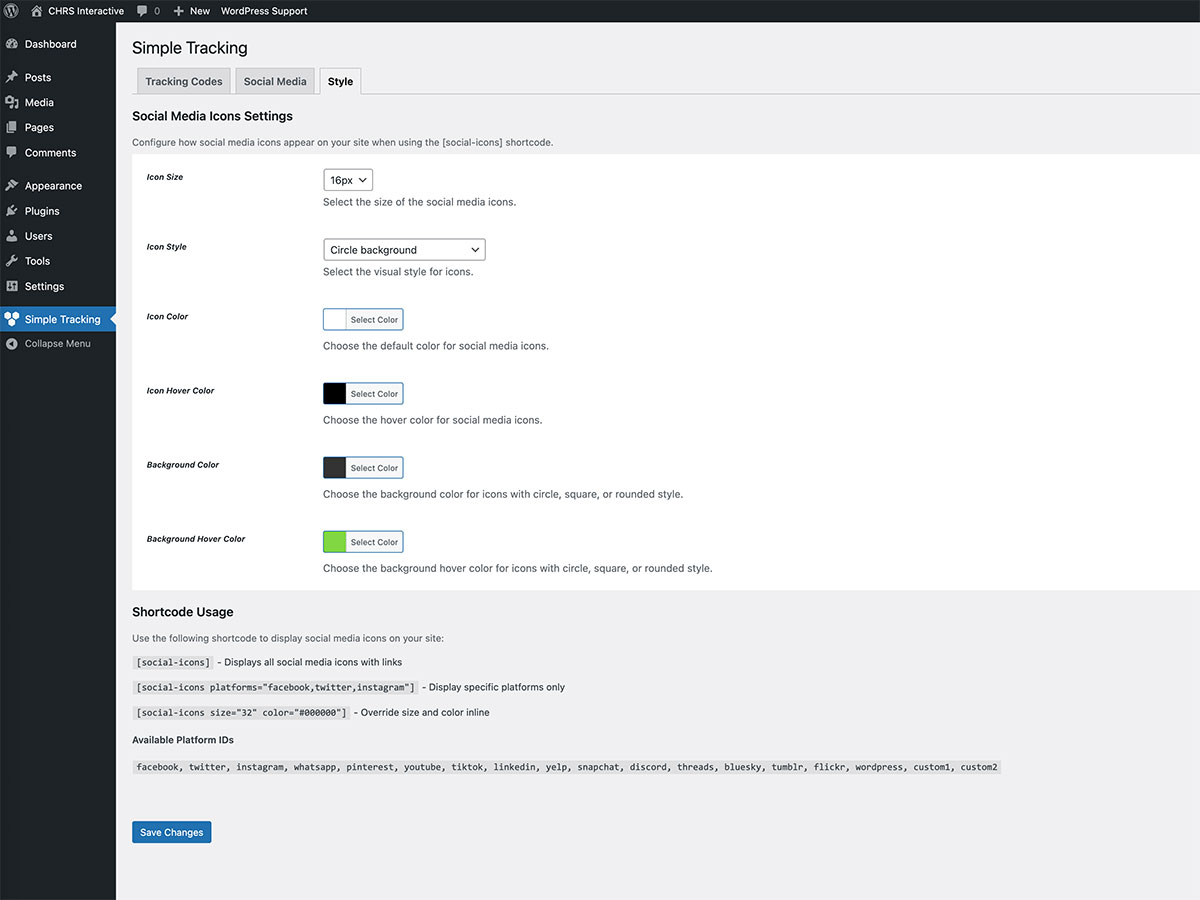
[social-icons] - Displays all configured social icons
[social-icons platforms="facebook,twitter,instagram"] - Display specific platforms
[social-icons size="32" color="#000000" hover="#0073aa" style="circle"] - Customize appearance
Available styles: default, circle, square, rounded
Change default icon settings in the Style tab.
Social Link Shortcode
Display a text link to a social media profile:
[social-link social_id="fburl" link_title="Follow us on Facebook"]
Template Usage
Use in your theme templates:
<?php $options = get_option( 'chrs_theme_options' ); echo esc_url( $options['fburl'] ); ?>
安装:
- Upload the folder 'simple-theme-options' to the '/wp-content/plugins/' directory
- Activate the plugin through the 'Plugins' menu in WordPress
- Navigate to 'Simple Tracking' in your dashboard menu
- Enter your tracking IDs and social media URLs
- Click 'Save Changes'
屏幕截图:
常见问题:
Where do I find my Google Analytics ID?
Your Google Analytics 4 measurement ID starts with "G-" followed by alphanumeric characters. Find it in Google Analytics under Admin > Data Streams > your stream > Measurement ID.
Where do I find my Meta Pixel ID?
In Meta Events Manager, select your pixel and find the 15-16 digit Pixel ID in the overview section.
Does Google Tag Manager require special theme support?
Yes, Google Tag Manager's body code requires your theme to support the wp_body_open() hook. Most modern themes include this. If not, add <?php wp_body_open(); ?> right after the opening <body> tag in your theme's header.php.
Can I add custom tracking scripts?
Yes! Version 2.0 adds custom code fields for header, body, and footer. Note: Only users with the unfiltered_html capability can save JavaScript code.
更新日志:
2.0.2
- Google Analytics (gtag.js) is now loaded through wp_enqueue_script / wp_add_inline_script instead of a raw script tag.
- Lowered minimum PHP requirement to 7.4.
- Requires WordPress 6.7 or later (readme now matches the plugin's own version check).
- Tested with WordPress 7.1.
- Fix: Resolved update issue that caused incomplete file installation on some servers
- New: [social-icons] shortcode with SVG icons for all platforms
- New: Style tab with icon size, color, hover color, and style options
- New: Custom code fields for wp_head, wp_body_open, and wp_footer
- New: TikTok Pixel support
- New: Twitter / X Pixel support
- New: Snapchat Pixel support
- New: Threads and Bluesky social media platforms
- New: CodeMirror syntax highlighting for custom code fields
- New: Settings link on plugins page for quick access
- Update: Renamed Facebook Pixel to Meta Pixel
- Update: Renamed Twitter to Twitter / X
- Update: Updated all tracking pixel implementations to latest versions
- Remove: Deprecated Google+ and MySpace social platforms
- Security: Improved input sanitization and output escaping
- Security: Added unfiltered_html capability check for custom code fields
- Improve: Minor interface fixes
- Tested: Compatible with WordPress 6.7.1
- Tested: Compatible with WordPress 6.3.0
- Improve: Add support for printing scripts right after the opening body tag using the 'wp_body_open' action
- Change: Renamed plugin to "Simple Tracking"
- Add: Google Tag Manager Pixel
- Add: LinkedIn Pixel
- Add: Pinterest Pixel
- Fixed: Issue with saving new version of Analytics Tag ID
- Add: Input for Facebook Pixel ID
- Tested: Compatible with WordPress 5.9.1
- Change: Replace Analytics textarea with Analytics ID field
- Improve: Security updates
- Add: TikTok social media link
- Tested: Compatible with WordPress 5.5.0
- Add: WhatsApp / Snapchat / Discord
- Tested: Compatible with WordPress 5.4.0
- Tested: Compatible with WordPress 4.6.1
- Update: Fixed Spelling Errors on Settings page
- Tested: Compatible with WordPress 4.2.2
- Add: Flickr / MySpace / Custom 1 / Custom 2
- Add: Shortcode support
- Update: CSS improvements
- Fixed: Input save issue for Youtube/Yelp
- Add: WordPress.com / LinkedIn / Tumblr
- Update: CSS + JS improvements
- Initial release