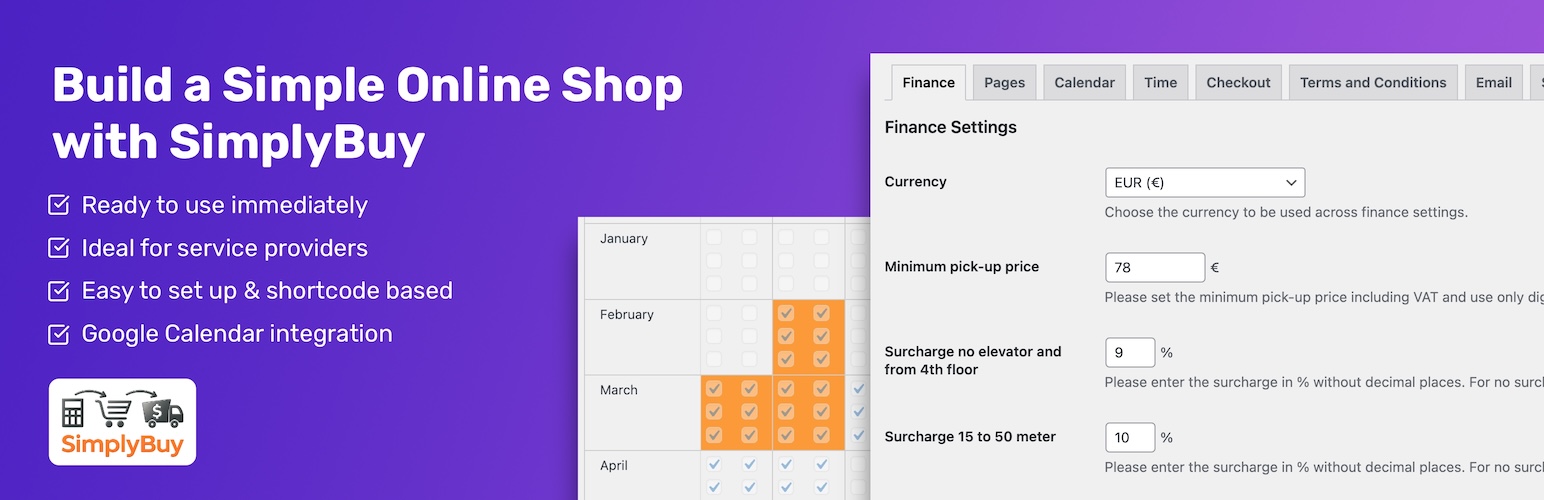
SimplyBuy – Junk Removal Price Calculator & Booking
| 开发者 |
denisdoroshchuk
nebim |
|---|---|
| 更新时间 | 2026年10月26日 04:45 |
| PHP版本: | 8.0 及以上 |
| WordPress版本: | 7.1 |
| 版权: | GPLv3 or later |
| 版权网址: | 版权信息 |
详情介绍:
- Type an item into the search field: "bed" shows every bed in your price list.
- Add items to the list, change quantities, see the running total.
- Choose floor, elevator and carrying distance. Surcharges are added automatically.
- Pick a date and a morning or afternoon slot.
- Enter address and contact details and book. A confirmation email goes out right away.
- Item-based pricing: every item has its own price
- Fast search with suggestions: all matching items, sorted, Enter shows the first match
- Surcharges for floor, missing elevator and carrying distance
- Server-side price calculation: the price in the booking always matches your price list
- 217 ready-to-use starter items in English and German (furniture, appliances, mattresses, garden …) installable with one click. Adjust the prices to your market before going live.
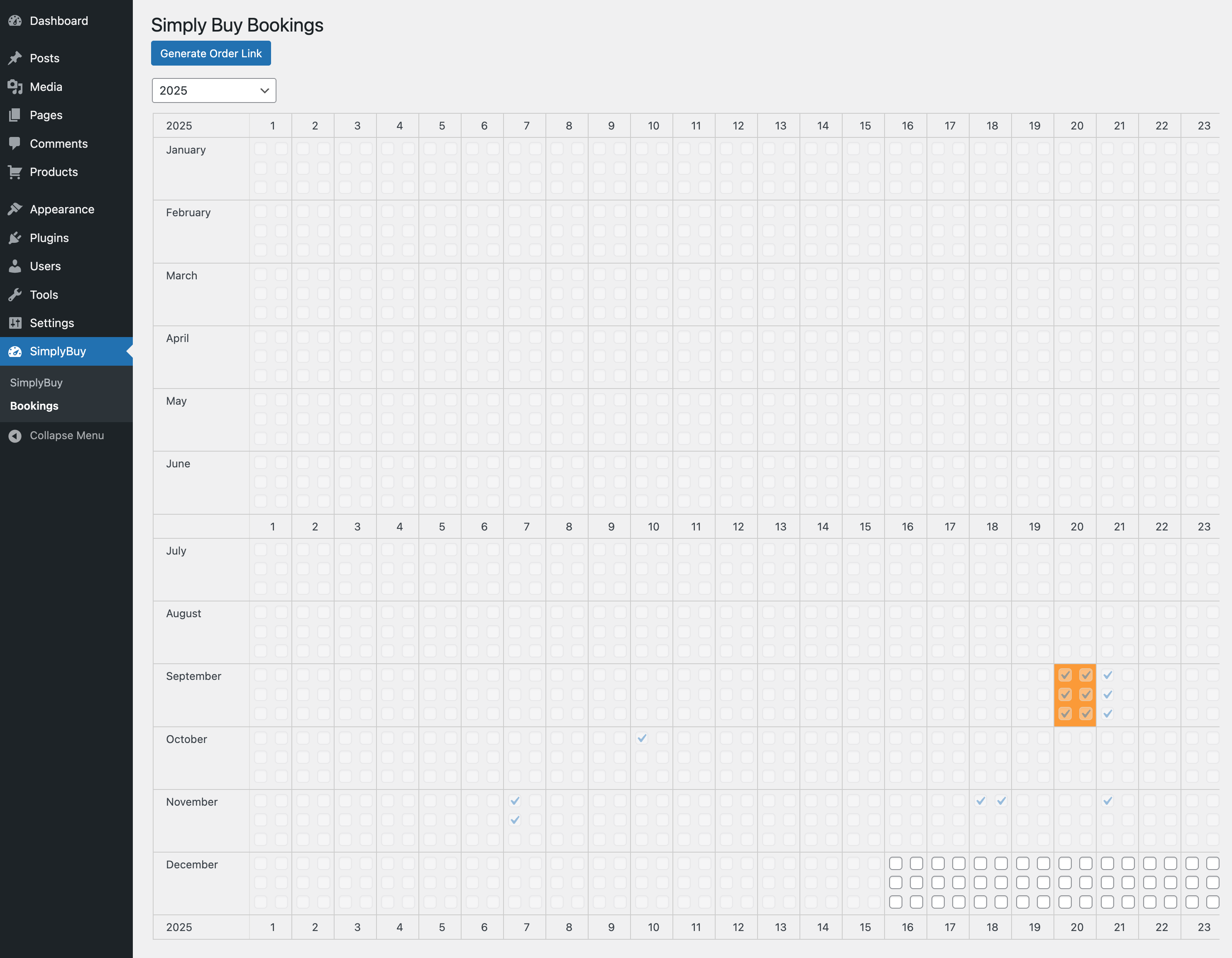
- Booking calendar with morning and afternoon slots
- Daily booking limit, so days can't be overbooked
- Block single days in the calendar
- Earliest possible booking date (for example "not before tomorrow")
- Booking email to you and confirmation email to the customer
- Google Calendar integration via service account: every booking becomes a calendar entry with price, postcode and address, ready for route planning
- Works with helpdesks like FreeScout without triggering auto-replies to customers
- Shortcode-based, works with any theme
- Mobile-friendly: sticky checkout bar, large touch targets, no zoom on iOS
- Compatible with WP Rocket, WP Super Cache and LiteSpeed Cache (cart cookie is excluded automatically)
- Multisite support
- Own "SimplyBuy Manager" role: staff can manage products and bookings without access to the rest of WordPress
- English and German (informal and formal) included
- Junk removal and hauling companies
- House clearance and estate clearance services
- Moving companies that price per item
- Bulky waste pickup and any service priced by a list of items
- Direct price link: send a customer a link with a fixed price, they only choose date and time
- Minimum pickup price: small jobs are raised to your minimum
- Block days in one click: for example every Sunday for the whole year
- Bulk price adjustment: change all prices by percentage or fixed amount, with preview
- Automatic review requests: an email asking for a review after the job, with configurable delay
- Polylang: fully supported. Search and products follow the page language; cart, checkout and thank-you pages are created per language.
- WPML: not officially supported yet. Single-language sites work fine.
- Weglot: translates the page output; products stay in their source language in the database.
安装:
- Install SimplyBuy from Plugins → Add New, or upload the folder to
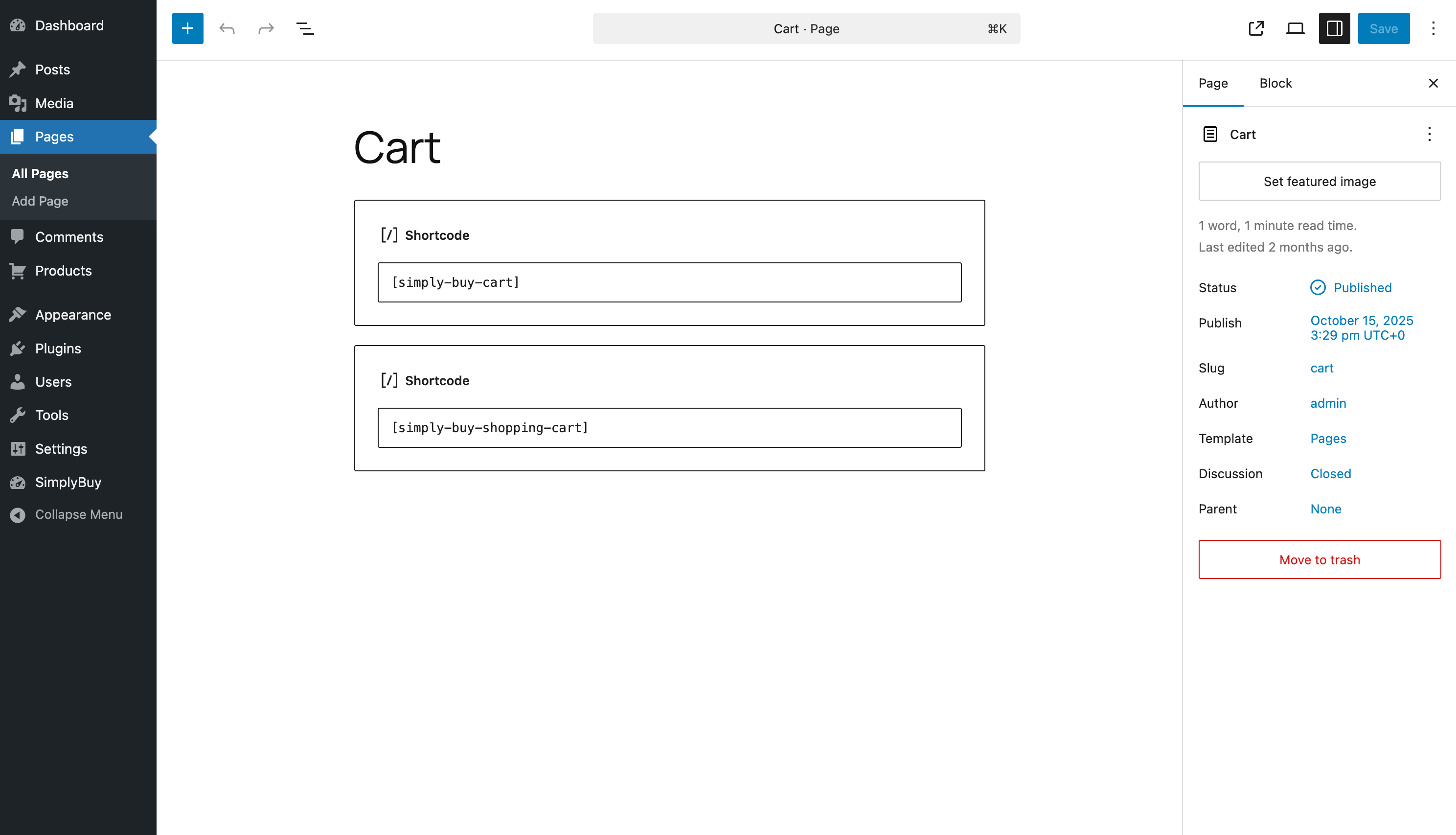
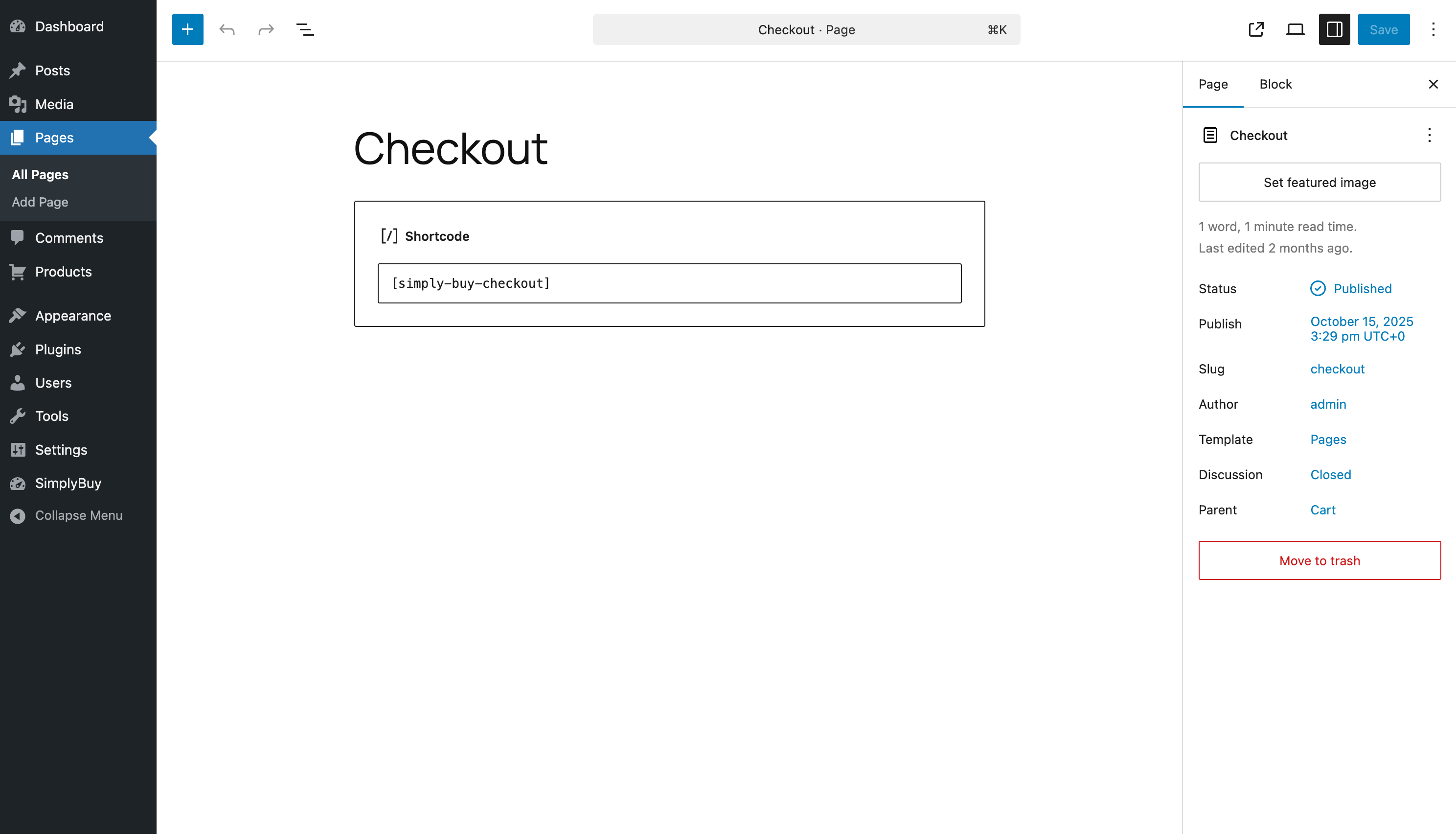
/wp-content/plugins/simply-buy. - Activate the plugin. Cart, Checkout and Thank-you pages are created automatically.
- Go to SimplyBuy → Starter Products and install the starter list, or add your own items.
- Set your prices, surcharges, time slots and notification email under SimplyBuy → Settings.
- Optional: connect Google Calendar under Settings → Calendar.
屏幕截图:
常见问题:
Can customers pay online?
No. SimplyBuy collects the booking with a fixed price. Payment happens on site or by invoice, outside the plugin.
Do I need WooCommerce?
No. SimplyBuy works on its own and does not use WooCommerce.
Can I use my own items and prices?
Yes. Every item is a normal WordPress post with a price. You can edit the starter items or delete them and create your own list.
How many bookings per day are possible?
Up to six per day, three in the morning and three in the afternoon. You can block single days; blocking whole weekdays in one click is a Pro feature.
Does it work with Google Calendar?
Yes. With a Google service account every booking is written to your calendar, including price, postcode and address. A "Test connection" button checks the setup.
Does it work with my cache plugin?
WP Rocket, WP Super Cache and LiteSpeed Cache are handled automatically. For other caches (W3 Total Cache, WP Fastest Cache, Cloudflare, Varnish) add the cookie simply-buy-products to the cache exclusion list.
Is SimplyBuy only for junk removal?
No. It works for any service priced by a list of items: moving, bulky waste pickup, furniture assembly, cleaning per room and similar.
更新日志:
- Fixed: After choosing a search suggestion the list showed at most 5 items, even when more items carry that tag (for example only 5 of 10 beds). It now shows all of them, sorted by title.
- Changed: Search suggestions come in a fixed order instead of a random one: the tag equal to what was typed, then tags starting with it, then the rest, alphabetical within each group.
- Added: Enter in the search field (or a tap on the magnifier) shows the items of the first suggestion. On phones the keyboard offers "Search".
- Changed: The list of items stays after "Add", so several of them can be added one after the other; the quantity of the added row goes back to 1. The next search replaces the list.
- Fixed: Adding an item that was already in the cart could reset its quantity to the newly added amount instead of adding it up (when two or more other items had been added after it).
- Added: From 5 items on, the cart box "Selected items" shows a second, compact "Go to checkout" button right below its heading, so the checkout is in reach without scrolling past a long list. On screens up to 768 px it stays hidden: the fixed bar at the bottom already holds the button there. Same target and class as the button at the bottom. The number is the constant SBUY_TOP_CHECKOUT_MIN_ITEMS and the filter sbuy_top_checkout_min_items. With WP Rocket's "Remove unused CSS", SimplyBuy adds the button's selectors to the safelist (filter rocket_rucss_safelist); clear the used CSS of the cart page once after the update.
- Changed: Mails to the shop (new booking, calendar entry failed) carry the header "Auto-Submitted: auto-generated". A helpdesk behind the notification address (e.g. FreeScout) files them with the customer as before, but no longer sends the customer an automatic reply. The confirmation to the customer is unchanged.
- Changed: The Google Calendar entry of an order now has the postcode in its title, between the amount and "Tour" (for example "149,00€ - 10115 - Tour" instead of "149,00€ - Tour"). A quick booking has no postcode and keeps the short title. If a script or an automation reads these titles, adjust it.
- Fixed: The checkout page could show a different price than the booking email and calendar entry. The page now uses the same server-side calculation.
- Fixed: With "Provide separate billing address?" ticked, all billing fields could be left empty. Street, postal code, city and a company or a last name (one of the two) are now required, marked with a star while the box is ticked, and checked in the browser and on the server. The first name stays optional.
- Changed: Easier to read checkout. Labels, fields and buttons use 16px whatever base size the theme sets, so iOS Safari no longer zooms in on a field. Error labels and the "please tick the box" note are dark red (contrast 6:1 instead of 2.2:1); the orange field border stays.
- Changed: The text on the booking button is white or dark, whichever is easier to read on the button color of the site (also on hover).
- Changed: "Company" is a normal field with its label above it instead of a collapsed line. The second street line has an accessible name ("Additional address line") for screen readers.
- Changed: The "Notes" field is open from the start. A hint between its heading and the field says what belongs there (invoicing instructions for a company, a special parking situation); the field itself starts empty.
- Changed: When a Reply-To address is set, the booking confirmation to the customer ends with an invitation to reply by email if an important detail is missing.
- Developer: The action "sbuy_add_google_calendar_event" passes the postcode as a seventh argument.
- Changed: The license is stated the same way everywhere: GPLv3 or later (plugin header, readme, LICENSE.txt).
- Fixed: The daily log cleanup never deleted anything. The table name was passed to the database as a text value instead of a table name, so every run failed with a syntax error and the log table kept growing.
- IMPORTANT: Products now have their own permissions. Editors and authors can no longer create, edit or delete products, and can no longer manage product categories and tags. Give those people the "SimplyBuy Manager" role if they should keep access.
- Changed: the "SimplyBuy Manager" role no longer holds WordPress' general "manage_options" permission. It can now use every SimplyBuy screen — settings, bookings, products, categories and tags, price adjustment, starter products, review requests — and nothing else. WordPress settings, other plugins, posts and pages are out of reach, including by typing the address directly.
- Changed: the Branding tab is now visible and editable for administrators only. Enabling branding unlocks the Pro features for the whole shop, so it is not a manager's decision.
- New: the role is created and repaired automatically after an update, on every site of a multisite network where the plugin is active. Previously it only existed where the plugin happened to be activated after the role was introduced.
- Fixed: users on the old "sb_manager" role, left behind when the plugin renamed its prefix, are moved to "SimplyBuy Manager" instead of quietly losing all access.
- Fixed: uninstalling only removed the role from one site of a multisite network.
- Fixed: the branding switch checked a security token but no permission at all.
- Fixed: the settings and bookings screens relied on the menu permission alone and had no check of their own.
- New: Complete labels for the product type. The admin bar and the list table said "View Posts" and "Search Posts" on the products screen.
- Changed: A SimplyBuy Manager no longer sees other plugins' admin notices or their filters in the product list. Those regularly linked to screens the role cannot open.
- Fixed: Four strings that had no German translation are now translated.
- Fixed: The form of address in the German translations was mixed — fourteen strings used the wrong one for their catalog.
- For developers: new filters sbuy/admin_capability, sbuy/manager_capabilities and sbuy/manager_allowed_screens.
- IMPORTANT: Order links that have already been sent out become invalid with this update and need to be created again.
- Security: Order links are now created individually, expire after 14 days, can only be used once and can be revoked.
- Security: Fixed the permission check in the dashboard.
- New: Quick booking link — price, ticket number and notes are filled in beforehand, the customer only picks a date and time.
- Fixed: Bookings with an invalid date were accepted and ended up in the calendar with a wrong date. This affected visitors who viewed the site with the browser's page translation.
- Fixed: The daily booking limit had no effect — days could be overbooked.
- Fixed: If an error occurred while booking, the loading indicator kept spinning without any message to the customer.
- Fixed: The price from an order link was calculated incorrectly.
- Improved: Single-column checkout, jumps to the first missing field.
- Improved: Corrected the floor labels.
- Fixed: Review request emails were never scheduled because the booking confirmation hook was unreachable
- Changed: Review request delay now counts from the end of the booked time slot instead of the booking time
- Changed: Default review request delay is now one day after the appointment
- Added: Review requests are skipped and logged when the appointment date is invalid
- Fixed: An invalid customer email address no longer prevents the admin booking notification from being sent
- Fixed: Duplicate "Ground floor" entry in the floor dropdown
- Fixed: Missing space between label and value on surcharge and total price lines in booking emails
- Fixed: Typo in the English string "Celler", now "Cellar"
- Added: Email typo hint on the checkout form — suggests a correction for common misspellings and applies it on click
- Added: Notice in the admin booking email when the customer confirmation could not be delivered
- Improved: Booking confirmation emails are now grouped into labeled blocks for better readability
- Improved: Admin and customer emails are logged separately
- Improved: Mobile touch targets — the cart's remove-item (X) button and the search dropdown's result entries now have a minimum 44x44px touch hit area on mobile, matching iOS Human Interface Guidelines. The visual size of the X icon and the dropdown text style are unchanged on desktop. Only mobile layouts (<=768px) are affected.
- Fixed: Polylang term-language slug prefix — Polylang stores term-language slugs with a 'pll_' prefix (e.g. 'pll_de', 'pll_en'), while post-language slugs are plain 'de'/'en'. The term post-filter was looking up the slug without the prefix and therefore failed to find the language term, causing the filter to early-return without filtering. The lookup now uses the correct 'pll_' + language code.
- Fixed: Polylang AJAX language filter (final) — pll_get_term_language() and pll_get_post_language() return unreliable results in the nopriv admin-ajax context (they can fall back to the request's referer language instead of the term/post's stored language). The post-filter now reads the language assignment directly from Polylang's term_language / language taxonomies via $wpdb. This is context-free and gives the correct stored language regardless of admin-ajax quirks. Confirmed root cause via runtime logging in admin-ajax.
- Fixed: Polylang AJAX language filter (continued) — the language validation against pll_languages_list() failed silently in the nopriv admin-ajax context because Polylang Free's API/model isn't reliably initialized there (pll_languages_list() can return an empty array). The validation now falls back to a locale-format check when Polylang's language list isn't available, so the language code from the request reaches the post-filter even in that context. An invalid code simply matches no terms downstream, so this is safe.
- Fixed: Polylang AJAX language filter — even with the active language passed to AJAX handlers, Polylang Free does not apply its language filter in admin-ajax context (is_admin() is true there). Search results and product loading now post-filter the returned terms and posts by their Polylang language assignment, so English mode no longer returns German products and vice versa. This works with Polylang Free 3.x and Polylang Pro.
- Fixed: Multilingual sites (Polylang) — the product search and selection now respect the current page language. The active language is passed from the page render context to the AJAX handlers, so AJAX-based search and product loading return results only for the current language (previously, searching in the English UI could return German products and vice versa).
- Improved: Cart and checkout list now show newest items first — the freshly added item lands at the top in view, making the row highlight much more visible.
- Improved: Cart row highlight after adding an item is now more noticeable — longer (1.8s, with a hold phase) and slightly more saturated.
- Improved: On mobile, the search field auto-scrolls to the top of the viewport on focus and the results list is height-capped to the space above the on-screen keyboard (uses visualViewport API).
- Fixed: Restored the correct Select2 dropdown positioning rule (search results could render off-screen). The compiled CSS is authoritative; the SCSS source was out of sync.
- Added: Mobile sticky checkout bar on the cart page — subtotal and the "Go to checkout" button stay pinned to the bottom of the screen while scrolling. Desktop layout is unchanged.
- Added: Visual confirmation when an item is added to the cart — a short toast (check mark + product name), a brief highlight of the affected cart row, and a light haptic vibration on supported mobile devices.
- Improved: The search field now clears automatically after an item is added, so the next item can be entered right away.
- Improved: On the checkout page, the optional "Company" and "Notes" fields are now collapsed by default and expand on click, keeping the form shorter and less cluttered.
- Added: Cache-plugin compatibility layer. SimplyBuy now automatically registers its cart cookie (
simply-buy-products) on the bypass / vary list of WP Rocket, WP Super Cache, and LiteSpeed Cache. This prevents stale cart and checkout pages from being served to logged-out visitors with an active cart. Other cache layers (W3 Total Cache, WP Fastest Cache, Cloudflare page cache, Varnish, etc.) need to be configured manually — add the cookie namesimply-buy-productsto your cache plugin's bypass list. - Added: Second "Back to cart" button on the checkout page, shown directly below the cart table. Reduces the need for visitors to use the browser back arrow.
- Fixed: Removed dead
wp-jquery-ui-dialogCSS dependency from the checkout stylesheet. Themes that deregisterdashiconsfor performance reasons (which broke the dependency chain and caused the checkout layout to collapse) are no longer affected. Saves one HTTP request on the checkout page.
- Automated WordPress.org deployment pipeline. No functional changes from 1.3.1.
- Fix: Admin booking notification email previously used the customer's email address in the From header, causing rejections at providers with strict DMARC/SPF policies (Gmail, Outlook, etc.). The From header now uses the site's own domain (no-reply@domain), and the customer's name and email are moved to the Reply-To header, preserving one-click reply to the customer while fixing deliverability.
- Added: Full Polylang support. Plugin now detects Polylang and creates Cart, Checkout and Thank-you pages for every active language on install. German and English pages include translated titles and slugs. Other languages use English fallback text (users can rename and translate these pages manually in WP Admin).
- Added: Runtime language-aware routing — Cart, "Continue to checkout" buttons, and post-submit redirects now link to the page matching the visitor's current language.
- Added: New helper function sbuy_get_localized_page_id() for theme/plugin developers who need language-aware page ID lookups.
- Added: Admin notice shown on Polylang sites with 3+ languages, linking users to the Pages screen so they can review auto-created language variants.
- Note: Sites without Polylang are unaffected — plugin behaves identically to previous versions.
- Fix: Time slot no longer disappears from the Zeit dropdown when the checkout form is submitted with other required fields missing. The "morning" / "afternoon" option cleanup now runs only when the form is valid and about to re-fetch the shift, not before the missing-fields return path (regression from 1.2.6 where the placeholder cleanup was too aggressive).
- Fix: "Test connection" button on the Calendar settings tab now auto-saves the form before running the API test. Previously, changing the service-account JSON or calendar ID and clicking the button tested the old saved values instead of what was on screen (same fix pattern as the "Test email" button on the Review Requests tab).
- Fix: "Mindestabnehmerwert" renamed to "Mindestabholpreis" in German translations (both du-form and Sie-form)
- Fix: Minimum-pickup help line is now hidden on the checkout when the minimum value is empty or 0 (no more "... is 0€" message)
- Improved: Earliest Booking Offset dropdown no longer shows a disabled "Select days" placeholder — first option is now directly "1 day"
- Fix: Time slot picker — after selecting a date, the proposed slot is now actually
selectedin the DOM. Previously the UI displayed the slot but the submit handler still saw the placeholder and rejected the booking with "please choose a time slot"
- Fix: Booking emails and Google Calendar events now correctly show the full product list + difficulty surcharges + final total (regression introduced by 1.2.3 server-side price recalculation)
- Fix (frontend): Checkout JS now sends product IDs, walkway numeric value and floor numeric value to the server alongside the display labels, so server-side price calculation has the data it needs
- Added: Google Calendar "Test connection" button in the Calendar settings tab — read-only diagnostic (calendars.get API call), never creates events. Shows specific errors for empty JSON, invalid JSON, 401 (unauthorized), 403 (forbidden), 404 (calendar not found)
- Security fix: Checkout total is now recomputed server-side from real product meta prices + finance settings. Previously the POSTed total was trusted verbatim, allowing a hostile client to submit a manipulated price
- Fix:
sbuy_install_starter_products()is now idempotent — skips when starter products already exist (previously yielded 434, 651, … duplicates on repeated calls) - Added: Self-healing DB tables — if
sbuy_booking/sbuy_logstables are missing (e.g. after an uninstall + manual reinstall), they are recreated onplugins_loadedvia dbDelta
- Fix: Removed the theme's default 1px box-shadow under the cart search pill (the faint gray line under the orange border)
- Fix: Checkout button label now consistently reads "Weiter zur Kasse" / "Go to checkout" (was flipping to "Kasse" after JS cart updates because the localize string used the old msgid)
- Improved: Cart search field made wider on desktop (min-width 720px) — previously squeezed to ~270px on themes with an empty sidebar
- Improved: Removed stray separator lines around the cart search field and the selected-items heading
- Improved: Font Awesome dependency removed — the three icons in use (info, arrows-left, paper-plane) now render as inline SVG. Saves ~1 MB webfonts + 74 KB CSS on every checkout page
- Renamed: "Objekt" → "Gegenstand" throughout the German UI; "Kasse" button label → "Weiter zur Kasse"; cart heading "Gegenstände" → "Ausgewählte Gegenstände"
- Fix: Cart search field redesign — orange border + magnifier button (previously landed in 1.1.2 dev).
- Added: Self-healing plugin pages. If Cart / Checkout / Thank-you pages are deleted in WP admin, the plugin recreates them on the next request (also triggers on plugin re-activation).
- Fix: Checkout now requires a time slot (client + server + calendar hook skip on empty shift)
- Version bump acts as cache-buster — clients and CDNs reload all plugin assets.
- Release bundles accumulated post-1.1.0 fixes (search field CSS, checkout scroll-to-error, submit-button href, plain-text review email, multisite uninstall, Google Calendar failure alert, etc.)
- Version bump acts as cache-buster — clients and CDNs reload all plugin assets.
- Fix: load_plugin_textdomain added — plugin now loads translations correctly
- Fix: Uninstall cleanup — removes database tables, options and plugin pages on uninstall
- Fix: Email validation added to checkout submission
- Fix: Rate limiting added to checkout (max 1 request per minute per IP)
- Fix: Removed non-functional unset($_COOKIE) call on deactivation
- Fix: Search now hides unused/deleted tags (hide_empty)
- Added: Info notice in Pages tab about auto-created pages
- Added: Starter Products page with 217 ready-to-use products (install/remove)
- Added: Documentation link in Calendar tab
- Added: Custom notification email and reply-to email in Email settings
- Added: Google Calendar location field (address/zip)
- Added: Extended debug logging (browser, calendar errors, price calculation)
- Improved: Branding tab redesign with feature preview and clearer value proposition
- Added: Bulk block days in bookings calendar (all Sundays, Mondays etc.)
- Added: Bulk price adjustment for all products with preview
- Added: Review request emails — event-based with configurable delay
- Improvement: Bulk calendar blocking, bulk price adjustment and review requests are now Pro-only features
- Fix: Minimum pickup price shown as disabled field instead of hidden when no Pro access
- Fix: Branding disable button now visible (grayed out) during cooldown period
- Improved: Bulk calendar day blocking redesigned as dropdown + button
- Added: Bulk vs manual booking distinction (is_bulk flag) — bulk remove only removes bulk blocks
- Added: Price Adjustment as separate menu item
- Added: Sidebar tip in Pages tab
- Improved: Search field wider border and better placeholder visibility
- Fix: Starter products — literal "\n" sequences are now converted to real line breaks on import; a one-time "Repair" button fixes posts imported with earlier versions
- Changed: Plugin author updated to ProfitClicker (https://profitclicker.com/)
- Added: Bulk price adjustment supports a fixed amount (€) in addition to percentage
- Fix: Uninstall now removes branding cooldown/dismiss flags, review request settings, legacy bulk-blocked-dates option, rate-limit transients and the review-email cron schedule
- Improved: Branding tab feature box renamed to "All Pro features — unlock for free" and lists all 5 unlocked features
- Improved: Starter product newline repair now runs silently on plugin update (no longer a manual button)
- Fix: Multisite — uninstall now iterates every site and removes its options, pages, tables, transients and cron events (role is removed once, globally); activation saves the branding backlink token per site instead of overwriting the main blog
- Initial releases.