SimpLy Gallery
| 开发者 |
gallerycreator
freemius |
|---|---|
| 更新时间 | 2026年10月5日 06:13 |
| PHP版本: | 7.4 及以上 |
| WordPress版本: | 7.1 |
| 版权: | GPL-2.0 |
| 版权网址: | 版权信息 |
标签
下载
详情介绍:
安装:
- Install the plugin from Plugins > Add New in your WordPress dashboard, or upload the plugin ZIP file manually.
- Activate SimpLy Gallery Blocks from the Plugins screen.
- Open the block editor and add one of the SimpLy Gallery blocks to a post, page, or saved gallery.
屏幕截图:




常见问题:
Is SimpLy Gallery Blocks free?
Yes. The core gallery blocks, mixed media gallery workflow, albums, and lightbox features are available in the free plugin.
Can I organize the WordPress Media Library into folders?
Yes. The free SimpLy Media Assistant includes virtual folders and tags for organizing media. Enable its folder sidebar in the native Media Library or use Media > SimpLy Assistant. Organizing files into folders does not move the originals on your server or change their URLs.
Can I download a media folder as a ZIP file?
Yes. In the free plugin, right-click a SimpLy folder in the Assistant or the Media Library sidebar and choose Download. Create the archive, then use Download ZIP to save its original files. This is an authenticated admin workflow. ZIP availability and supported archive sizes depend on your hosting; checks and adjustable limits are available under ZIP Downloads in the plugin settings.
What media types can I use?
You can create galleries with images, self-hosted MP4 video, MP3 audio, YouTube, Vimeo, and VideoPress content.
Can I create poster images for self-hosted videos?
Yes. For self-hosted video items, open the item menu in the Items Manager and choose Add Poster. You can select an image from the WordPress Media Library or capture a frame from the video. When a frame is used, SimpLy Gallery creates a new WordPress media attachment and uses it as the video poster.
Why is a video poster important?
A poster image gives native HTML5 video a reliable preview before playback. It improves the visitor experience, avoids forcing the browser to load the first video frame as a preview, and can help with compatibility on mobile devices and older browsers.
Does SimpLy Gallery load all YouTube or Vimeo players at once?
No. Video galleries are thumbnail-first. SimpLy Gallery creates the actual YouTube or Vimeo embed only for the active video, then stops and replaces it when another video is selected. This works for manually added YouTube and Vimeo videos in the free plugin, including lightbox playback.
How many gallery blocks are included in the free plugin?
The free plugin includes 8 WordPress gallery blocks: Masonry, Justified, Grid, Slider / Carousel, Viewer, Albums, Album Navigator, and Saved SimpLy Gallery.
Does it work with the WordPress block editor?
Yes. SimpLy Gallery Blocks is built around WordPress gallery blocks and is designed to be edited directly inside the WordPress block editor.
Can I reuse the same gallery in different places?
Yes. Saved SimpLy galleries can be reused as public gallery pages, shortcodes, Saved SimpLy Gallery blocks, Elementor widgets, or inside Albums and Album Navigator layouts.
Can I transform a native WordPress Gallery block into a SimpLy Gallery block?
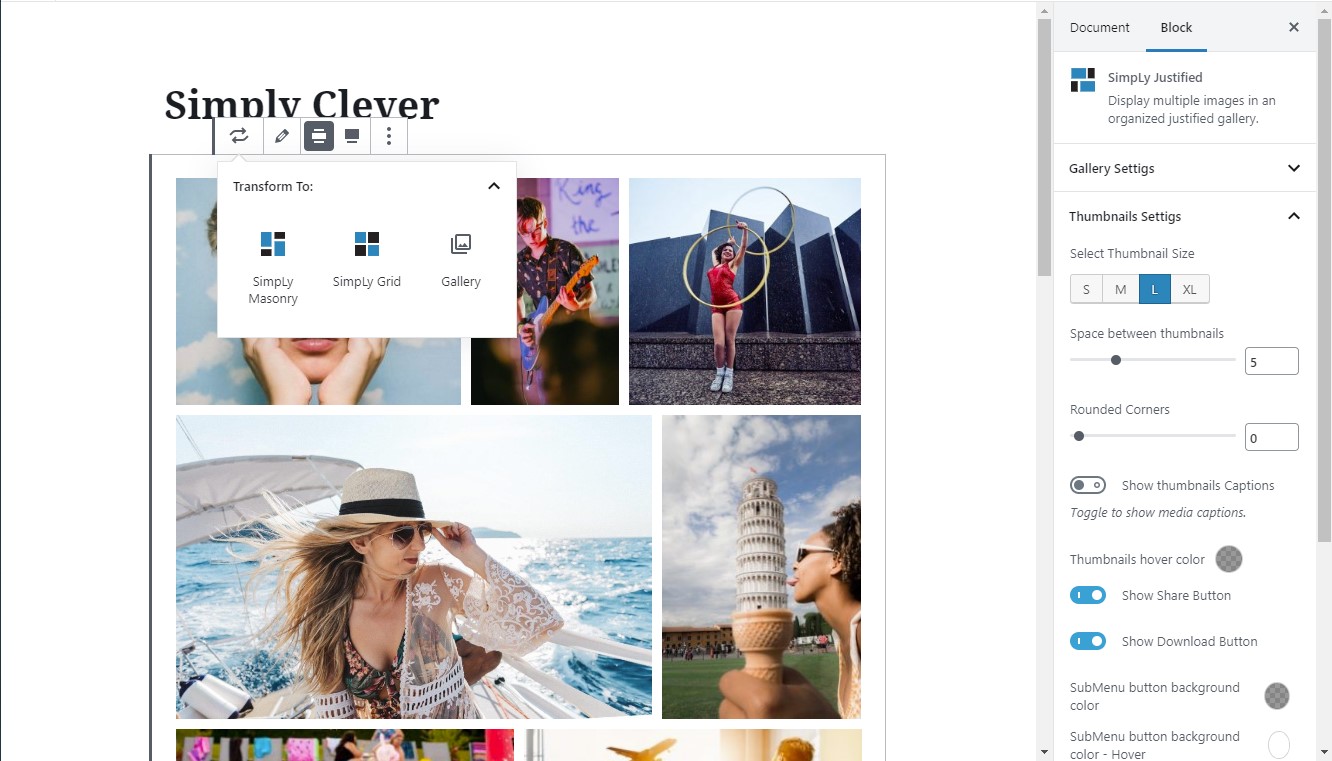
Yes. SimpLy Gallery supports the native WordPress block transform workflow. You can transform a WordPress Gallery block into a SimpLy Gallery layout such as Masonry, Justified, Grid, Slider / Carousel, or Viewer without rebuilding the gallery content from scratch. You can also transform a SimpLy Gallery block back into the native WordPress Gallery block when needed.
Are galleries static or dynamic?
Standard galleries are static by default, similar to native WordPress gallery blocks. Gallery content is saved with the post and updates when you edit the gallery in the WordPress admin. The free Import Media from SimpLy Folders/Tags workflow creates a static gallery snapshot from organized media. PRO dynamic modes can rebuild gallery content from supported sources, including selected SimpLy folders, and cache the result for a custom number of hours per block.
What is SimpLy Media Assistant?
SimpLy Media Assistant is an admin media organization workflow available from Media > SimpLy Assistant. It helps you organize WordPress media with SimpLy folders and tags, filter media, upload files, and reuse organized media in gallery workflows.
Can I use SimpLy folders with normal gallery creation?
Yes. All users can use Import Media from SimpLy Folders/Tags inside SimpLy gallery blocks to quickly create a normal static gallery from already organized media. PRO users can also create dynamic galleries based on selected SimpLy folders.
Can I choose where SimpLy Assistant appears?
Yes. The plugin settings let you choose the level of Assistant integration. You can enable or disable SimpLy folders in the WordPress Media Library, native WordPress media pickers, and the SimpLy gallery block picker workflow. Open Media > SimpLy Assistant, then use Options in the top-right corner of the screen to adjust these integration settings.
Does SimpLy Gallery create extra image sizes?
No. SimpLy Gallery uses the image sizes generated by WordPress, mainly Medium size for thumbnails and Large size for lightbox images. If the Medium size is too small for a frontend layout, the plugin can use the Large size for the thumbnail area when needed, without creating new media files. This keeps the Media Library cleaner and works well with existing WordPress image optimization, CDN, watermark, and media workflows.
How can I improve gallery image quality?
Adjust the default image sizes in Settings > Media before uploading images. If you change those settings after images have already been uploaded, you may need to regenerate thumbnails so WordPress can create the updated image sizes.
Does SimpLy Gallery support SEO-friendly media output?
Yes. Media Indexing is enabled by default and can expose gallery media through static fallback HTML. The recommended mode uses noscript fallback output, and inline HTML output is also available for all users.
Can I use the lightbox with native WordPress Image and Gallery blocks?
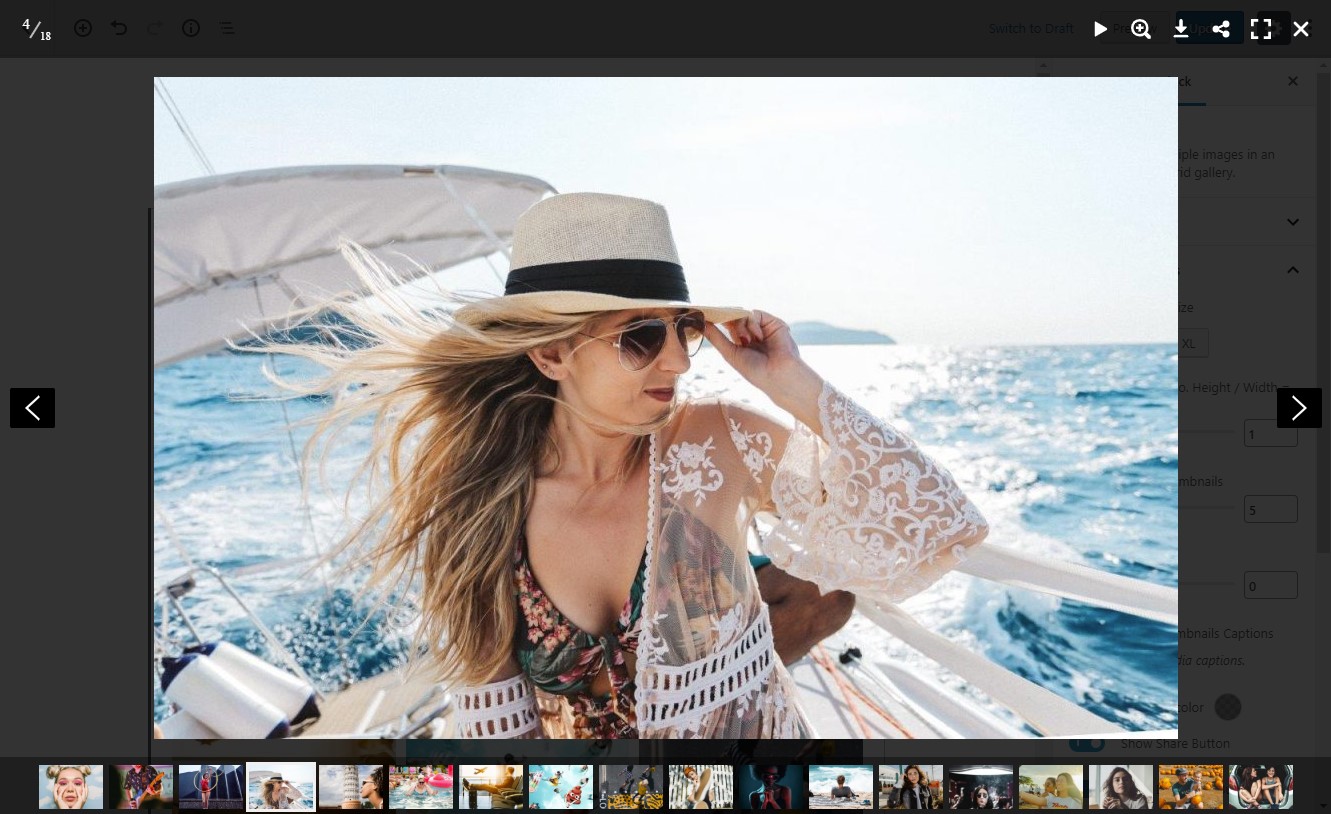
Yes. SimpLy Lightbox can work with native WordPress Image and Gallery blocks that use the "Link images to media files" option, as well as linked images and Classic Editor gallery content.
How is SimpLy Lightbox different from the native WordPress lightbox?
SimpLy Lightbox can manage lightbox behavior for a whole post or page. It can group separate Image blocks and native Gallery blocks into one browsable lightbox set with next / previous navigation, while still allowing unique lightbox settings per post or page.
Where are native WordPress gallery lightbox settings managed?
Global defaults are managed from SimpLy Gallery > Lightbox for native WordPress Gallery. Individual post or page settings are managed from the SimpLy Lightbox editor sidebar, opened from the lightbox icon in the editor toolbar.
Can I create albums?
Yes. Albums and Album Navigator are available in the free plugin. They let you group saved galleries under one entry point, while each saved gallery can also be published separately or reused with a shortcode, block, or Elementor widget.
Is Tags Filter included?
Yes. Tags Filter is available for gallery blocks in the free plugin. You can add tags directly in the Items Manager for each gallery item, type tags separated by commas, or choose from previously used SimpLy Tags. PLUS / PRO plans add more control over the tag list used in a specific gallery or block, plus advanced options such as deep linking.
Can I add tags to multiple gallery items at once?
Yes. Items Manager includes a multi-select mode, so you can select multiple gallery items and add or remove tags for the selected group.
Can gallery items be shown in random order?
Yes. Random ordering can be selected by the site owner in the WordPress admin. The frontend displays the randomized gallery output without adding a randomize button or extra control for visitors.
Are YouTube and Vimeo dynamic galleries included in the free plugin?
Manual YouTube and Vimeo gallery items are supported in the gallery workflow. Dynamic gallery sources, such as YouTube playlists and Vimeo collections, are available in PRO.
Does SimpLy Gallery Blocks use cookies or collect visitor data?
No. The gallery and lightbox features do not require cookies, and the plugin does not collect visitor data. External services such as YouTube or Vimeo may apply their own privacy behavior when their embedded players are loaded.
更新日志:
- Added: Multiple folder memberships per media file, with updated drag-and-drop, click actions, and Attachment Organization controls.
- Added: Folder editor with descriptions and colors, collection duplication without copying files, and folder details.
- Added: Folder sorting by date added or name across the Assistant, media importer, and Dynamic Gallery Builder.
- Improved: PRO media gallery caches now refresh on demand after tracked media and collection changes, including supported FileBird events.
- Added: Download SimpLy media folders as ZIP archives of original files from the Assistant and Media Library sidebar, with adjustable archive limits and cleanup controls.
- Security: Fixed a stored XSS vulnerability involving gallery tags and unauthorized global preset updates.
- Added: System Dashboard to the SimpLy Settings page with hosting details, plugin content statistics, and Media Settings information for gallery previews and lightbox images.
- Fixed: Sorting menu for galleries in static mode.
- Fixed: Folder context menu and color picker appearing behind the Media Library grid.
- Added: SimpLy Media Assistant for organizing, uploading, filtering, and reusing WordPress media with SimpLy folders and tags.
- Added: Import Media from SimpLy Folders/Tags for quickly creating static SimpLy galleries from organized media.
- Added: optional Assistant integration levels for the Media Library, native WordPress media pickers, and SimpLy gallery block picker workflow.
- Added: PRO dynamic gallery source support for SimpLy folders.
- Tweak: Updated Freemius SDK (2.13.4)
- Tweak: Updated Freemius SDK to version (2.13.2)
- Tweak: Improved title marker styling for wrapped lines.
- Tested up to WordPress 7.0
- Security hardening: fix XSS vectors and improve output sanitization.
- Improved YouTube Feed Quick Gallery routing, canonical URL handling, and playlist title editing in the playlist editor (PLUS / PRO).
- Fixed: minor bug fixes.
- Added: internal improvements for the premium YouTube Feed module.
- Fixed: minor bug fixes.
- Tweak: Updated Freemius SDK (2.13.1)
- Fixed: minor bug fixes.
- Fixed: MLA Pickers.
- Security improvement: Hardened input validation and output escaping for Album-related blocks/shortcodes and related REST endpoints to prevent unsafe attributes from being saved or rendered.
- Security update: video poster generation is now restricted to users with the upload_files capability, ensuring that only users allowed to upload media can create poster images and preventing unauthorized use of this functionality.
- Added Media Indexing settings to control how gallery media is exposed to search engines. Disabling static HTML output helps prevent gallery images from being indexed or included in XML sitemaps in most cases, while galleries continue to render via JavaScript.
- Fixed: XSS vulnerability (The ability for Contributors to create galleries has been disabled.)
- Updated: Internal improvements
- Tweak: Updated Freemius SDK (2.13.0)
- Added: the ability to attach a link to a VideoPress-hosted video to an image.
- Updated: Internal improvements
- Tweak: Updated Freemius SDK (2.12.2)
- Updated: Internal improvements
- Tweak: Updated Freemius SDK (2.12.1)
- Fixed: Custom CSS XSS Vulnerability Fixed. Field now has more restrictions.
- Added: Autoplay option for slideshow in Lightbox (Slideshow Autostart)
- Changed: Tabindex for thumbnails (set to 0) to comply with WCAG 2.2 standards.
- Fixed: minor bug fixes
- Updated: Internal improvements
- Fixed: Block Viewer - add "alt-text"
- Updated: Internal improvements
- Tweak: Updated Freemius SDK (2.10.1)
- Updated: Internal improvements
- Fixed: XSS vulnerability via saved HTML in the title link of any gallery item
- Tweak: Updated Freemius SDK (2.9.0)
- Fixed: issue with album initialization when adding an album to a page
- Updated: shortcode generation script
- Updated: Changed the algorithm for calculating responsive height for mobile devices (smartPhone)
- Tweak: Updated Freemius SDK (2.7.4)
- Fixed: issue with Additional CSS class(es)
- Fixed: an issue with the thumbnail panel on touchscreen devices
- Tweak: Updated Freemius SDK (2.7.3)
- Package updates, security improvements.
- Fixed: XSS vulnerability (properly escape custom class name and prevent use of undefined values)
- Fixed: minor bug fixes
- Fixed: a problem with the poster editor (impossibility to delete) in Items Manager
- Updated: Twitter icon to X
- Tweak: Updated Freemius SDK (2.7.2)
- Fixed: minor bug fixes
- Fixed: bug with displaying Media Library Assistant categories and tags
- Updated: system for loading the list of FileBird folders
- Tweak: Updated Freemius SDK (2.6.2)
- Fixed: minor bug fixes
- Added: gallery status to the “SimpLy Saved Gallery” block
- Added: gallery status to the "SimpLy Gallery" dashboard widget
- Fixed: shortcode rendering for unpublished galleries
- Tweak: Updated Freemius SDK (2.6.1)
- Added: support for YouTube Shorts
- Fixed: AlbumNavigator - error displaying some galleries
- Added: mode for automatically loading pages after the first click of the "Load More" button Live DEMO
- Update: Freemius SDK
- Fixed: Albums and AlbumNavigator - error displaying some galleries
- Update: Freemius SDK
- Tweak: Updated Freemius SDK (2.5.10).
- Fix: Security fix.
- Update: Freemius SDK
- Added: Gallery Settings -> 'Apply Global Preset'
- Optimized: Gallery Settings -> 'Use Global Preset'
- Update: Freemius SDK
- Added: support for publishing folders from Vimeo
- Fixed: management of dynamic galleries
- Fixed: minor bug fixes
- Update: Freemius SDK
- Fixed: minor bug fixes (video)
- Update: Freemius SDK
- Added: the ability to create a poster for a self-hosted video (.mp4). Just select a frame and set it as a featured image for your video.
- Fixed: SimpLy Viewer - item description
- Fixed: playlist icon in YouTube player
- Update: Freemius SDK
- Update: for posters on video and audio files, only the Featured Image will be used.
- Added: Clean Style for Viewer
- Fixed: issue with download button (Viewer Block)
- Fixed: minor bug fixes (Vimeo Categories)
- Added: New block with Slider - Viewer
- Fixed: security vulnerability fixed - improved permission check for different user types for Ajax requests. With the assistance of Erwan Le Russo (Security Research Engineer, WPScan / Jetpack / Automattic)
- Fixed: issue with lightboxes in Classic Editor
- Fixed: minor bug fixes (Vimeo)
- Update: Freemius SDK (2.5.3)
- Added: multiselect option for Att. Category and Att. Tag (Media Library Assistant). (* PRO version).
- Fixed: Minor bug fixes
- Added: random sorting mode for dynamic galleries (Att. Category, Att. Tag, FileBird Media Folders and SimpLy Tags)
- Fixed: sorting system for Vimeo collections (as far as Vimeo API allows). The sequence of video clips must match the source on the Vimeo service.
- Fixed: Minor bug fixes
- Updated: poster display method for audio files (MP3)
- Fixed: Minor bug fixes
- Update: Freemius SDK
- Fixed: Showcase Gallery Block - Next / Previous Buttons
- Upgrade: Zoom mode changed in Lightbox
- Fixed: Minor bug fixes
- Added the ability to activate comments on gallery posts
- Fixed: Lightbox description
- Tried to fix the problem in Jetpack - Enable Lazy Loading for images
- Fixed: Minor bug fixes
- Fixed: issue with Share and Download buttons
- Fixed: Minor bug fixes
- Updated: block data optimization
- Added: dynamic mode for galleries - automatically update descriptions and tags for gallery items. Disabled by default. (* PLUS version).
- Fixed: Minor bug fixes
- Added: ability to create dynamic gallery for selected SimpLy tags (* PRO version).
- Fixed: HTML validity errors
- Added: new Showcase Gallery Block (* PLUS version)
- Added: mode to play the entire YouTube playlist (* PLUS version).
- Fixed: Minor bug fixes
- Added: Responsiveness improvement. Grid, Masonry, Justified, Slider, Portfolio, Portfolio2 Blocks
- Fixed: Minor bug fixes
- Added: SimpLy Gallery permalinks. Settings -> Permalink Settings
- Fixed: Minor bug fixes
- Fixed: Freemius - Security fix
- Added: Block and Preset Selector for Album shortcode.
- Added: Preset editor for Albums and AlbumNavigator blocks (* PLUS version).
- Added: Mode - Display Image in original Size in Lightbox (* PLUS version).
- Fixed: Minor bug fixes
- Added: New Album Navigation Block (* PLUS version)
- Fixed: Lightbox for Native Gallery Block and Native Image Block
- Fixed: Major bug fixes
- Added: ability to publish WooCommerce Product List, Category or Tag (* PRO version)
- Fixed: MLA Categories, Tags and FileBird Folders - convert to static mode (import content)
- Fixed: Minor bug fixes
- Added: ability to publish Vimeo Showcase / Album, User Uploads, Channel, Category (* PRO version)
- Added: Paged Mode - "Show more" for Grid, Masonry, Justified, Portfolio and Portfolio2 Blocks (* PLUS version)
- Fixed: Minor bug fixes
- Fixed: Justified Block and Grid Block layouts (Gallery without background)
- Fixed: Diamond Block - YouTube playlist
- Added: New Diamond Gallery Block (* PLUS version)
- Fixed: Performance improvement
- Fixed: Minor bug fixes
- Added: New Accordion Gallery Block (* PLUS version)
- Added: New display mode (Fit) for images in the Slider Block (* PLUS version)
- Fixed: Errors in the block settings panel in the site customization mode (Customize)
- Fixed: Minor bug fixes
- Added: Improved block transformation mode
- Fixed: Minor bug fixes
- Added: Items Manager - Bulk Select. It is now possible to easily add (remove) a tag to a group of items. And quick removal of a group of elements from the gallery is available
- Fixed: Removed preloading for videos that have a poster
- Fixed: improved Blocks compatibility with iOS 11.3 - 13.3
- Fixed: Albums Block - Gallery Preloader
- Fixed: Slider/Carousel Block - some CSS styles
- Added: New Editor for Tags Filter - Premium Blocks
- Added: DeepLinking for Tags Filter - Premium Blocks
- Added: Ability to disable the "All" button in the Tags Filter - Premium Blocks
- Updated: Plugin Core - Performance improvement
- Fixed: Albums Lightbox Settings - Caption source
- Fixed: All JavaScripts that the user added to the image caption, description and title will be filtered and, if the user has no rights, will be blocked. At the request of Vishnupriya Ilango of Fortinet's FortiGuard Labs ( CVE-2021-24667 ).
- Added: Albums Block
- Fixed: Minor bug fixes
- Fixed: SimpLy Gallery Custom Post - blocking third-party blocks
- Fixed: Lightbox for Native WordPress Gallery - erroneous actuation
- Fixed: Performance improvement
- Fixed: conflict with Jetpack
- Fixed: Performance improvement
- Fixed: Global Preset Priority Render
- Added: Horizon Gallery Block (* PLUS version)
- Fixed: Performance improvement
- Fixed: Minor bug fixes
- Added: Split Carousel Block (* PLUS version)
- Fixed: saving custom link with parameters
- Fixed: transitions between blocks
- Added: source manager (item link or post) to share the item (Share Bar Settings)
- Added: dynamic gallery displays YouTube Playlist (* PRO version)
- Added: Gallery Items Click Action - Attachment Page
- Fixed: Random ordering
- Fixed: Minor bugs
- Added: dynamic gallery by Media Library Assistant categories, tags (* PRO version)
- Added: dynamic gallery displays FileBird folder (* PRO version)
- Fixed: block styles
- Added: Elementor Widget for Saved SimpLy Gallery
- Added: Dashboard Widget
- Updated: SEO Optimization
- Added: SimpLy CPT and Shortcode
- Added: SimpLy Gallery Widget
- Added: Block for SimpLy CPT
- Added: Storage mode for gallery. The SimpLy gallery will be available (in a simplified style) to visitors after deactivating the plugin or removing the block used
- Updated: Save Method - no longer need additional publishing permissions for Editors (and other roles) in Multisite (WordPress MU)
- For galleries created in earlier versions of the plugin, an update (Reload Button) and re-save procedure is required (Update Page / Post).
- Added: Custom CSS Editor for gallery blocks
- Added: Support for Featured Images for videos (Media Library)
- Added: Premium List Block
- Added: Capabilities editor for Admin and Editor Roles - Multisite (WordPress MU)
- Fixed: WPML
- Fixed: Portfolio & Portfolio2 Blocks Tags Filter
- Fixed: RTL support for Lightbox
- Added: Premium TagsBox Block - Covers Gallery
- Fixed: SimpLy Slider - low quality video poster
- Fixed: SimpLy Grid - low quality video poster
- Added: Hidden Mode
- Added: Premium Portfolio2 Block
- Added: Filters (by Tags)
- Added: Tags for Items
- Added: Premium Portfolio Block
- Fixed: Slider error on touch device
- Fixed: bug Lightbox for WP Native Image
- Optimization: Slider Slideshow speed
- Fixed: bug Lightbox for WP Native Image
- Added: New Block - Slider / Carousel Gallery
- Fixed: bug Lightbox for native gallery with some buttons/links
- Fixed: Resolved conflict with plugins Smush and Jetpack - Lazy Load system
- Added: YouTube and Vimeo video gallery support
- Added: Lightbox for native gallery for Archive Page (Category Page)
- Fixed: Minor bug fixes
- Added: compatible with Yoast SEO Plugin - Images in the XML sitemap. Need reload SimpLy gallery data and update Post/Page
- Fixed: Poster (Video and Audio) Error with small images
- Added: Now you can add poster for Video and Audio elements
- Added: Export / Import gallery content
- Added: Random sorting for gallery (frontend)
- Fixed: Conflict with native Image block
- Fixed: Minor bug fixes
- Optimization: performance improvement - Go to Block Sidebar -> Items Manager -> Reload Gallery and Update Post/Page
- Added: Now you can attach an additional link to an element
- Added: Ability to disable lazy loading mode
- Added: Gallery without background mode (Block without padding)
- Fixed: Minor bug fixes
- Fixed: HTML Tags in the caption
- minor fix
- Big changes - Major Update!
- Added: Supports Video MP4 and Audio MP3
- Added: Gallery sorting by Uploaded date, Title, Caption or Custom
- Added: Caption source - Caption, Title, Alt
- Added: Thumbnail Caption Position (Top / Bottom)
- Added: Option - disable Lightbox for a specific gallery
- Added: Caption source for Lightbox - Caption, Title, Alt
- Fixed: plugin conflict - removing featured image of a WooCommerce product
- Fixed: Lightbox Plugin conflict with custom posts
- Fixed: removed duplicate button (Settings) on Plugins page
- Fixed: Error on page 404
- Added: Lightbox for native WordPress Gallery (Gutenberg/Classic Editor)
- Added: Gutenberg Sidebar plugin for lightbox control.
- Added: Settings Page for Global Lightbox Presets
- Added: Settings Page for Blocks Presets
- Fixed: “Scroll down the page for the item you viewed” - smooth scroll theme compatibility
- Fixed: input fields in the ColorPickers
- Added: “Space between thumbnails” - increased limit to 40px
- Added: Justified Thumbnail Size - XXL size (Height 450px +)
- Added: partial support for HTML tags in pictures captions
- Fixed: Corrected the proportions of thumbnails when upload images directly into the gallery block
- Added: Global Preset - You modify the Global Preset to change all the galleries associated with this preset (automatically)
- Added: For Masonry and Grid new settings - Columns, Min. Thumbnails width (Mobile Device)
- Added: For Justified new option - Last Row Mode
- Added: For Lightbox new transition mode - Fading/Slipping
- Added: Thumbnails - native lazy loading
- Changed: Data structure
- Fixed: Lightbox – Caption on Mobile Device
- Fixed: Thumbnails – Caption on Touch Device
- Fixed: Lightbox Settings and some bugs
- Added: Show image caption in Lightbox (this option will be disabled by default)
- Added: Option - Prevent downloading in Lightbox (this option will be enabled by default)
- Fixed: Lightbox Settings - Copyright Alert
- Fixed: JavaScript issues with Grid and Justified Editors
- Fixed: CSS Grid and Justified Blocks
- Fixed: minor JavaScript issues with Blocks Editor
- Added: HTML5 Browser History support (deep linking)
- Added: Lightbox - mouse wheel navigation mode
- Added: auto scroll gallery (follow the one viewed in Lightbox)
- Initial release on WordPress.org. Enjoy!