
SiteAuditHub Case Studies: Portfolio & Project Showcase
| 开发者 | siteaudithub |
|---|---|
| 更新时间 | 2026年11月15日 23:19 |
| PHP版本: | 7.4 及以上 |
| WordPress版本: | 7.1 |
| 版权: | GPLv2 or later |
| 版权网址: | 版权信息 |
详情介绍:
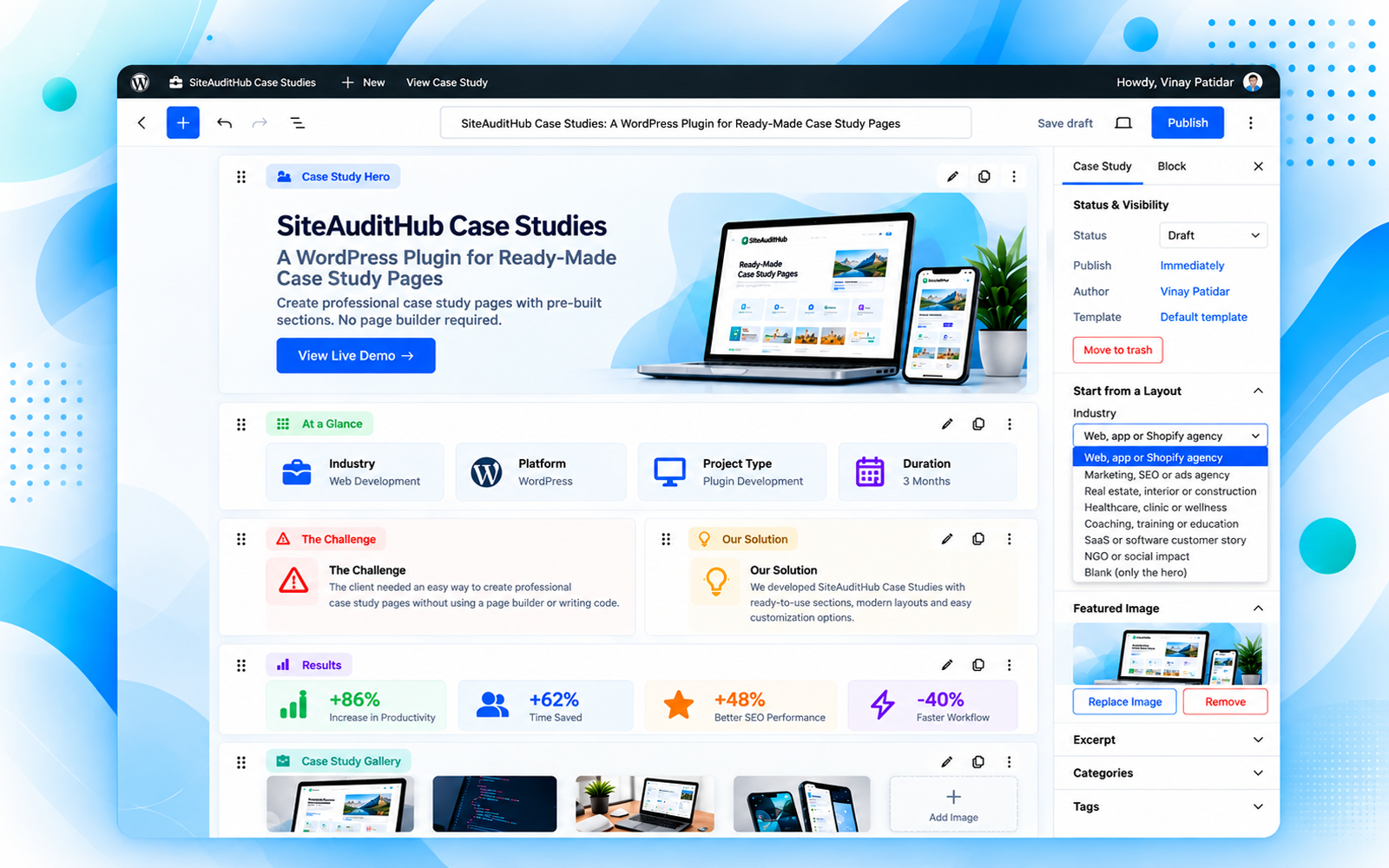
- Hero - title, introduction, category and main image
- At a glance - a short summary in cards with icons (industry, project, technology, website…), with an optional title and description
- Key facts - industry, services, location, website or any label you like
- Story sections - Overview, Challenges, Solutions, Approach, Conclusion, or your own; add paragraphs, lists, images and buttons inside
- Results - big number cards and/or a before-and-after table; the improvement % is calculated for you
- Gallery - grid or masonry, with a keyboard- and swipe-friendly lightbox
- Testimonial, FAQ (one answer open at a time, with FAQ structured data), Call to action and Related case studies
- Project Team - the people who worked on the project, with photo (or initials), name, role, email and LinkedIn; two layouts: large photo cards or a compact list
- Case Studies block - on any page, show a list of case studies (grid or list), one case study as a card, or one section of a case study
- A demo case study (draft) with every section filled in is added on activation, so you never have to hunt for sections; add it again any time from Case Studies → Settings
- Duplicate any case study in one click (from the list or the editor)
- "Written by" author line under the introduction
- Smooth scrolling to sections, with the fixed header of your theme taken into account
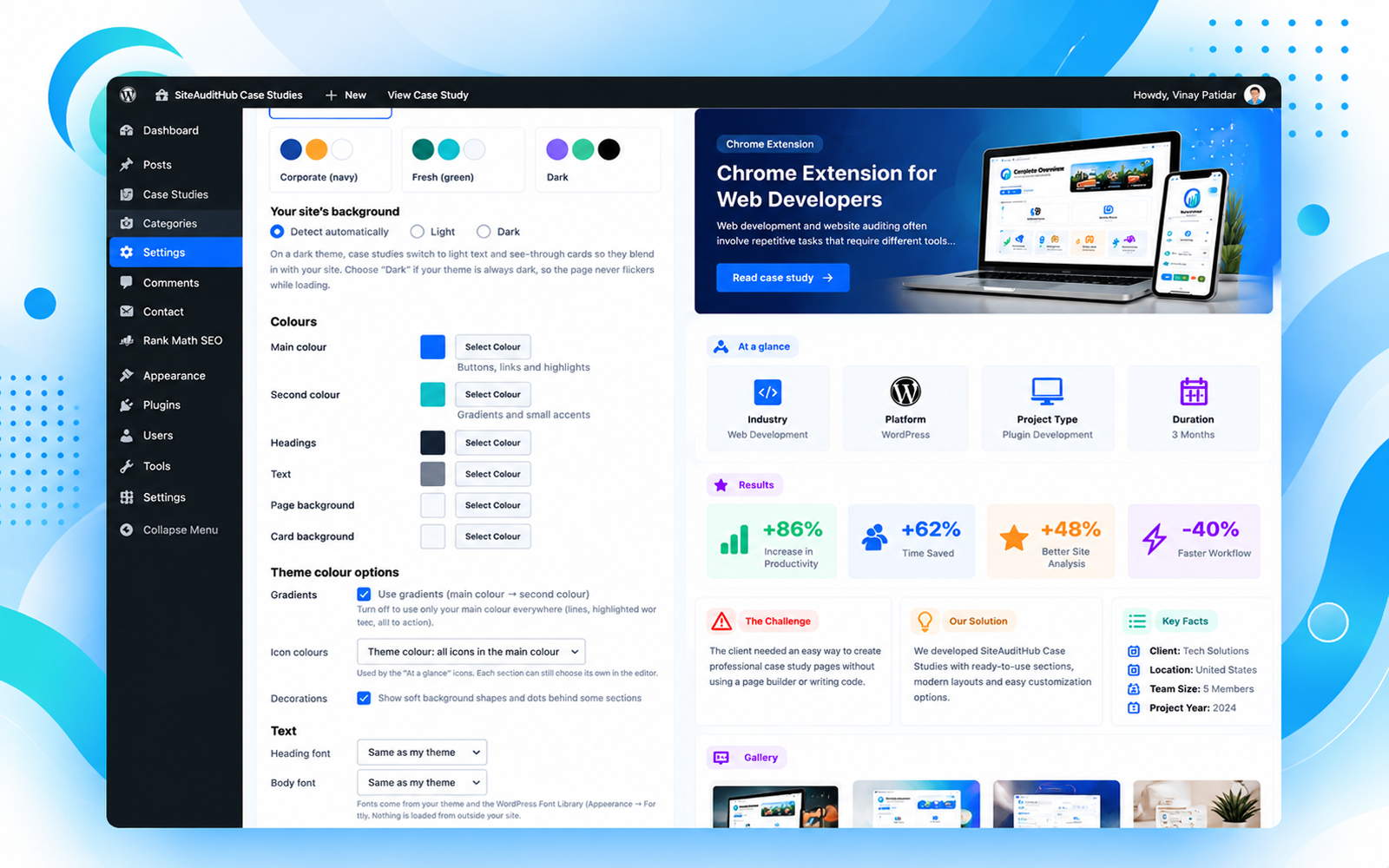
- Works on dark and light themes: detects a dark theme and switches to light text automatically
- Text sizes for Heading 1, 2, 3 and paragraphs, separately for desktop and phones (tablets get a size in between automatically). Heading 1 is 37px by default.
- Theme colour options: gradients on or off, icons in your main colour or colourful, decorative shapes on or off.
- Clean headings (one H1), automatic table of contents with section links
- FAQ structured data; Article and breadcrumb data and a meta description when no SEO plugin is active (Rank Math, Yoast SEO and others are detected so nothing is duplicated)
- Lazy-loaded, responsive images; the hero image loads first
- No jQuery on the front end, no external fonts or requests, CSS and JavaScript load only on pages that use them
- Make gallery and hero photos lighter with the free image compressor before you upload them.
- See how your case study link will look on LinkedIn, Facebook, X and WhatsApp with the social preview checker.
- Check the published page for title, heading, alt text and schema issues with the SEO analyzer.
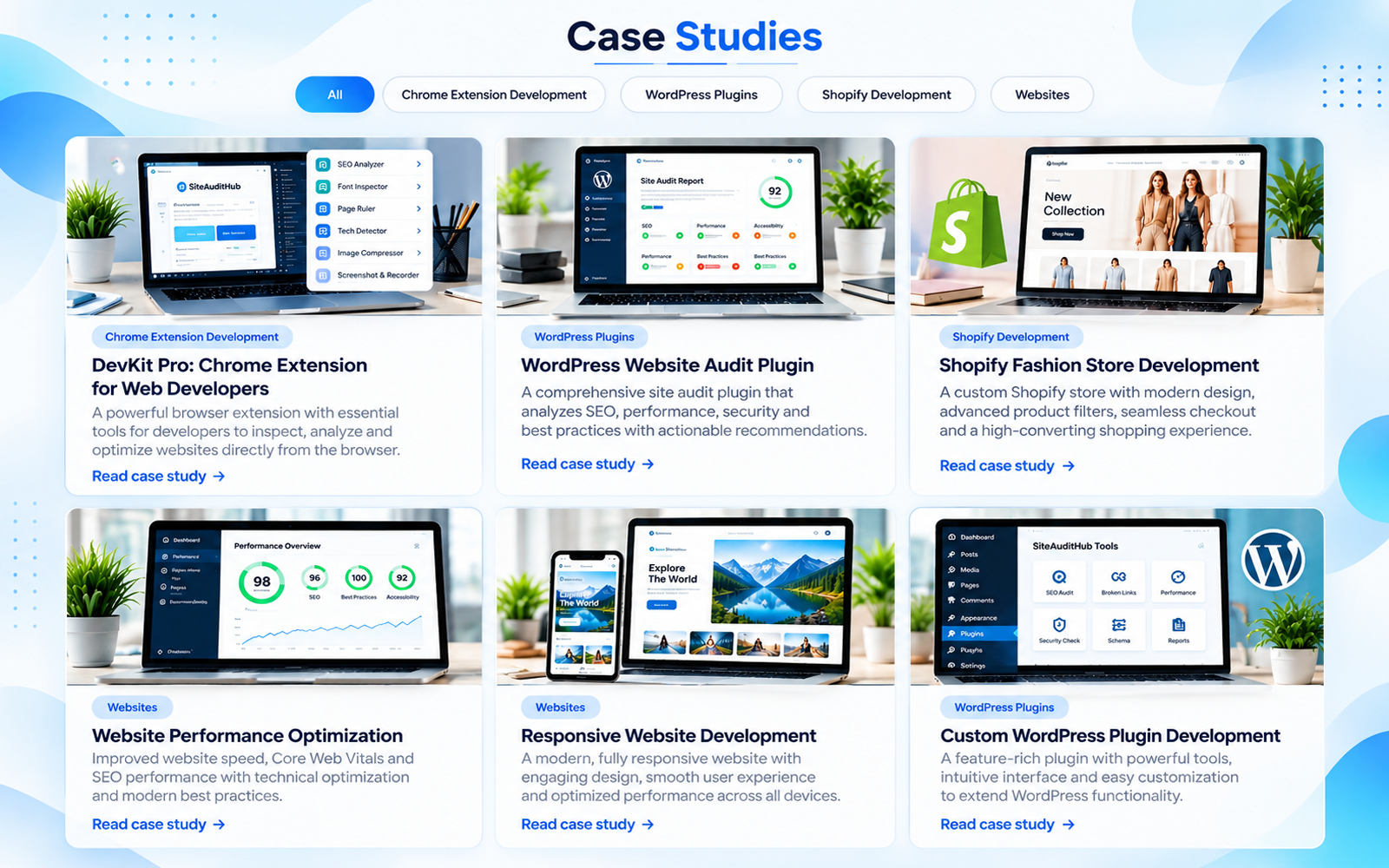
- Listing page at /case-studies/ (change the word in settings)
- Category pages with filter tabs that switch without reloading the page
- Case study pages at /case-studies/my-project/ or, if you prefer, /my-project/ - SiteAuditHub Case Studies keeps slugs unique so pages and case studies never clash
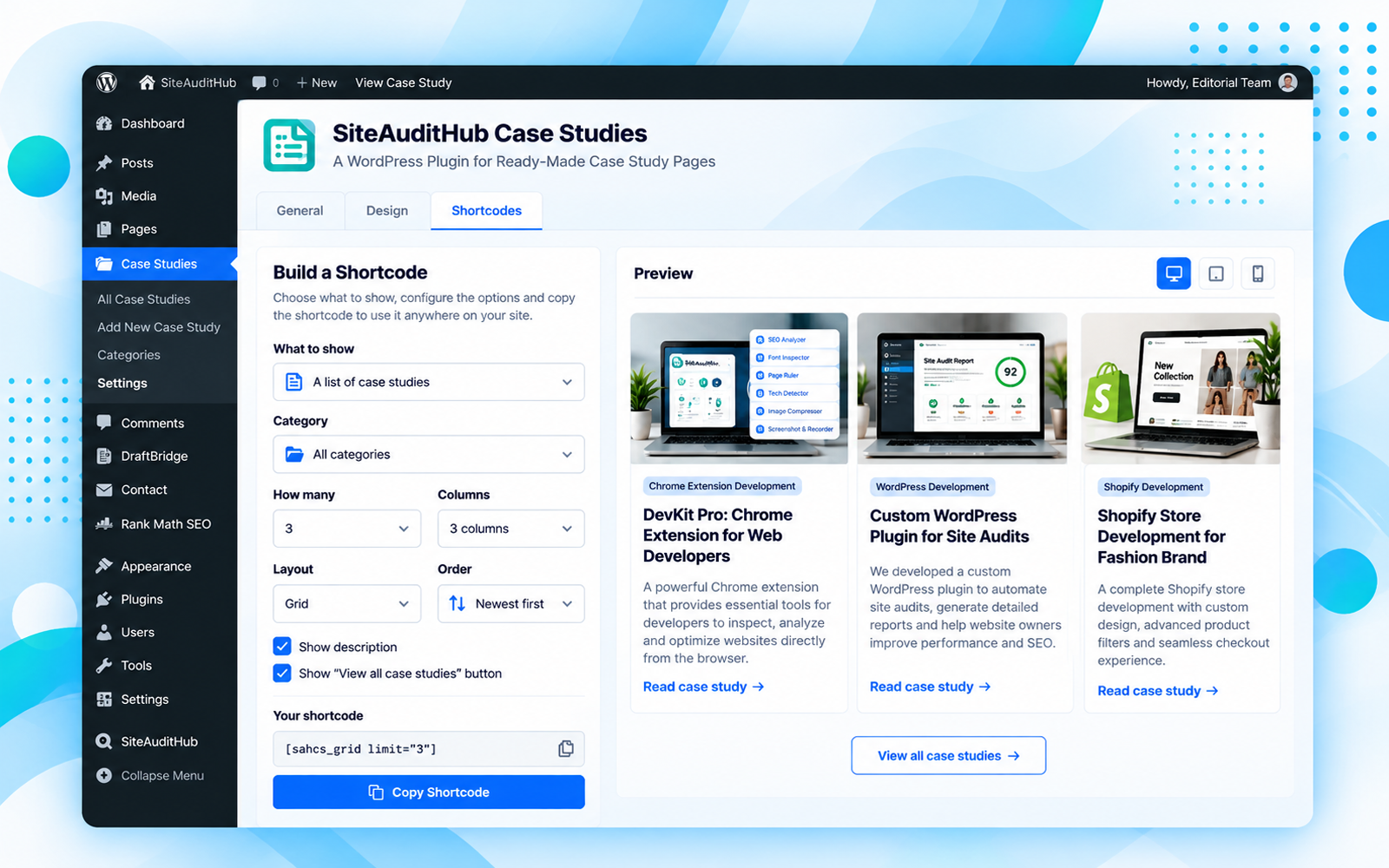
[sahcs_grid limit="6" category="shopify" columns="3" filters="yes"][sahcs_card id="12"][sahcs_section id="12" section="results"](sections: hero, glance, facts, results, gallery, testimonial, team, faq, cta, overview, challenges, solutions, approach, conclusion)
安装:
- Upload the plugin and activate it.
- Go to Case Studies → Add New. Choose a layout for your industry in the "Case study" panel of the right sidebar, or use the default one.
- Fill in the sections and publish.
- Adjust addresses and design in Case Studies → Settings.
屏幕截图:
常见问题:
Does it work with my theme?
Yes. With block themes SiteAuditHub Case Studies adds templates you can edit in Appearance → Editor. With classic themes it uses your theme's header and footer. Theme developers can override the templates by copying them to your-theme/sahcs/.
Can I remove "case-studies" from the address?
Yes, choose the short address in Settings → General. It needs the "Post name" permalink structure. If a page or post already uses the same slug, SiteAuditHub Case Studies adds -2 to the case study so nothing breaks.
Will empty sections show on the page?
No. A section with no content is hidden automatically, so you can keep the full layout and fill only what you need.
Does it add structured data?
The FAQ section always adds FAQPage data. Article and breadcrumb data and a meta description are added only if no SEO plugin is active.
My shortcode shows nothing. What is wrong?
When a shortcode has a wrong id, category or section name, people who can edit the site see a short note explaining what to fix. Visitors never see this note.
Can I show who wrote the case study and who worked on the project?
Yes. The author's name and photo appear under the introduction ("Written by …"); turn it off or change the wording in Settings → General, or hide it for one case study in the Hero section. Add the Project Team section to credit the people who built the project. Team members are also added to the page's structured data as contributors, including when Rank Math or Yoast SEO is active.
Does it work if my site uses the Classic Editor?
Yes. Case study sections are made in the block editor, so SiteAuditHub Case Studies keeps the block editor on for case studies only, even when the Classic Editor or Disable Gutenberg plugin is active. Your posts and pages keep the editor you chose. Developers can turn this off with add_filter( 'sahcs_use_block_editor', '__return_false' );. Case studies written in the classic editor still get the title, author, table of contents and page layout.
Does it work with WPML, Polylang and other translation plugins?
Yes. With WPML, case studies, categories, the texts in every section and the texts in Settings can be translated (a wpml-config.xml file is included). With Polylang, turn on "Case Studies" under Languages → Settings → Custom post types; the Settings texts appear under Languages → Translations. Case studies you pick in blocks and shortcodes automatically switch to the page's language. The plugin itself is translation-ready (languages/sahcs.pot) and supports right-to-left languages.
Can I use it with Elementor, Divi, WPBakery or another page builder?
Yes. Add case studies anywhere with the shortcodes (grid, single card or a single section), for example in Elementor's Shortcode widget or Divi's Code module; the styles load in the page head, also inside the builder's editor. If you design a case study itself with a page builder (or pick a page template such as Elementor Canvas), SiteAuditHub Case Studies leaves that page alone so the builder's design shows exactly as you made it.
How do I show only the case studies I choose?
In Case Studies → Settings → Shortcodes, pick "Hand-picked case studies", tick them in the order you want and copy the shortcode, for example [sahcs_grid ids="245,312,418"]. In the block editor, the Case Studies block has the same "Choose myself" option.
Is it SEO friendly?
Yes. Each case study page has one H1 (its title), sections use H2 and their parts H3, with no skipped levels; an H1 typed into the text is shown as H2. It adds Article, FAQ and breadcrumb structured data when no SEO plugin is active, and works alongside Rank Math and Yoast SEO.
Which browsers are supported?
Current versions of Chrome, Edge, Safari (16.2 and newer, including iPhone and iPad) and Firefox. Layouts adapt to phones, tablets and desktops.
Does it connect to any outside service or collect data?
No. SiteAuditHub Case Studies does not send any data anywhere, does not track visitors and loads no files from other websites. All styles, scripts and icons are included in the plugin. (Author photos in the "Written by" line come from WordPress itself, which uses Gravatar unless you turn avatars off in Settings → Discussion.)
Will it conflict with my theme or other plugins?
Everything the plugin adds (functions, settings, CSS classes, blocks, shortcodes) starts with "sahcs", and its styles only apply inside its own sections, so it does not change the rest of your site. Styles and scripts load only on pages that show case studies. The small script that measures your header and background is marked so caching and optimisation plugins (WP Rocket, LiteSpeed Cache, Autoptimize, SiteGround Optimizer, Cloudflare) do not delay it. After updating, clear your cache plugin's cache once.
Do I have to use the Hero section?
No. If a case study has no Hero section, SiteAuditHub Case Studies shows the title, categories and featured image at the top automatically.
Is it accessible and does it support right-to-left languages?
Yes. Colours meet WCAG AA contrast, the table of contents, FAQ and image lightbox work with a keyboard, and the layout supports right-to-left languages.
What happens to my case studies if I delete the plugin?
Your case studies stay in the database. Deleting the plugin removes only its settings.
更新日志:
- Fix: version 1.2 could show a critical error in the dashboard because a file was missing from the release. Please update.
- New tutorial video in the plugin description.
- New: an optional, dismissible reminder for admins asking for an honest review after 7 days and 2 published case studies. It appears on the Dashboard and Case Studies screens, at most three times, and sends nothing anywhere.
- New: Leave a review and Send a suggestion links on the Plugins screen.
- New: a demo case study (draft) with every section filled in is added when the plugin is activated, so you can see a finished page and copy it. Add it again any time from Case Studies → Settings → General.
- New: "Text before the number" and "Text after the number" fields in the Results section, for symbols like $, ₹ or %.
- Fix: the hero no longer sticks to the top of the screen in themes that make every header element sticky.
- Fix: at least 50px of space between the hero and the content below it, even when the theme removes block margins.
- Fix: Related Case Studies keeps its normal card size when fewer case studies are found than the number chosen.
- First release: ready-made case study sections, industry layouts, listing page (grid or list), table of contents, Project Team, author line, Case Studies block, shortcodes with generator, duplicate, new-tab and nofollow link options, dark-theme support, SEO structured data and full keyboard and screen-reader support.