
Slug Search and Admin Columns
| 开发者 | codeandcore |
|---|---|
| 更新时间 | 2026年10月19日 16:15 |
| 捐献地址: | 去捐款 |
| PHP版本: | 7.4 及以上 |
| WordPress版本: | 7.1 |
| 版权: | GPLv2 or later |
| 版权网址: | 版权信息 |
详情介绍:
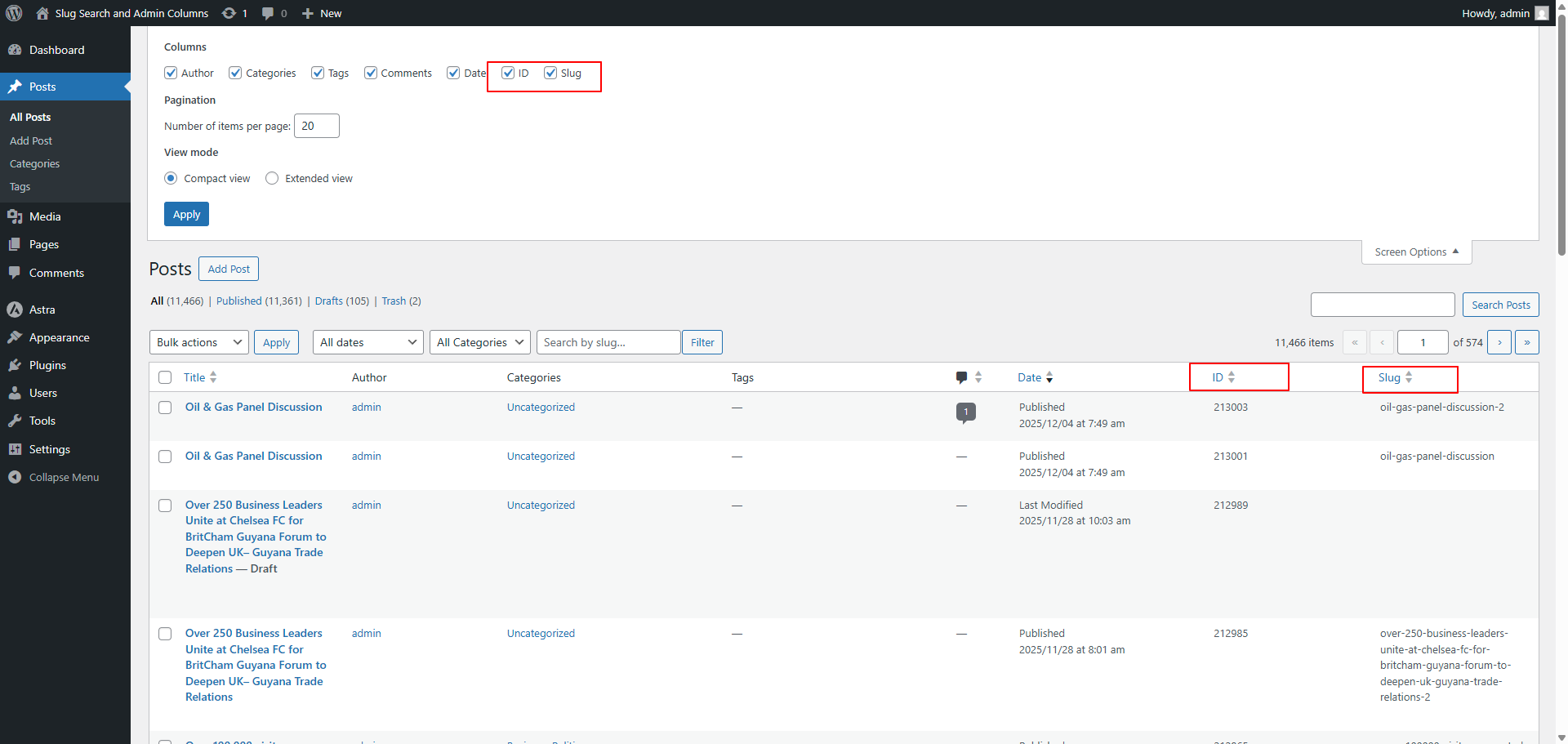
- Slug Search - Search posts, pages, and custom post types by their slug (URL path)
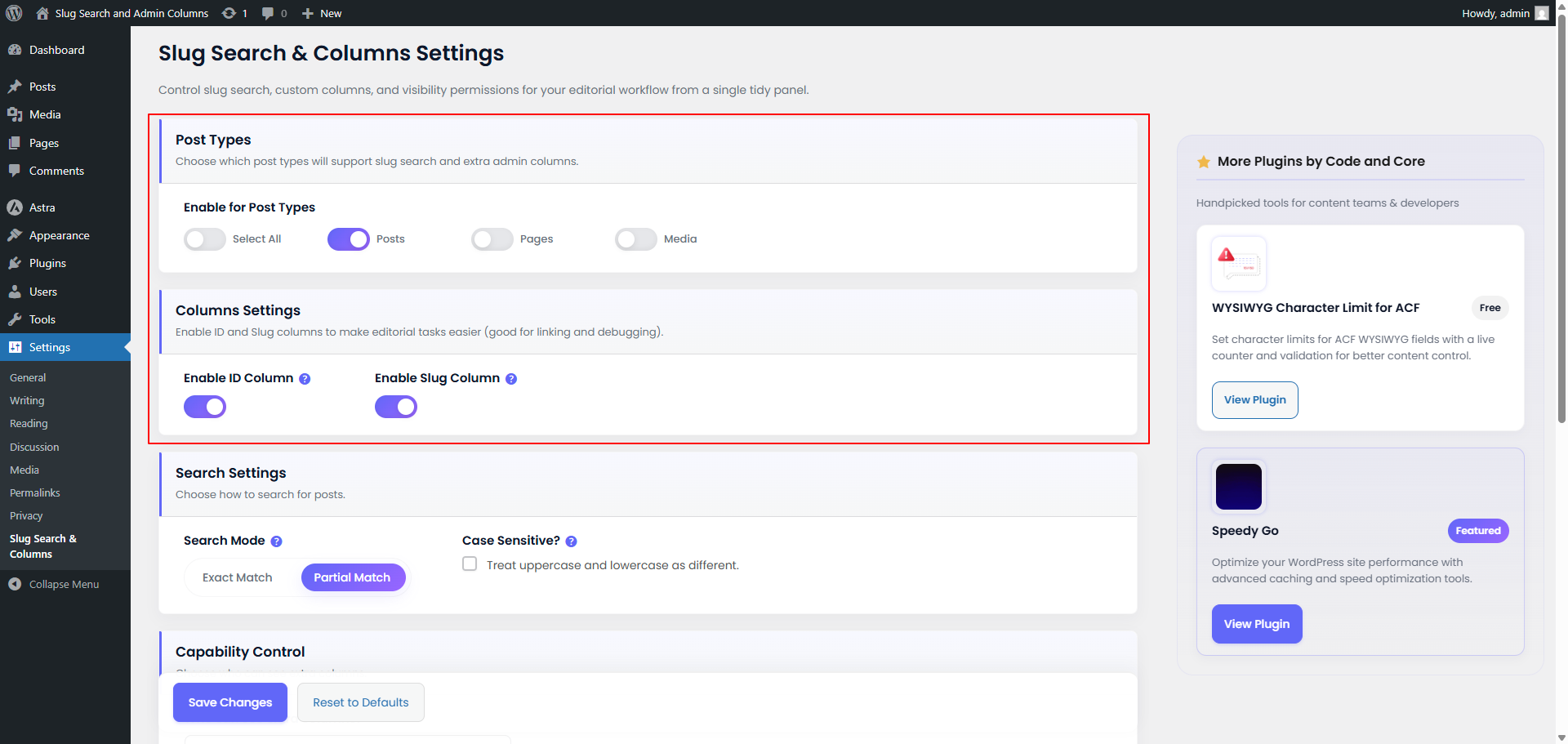
- Advanced Search Settings - Choose Slug Only, Title & Slug, or Title, Content & Slug search
- Copy to Clipboard - Instantly copy the slug directly from the post list table
- Sortable Columns - Add ID, Slug, and Last Modified Date columns to admin post lists with sorting capability
- More Custom Columns - Easily display Word Count and Featured Image (Thumbnail) columns
- Export to CSV - One-click export of your current post list (including applied filters and custom columns) to a CSV file
- Integrated Search - Works directly with the default WordPress search box
- Smart Detection - Automatically detects slug searches without configuration
- Post Type Control - Enable features for specific post types only
- User Permissions - Control which user roles can see the columns and search
- Customizable Labels - Rename column headers to match your workflow
- Clean & Secure - Follows WordPress coding standards with proper sanitization and capability checks
- Privacy Focused - Optional opt-in telemetry with full user control
- Quickly find posts by their URL slug for efficient content organization
- See post IDs at a glance for reference and linking
- Sort content by ID or slug for better overview
- Easily identify and manage URL structures
- Quick access to slug information for optimization
- Streamline content audits and URL management
- Clean, well-documented code following WordPress standards
- Lightweight and performance-optimized
- No conflicts with other plugins
- Developer-friendly with action hooks and filters
- Editorial teams managing large content libraries
- SEO experts optimizing URL structures
- Developers needing quick access to post IDs
- Portfolio managers organizing custom post types
- Agencies managing multiple client sites
- Anyone who wants better admin tools
- All user input is properly sanitized and validated
- Capability checks ensure only authorized users access features
- Optional telemetry with full transparency and user control
- Clean uninstall removes all plugin data
- Regular security updates and maintenance
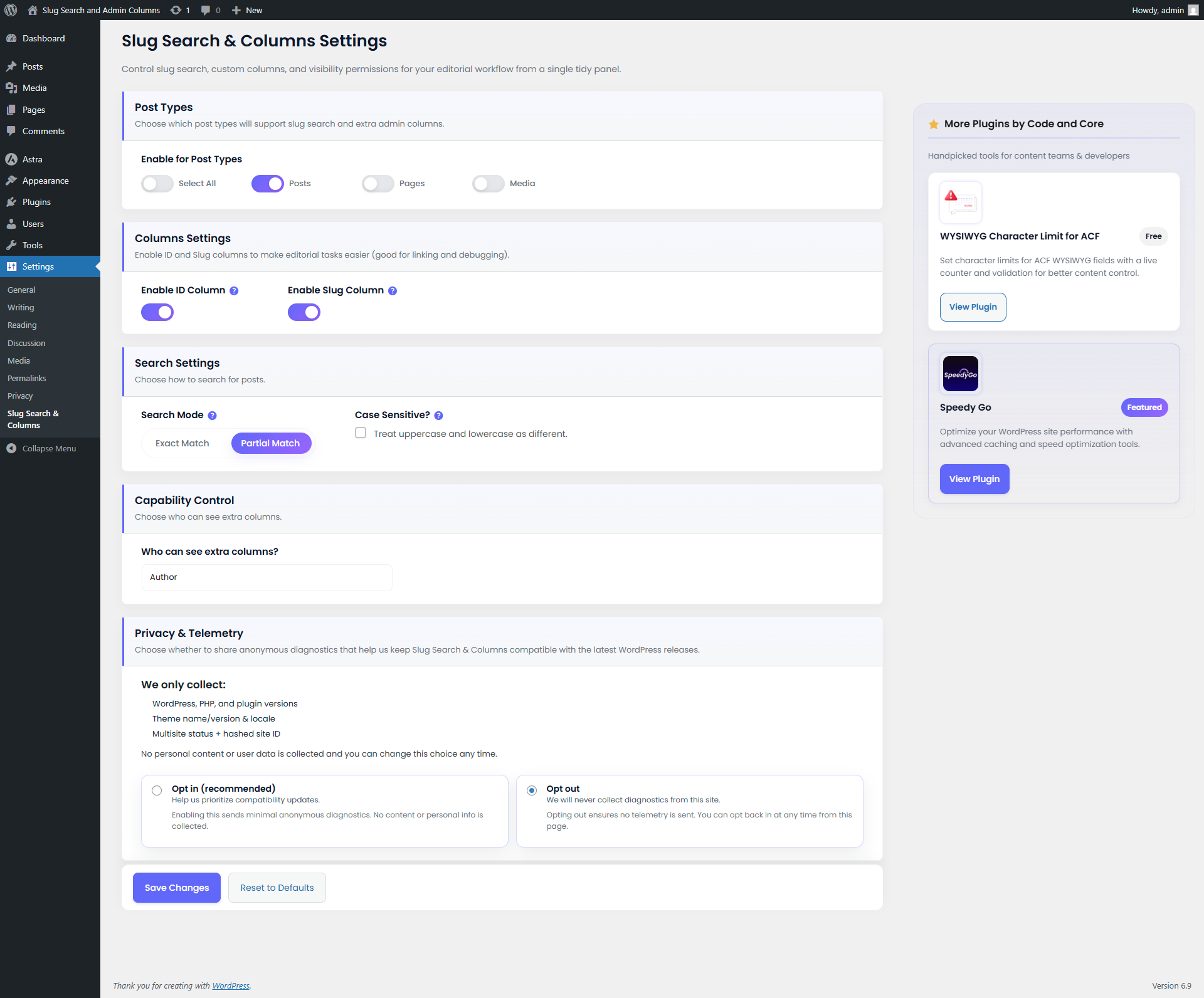
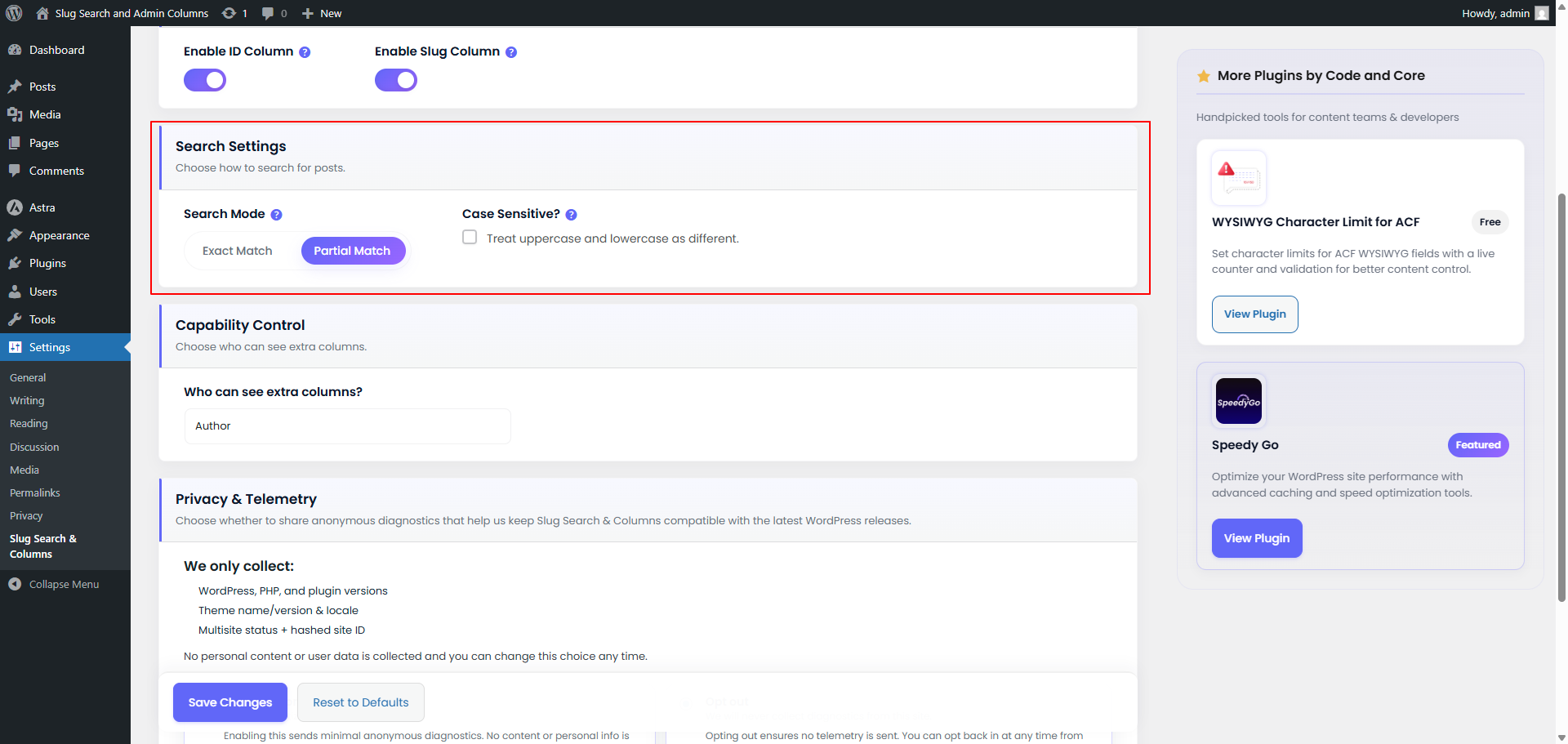
- Comprehensive settings page with helpful tooltips
- Clean, intuitive interface
- Professional support from Code and Core team
安装:
- Log in to your WordPress admin panel
- Navigate to Plugins → Add New
- Search for "Slug Search and Admin Columns"
- Click Install Now and then Activate
- Go to Settings → Slug Search & Columns to configure
- Download the plugin ZIP file
- Log in to your WordPress admin panel
- Navigate to Plugins → Add New → Upload Plugin
- Choose the downloaded ZIP file and click Install Now
- Click Activate Plugin
- Go to Settings → Slug Search & Columns to configure
- Navigate to Settings → Slug Search & Columns
- Select which post types to enable (Posts, Pages, Custom Post Types)
- Enable ID and/or Slug columns as needed
- Set user capability level for column visibility
- Customize column labels if desired
- Click Save Changes
屏幕截图:
常见问题:
Does this work with custom post types?
Yes! The plugin works with all public post types. You can enable or disable the features for each post type individually from the settings page.
Is it safe for non-admin users?
Absolutely. You can control which user roles see the columns and search functionality by setting the capability level in the settings. By default, anyone who can edit posts (Contributors and above) sees the columns; you can restrict this to Authors, Editors or Administrators.
Will this slow down my admin panel?
No. The plugin is lightweight and only runs in the WordPress admin area. It uses native WordPress queries and is optimized for performance.
Can I customize the column labels?
Yes! You can customize the labels for both the ID and Slug columns from the settings page to match your workflow or language preferences.
Does it work with Gutenberg and Classic Editor?
Yes! The plugin works seamlessly with both the Gutenberg block editor and the Classic Editor.
Will it conflict with other plugins?
The plugin is designed to be compatible with other WordPress plugins. It uses unique function names and follows WordPress best practices to avoid conflicts.
Can I search by slug on the front-end?
No, this plugin only adds search functionality to the WordPress admin area. It's designed specifically for content management, not front-end search.
What happens when I uninstall the plugin?
The plugin includes a clean uninstall process that removes all settings and data from your database. Your posts and content remain completely untouched.
Does it support multisite?
Yes! The plugin works on both single WordPress installations and multisite networks. Settings are configured per site.
Is there a Pro version?
Currently, this is a free plugin with all features included. Future premium features may be added based on user feedback.
更新日志:
- Feature: New "Title & Slug" search mode that searches only post titles and slugs, ignoring post content and excerpts.
- Security: CSV export now applies the same permissions as the post list. Users without the post type's edit capability can't export, and other users' private posts are excluded unless you can read them.
- Security: CSV export escapes titles and slugs that start with =, +, -, @ so they cannot run as spreadsheet formulas.
- Privacy: Corrected the opt-in and settings text. Telemetry sends your site URL, not an anonymous or hashed identifier.
- Privacy: The readme now discloses the deactivation feedback endpoint and exactly what each endpoint receives.
- Privacy: Removed the Google Fonts (Poppins) request from the settings and plugins screens. Fonts are now bundled with the plugin, so no third-party font requests are made.
- Design: New typography, with Sora for headings and Outfit for body text (bundled, SIL Open Font License).
- Design: Search Mode is now a set of selectable cards showing which fields each mode searches.
- Fix: Settings page no longer overflows sideways or pushes the sidebar off-screen; column toggles and post type pills wrap into a grid.
- Privacy: The admin's name and email are no longer output into the plugins page JavaScript.
- Fix: Activation redirect no longer breaks bulk activation, network activation, WP-CLI or AJAX activation.
- Fix: A single-word search (e.g. "hello") no longer hides title/content matches on new installs. The default search mode is now "Title, Content & Slug". Sites that saved "Slug Only" keep it.
- Fix: Slug search escapes the term properly and matches non-Latin (percent-encoded) slugs.
- Fix: CSV export now matches the list table: it uses the same slug search, author, category, month, status and sort filters.
- Fix: CSV export fetches posts in batches of 500 to avoid memory exhaustion on large sites, and exports raw titles instead of HTML-encoded ones.
- Fix: The uninstall telemetry event now actually runs. WordPress ignored the old uninstall hook because uninstall.php exists.
- Fix: Telemetry and deactivation feedback requests are non-blocking, so a slow server no longer delays deactivation or updates.
- Fix: Copy-slug button keeps working after Quick Edit, and its labels are translatable and accessible.
- Fix: Word Count column counts non-Latin languages correctly and ignores shortcodes.
- Fix: Empty column labels fall back to the default "ID" / "Slug".
- Fix: Settings only save registered post types.
- Fix: Role labels in Capability Control are corrected (Author = publish_posts, Contributor = edit_posts), and the "Subscriber" option is removed because subscribers cannot open post lists.
- Fix: The Settings link on the Plugins screen works even if the plugin folder is renamed.
- Fix: Reading plugin header data no longer triggers early textdomain loading notices on WordPress 6.7+.
- Enhancement: Deactivation feedback dialog is translatable, closes with Escape, and requires a reason before submitting. Its text explains what is sent and no longer promises an email when you haven't agreed to be contacted.
- Refactor: Removed the unused URL-based tracking opt-in handler and other dead code (unused JS/CSS, an unused export parameter, an invalid aria-checked attribute).
- Update: Added "Requires at least" and "Requires PHP" to the plugin header.
- Feature: Added inline Copy to Clipboard button for slugs in the admin post list.
- Fix: Resolved bug with "Reset to Defaults" button not resetting values properly.
- Fix: Fixed case-sensitive search issue where uppercase slugs weren't matching.
- Fix: Prevented PHP warnings in settings sanitization by adding strict checks.
- Refactor: Extracted telemetry and tracking logic into a dedicated
SSAC_Telemetryclass for cleaner architecture. - Update: Tested up to WordPress 7.1.
- Feature: Added Word Count, Thumbnail, and Last Modified columns.
- Feature: Added Export to CSV functionality for post lists.
- Feature: Added Search Mode settings to combine slug search with standard search.
- Fix: Resolved toggle state syncing issue for "Select All" in settings.
- Enhancement: Added deactivation feedback modal with premium glassmorphic design.
- Enhancement: Added automatic redirect to settings page upon plugin activation.
- Refactor: Moved deactivation feedback logic to dedicated
SSAC_Deactivation_Feedbackclass.
- Major Update: Search functionality now integrated directly into the main WordPress search box.
- Improvement: Removed separate "Slug Search" input field for a cleaner UI.
- Improvement: Removed "Search Mode" settings; plugin now automatically handles fuzzy/partial matching for slug-like queries.
- Enhancement: Streamlined codebase for better performance.
- Fix: Fatal error on activation due to missing OpenSSL extension check.
- Fix: Function name collision with other plugins from same author.
- Improvement: Added file existence check for admin assets.
- Initial Release
- Slug search functionality with exact and partial match modes
- Sortable ID and Slug columns for admin post lists
- Comprehensive settings page with post type selection
- User capability control for column visibility
- Customizable column labels
- Clean uninstall process
- Full WordPress coding standards compliance
- Security: Proper sanitization, validation, and capability checks
- Privacy: Optional anonymous telemetry with user control
- Multilingual ready with translation support