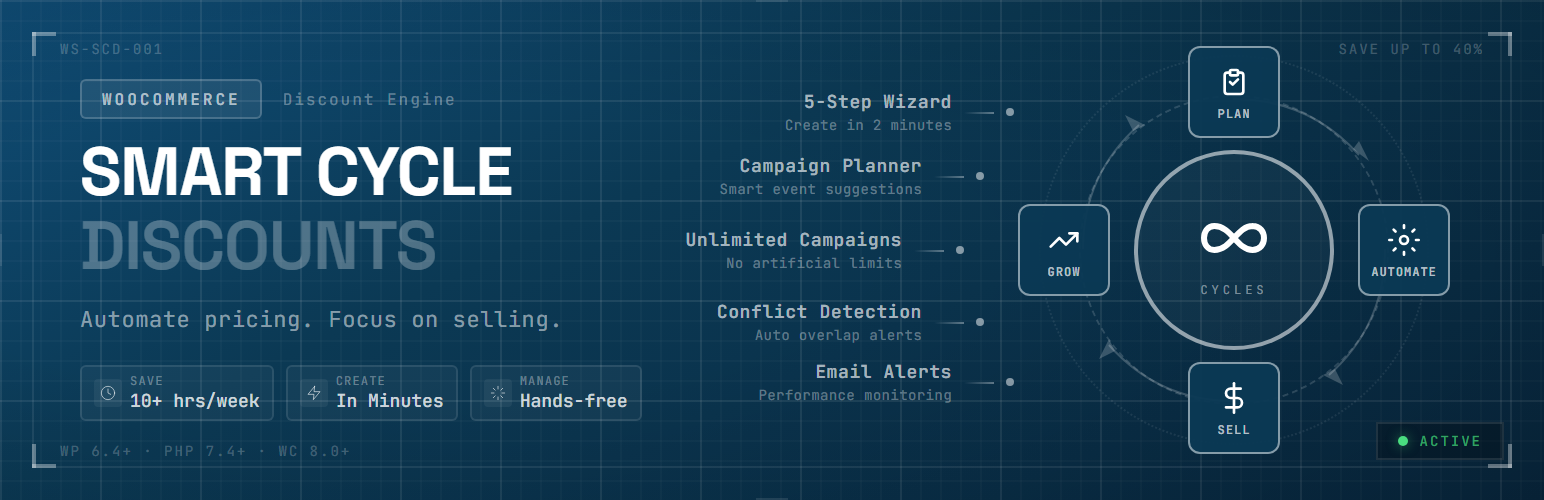
Smart Cycle Discounts – AI Dynamic Pricing & Scheduled Sales for WooCommerce
| 开发者 | webstepper |
|---|---|
| 更新时间 | 2026年10月12日 21:46 |
| PHP版本: | 7.4 及以上 |
| WordPress版本: | 7.1 |
| 版权: | GPLv3 or later |
| 版权网址: | 版权信息 |
标签
下载
详情介绍:
- Cycle AI — describe what you want in plain English, the AI drafts a store-aware campaign. Free: 10 drafts/month. Pro: 50/day
- Set it and forget it — campaigns activate and expire on schedule, no manual work
- Auto-apply or coupon code delivery — every campaign can either fire automatically at checkout or require a code customers enter, on every discount type (not just percentage/fixed)
- Percentage off, fixed amount, BOGO — all free, no upgrade required
- Tiered pricing, spend thresholds, bundles — available in Pro
- Recurring promotions — set up a "Weekend Sale" once, it repeats automatically
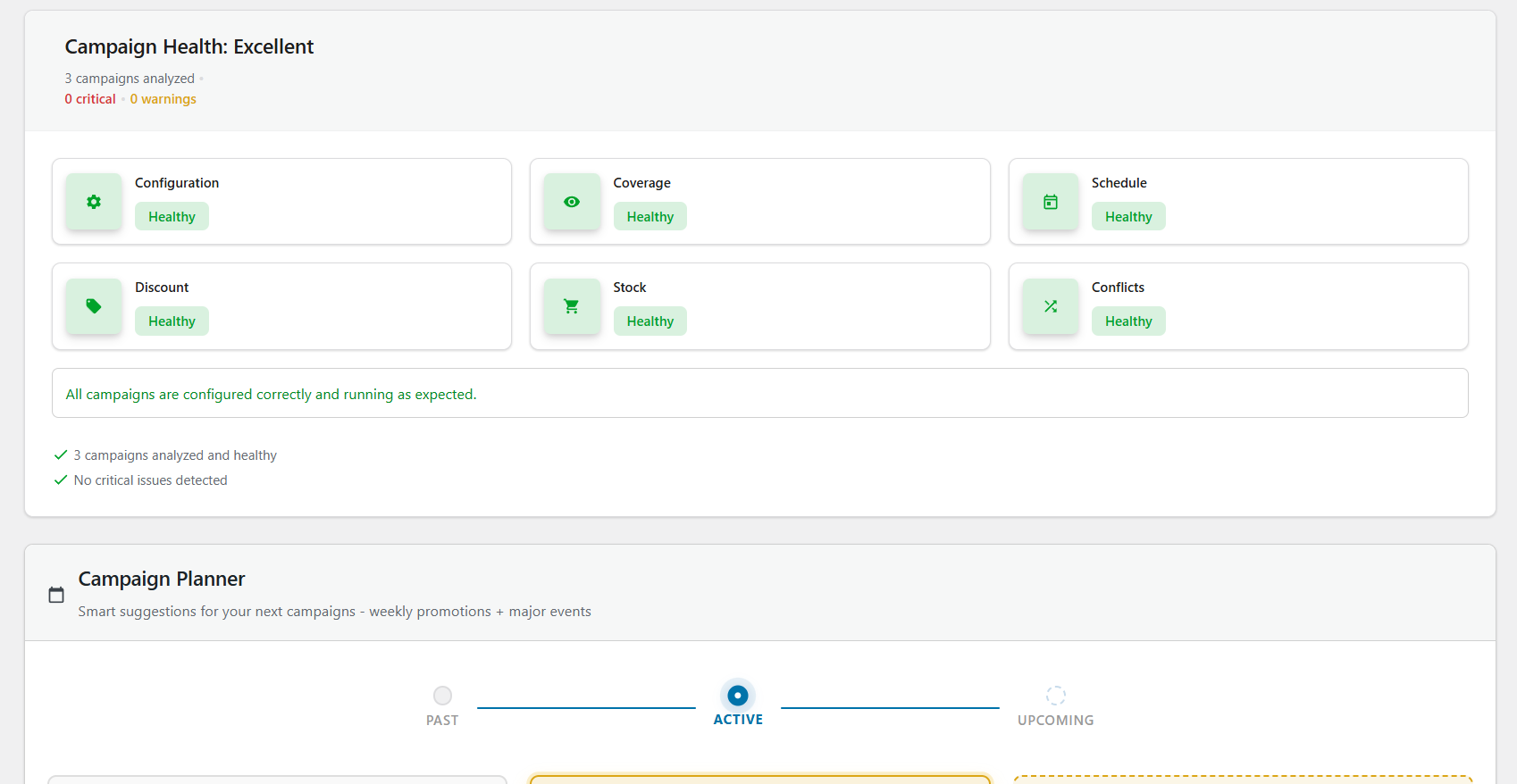
- Smart conflict detection — the plugin warns you before overlapping discounts cause problems
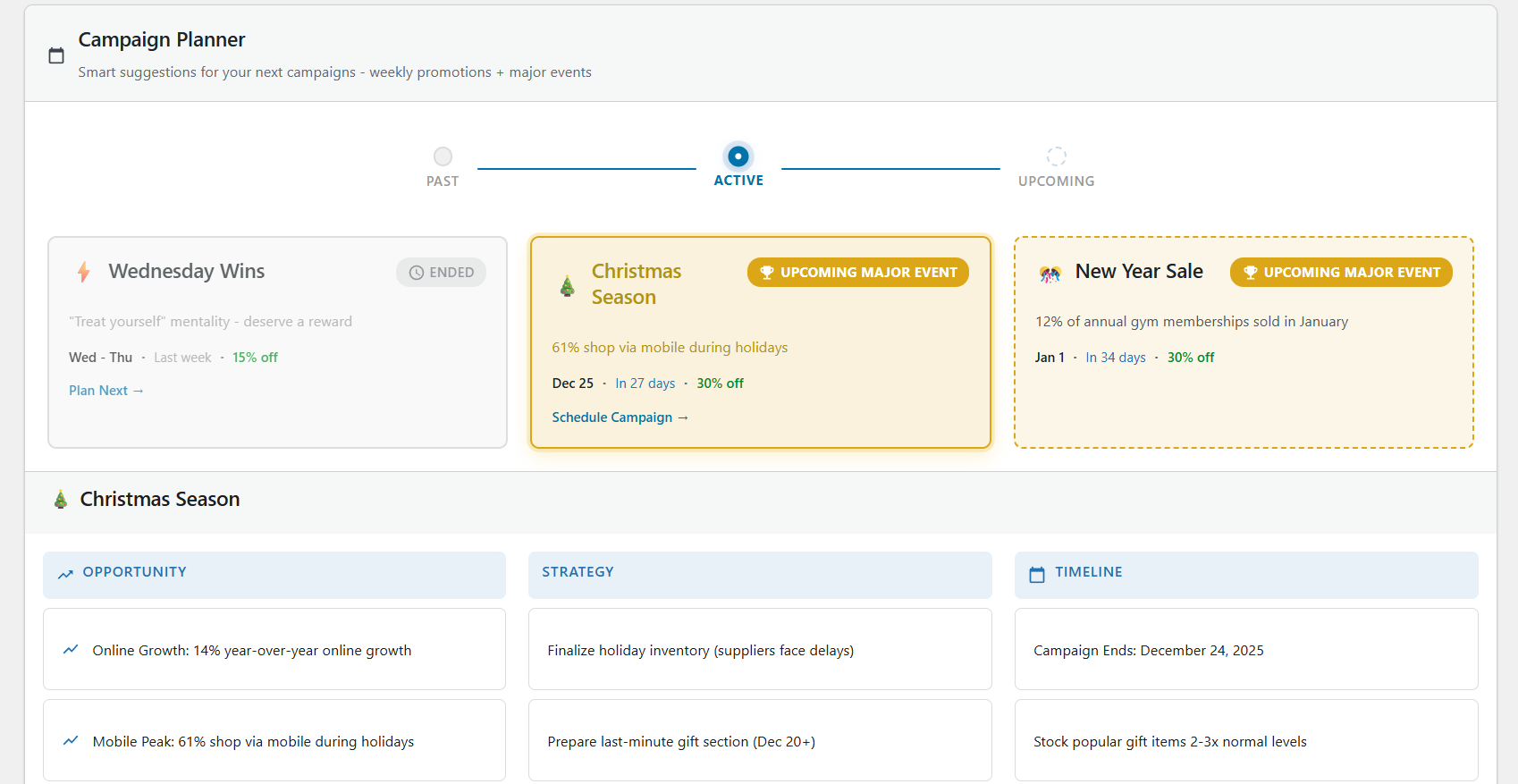
- Campaign Intelligence — tells you which promotions are working and what to do next
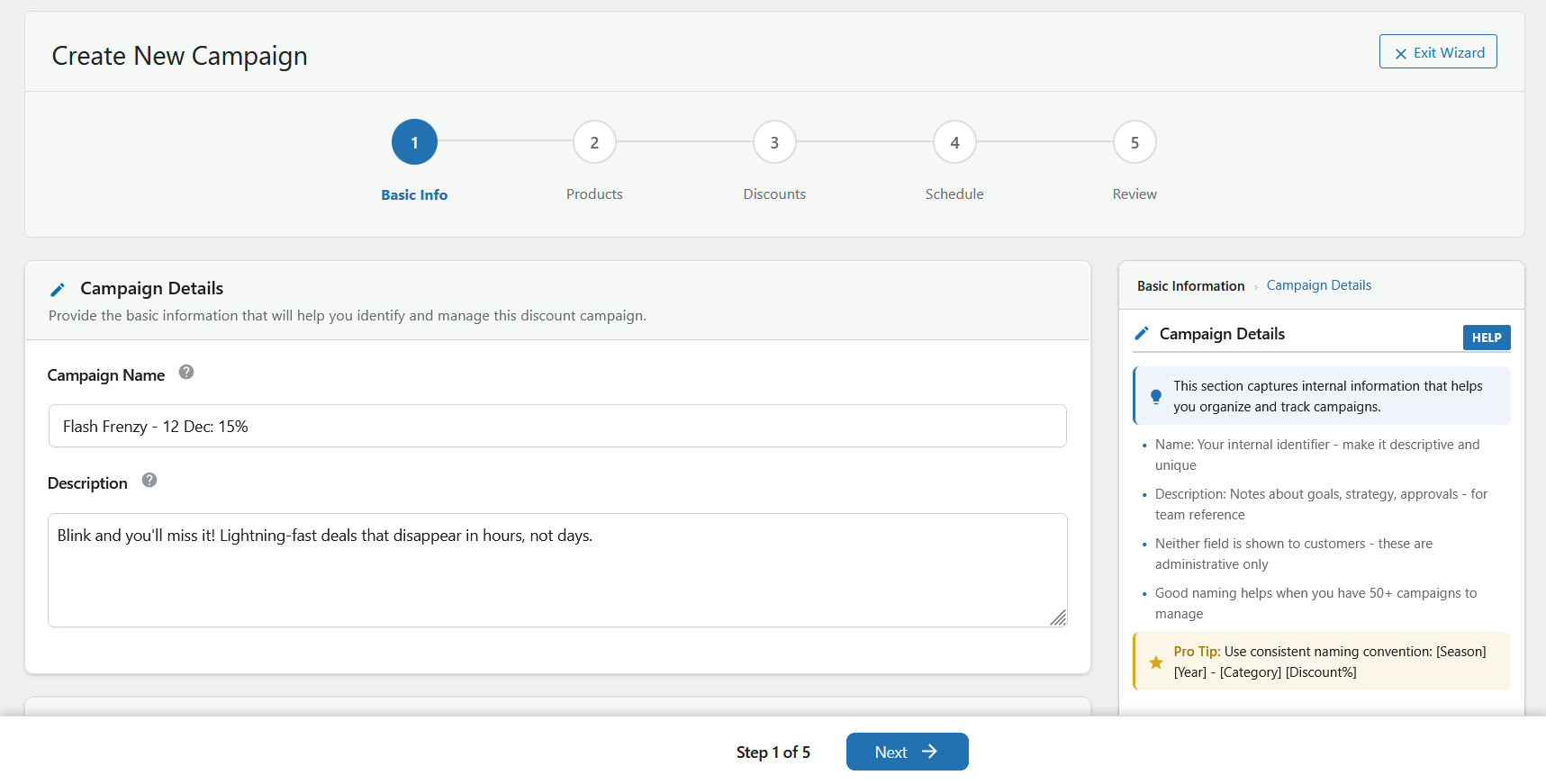
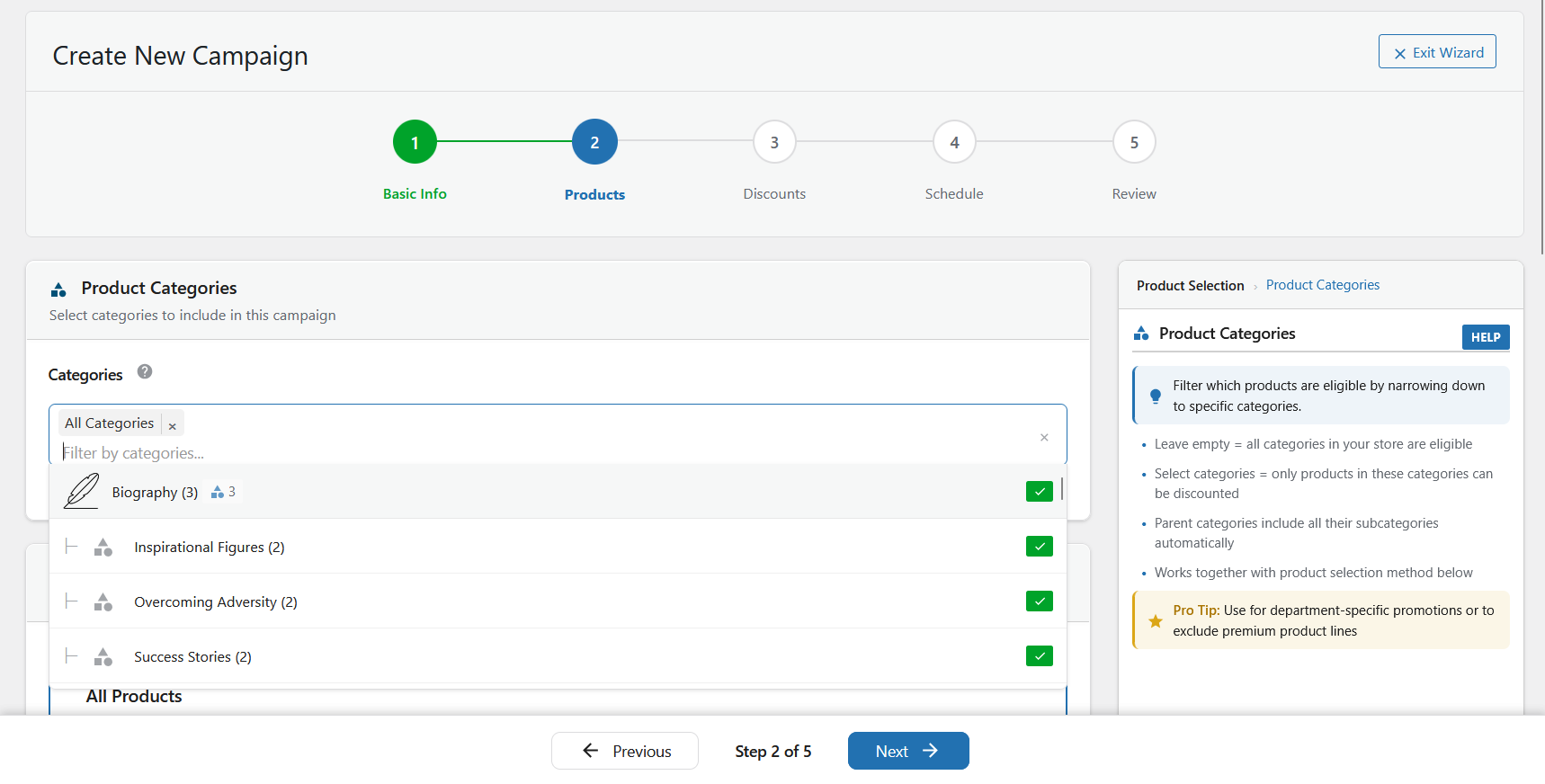
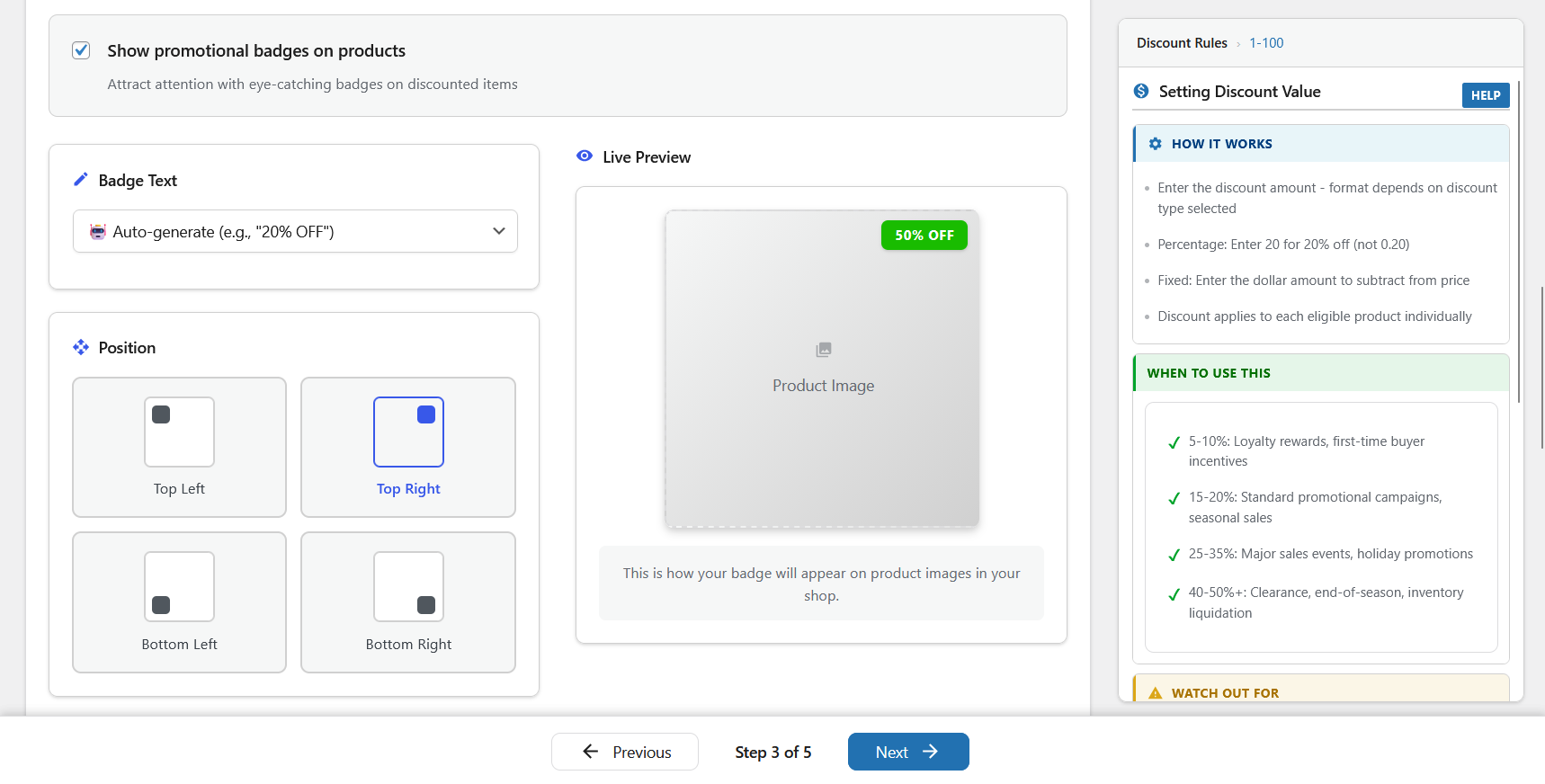
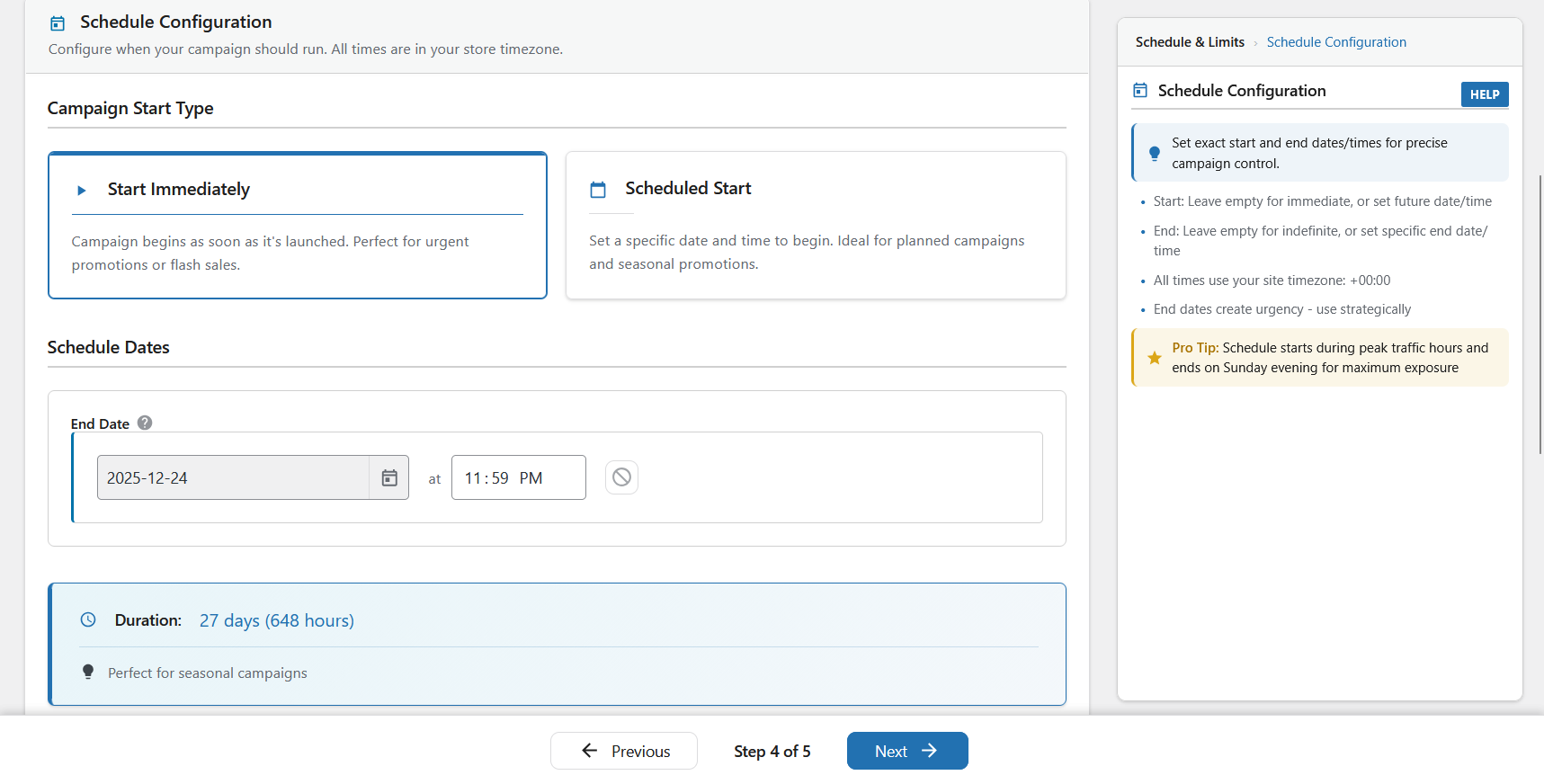
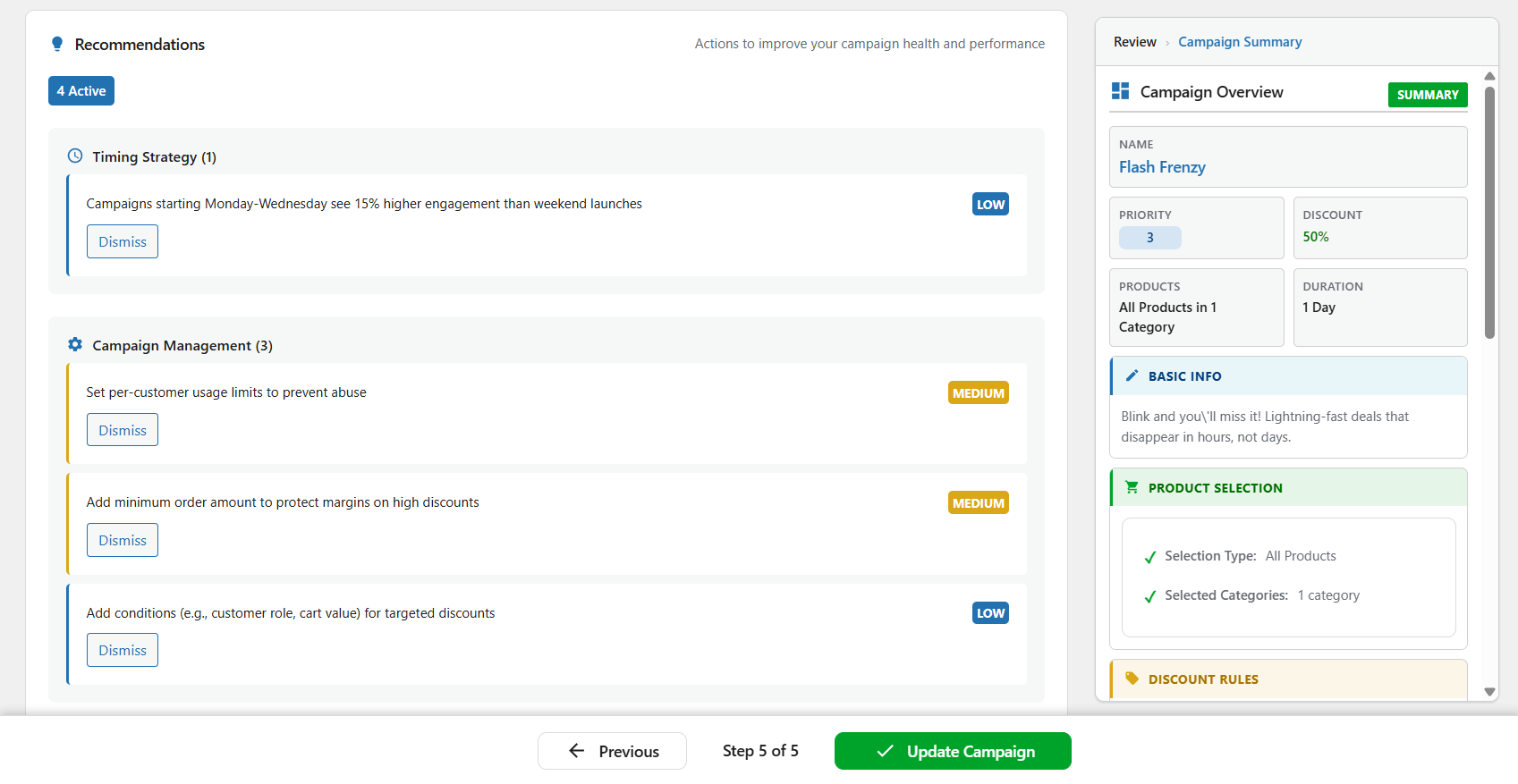
- 5-step wizard — create a campaign in minutes with guided setup and live preview
- Setup wizard — scans your store on first install, detects conflicts, gets you started fast
- Priority system — control exactly which discount wins when campaigns overlap
- Works with any theme — uses WooCommerce's native sale price system
- Stores running seasonal sales (Black Friday, holiday, summer) that need to start and stop on time
- Stores with multiple promotions that need to avoid conflicts and overlapping discounts
- Stores that want to automate recurring deals (weekly specials, daily flash sales)
- B2B and wholesale stores using role-based or tiered quantity pricing
- Anyone tired of manually editing product prices every time a sale starts or ends
- Percentage discounts
- Fixed amount discounts
- BOGO (Buy One Get One) deals
- Coupon-code campaigns — require a shared code at checkout for any discount type
- URL auto-apply (
?wsscd_code=YOURCODE) for sharing codes in emails and social posts - Free shipping toggle inside campaign setup
- User role targeting (include/exclude roles)
- Location targeting by billing or shipping country
- Recurring campaign scheduling — certain weekdays, days of the month, or daily time windows
- Tiered quantity discounts (volume pricing)
- Spend threshold discounts (cart-based conditions)
- Bundle deals (percentage, fixed, flat bundle pricing)
- Bulk unique-code generation (up to 50,000 single-use codes per campaign, CSV export)
- Single-use enforcement (lock a code to one redemption per code or per customer)
- Advanced discount-rule controls for deeper eligibility and margin protection
- Advanced subscription discount controls (when WooCommerce Subscriptions is active)
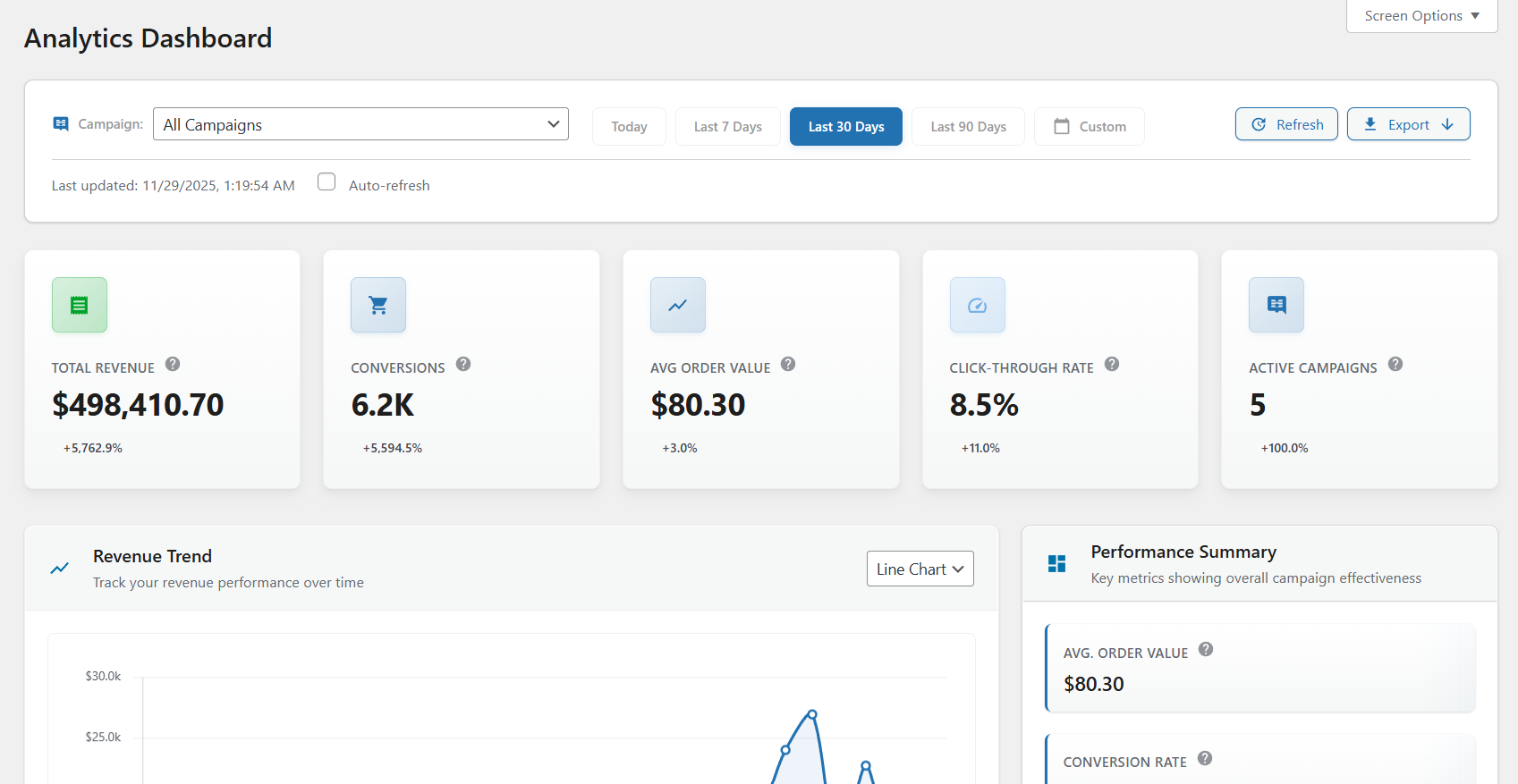
- Full analytics dashboard and advanced exports
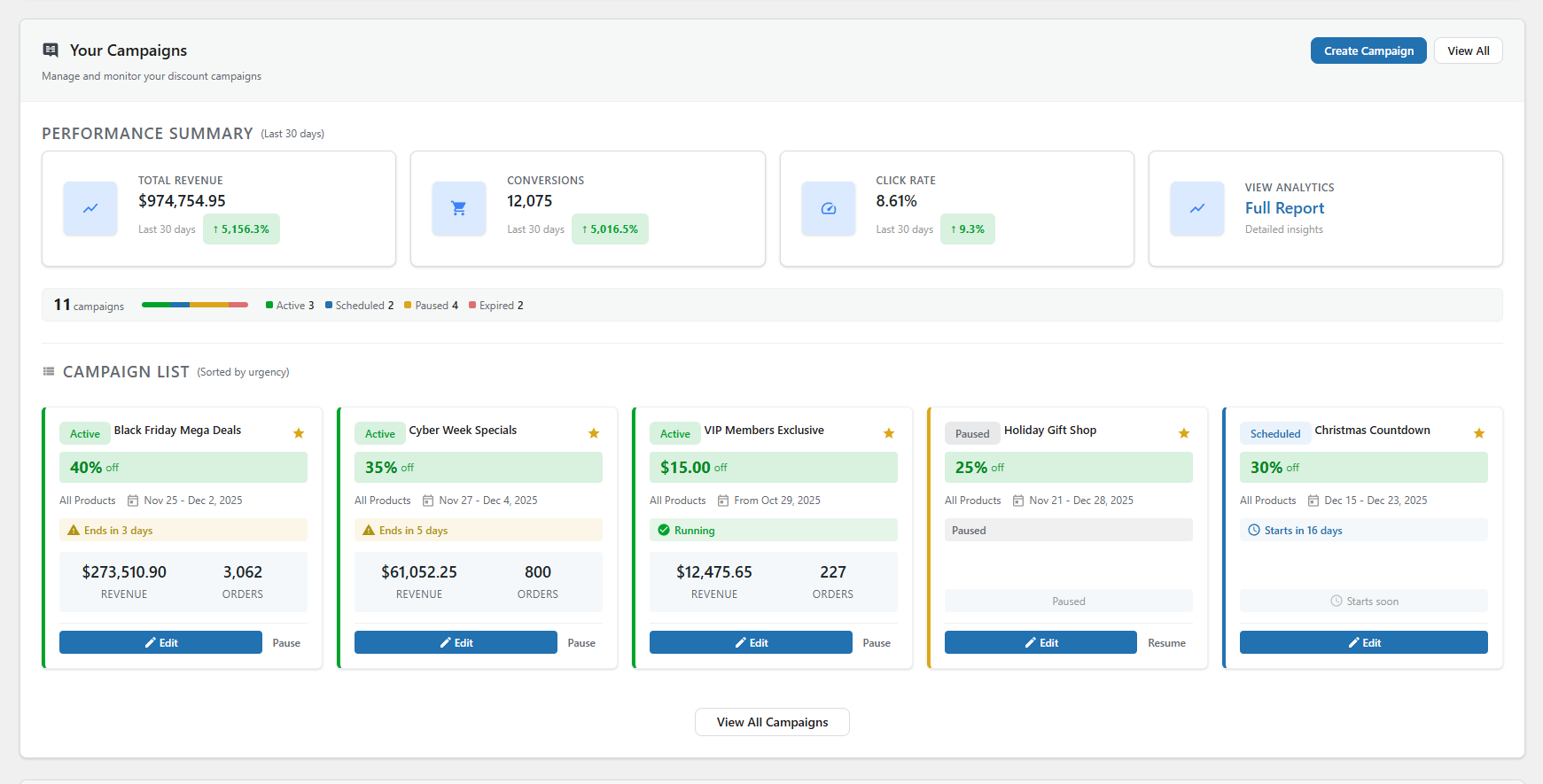
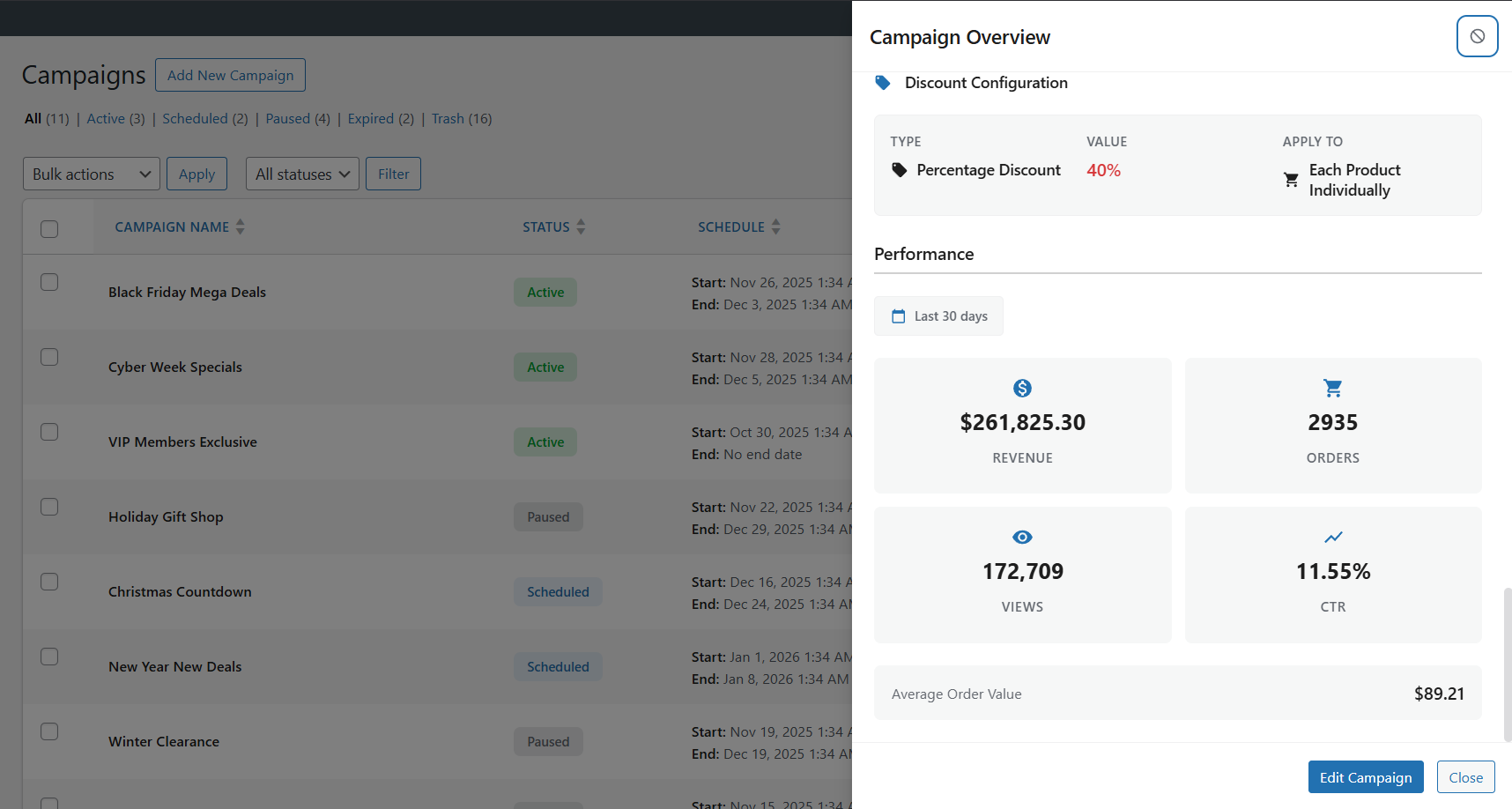
- Campaign lifecycle management (draft → scheduled → active → expired)
- Smart product targeting (all products, specific products, random products, categories, advanced filters)
- Timezone-aware scheduling automation
- Priority resolution when campaigns overlap
- Optimized caching and operations for larger WooCommerce catalogs
- Promotion conflicts and overlapping discounts
- Priority ties across concurrent campaigns
- Stock exposure and product readiness
- Schedule and timing consistency
- Discount integrity and risk indicators
- Which campaigns are driving meaningful revenue
- Which discounted products perform best
- Which promotions should be scaled, paused, or redesigned
- WooCommerce BOGO campaigns
- WooCommerce bulk discount and tiered pricing campaigns
- WooCommerce scheduled sales and recurring promotions
- WooCommerce bundle discount campaigns and product packages
- WooCommerce flash sales and seasonal campaigns
- WooCommerce customer-segment discounts (roles and locations)
- WooCommerce coupon code campaigns (private codes for email blasts, influencer codes, loyalty rewards)
- WooCommerce promotion cycles with planned campaign scheduling
- Discounts calculated on-the-fly slow your store to a crawl
- "Sale" filter plugins can't find your discounted products
- Two discounts overlap and customers get double savings you didn't intend
- The free version is empty — every useful feature is locked behind Pro
- Uninstalling leaves leftover sale tags and data in your database
- Sale badges and strikethrough on your storefront — discounts render through WooCommerce's price filters, so your theme's "Sale!" badge and crossed-out pricing appear automatically on shop, category, product, and search pages. No frontend JavaScript, and no bulk price rewrites on activation — active-campaign data is cached and product terms batch-loaded to keep pages fast.
- Built-in conflict detection — Campaign Intelligence catches overlapping discounts, priority ties, and pricing risks before your customers do. You'll know about problems before they cost you money.
- Genuinely useful free version — percentage off, fixed amount, BOGO, scheduling, recurring campaigns, role targeting, and location targeting are all included free. No bait-and-switch.
- Clean uninstall — deactivating or removing the plugin restores your original prices and removes all plugin data. No leftover sale tags or orphaned database entries.
- Performance-first architecture — active campaigns are cached, product terms are batch-loaded, and admin assets only load on plugin pages. Your store stays fast.
- Discount types reference
- Scheduling & recurring campaigns
- Cycle AI
- Use case walkthroughs
- Developer documentation
- Troubleshooting
- Install and activate the plugin
- The setup wizard scans your store and checks for conflicts
- Create your first campaign — describe it to Cycle AI or use the 5-step wizard
- Your discounts go live automatically — no product editing needed
屏幕截图:
常见问题:
How do I schedule WooCommerce sales automatically?
Install Smart Cycle Discounts, create a campaign using the 5-step wizard, and set your start and end dates in the Schedule step. The plugin automatically activates your sale prices at the scheduled time and removes them when the campaign ends. No manual work required - your WooCommerce sale prices update themselves on schedule. See automatic activation for the details.
What WooCommerce discount types are supported?
The free version supports percentage discounts, fixed amount discounts, and BOGO deals (Buy One Get One) on any WooCommerce product. The Pro version adds tiered quantity discounts (volume-based dynamic pricing), spend threshold discounts (minimum cart value offers), and bundle discounts (buy a set of products together for a deal). All discount types work with the automated scheduling system. See the discount types reference for a full breakdown.
Is this a WooCommerce dynamic pricing plugin?
Yes. Smart Cycle Discounts supports dynamic pricing through multiple discount types. The free version includes percentage discounts, fixed amount discounts, and BOGO deals. The Pro version adds tiered quantity pricing (buy more, save more), spend threshold discounts, and bundle deals - all the dynamic pricing options you need for a WooCommerce store.
Can I set up BOGO deals in WooCommerce with this plugin?
Yes. BOGO (Buy One Get One) deals are included free. You can create Buy 1 Get 1 Free, Buy 2 Get 1 at 50% off, or any custom buy/get combination with your chosen discount percentage. BOGO campaigns run on the same automated schedule as all other discount types. See the BOGO guide for setup examples.
How do I create bulk discounts for WooCommerce?
Use the Tiered Quantity Discounts feature (Pro). Set quantity breaks like: Buy 5+ get 10% off, Buy 10+ get 20% off, Buy 25+ get 30% off. The discount applies automatically at checkout based on the quantity in the cart. Perfect for wholesale, B2B, and volume-based WooCommerce pricing. Learn more about tiered volume pricing.
How do I automate Black Friday and Cyber Monday sales?
Create a campaign with your desired discount, select your products, and schedule it for your Black Friday dates (e.g., November 29 12:00 AM to December 2 11:59 PM). You can set this up weeks in advance using Draft mode. The campaign activates and deactivates automatically - no midnight price editing required.
Can I use this alongside another discount plugin?
We recommend against running two discount plugins simultaneously — they both modify WooCommerce pricing and can conflict, leading to incorrect prices or double discounts. When you install Smart Cycle Discounts, the setup wizard automatically detects 19 known discount plugins and warns you if any are active. It can deactivate conflicting plugins for you directly from the wizard, so you don't have to hunt through your plugins list.
Is Smart Cycle Discounts compatible with my theme?
Yes. Smart Cycle Discounts is a backend plugin that works with any properly coded WordPress theme. It integrates with WooCommerce's native sale price system, so your theme's existing sale price styling applies automatically. No theme modifications needed.
Can I schedule campaigns in advance?
Yes. Use the Schedule step in the wizard to set specific start and end dates/times. Campaigns activate and deactivate automatically based on your schedule. You can create campaigns weeks or months in advance using Draft status, then set them to Scheduled when ready.
How many campaigns can I create?
There are no campaign limits - you can create and run unlimited campaigns in both the free and Pro versions. Run as many simultaneous promotions as your store needs.
What's the difference between the discount types?
Free Version:
- Percentage: Reduce price by a percentage (e.g., 25% off = $100 product becomes $75)
- Fixed Amount: Reduce price by fixed amount (e.g., $10 off = $100 product becomes $90)
- BOGO: Buy One Get One offers with flexible configurations (e.g., Buy 2 Get 1 Free) Pro Version:
- Tiered: Quantity-based dynamic pricing (e.g., Buy 5 get 10% off, Buy 10 get 20% off)
- Spend Threshold: Discount based on cart total (e.g., Spend $100 get 15% off)
- Bundle: Product bundle deals (e.g., Buy shampoo + conditioner + mask for 20% off)
Will this slow down my site?
No. Smart Cycle Discounts does its heavy lifting in the background rather than on the frontend: it caches active-campaign data, batch-loads product terms in a single query, and loads its scripts only on admin plugin pages. Discounts apply through WooCommerce's own price filters server-side, so there's no frontend JavaScript adding page weight. On a shop page with 20+ products, the active-campaign lookup is resolved once and reused across products, so the plugin keeps its per-page overhead low.
Will my discounted products show a sale badge?
Yes — on your storefront. Because discounts apply through WooCommerce's price filters, your theme's "Sale!" badge and strikethrough pricing appear automatically on shop, category, product, and search pages. One thing to know: campaign discounts are applied at display time, not written to each product's stored _sale_price field — so they won't populate WooCommerce's built-in "On Sale" shortcode/block or third-party sale filters (FacetWP, etc.) that read stored sale data.
Can I run multiple discount campaigns at the same time?
Yes. You can run unlimited campaigns simultaneously. Use the Priority field (1-5, where 5 is highest priority) to control which campaign takes precedence when multiple campaigns affect the same product. This prevents discount stacking and gives you full control.
What's the difference between "All Products", "Specific Products", and "Random Products"?
- All Products - Applies discount to your entire product catalog. Best for store-wide sales.
- Specific Products - You manually select which products to discount using the AJAX-powered product search. Best for targeted promotions.
- Random Products - Plugin automatically selects X random products from your catalog, and can draw a fresh set every day, on a weekday you choose every week or every other week, or on a chosen day each month. Best for "deal of the week" promotions that drive repeat visits.
Does it work with WooCommerce HPOS (High-Performance Order Storage)?
Yes. Smart Cycle Discounts is fully compatible with WooCommerce HPOS and has been tested with custom order tables. It works with both the legacy post-based storage and the new High-Performance Order Storage system.
Does it work with WooCommerce Subscriptions?
Yes. Subscription products are fully supported. On the free tier, discount campaigns apply to the recurring subscription price automatically - no special setup needed. Your subscription product pages show strikethrough pricing just like regular products (e.g., ~~$29/month~~ $23.20/month). The Pro version adds advanced subscription controls: choose whether to discount the recurring price, the sign-up fee, or both. You can also limit discounts to the first X renewal payments - for example, "20% off for the first 3 months, then full price." If WooCommerce Subscriptions is not installed, the subscription settings simply don't appear in the wizard.
Does it work with WooCommerce block-based cart and checkout?
Yes. Smart Cycle Discounts fully supports WooCommerce block cart and checkout pages (WooCommerce 8.3+). Discounted prices display correctly with strikethrough formatting in both classic templates and the new block-based cart/checkout. The plugin automatically detects which template you're using and applies the appropriate discount display logic. No configuration needed - it just works.
Can I duplicate an existing campaign?
Yes. On the Campaigns list page, hover over any campaign and click the "Duplicate" action. This creates a copy of the campaign with all settings intact, which you can then modify as needed. Great for creating seasonal promotions based on previous campaigns.
How does the priority system work?
When multiple campaigns affect the same product, the campaign with the highest priority (5 = highest, 1 = lowest) takes precedence. This lets you run multiple campaigns without conflicts - for example, a high-priority flash sale can override a lower-priority seasonal discount.
Can I export campaign data?
Campaign analytics and export features are available in the Pro version. Pro users can export campaign performance data in CSV or JSON format, and schedule automated reports.
What happens when a campaign ends?
When a campaign reaches its end date/time, it automatically deactivates and removes the sale prices from affected products. The campaign remains in your list as "Expired" and can be duplicated or reactivated with new dates. Your original product prices are restored automatically.
Is there a way to test campaigns before activating them?
Yes. Use the Draft status to create and configure campaigns without activating them. You can review the campaign settings, check the health score, and preview which products will be affected. When ready, change the status to Active or Scheduled.
Does it work with WooCommerce variable products?
Yes. Smart Cycle Discounts fully supports WooCommerce variable products. By default, applying a discount to a variable product discounts all of its variations, and the sale price displays correctly on both the main product page and individual variation selections. With a PRO license you can also narrow a campaign to individual variations: pick a variable product under Specific Products, then choose which variations should be discounted. Only those variations change price, and the rest of the product stays at its regular price.
Can I build a page that lists only the discounted products?
Yes, and you do not have to build it by hand: go to Tools -> Sale Page and click Create Page. The plugin makes a draft page with the shortcode already in it, and you publish it when you are ready.
To place it yourself, put [wsscd_sale_products] on any page or post. It lists every product your active campaigns are currently discounting, using your theme's own product grid, and accepts columns, limit, orderby, order, category, campaign and paginate attributes. The page is paginated by default; pass paginate="no" to render the whole sale at once.
With a PRO license, add show_variations="yes" and each discounted variation is listed as its own item instead of its parent product - useful for a clearance page where only one size or configuration is on sale. Each card links to that exact variation and its button adds that variation straight to the cart.
Can I exclude products that are already on sale?
Yes. The plugin respects existing sale prices. If a product already has a manual sale price set in WooCommerce, you can configure your campaign to skip those products or override them based on your preference.
Can I offer free shipping with discount campaigns?
Yes. Enable free shipping for any campaign with a single toggle in the Discounts step. When enabled, customers receive free shipping on qualifying orders. You can apply free shipping to all shipping methods or select specific methods like flat rate or local pickup. This is included in the free version.
Can I create wholesale or member-only discounts?
Yes. Use the User Role Targeting feature to restrict discounts to specific WordPress user roles. Choose "Include" mode to give discounts only to selected roles (e.g., "Wholesale Customer" or "Premium Member"), or "Exclude" mode to give discounts to everyone except certain roles. This makes it easy to create B2B pricing, membership discounts, or role-based promotions - all from the same WooCommerce store.
Does it work alongside WooCommerce coupons?
Yes. Campaign discounts and WooCommerce coupons work independently. Campaign discounts apply to product prices (shown as sale prices), while coupons apply at checkout. Customers can use both together unless you configure specific restrictions.
What happens if two campaigns affect the same product?
The campaign with the higher priority wins — no double discounts, no surprises. Each campaign has a priority setting from 1 (lowest) to 5 (highest). When multiple active campaigns include the same product, only the highest-priority discount applies. Campaign Intelligence also warns you before launch if a new campaign overlaps with an existing one, so you can adjust priorities or schedules before any customer sees an unintended price.
How is this different from WooCommerce's built-in sale price feature?
WooCommerce's built-in sale prices are set per product - you need to edit each product individually. Smart Cycle Discounts lets you manage discounts at the campaign level: select hundreds of products at once, set a schedule, and the plugin handles everything automatically. You also get features like priority management, health monitoring, random product rotation, and campaign intelligence that WooCommerce doesn't offer natively.
Can I create recurring weekly or monthly promotions?
Yes. Recurring campaigns are available in the free version. Choose "On a schedule" in the wizard and pick when the discount runs: certain weekdays (like every Monday & Tuesday), days of the month (including "last day"), or every day within a time window — daily happy hours and overnight windows included. Run it forever or until a date, and the preview shows you the exact next dates it will fire. Set up a "Weekend Special" once and it repeats every weekend automatically.
Is there a limit on how many products I can discount?
No. You can apply discounts to your entire product catalog or select specific products. The plugin is optimized with efficient database queries and caching to handle stores with thousands of products without performance issues.
Can I set minimum order requirements for discounts?
Yes (Pro). Application rules let you fine-tune when discounts apply. Set minimum quantity requirements (e.g., "discount only applies when buying 3+ items"), minimum order value thresholds, and choose whether to exclude products already on sale. These rules give you precise control over discount eligibility.
What happens if I uninstall the plugin?
Your store goes back to normal. Deactivating the plugin automatically restores your original product prices — no leftover sale tags, no phantom discounts. If you fully delete the plugin, all campaign data, settings, and database tables are removed cleanly. You can also choose to keep your data (in Settings) if you plan to reinstall later.
How do I control discount stacking with coupons?
Pro users can configure combination policies for each campaign. Choose whether your campaign discount can be combined with WooCommerce coupon codes or if it should be mutually exclusive. This prevents over-discounting and protects your margins when running multiple promotions.
更新日志:
- Improvement: Updated Freemius SDK to the latest version.
- New: Choose the day random products are redrawn — rotating campaigns now redraw every day, every week or every other week on a weekday you pick, or every month on a day you pick (1 to 28, or the last day of the month), at midnight in the campaign's timezone. Before, the day was whichever weekday the campaign happened to start on.
- New: See the rotation schedule before you launch — the Review step now shows when products will be redrawn, for example "Redrawn every other Friday".
- Fix: Monthly rotation stays on its date — "Monthly" used to mean every 30 days, so it slid off the calendar by a day or two each time. It now lands on the same day every month.
- Fix: Rotation stays at midnight across daylight-saving changes — it used to shift by an hour when the clocks changed.
- Fix: Usage limit alerts are sent — the "Usage Limit Alerts" email never went out when a campaign reached or neared its lifetime cap. It now does, with the real number of uses left.
- Fix: Campaign advice catches very poor discount results — very low discount efficiency and very high discount rates were never flagged as serious, only a high break-even point was. All three now are.
- Fix: The "missing launch window" note appears — a campaign without a schedule showed generic text on the dashboard instead of saying what was missing.
- Fix: No more PHP 8.4 deprecation notices — two plugin functions filled the error log with notices on every page load on PHP 8.4 and later.
- Cleanup: Campaigns that already rotate are converted automatically — they keep the weekday (or day of the month) they rotated on, and five unused rotation columns are removed from the campaigns table.
- Cleanup: Removed advice that could never appear — around 30 campaign-advice messages had wording but nothing that could ever trigger them.
- Improvement: The campaign explains a short draw — when fewer products qualify than you asked for, the campaign shows how many were selected and why, for example "Only 7 of 15 random products could be selected… 8 are already on sale".
- Improvement: Clearer activity notice — "No discount activity detected" read like the discount was not showing. It counts orders, and now says "No orders have used this discount".
- Fix: Random campaigns keep their full product count — a campaign set to skip items already on sale counted its own discount as a sale. At every rotation it ruled out the products it had just discounted, so a 15-product draw came back with 7, and a pool narrowed by a stock filter could end at 0. Only prices you set in WooCommerce count as "on sale" now.
- Fix: A higher-priority campaign that cannot apply no longer blocks the next one — when the top campaign's own rules ruled it out for a product (sale items excluded, country not targeted, usage limit reached), the product was left at full price even though a lower-priority campaign covered it. The next campaign in line now applies, and the sale badge always names the campaign that actually prices the product.
- Fix: Conflict notes count the right thing, in the right direction — a winning campaign with one product shared by three others read "3 shared products are overridden". It now reads "Overrides lower-priority campaigns on 1 shared product", and counts products, not campaigns.
- Fix: Two random campaigns on the same products no longer share a draw — they could be handed each other's cached selection.
- Fix: Changing the tag, category or sale-items setting of a running random campaign now takes effect — it previously kept serving the old selection until the next rotation.
- Fix: "Exclude out of stock" filters behave in the Products step — the product list ignored exclude filters, and the checker misread "exclude / is not" as a contradiction.
- Cleanup: Removed the "Campaign Stacking" option — each product always receives one campaign's discount, chosen by priority, so the checkbox never changed anything. Existing campaigns are unaffected.
- Cleanup: Smaller debug logs — discount entries no longer copy the whole product into the log.
- Fix: The Account screen no longer ends in a critical error — on a site that skipped the account connection step, opening Smart Cycle Discounts → Account showed "There has been a critical error on this website" instead of a page. That screen can only describe an account that exists, and it was being added to the menu whether one existed or not, so with nothing connected it had nothing to read. It now shows a Connect account or activate license button instead, and stays out of the menu entirely until there is something to show. If you were caught by this, your license can also be activated from the Plugins page, using the Activate License link under Smart Cycle Discounts.
- Cleanup: A licensing screen that cannot render now says so — these screens come from the licensing framework and assume an account state we do not always control. Any future assumption they make that is not met now produces a short message on the page rather than taking the whole admin screen down.
- New: Discount a single variation instead of the whole product (PRO) — pick a variable product under Specific Products and a second field appears listing its variations. Choose one and only that variation changes price; every other size, colour or configuration stays at its regular price. Until now a campaign applied to a variable product always discounted all of its variations, with no way to narrow it.
- New: One-click sale page — Tools now has a Sale Page card that creates a draft page already carrying the shortcode, with Edit and View links once it exists. The shortcode that lists your discounted products has been in the plugin since 2.1.16 but appeared nowhere in the admin, so the only way to discover it was to read the plugin's source.
- New: The sale page can list variations as separate items (PRO) — with show_variations="yes" a discounted 180x200 mattress appears as its own card, with its own price and a button that adds exactly that variation to the cart, rather than appearing as the parent product with every size still to choose from.
- New: The sale page pages itself — it previously rendered every discounted product on one page, which on a large clearance sale meant hundreds of items in a single request. Add paginate="no" for the old behaviour.
- New: Campaign changes clear the page cache — a campaign going live, ending or changing status now asks WP Rocket, W3 Total Cache, WP Super Cache, WP Fastest Cache, SiteGround Optimizer, LiteSpeed, Cache Enabler, Breeze, Nginx Helper and Hummingbird to drop their cached pages. Prices used to keep showing the pre-campaign figures until the cache expired on its own. Host-level caches can listen for the new wsscd_purge_page_cache hook.
- Fix: The sale page matches your theme — its cards are now built through WooCommerce's own product-loop hooks, so the sale flash, the rating, the theme's own card layout and this plugin's promotional badges all appear exactly as they do on your shop page. The variation cards previously used their own markup and showed none of them.
- Fix: A variation-only campaign shows a badge on the shop page — when a campaign discounted just one variation, the parent product matched no campaign, so its card in the catalogue carried no badge at all.
- Fix: A sale page filtered by category no longer drops variations — variations carry no categories of their own, so filtering by one discarded every variation-scoped campaign. They are now matched through their parent's categories.
- Fix: Sorting on the sale page — orderby now works for price, title and date when variations are listed individually. For the complete changelog of earlier versions, visit the full changelog.