Smart Product Badges for WooCommerce
| 开发者 | cartengine |
|---|---|
| 更新时间 | 2026年9月16日 00:33 |
| PHP版本: | 8.0 及以上 |
| WordPress版本: | 6.9 |
| 版权: | GPLv2 or later |
| 版权网址: | 版权信息 |
详情介绍:
- YITH Badge Management has a 2.9/5 rating — ours just works
- CSS-only rendering (no frontend JavaScript)
- Built for modern block themes from day one
- Free version has no feature locks or upgrade nags
- 4 Beautiful Templates — Sale, New, Hot, and Limited badge styles with modern gradient designs
- 4 Smart Rules — Auto-assign badges by On Sale status, Category, price range, or publish date
- Custom Badge Text — Enter any text for each badge, or use the template default
- Universal Theme Support — Works with any WordPress theme (classic or block-based)
- WooCommerce Blocks — Full compatibility with the new block-based shop pages
- Performance Optimized — CSS-only rendering, intelligent caching, < 5ms per badge
- Mobile Responsive — Badges adapt beautifully to all screen sizes
- Multilingual Ready — Full UTF-8 support for any language
- Unlimited Badges — Create as many badge rules as you need
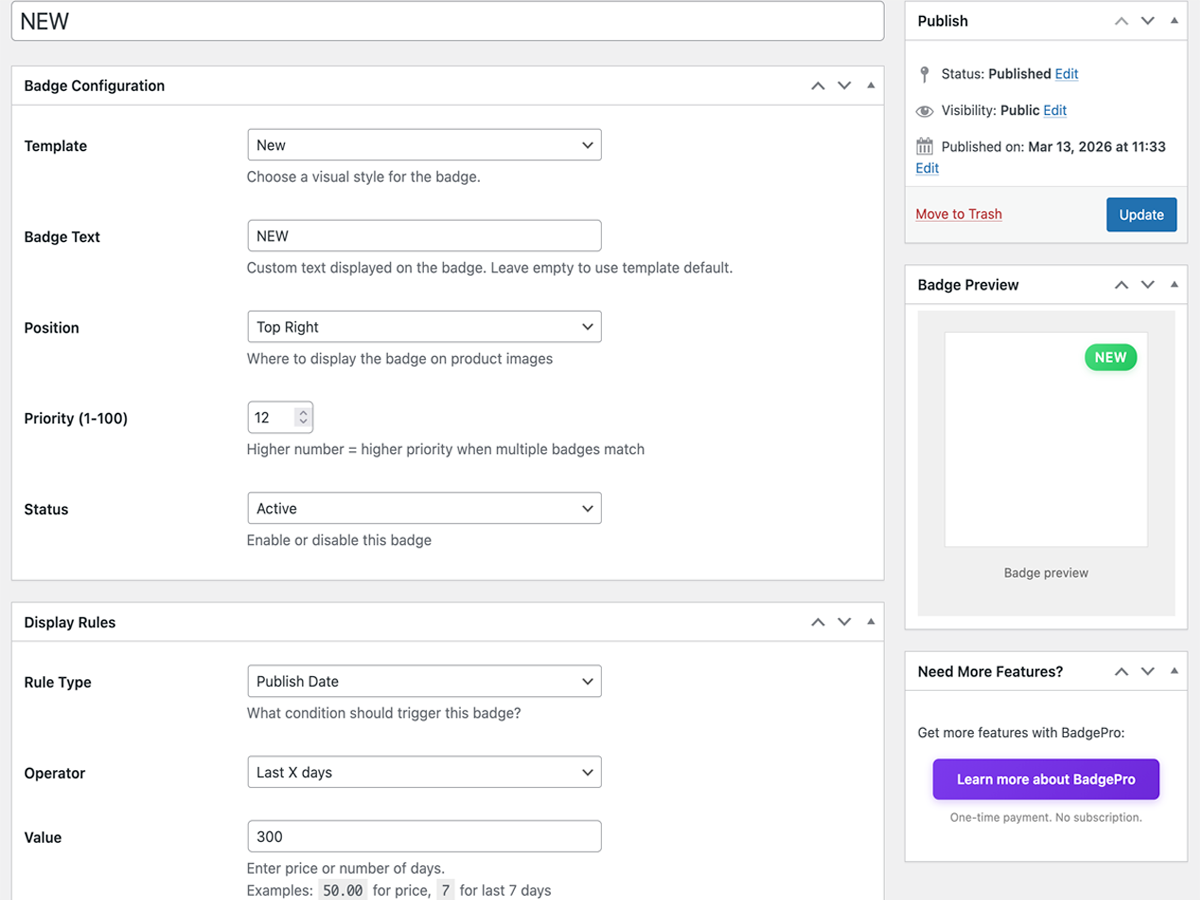
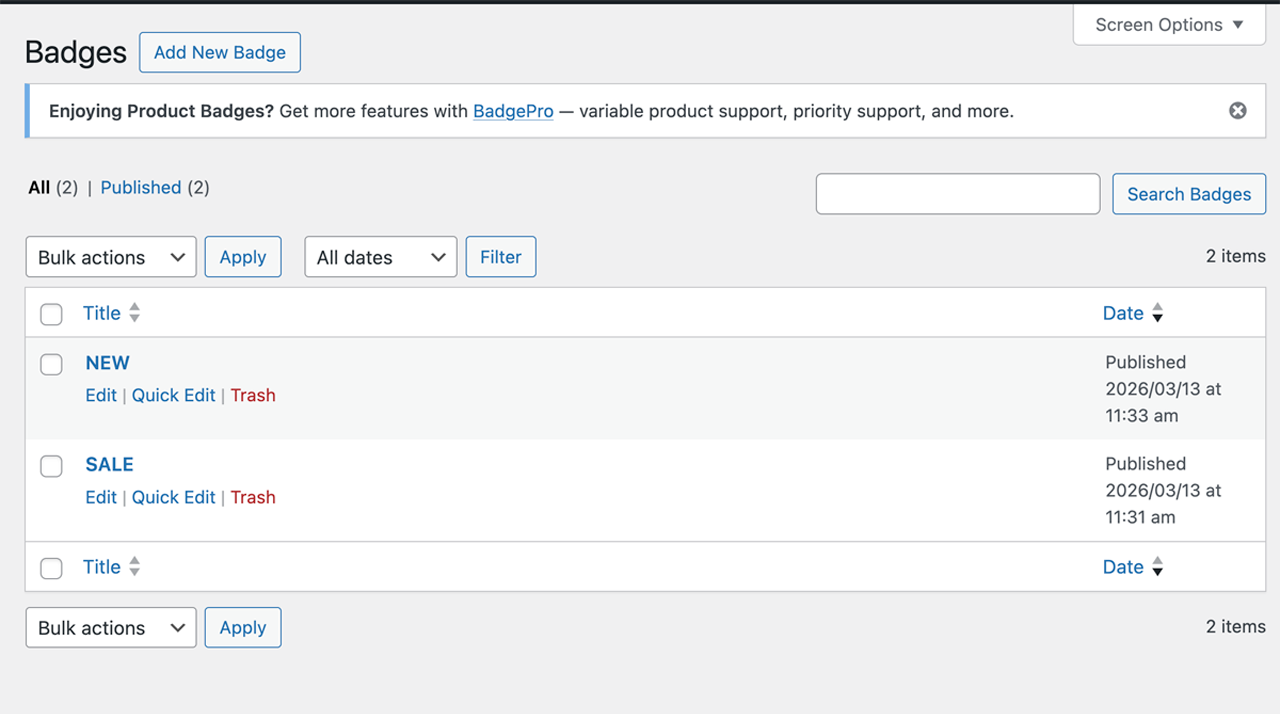
- Go to WooCommerce → Badges
- Click Add Badge
- Choose a template (Sale, New, Hot, or Limited)
- Set a display rule (e.g., "On Sale", "Category", "Price under $50", or "Published in last 7 days")
- Save — badges appear instantly on matching products!
- On Sale — Show badge on products that have a sale price (discounted)
- Category — Badge all products in specific categories (with convenient multiselect)
- Price — Badge products above, below, or between price ranges
- Publish Date — Auto-badge new arrivals (e.g., published in last 14 days)
- Twenty Twenty-Three, Twenty Twenty-Four, Twenty Twenty-Five
- Astra, OceanWP, GeneratePress
- Kadence, Neve, Storefront
- Hello Elementor
- Any WooCommerce-compatible theme
- 6 Badge Templates — Sale, New, Hot, Limited, Low Stock, plus fully Custom style
- Custom Style Designer — Pick your own colors, gradients, shape, font size, and padding
- 7 Rule Types — Category, tag, stock level, on sale, price, publish date, and manual assignment
- Manual Assignment — Choose exactly which products display which badges
- Variable Products — Different badges for different product variations
- Multiple Badges — Show up to 5 badges simultaneously on a single product, ordered by priority
- Badge Scheduling — Show badges only during specific date ranges
- Dynamic Text — Use placeholders in badge text:
{discount%},{sale_price},{regular_price},{price},{stock_qty} - CSS Animations — Add pulse, bounce, or fade-in effects to any badge
- Priority Support — Fast, dedicated help
安装:
- Upload the plugin files to
/wp-content/plugins/smart-product-badges-for-woocommerce/or install through WordPress Plugins screen - Activate the plugin through the 'Plugins' screen in WordPress
- Go to WooCommerce → Badges to create your first badge
- Choose a template, set a rule, and save!
屏幕截图:
常见问题:
Does it work with block themes?
Yes! The plugin works perfectly with both classic and block-based themes, including WooCommerce Blocks product grids.
Will this slow down my site?
No. The plugin uses CSS-only rendering and intelligent transient caching. Typical badge render time is under 5ms.
Can I use custom text on badges?
Yes! You can enter any custom text in the Badge Text field when creating a badge. Leave it empty to use the template default (e.g., "SALE", "NEW").
What happens when multiple badges match a product?
The badge with the highest priority number is displayed. This prevents badge clutter while giving you full flexibility.
Is there a Pro version?
Yes. BadgePro adds 6 badge templates, 7 rule types, manual assignment per product, badge scheduling, dynamic text placeholders ({discount%}, {stock_qty}), CSS animations, variable product support, and multiple badges per product. One-time purchase, no subscription.
Can I upgrade to Pro later?
Yes! Your badges and settings will carry over seamlessly when you upgrade to BadgePro.
Is it HPOS compatible?
Yes. The plugin is fully compatible with WooCommerce High-Performance Order Storage.
Is it GDPR compliant?
Yes. The plugin does not collect, store, or transmit any personal data.
Does it work on WordPress Multisite?
Yes. The plugin is fully compatible with WordPress Multisite installations.
更新日志:
- Fix fatal error in the block editor caused by calling a non-existent wp_doing_rest() function
- Added: Hot template (orange gradient, pill shape)
- Added: Limited template (purple gradient)
- Added: Category rule with convenient multiselect UI
- Improved: Social proof counter on badge list page
- Fixed: Admin CSS classes now use proper spbfw_ prefix
- Enhanced: Better UX for rule configuration
- Initial release
- 2 badge templates (Sale, New)
- 3 automatic rule types (On Sale, Price, Publish Date)
- Custom badge text support
- Universal theme compatibility
- WooCommerce Blocks support
- Performance-optimized CSS rendering
- Transient caching system