Smart Tariff Display for WooCommerce
| 开发者 | amankumar4274 |
|---|---|
| 更新时间 | 2026年1月15日 18:04 |
| PHP版本: | 7.4 及以上 |
| WordPress版本: | 6.9 |
| 版权: | GPLv2 or later |
| 版权网址: | 版权信息 |
详情介绍:
Display import tariffs, customs duties, and clearance fees on WooCommerce cart and checkout pages.
Features:
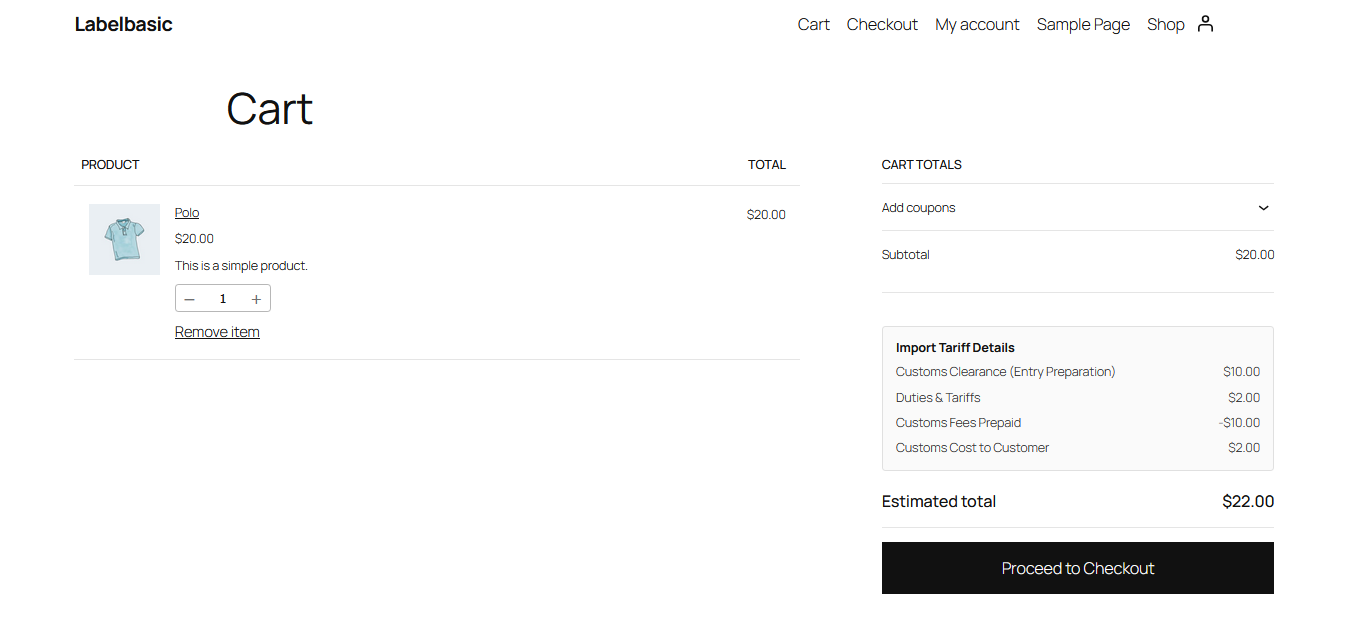
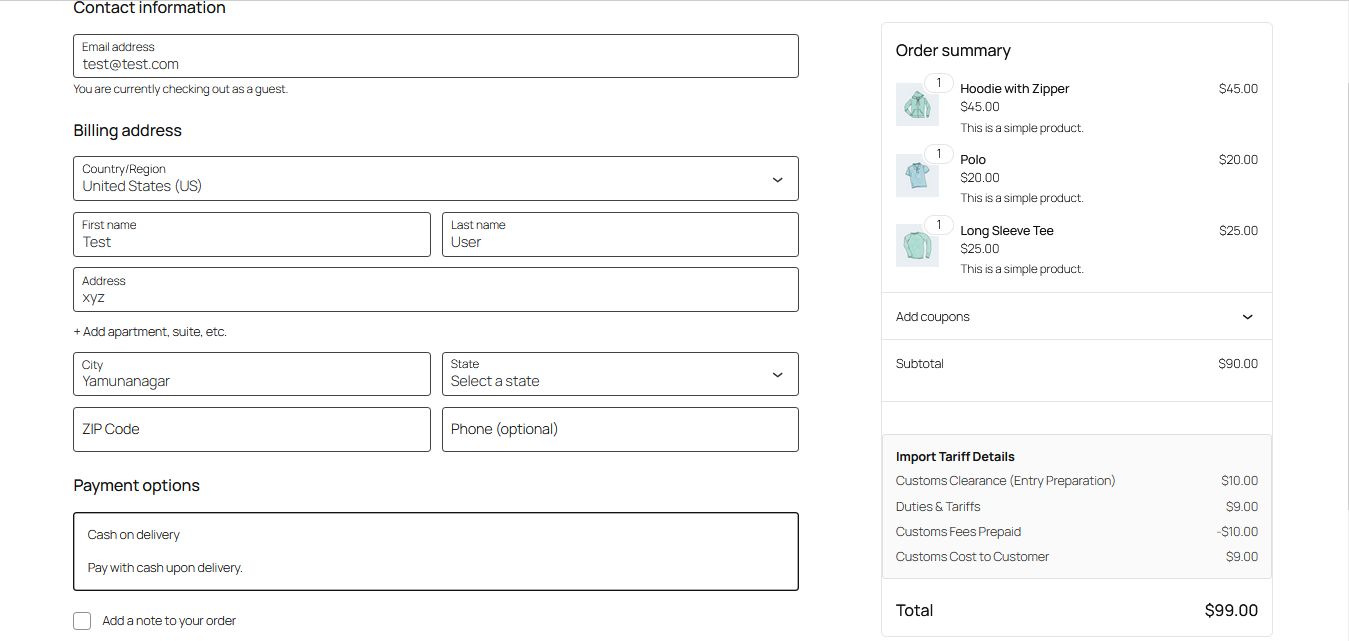
- Display import tariff details on cart and checkout pages
- Select specific product categories for tariff calculation
- Configure custom duty percentage
- Automatic calculation of customs clearance and entry preparation fees
- Support for both classic and block-based WooCommerce cart/checkout
- Tariff information saved to orders and displayed in admin
- Tariff details included in order confirmation emails
- Configure which product categories should have tariffs applied
- Set your duty percentage in the admin settings
- The plugin automatically calculates and displays:
- Customs Clearance (Entry Preparation) fees
- Duties & Tariffs
- Customs Fees Prepaid by LabelBasic
- Customs Cost to Customer
安装:
- Upload the
smart-tariff-display-for-woocommercefolder to the/wp-content/plugins/directory - Activate the plugin through the 'Plugins' menu in WordPress
- Go to WooCommerce > Tariff Settings to configure the plugin
- Select the product categories and set the duty percentage
屏幕截图:
常见问题:
Does this plugin require WooCommerce?
Yes, WooCommerce must be installed and activated for this plugin to work.
Can I apply tariffs to specific categories only?
Yes, you can select specific product categories in the settings. If no categories are selected, tariffs will apply to all products.
Does it work with the new WooCommerce block-based checkout?
Yes, the plugin supports both classic and block-based cart and checkout pages.
更新日志:
1.0.0
- Initial release