SmartWoo – AI Product Content, SEO & Image Generator for WooCommerce
| 开发者 |
codervex
mdsuzonmia |
|---|---|
| 更新时间 | 2026年9月13日 04:35 |
| PHP版本: | 8.1 及以上 |
| WordPress版本: | 7.1 |
| 版权: | GPLv2 or later |
| 版权网址: | 版权信息 |
详情介绍:
- Product titles
- Short product descriptions
- Full product descriptions
- Product tags
- Product attributes
- SEO titles
- SEO meta descriptions
- SEO keywords
- Image alt text
- Featured product images
- Product gallery images
- Bulk product content
- AI product titles
- Short descriptions
- Full descriptions
- Product tags
- Product attributes
- Product-focused content
- Content rewriting and optimization
- Short product descriptions
- Detailed product descriptions
- Product-focused sales copy
- Structured product information
- Rewritten product content
- SEO titles
- Meta descriptions
- SEO keywords
- Product tags
- Image alt text
- Large WooCommerce catalogs
- Existing stores requiring content updates
- Dropshipping stores
- Product migrations
- SEO optimization projects
- Ecommerce agencies
- Stores importing supplier products
- Automatic model selection
- Economy AI tier
- Standard AI tier
- Premium AI tier
- AI provider selection
- Exact AI model selection
- AI credit limits
- Product limits
- Store limits
- Feature permissions
- Model-selection permissions
- Usage limits
- WooCommerce store owners
- Ecommerce businesses
- Dropshipping stores
- WordPress developers
- WooCommerce developers
- WordPress freelancers
- Ecommerce agencies
- SEO professionals
- Product managers
- Stores with large product catalogs
- Higher AI credit limits
- Higher product limits
- Multiple connected stores
- Bulk generation
- Advanced AI model selection
- Provider selection
- Exact model selection
- Priority processing
- Other premium platform features
- Install and activate SmartWoo.
- Make sure WooCommerce is installed and active.
- Open SmartWoo from your WordPress dashboard.
- Sign in to or create your SmartWoo account.
- Connect your WooCommerce store to SmartWoo.
- Open a product or supported SmartWoo generation workflow.
- Select the content or image you want to generate.
- Send the generation request.
- Review the AI-generated result.
- Apply or save the result to your WooCommerce product.
- Open an AI chat service.
- Create a product prompt.
- Copy the generated description.
- Return to WooCommerce.
- Paste and format the content.
- Open an SEO tool.
- Prepare metadata.
- Open an image-generation service.
- Generate product images.
- Download the images.
- Upload them to WordPress.
- Add image alt text.
- Repeat the process for the next product.
- Product title
- Product description
- Short description
- Product attributes
- Product tags
- Product categories or related product information
- User-entered AI prompts
- AI generation settings
- Image-generation prompts
- Product information required for the selected generation workflow
- Store/API authentication information required to authenticate the request
- Requested feature
- SmartWoo plan
- AI quality tier
- Model availability
- Automatic routing
- Provider selection
- Exact model selection
- Platform configuration
- Search-engine rankings
- Increased sales
- Conversion improvements
- Content accuracy
- Product-information accuracy
- Image accuracy
- Legal or regulatory compliance
- Marketplace approval
- Copyright or trademark suitability
安装:
- Log in to your WordPress admin dashboard.
- Go to Plugins > Add New.
- Search for SmartWoo.
- Click Install Now.
- Activate SmartWoo.
- Make sure WooCommerce is installed and active.
- Open SmartWoo from your WordPress dashboard.
- Sign in to or create your SmartWoo account.
- Connect your WooCommerce store.
- Start generating product content, SEO metadata, or images.
- Download the SmartWoo plugin ZIP file.
- Log in to your WordPress admin dashboard.
- Go to Plugins > Add New > Upload Plugin.
- Select the SmartWoo ZIP file.
- Click Install Now.
- Activate the plugin.
- Make sure WooCommerce is installed and active.
- Open SmartWoo.
- Connect your SmartWoo account and store.
- Start using the available AI tools.
屏幕截图:


常见问题:
What is SmartWoo?
SmartWoo is an AI-powered product content, SEO, and image-generation solution designed for WooCommerce. It connects your WordPress store to the SmartWoo API and provides supported AI-generation workflows directly from your WooCommerce environment.
Does SmartWoo require WooCommerce?
Yes. SmartWoo is designed specifically for WooCommerce stores. WooCommerce should be installed and active before using SmartWoo's WooCommerce functionality.
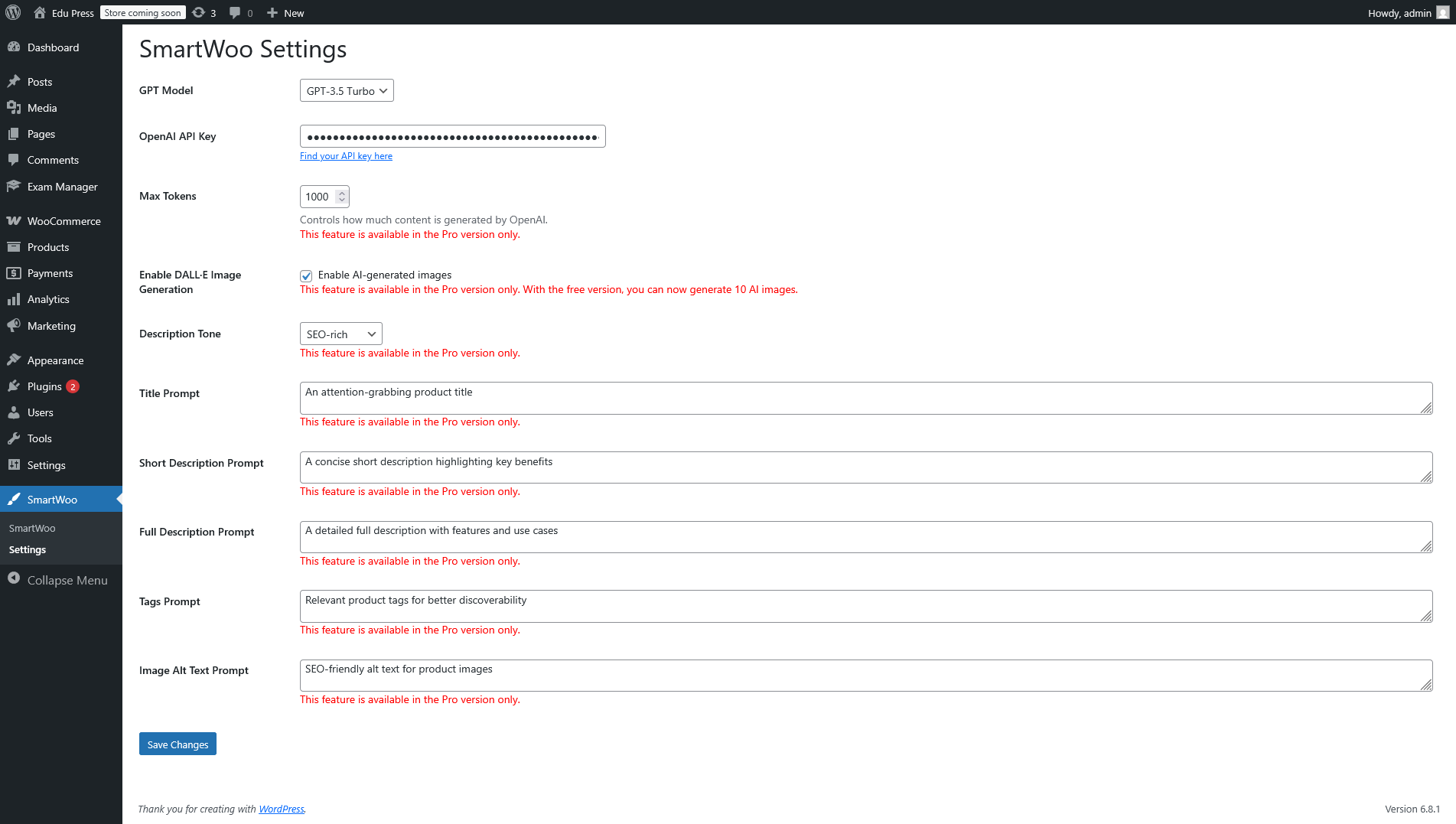
Do I need my own OpenAI API key?
No. SmartWoo's managed AI service does not require you to configure your own OpenAI API key.
Do I need Google AI or Anthropic API keys?
No. You do not normally need to configure personal AI provider API keys when using SmartWoo's managed AI service. SmartWoo handles supported AI-provider integrations through the SmartWoo API.
Do I need a SmartWoo account?
Yes. A SmartWoo account is required for API-powered AI-generation functionality because connected stores, credits, subscriptions, usage, and feature permissions are managed by the SmartWoo platform.
Is SmartWoo free?
SmartWoo provides a free plan with usage limits. Paid plans provide higher limits and additional features. For current limits and pricing, visit: SmartWoo Pricing
Can SmartWoo generate product titles?
Yes. SmartWoo supports AI-assisted WooCommerce product-title generation as part of its supported product-content workflow.
Can SmartWoo generate product descriptions?
Yes. SmartWoo can generate supported short and full product descriptions based on available product information and generation settings.
Can SmartWoo generate SEO metadata?
Yes. Supported SEO-generation features can include SEO titles, meta descriptions, keywords, tags, and image alt text.
Does SmartWoo guarantee higher Google rankings?
No. SmartWoo helps generate SEO-related content, but no plugin or AI service can guarantee search-engine rankings. SEO results depend on many factors outside SmartWoo.
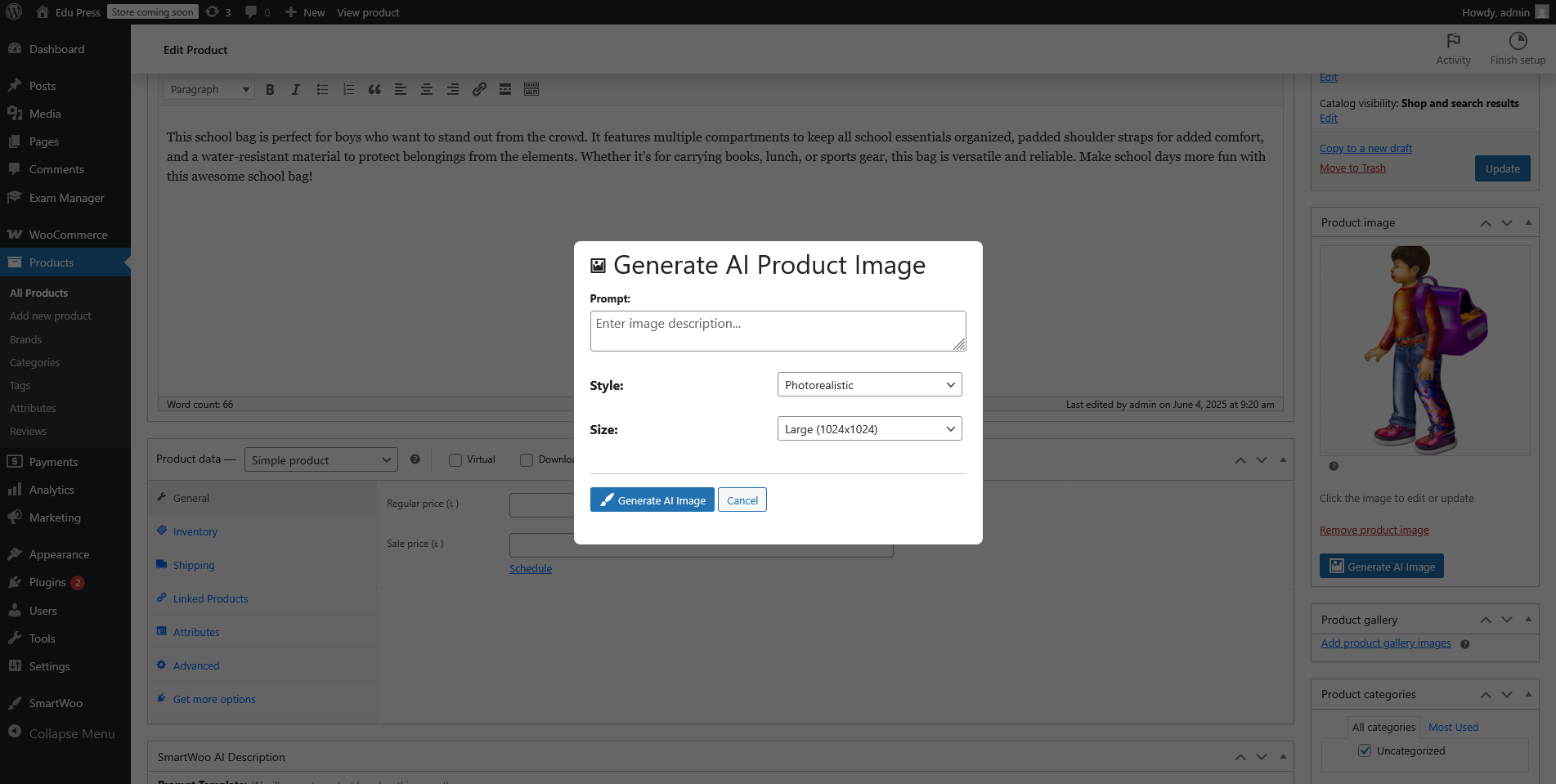
Can SmartWoo generate product images?
Yes. SmartWoo provides supported AI image-generation functionality for WooCommerce product workflows, subject to your plan, credits, and available SmartWoo features.
Can SmartWoo create product gallery images?
Yes. SmartWoo includes an AI Gallery Image Generator designed to help create coordinated product visuals.
Can I generate content for multiple WooCommerce products?
SmartWoo provides bulk-generation workflows. Availability, product limits, and AI usage depend on your SmartWoo subscription plan and available credits.
Can I choose the AI provider?
Provider-selection capabilities depend on your SmartWoo plan. Some plans may use automatic model selection, while eligible plans may provide provider or exact-model selection.
Where are AI requests processed?
AI-generation requests are sent to the SmartWoo API. The SmartWoo service may use supported third-party AI providers to fulfill those requests. Review the External Services section, SmartWoo documentation, and SmartWoo privacy policy for additional information.
Does SmartWoo automatically publish AI-generated content?
SmartWoo is designed to let users review supported generated results as part of the generation workflow. You should always review AI-generated content and images before publishing them.
Where can I find SmartWoo documentation?
Documentation is available at: SmartWoo Documentation
Where can I manage my SmartWoo account?
You can access the SmartWoo platform at: SmartWoo platform
更新日志:
- Repositioned SmartWoo as a complete AI product-content, SEO, and image-generation solution for WooCommerce.
- Added SmartWoo API-based AI processing workflow.
- Added managed AI functionality without requiring users to configure personal AI provider API keys.
- Added AI product content generation.
- Added AI SEO metadata generation.
- Added featured-image generation workflow.
- Added AI Gallery Image Generator.
- Added bulk AI-generation workflows.
- Added SmartWoo account and credit integration.
- Added support for AI quality tiers and model-selection permissions.
- Improved WooCommerce integration and SmartWoo user experience.
- Updated plugin documentation and WordPress.org information.
- Improved SmartWoo product-generation workflows.
- Improved WooCommerce integration.
- Fixed minor issues and improved stability.
- Initial SmartWoo release.