
SnapBar
| 开发者 | mapperkids1 |
|---|---|
| 更新时间 | 2026年3月17日 07:16 |
| PHP版本: | 7.4 及以上 |
| WordPress版本: | 6.9 |
| 版权: | GPLv2 or later |
| 版权网址: | 版权信息 |
详情介绍:
SnapBar adds a simple, customizable notification bar to the top of your WordPress site. Perfect for announcements, promotions, or important messages.
Why SnapBar?
Most notification bar plugins have 40+ settings, upsell nags, and features you'll never use. SnapBar gives you exactly what you need:
- Rich text message with bold, italic, and links
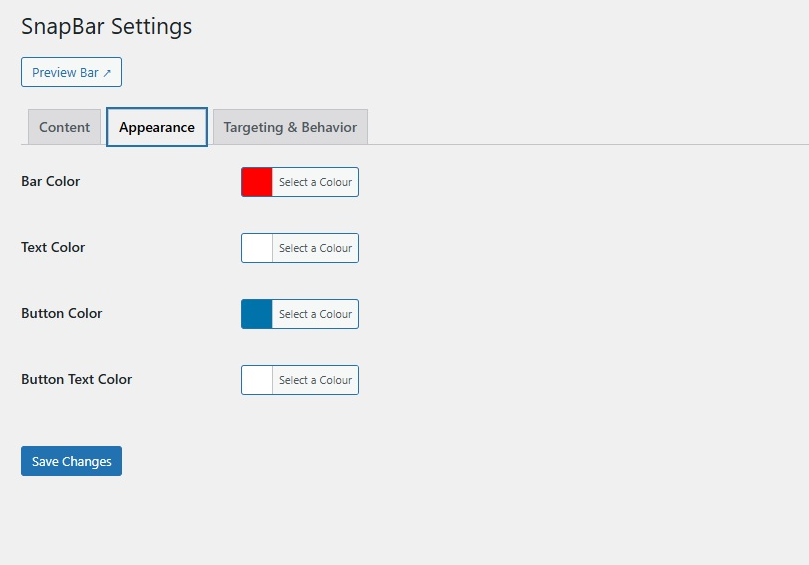
- Customizable bar and text colors
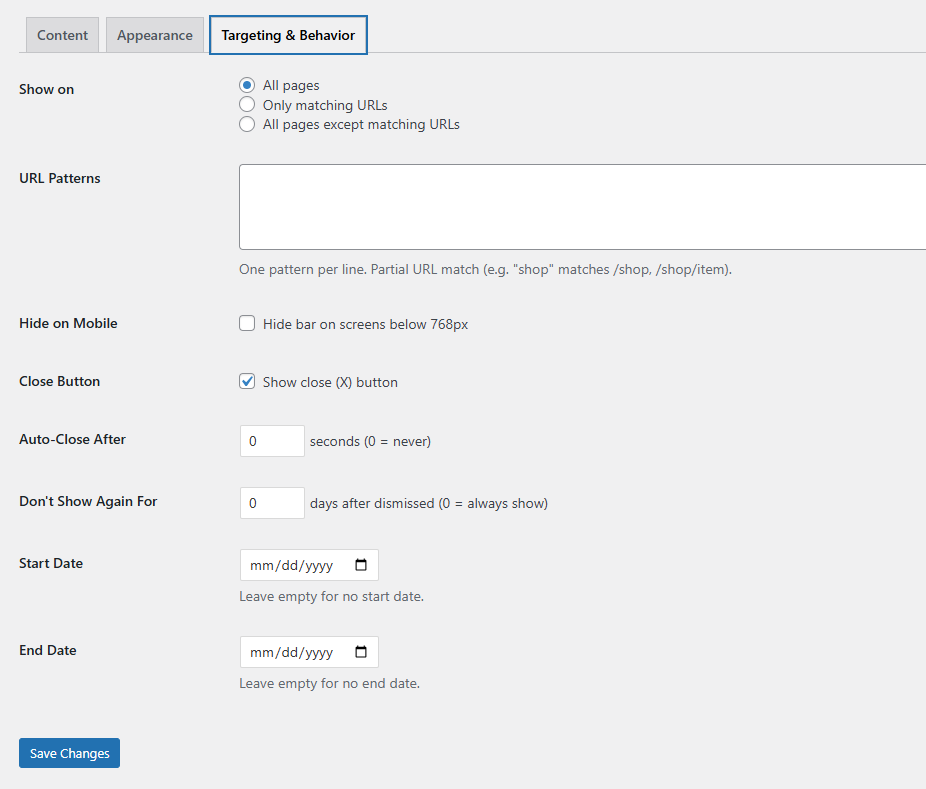
- Close button with "don't show again" cookie
- Auto-close timer
- URL targeting (show on specific pages or exclude pages)
- Mobile visibility toggle
- Date scheduling (start/end dates)
- Admin preview mode — see the bar before enabling it
- No jQuery on the front end — pure vanilla JS
- Single-file plugin — lightweight and fast
安装:
- Upload the
snapbarfolder to/wp-content/plugins/ - Activate the plugin through the Plugins menu
- Go to Settings > SnapBar
- Write your message, pick your colors, enable the bar
屏幕截图:

常见问题:
How do I preview the bar without enabling it?
Click the "Preview Bar" button on the settings page. It opens your site with the bar visible only to you.
Can I show the bar only on certain pages?
Yes. Under Targeting & Behavior, choose "Only matching URLs" and enter URL patterns (one per line). For example, entering "shop" will match /shop, /shop/products, etc.
Does this plugin use jQuery?
Not on the front end. The admin settings page uses jQuery (which WordPress already loads in admin), but the visitor-facing bar is pure vanilla JavaScript.
Can I add links in the message?
Yes. The message editor supports bold, italic, links, and basic HTML — the same editor you use for WordPress posts.
更新日志:
1.0.0
- Initial release