
Festival Snow Effect – Falling Snow & Christmas Effect
| 开发者 | |
|---|---|
| 更新时间 | 2026年11月14日 17:43 |
| PHP版本: | 7.4 及以上 |
| WordPress版本: | 7.1 |
| 版权: | GPLv2 or later |
| 版权网址: | 版权信息 |
详情介绍:
- Occasions – Lite: Christmas and Winter snow. Pro: 15 occasions.
- Artwork – Lite: Christmas artwork, 3 shapes. Pro: all bundled artwork, your own images, emoji and symbols, 8 shapes.
- Colours – Lite: 1 colour. Pro: up to 8 colours and ready-made palettes.
- Flakes – Lite: up to 60. Pro: up to 500.
- Motion – Lite: speed, size, opacity, rotation. Pro: plus wind, gusts, sway, rotation speed, depth, shadow and mouse interaction.
- Scheduling – Lite: manual on/off. Pro: automatic occasion by date and a start/end window.
- Targeting – Lite: entire site or home page. Pro: visitor type, post types, IDs, URL patterns and a per-page disable checkbox.
- Presets – Lite: 3. Pro: 10.
- Tools – Lite: reset to defaults. Pro: plus JSON import/export, admin-bar switch and visitor on/off button.
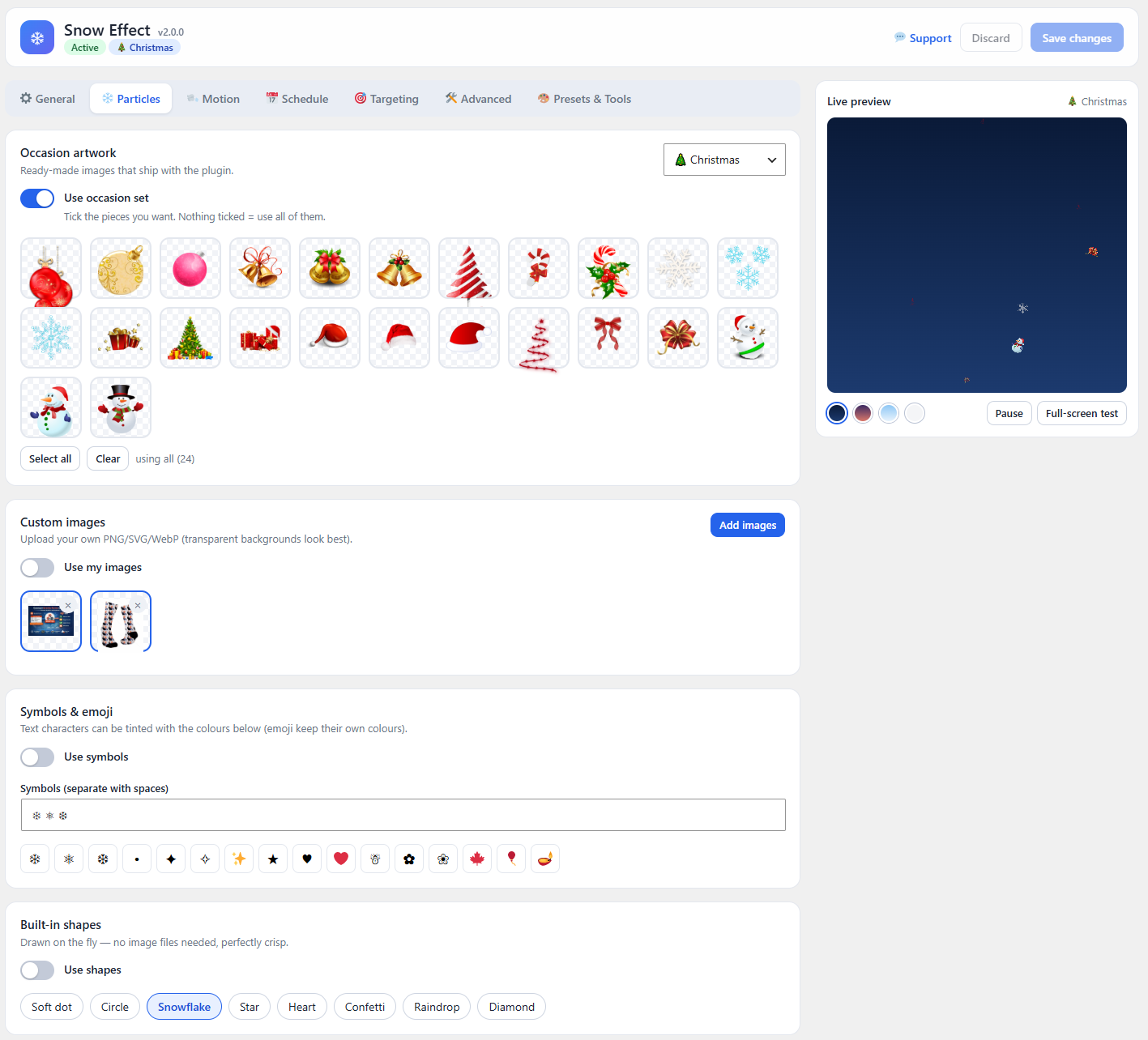
- Modern React admin screen with seven tabs: General, Particles, Motion, Schedule, Targeting, Advanced, Presets & Tools
- Live preview with night, dusk, day and light backdrops, plus play/pause
- Full-screen test to see the effect over your whole screen before saving
- Unsaved-changes warning and Ctrl/Cmd+S to save
- Reset to defaults
- Automatic migration of settings from version 1.x
- Christmas artwork you can tick on and off
- Winter snow using classic snowflake symbols
- Soft dot, circle and snowflake shapes drawn crisply at any size
- Colour picker for shapes and symbols
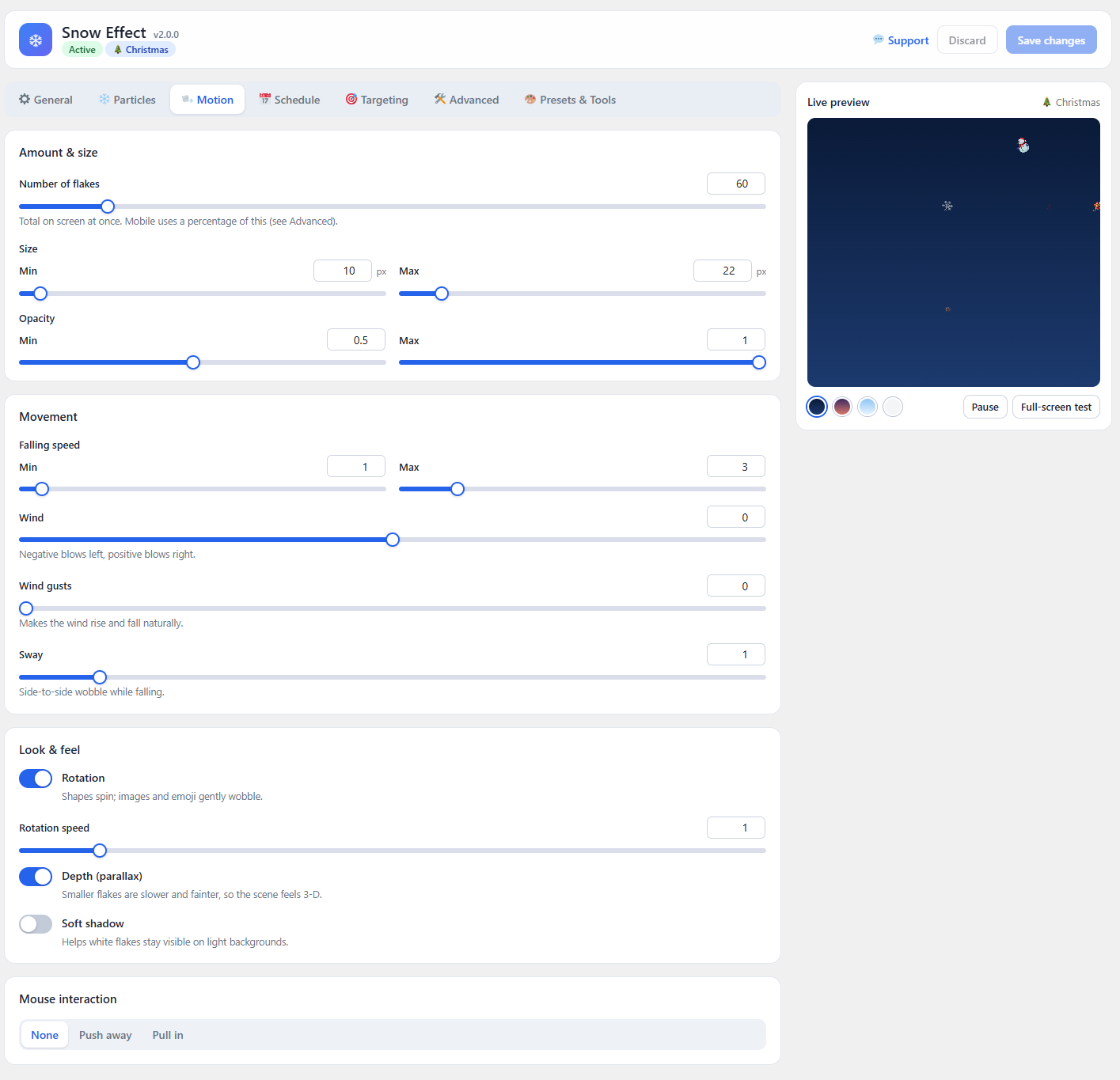
- Minimum and maximum size, minimum and maximum opacity
- Up to 60 flakes on screen
- Minimum and maximum falling speed
- Optional rotation (shapes spin, images gently wobble)
- Entire site or home page only
- Enable or disable the effect with one switch
- Classic Snow, Snow Globe and Christmas Magic
- No jQuery, no external libraries, one lightweight canvas
- Pauses automatically in background tabs
- Never blocks clicks, links, buttons or forms
- Works with high-resolution (retina) screens
- Mobile support
- Admin scripts load only on the plugin's own page
- Upload your own images (PNG, SVG, WebP) as flakes
- Use emoji and text symbols
- 8 built-in shapes: soft dot, circle, snowflake, star, heart, confetti, raindrop, diamond
- Multi-colour palettes with up to 8 colours
- Up to 500 flakes
- Wind direction and strength
- Natural wind gusts
- Side-to-side sway
- Rotation speed control
- Depth (parallax): small flakes fall slower and fainter
- Soft shadow for light backgrounds
- Mouse interaction: push flakes away or pull them in
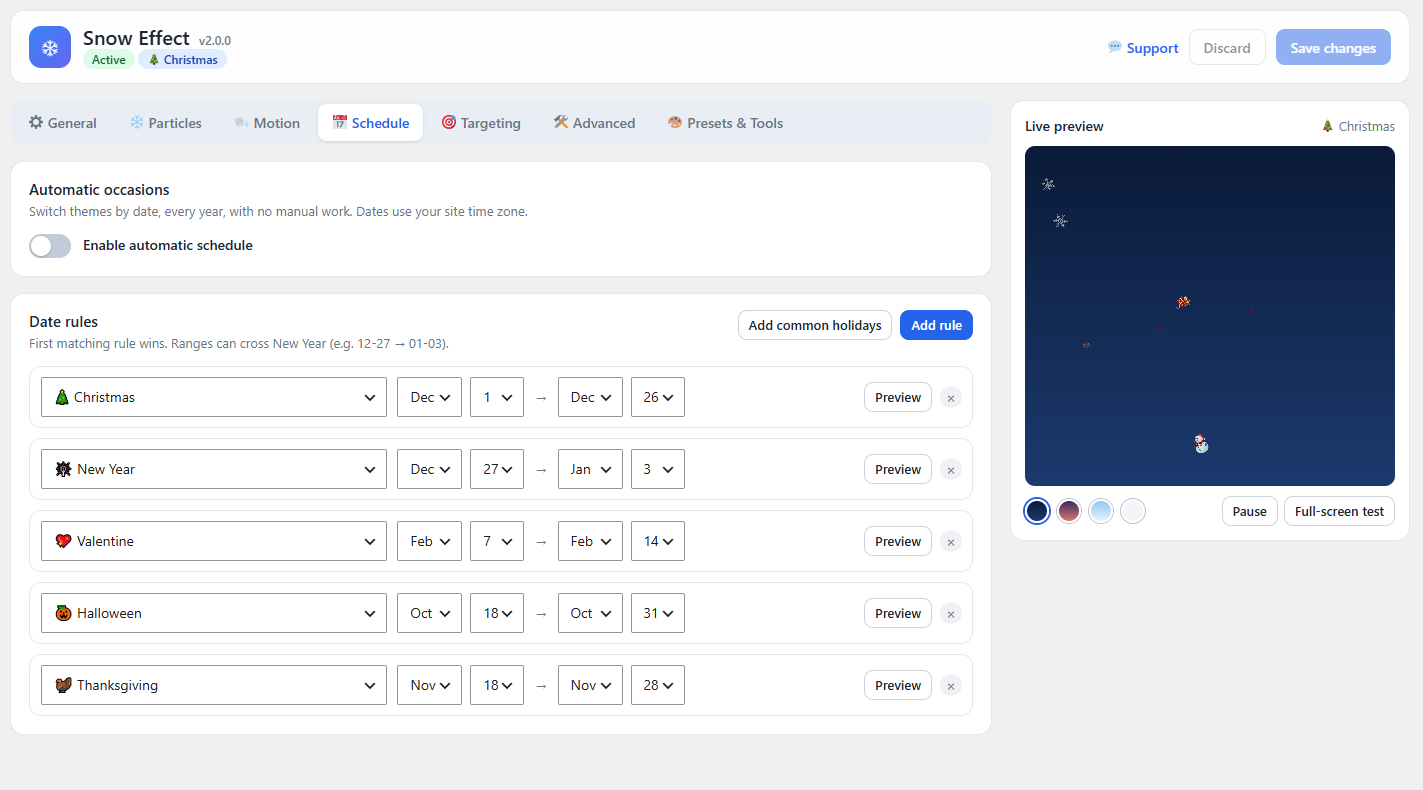
- Automatic occasion by date, e.g. Christmas 1–26 Dec, New Year 27 Dec–3 Jan
- Date ranges that cross New Year
- Optional start and end date/time window for campaigns, in your site time zone
- Works with page-caching plugins because date rules run in the visitor's browser
- Show to everyone, logged-out visitors or logged-in users
- Entire site, home page only or selected post types
- Include or exclude by post/page ID
- Exclude by URL pattern with wildcards
- "Disable the snow effect on this page" checkbox in every editor
- Fade-in duration, start delay and auto-stop timer
- Frame-rate cap
- Separate mobile flake percentage and mobile on/off
- Choose whether to respect the "reduce motion" device setting
- Custom z-index
- Optional on/off button so visitors can switch the effect off
- All 10 presets: Classic Snow, Blizzard, Snow Globe, Christmas Magic, Autumn Leaves, Rainy Day, Confetti Party, Valentine Hearts, Diwali Sparkle, Starry Night
- Export and import settings as JSON
- Admin-bar ON/OFF switch
安装:
- Upload the
snow-effect-litefolder to/wp-content/plugins/, or install the ZIP via Plugins → Add New → Upload Plugin. - Activate the plugin.
- Open Snow Effect in the admin menu, pick a preset or adjust the look, and press Save changes.
- Visit your site to see the effect.
屏幕截图:

常见问题:
Will it slow down my website?
No. The effect uses a single lightweight canvas with no jQuery or third-party libraries. It pauses automatically in background tabs, and you can lower the flake count.
Will the snow block clicks on my site?
No. The canvas ignores mouse and touch input, so links, buttons and forms work as normal.
Can I use it for occasions other than Christmas?
Lite includes Christmas and winter snow. The other 13 occasions, custom images and emoji are in Pro.
Can I show snow only in December?
Automatic date scheduling is a Pro feature. In Lite you switch the effect on or off from the Snow Effect screen.
Can I use my own snowflake image?
Custom image upload is a Pro feature.
Can I show it on only some pages?
Lite can show it on the entire site or the home page only. Targeting by post type, page ID, URL and visitor type is in Pro.
Does it work on mobile?
Yes. Pro adds a separate flake amount for phones and tablets and the option to turn the effect off on them.
Does it respect accessibility settings?
Yes. Visitors who asked their device to reduce motion will not see the effect.
Does it work with caching plugins?
Yes. The effect is added by JavaScript and is not affected by page caching.
Can I use Lite and Pro together?
Only one edition can be active at a time. Both use the same settings, so upgrading keeps your setup.
I used version 1.x. Will I lose my settings?
No. Settings are migrated automatically the first time version 2 loads.
How do I get support?
Contact us at https://www.codesmade.com/contact-us/
更新日志:
- New React admin with live preview, presets and full-screen test
- New dependency-free canvas engine (replaces jQuery snowfall)
- Settings migrated automatically from 1.x
- Admin assets now load only on the plugin page