Social Chat Buttons
| 开发者 |
hassantafreshi
whitestudio presskopp tobifjellner psmits1567 fakhriaz fxbenard emre pedromendonca rbilohash pandanb irinashl nekojonez |
|---|---|
| 更新时间 | 2026年8月18日 22:58 |
| PHP版本: | 7.4 及以上 |
| WordPress版本: | 7.1 |
| 版权: | GPLv2 or later |
| 版权网址: | 版权信息 |
详情介绍:
- WhatsApp Business & Personal
- Telegram
- Signal
- Instagram Direct
- Facebook Messenger
- Twitter/X DM
- LinkedIn Messages
- Viber
- Discord 🎨 Beautiful & Customizable Design
- Modern floating chat button
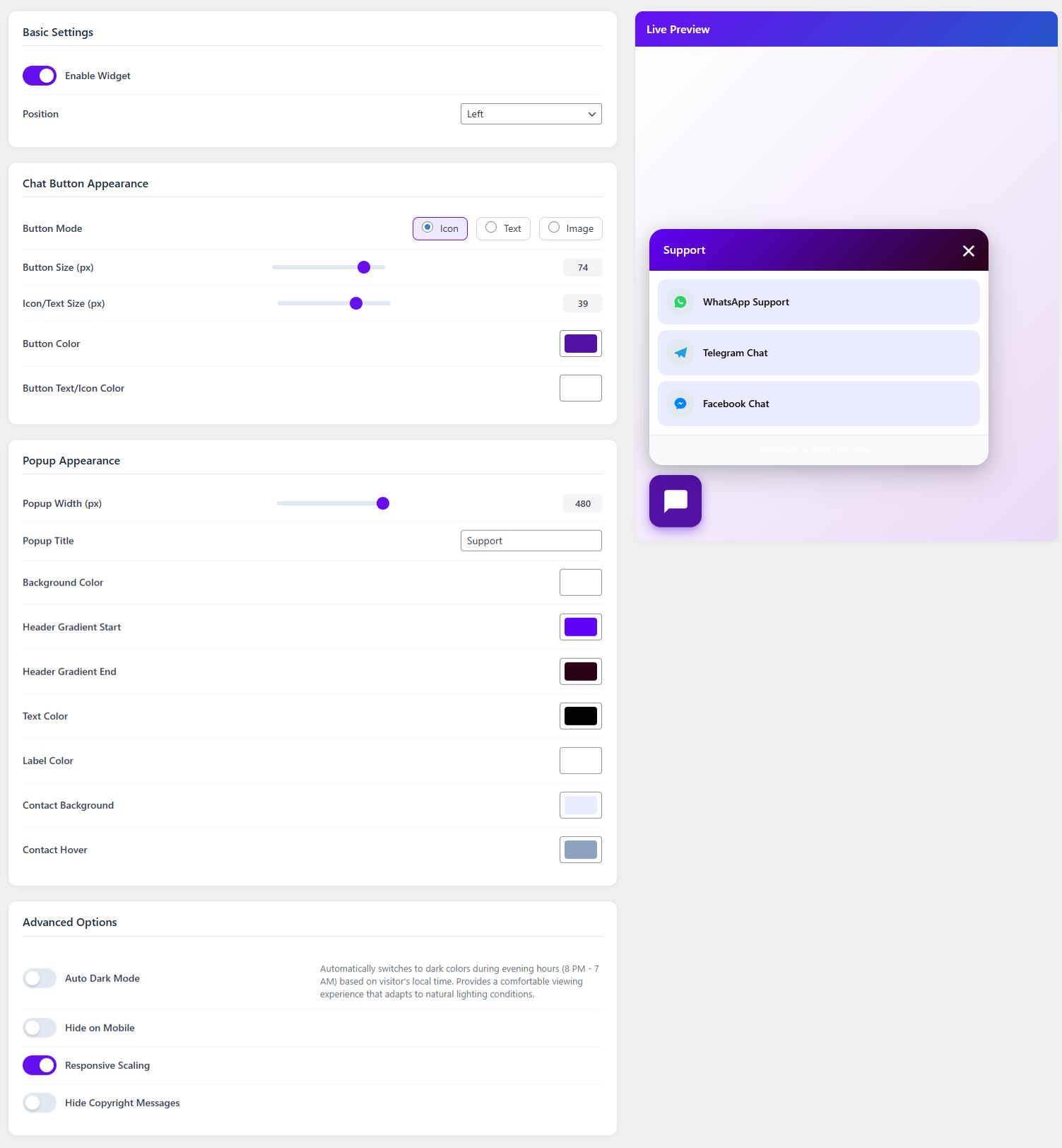
- Customizable colors and sizes
- Icon, text, or custom image modes
- Icon Picker with WordPress Dashicons, Bootstrap Icons, and custom SVG upload
- Adjustable border radius — from square corners to fully rounded buttons
- Gradient header backgrounds
- Responsive design for all devices
- Auto dark mode (8 PM - 7 AM, based on visitor's local time) 🚀 Two Display Modes
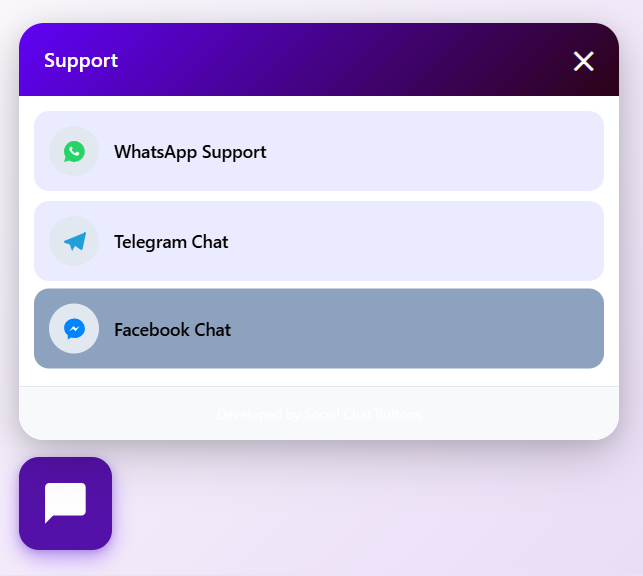
- Popup Mode — Classic chat popup window with contact list, header, and business hours
- Direct Icons (Speed Dial) Mode — Social icons fan out from the floating button with cascading animation
- Hover tooltips in direct mode — contact name appears next to each icon
- RTL and LTR aware tooltip positioning
- Click outside to close — intuitive user experience ⚡ Advanced Features
- Smart availability scheduling - Set different hours for each contact
- Live preview in admin panel
- Auto-save settings as you type
- Message templates for each contact
- Photo avatars with media library integration
- Mobile-friendly or hide on mobile option
- Position control (left/right)
- Responsive scaling 🔧 Easy Management
- Intuitive admin interface
- Drag & drop contact management
- Bulk operations support
- Real-time settings preview
- One-click contact addition 🎯 Display Rules
- Choose where the chat button appears on your website
- All Pages — show the chat button everywhere (default)
- Specific Pages — show the chat button only on selected pages
- Specific Categories — show the chat button only for selected categories
- Page selection control appears when Specific Pages is selected 🌍 Localization Ready
- Full internationalization support
- WordPress translation ready
- RTL support 🔒 Secure & Optimized
- WordPress coding standards compliant
- Nonce security verification
- Data sanitization & validation
- Lightweight and fast loading
- Clean uninstall option
- GDPR compliant - no personal data collection
- E-commerce stores
- Business websites
- Personal blogs
- Service providers
- Customer support teams
- Multi-language sites Live Demo Documentation Support
安装:
- Go to your WordPress admin panel
- Navigate to Plugins > Add New
- Search for "Social Chat Buttons"
- Click Install Now and then Activate
- Download the plugin from WordPress.org
- Upload the plugin files to
/wp-content/plugins/social-chat-buttons/ - Activate the plugin through the Plugins menu in WordPress
- After activation, go to Social Chat Buttons in your admin menu
- Click Panel to add your social media contacts
- Configure appearance in Settings
- Your chat widget will appear on your website!
屏幕截图:


常见问题:
Is this plugin completely free?
Yes! Social Chat Buttons is 100% free with all features included. There's no premium version or hidden costs.
Can I schedule availability hours?
Yes! You can set different availability schedules for each contact. Define working hours for each day of the week with multiple time slots support.
Is it mobile-friendly?
Yes! The widget is fully responsive and works perfectly on all devices. You can also choose to hide it on mobile if needed.
Can I customize the appearance?
Absolutely! Customize colors, sizes, border radius, position, button mode (icon/text/image), and much more through the intuitive settings panel. You can also choose from WordPress Dashicons, Bootstrap Icons, or upload a custom SVG for the button icon.
What is Direct Icons mode?
Direct Icons (speed dial) mode shows your social media icons fanning out directly from the floating button — no popup window needed. Each icon links directly to the chat platform. Hovering shows the contact name in a beautiful tooltip. It's perfect for quick access to your communication channels.
Does it support RTL languages?
Yes! The plugin is fully RTL-compatible. Tooltips and icon positions automatically adapt based on your widget placement (left or right side) and text direction.
Can I control which pages show the chat button?
Yes. Use Display Rules to choose where the chat button appears. You can show it on All Pages (default), only on Specific Pages, or only for Specific Categories. When Specific Pages is selected, use Select Pages to choose the pages where the button should appear.
Does it work with caching plugins?
Yes! The plugin is optimized to work with all major caching plugins including WP Rocket, W3 Total Cache, and WP Super Cache.
Is it translation ready?
Yes! The plugin is fully internationalized. You can easily translate it to any language.
How many contacts can I add?
Unlimited! Add as many social media contacts as you need for different departments or purposes.
Does it slow down my website?
No! The plugin is lightweight and optimized for performance. It loads minimal resources and won't affect your site speed.
更新日志:
- Added Display Rules to control where the chat button appears
- Added All Pages, Specific Pages, and Specific Categories visibility options
- Tested compatibility with WordPress 7.1
- Updated plugin metadata for the latest WordPress release
- Updated UI
- Tested compatibility with WordPress 7.0
- Updated plugin metadata for the latest WordPress release
- Minor bug fixes and performance improvements
- Minor bug fixes and performance improvements
- Update readme
- Initial release
- Multi-network social media support
- Admin panel with contact management
- Security features with nonce verification