
Social Linkz - Lightweight and fast social media sharing plugin
| 开发者 |
kaizencoders
mikeatkaizencoders |
|---|---|
| 更新时间 | 2026年10月12日 12:57 |
| PHP版本: | 5.6 及以上 |
| WordPress版本: | 7.1 |
| 版权: | GPL-3.0+ |
| 版权网址: | 版权信息 |
详情介绍:
Social Linkz is a simple, fast, and lightweight social sharing plugin. Add share buttons to your posts and pages, pick the networks you want, match them to your theme, and get back to writing.
安装:
The easy way..
- Go to WordPress Dashboard. Locate Plugins -> Add New
- Search Social Linkz plugin using the search option
- Find the plugin and click Install Now button
- After installation, click on Activate Plugin link to activate the plugin.
- Download the plugin social-linkz.zip
- Go to WordPress Dashboard. Locate Plugins -> Add New
- Click on the Upload Plugin link from the top
- Upload the downloaded social-linkz.zip file and click on Install Now
- After installation, click on Activate Plugin link to activate the plugin.
屏幕截图:
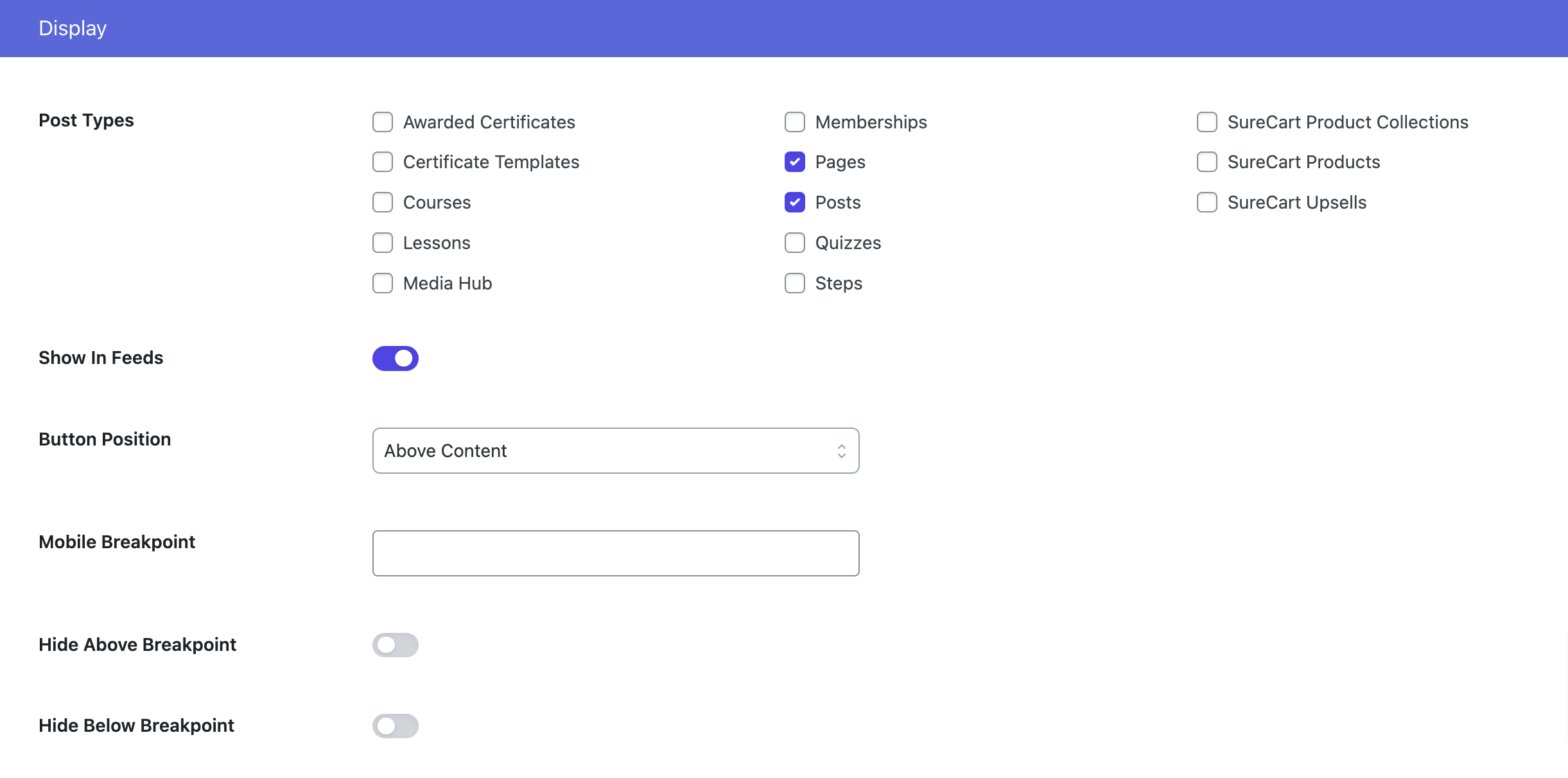
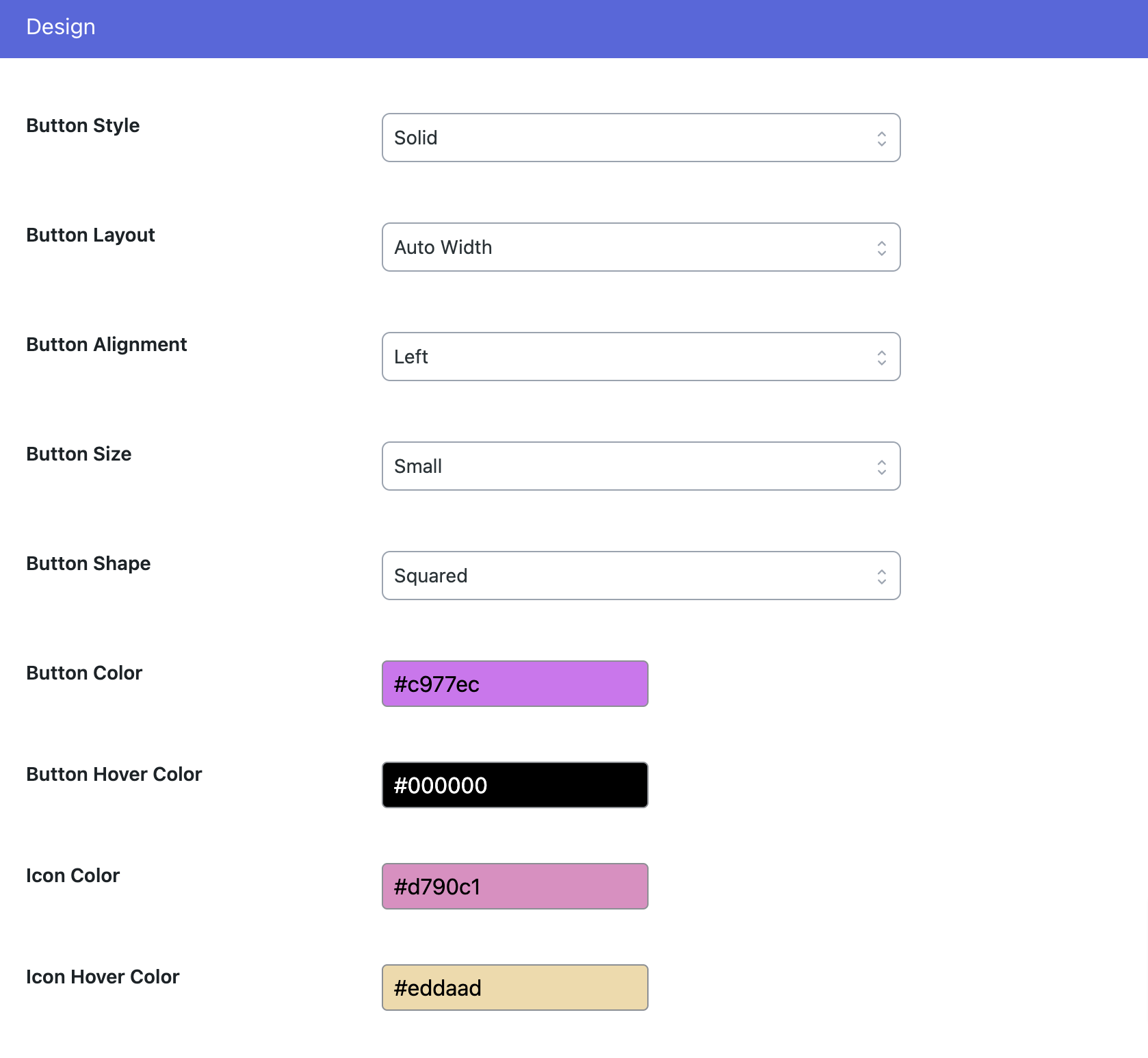
![Share Counts [PRO]](https://cdn.jsdelivr.net/wp/social-linkz/assets/screenshot-4.png)
![Call To Action [PRO]](https://cdn.jsdelivr.net/wp/social-linkz/assets/screenshot-5.png)
更新日志:
1.9.2 - 2026-10-12
- Update: Minor bug fixes and improvements.
- Fix: The Enable Floating Bar and Enable Highlight Share switches were drawn on top of their own description. The switch field printed the description inside the element the track and the knob are positioned against, which pushed the track onto a second line and left the knob sitting over the text. PRO
- Fix: Social Networks could not be selected on the Floating Bar and Highlight Share tabs. Every tab is rendered into the page at once, and all three tabs gave their network checkboxes the same ids, so clicking a network on either tab silently toggled the matching one on Inline Content instead. PRO
- New: Floating share bar. A rail down the side of the page on desktop that becomes a bar along the bottom on mobile, with show-on-scroll, breakpoints, alignment and offsets, and a per-post opt-out. PRO
- New: Highlight Share. Share buttons appear over any text a reader selects, confined to the post content so a selection in a menu or a comment does not trigger them. PRO
- New: Click to Post.
[social_linkz_post tweet="..."]renders a pull quote that shares itself, in three themes with an accent colour. The character budget is measured against what X actually counts, and a quote that has to be shortened is cut on a word boundary. PRO - New: Per-post settings. Override the share title and image, or switch off the inline buttons, the floating bar or highlight sharing, for a single post. PRO
- New: Accounts settings for the X and Mastodon handles, the Facebook app ID and the Subscribe link. The share links have always read these, but nothing ever wrote them, so
via=, Messenger and the Subscribe button were silently never configured. - New:
[social_linkz]shortcode. The "Don't Add To Content (Shortcode)" button position has always named a shortcode that was never registered, so choosing it switched the buttons off with no way to put them back. - New: Social Linkz screens carry their own footer, with the plugin name, version, the KaizenCoders signature and quick links, in place of the WordPress credit line and the core version nag. WordPress's own footer is left untouched everywhere else.
- New: Campaign-driven upgrade banner for free users. One offer at a time, shown only once share buttons are actually switched on and the plugin has been installed long enough to have been useful, and dismissible per campaign per user.
- Update: Other Products has moved out of Tools to a menu item of its own. Plugin names, icons and descriptions now come from WordPress.org rather than a hardcoded list, and Install, Activate and Deactivate happen on the screen instead of sending you to the plugin installer.
- Update: Removed the Tools screen. Other Products was the only thing on it, and it was reachable by any subscriber.
- Update: .POT file.
- Update: WordPress 7.1 compatibility.
- Update: WordPress 6.8.2 compatibility.
- Update: WordPress 6.8.1 compatibility.
- Update: WordPress 6.7.1 compatibility.
- Fix: Add Gutenberg Block Social for Social Share.
- New: Add Assets.
- Update: .POT file
- Fix: Integration issue.
- Update: Plugin Assets.
- New: Generate Short URL using URL Shortify.
- Update: .POT file
- Fix: Network sortable issue.
- Fix: Color picker issue.
- Fix: Loading of dashboard issue.
- Update: .POT file.
- Fix: Loading of dashboard issue.
- Update: .POT file.
- Fix: Color picker issue.
- Fix: Social Network button color issue.
- New: Additional Social networks.
- New: Add additional button styles.
- New: Add additional button layouts.
- Update: .POT file.
- Add: Additional social sharing settings for display & design.
- Add: Add 20+ social sharing options. PRO
- Add: Add call to actions. PRO
- Add: Add social share count. PRO
- Update: .POT file.
- Add: Admin settings panel.
- Add: Facebook & Twitter share.
- Update: Remove dependency of other frameworks.
- Update: Security Enhancements.
- Update: .POT file.
- Update: WordPress 6.6.2 compatibility.