Softech Addons for Elementor
| 开发者 |
shravanchoudhary
echuaksingh |
|---|---|
| 更新时间 | 2026年9月7日 20:35 |
| 捐献地址: | 去捐款 |
| PHP版本: | 7.4 及以上 |
| WordPress版本: | 7.1 |
| 版权: | GPLv2 or later |
| 版权网址: | 版权信息 |
详情介绍:
安装:
- Upload the plugin files to the
/wp-content/plugins/softech-addons-for-elementordirectory, or install it through the WordPress plugin screen directly. - Activate the plugin through the 'Plugins' menu in WordPress.
- Ensure Elementor is installed and activated.
- Navigate to Elementor Editor and explore the new widgets.
- If you have any questions, please check out the FAQ page or contact us via our Contact form.
屏幕截图:



常见问题:
If something isn't addressed here, how can we connect with you?
You're welcome to message us anytime using our Contact form.
Does this require Elementor Pro?
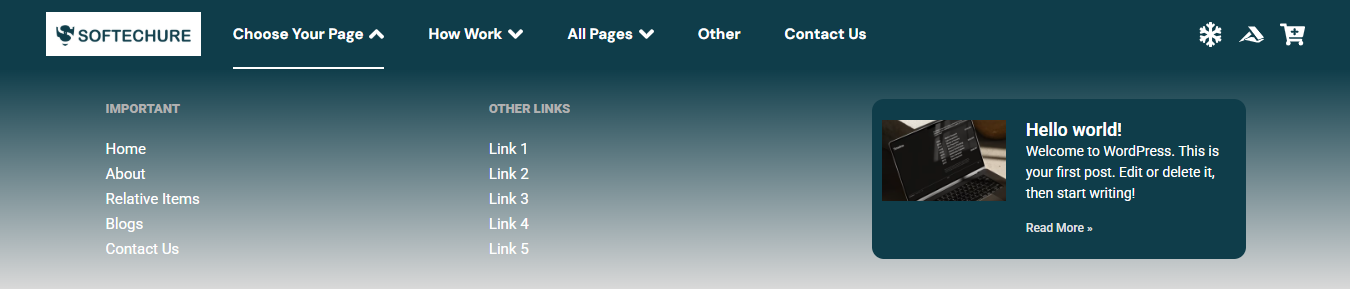
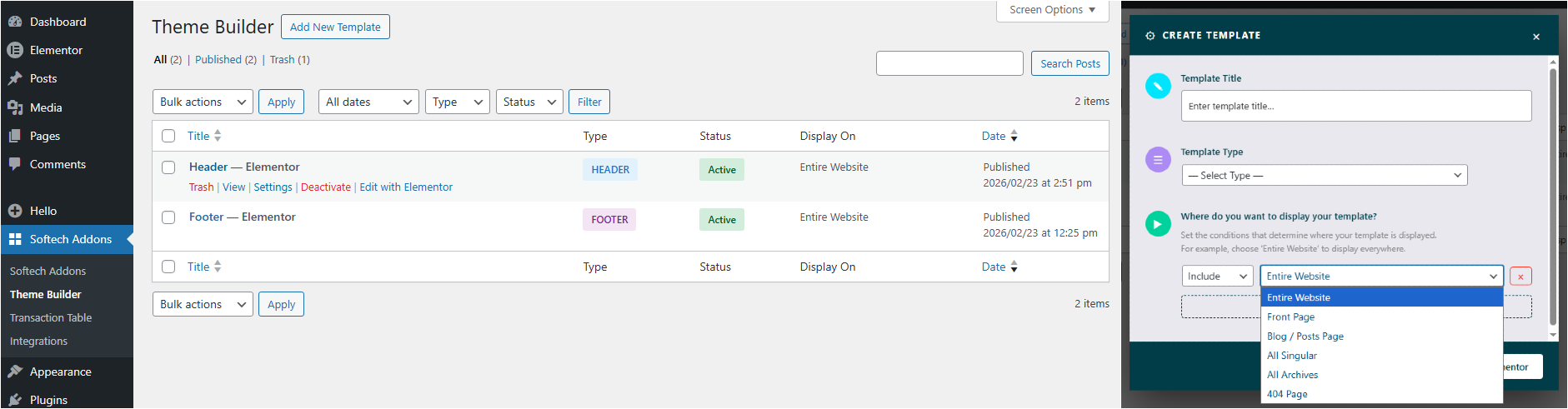
No. All widgets, including the Mega Menu, work completely with the free version of Elementor. As of version 1.1.2, we have introduced our own built-in Theme Builder, so you no longer need Elementor Pro's Theme Builder to place your Mega Menu (or any other widget) in your site's header or footer. Simply use our Header & Footer Builder from the plugin settings Theme Builder tab to design and assign your header and footer templates - no Elementor Pro subscription required.
Where can I find the new widgets after installation?
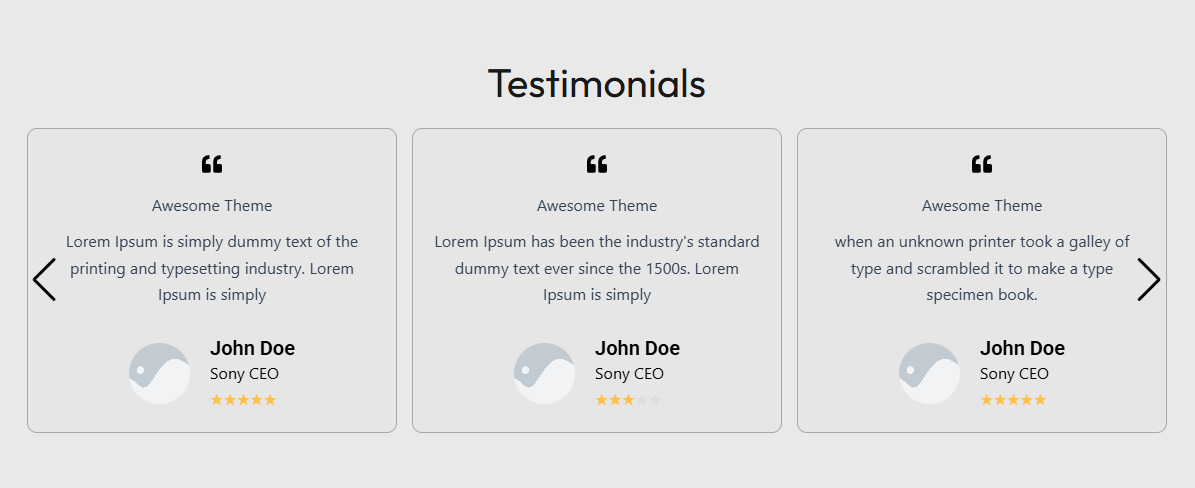
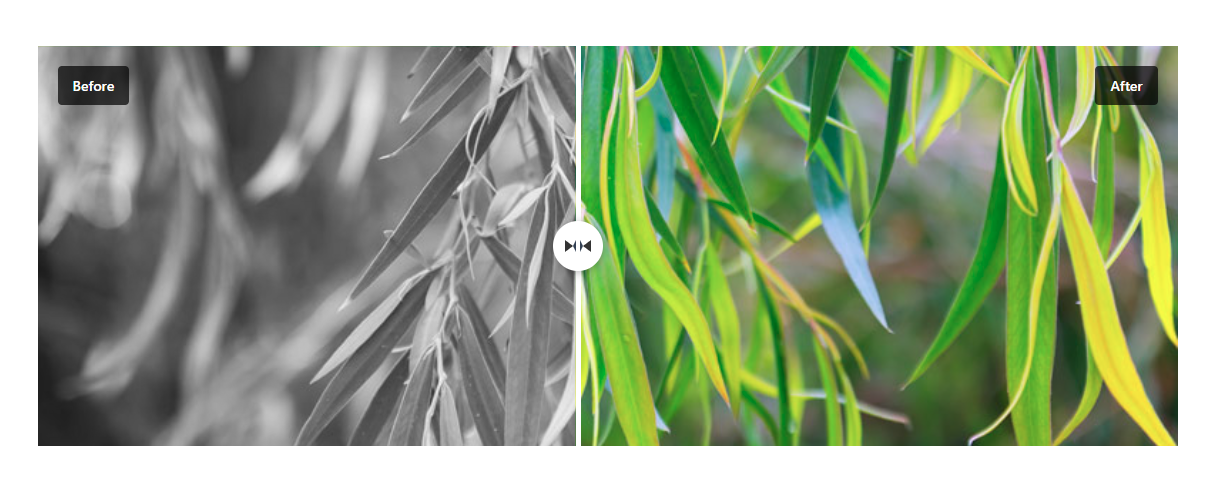
Once activated, the new widgets (like Loop Grid slider, Testimonial Slider, Before After Slider, etc.) will appear in the Elementor Editor panel under a dedicated section called "Widgets".
Will your plugin affect the performance of my site?
We run tests to ensure the speed of the site is not affected when you activate our Elementor addons. We provide a way for you to deactivate those Elementor modules that you do not require for your site to avoid loading them unnecessarily on the pages. = Does it work with any theme? =\ YES! It will work with any theme where Elementor works. = What if I update to Premium version? =\ Your existing Elementor elements & content will work with premium version. So you won't lose your developed contents or any elementor elements.
Do you collect any data through the activation/deactivation feedback form?
Yes, with your consent, we collect some basic information to help us improve the plugin. This data is only collected when you agree to share it. See our Privacy Policy for full details.
更新日志:
- New Widget: Table of Contents - Added a new free Table of Contents widget for Elementor, automatically generating a navigable outline from your page or post headings with smooth scroll and active-link highlighting
- Loop Grid Slider: Added new options to the grid items settings for greater layout and design control
- General: Regular update with bug fixes and stability improvements
- Cache Manager: Plugin cache clearing now stays in sync with Elementor — using Elementor's "Regenerate Files & Data" (Tools) or the front-end "Clear Files & Data" option now also clears the plugin's own cached CSS/JS and data
- Marquee: Fixed a flash of unstyled content (FOUC) issue that could briefly show the widget without its styling on page load
- Templates Kit: Fixed an issue where the button to open the Templates Kit panel did not respond in some cases
- Templates Kit: Fixed an import issue where bringing in a new template could cause existing sections already on the page to disappear or lose their styling
- Templates Kit: Resolved import issues affecting two specific templates that failed to import correctly
- General: Bug fixes and stability improvements
- New Widget: Marquee - Added a new free Marquee widget for Elementor, supporting Static mode (text, images, icon list) and Dynamic mode (auto-pull post featured image and post title) for smooth scrolling announcements and promotional content
- Mega Menu: Fixed several issues affecting menu rendering and behavior
- GSAP Animations: Fixed several issues for more stable and consistent animation behavior
- General: Minor bug fixes and stability improvements
- General: Weekly maintenance update with minor bug fixes and stability improvements
- Compatibility: Verified compatibility with the latest WordPress and Elementor versions
- Performance: Small internal optimizations for smoother widget rendering
- Theme Builder: Added support for creating templates for custom post types and their custom taxonomies, extending Theme Builder beyond default post types
- Templates Kit: Fixed an issue where the Template Library button did not work correctly in some cases or some devices.
- Loop Grid Slider: Improved Load More pagination behavior for smoother button interaction and seamless filtering without page reloads
- Templates Kit: Introduced a Templates Kit panel in the Elementor page editor, giving users access to professionally designed demo templates from the Softech Addons website directly under the Sections tab — ready to insert and customize with a single click
- Compatibility: Verified full compatibility with WordPress 7.0 and the latest version of Elementor, ensuring stable and reliable performance across all supported environments
- Tabs & Accordion: Introduced a Title HTML Tag control, allowing users to select the appropriate semantic heading element (H1–H6, div, p, or span) for tab and accordion titles, improving document structure and SEO flexibility
- Loop Grid Slider: Added Load More pagination as an additional pagination type, enabling visitors to progressively load more items without triggering a full page reload; includes general code improvements and performance optimizations for more stable and consistent rendering
- Theme Builder: Added Search Results as a new template type, enabling users to design and assign fully custom search results pages directly within the Elementor Theme Builder - no coding required
- Search Bar: Enhanced overall widget performance through internal code optimization and rendering improvements for more consistent output across all themes and page configurations
- New Widget: Search Bar - Added a new free Search Bar widget for Elementor, allowing visitors to search across your website directly from any page or template
- Loop Grid Slider: Improved overall behavior, layout consistency, and resolved several bugs for more stable and reliable rendering
- Tabs & Accordion: Enhanced functionality, refined interaction behavior, and fixed various bugs for a smoother and more consistent experience
- General: Various internal improvements and bug fixes across the plugin for better stability and performance
- New Widget: Smart Slider - Introduced a fully responsive Elementor Smart Slider widget for creating image and content carousels with autoplay, navigation arrows, pagination, overlay controls, and smooth transitions. Perfect for hero sections, banners, and visual showcases
- New Dynamic Tags: Added new dynamic tags for greater content flexibility and personalization across Elementor templates
- Loop Grid Slider: Added "Load More" button as a new pagination type, allowing visitors to progressively load additional items without full page reload
- Loop Grid Slider: Fixed multiple code-level bugs for improved stability, consistent rendering, and smoother carousel behavior
- Mega Menu: Resolved code-level bugs affecting menu rendering, layout consistency, and interaction behavior across various configurations
- Mega Menu: Resolved multiple bugs affecting menu rendering and layout behavior for improved consistency across browsers and screen sizes
- Mega Menu: General stability improvements and refined internal logic for more reliable menu interactions
- Loop Grid Slider: Fixed edge-case bugs impacting grid layout, slider behavior, and content rendering
- Loop Grid Slider: Performance and stability improvements for smoother carousel transitions and more consistent output
- Sticky Controls: Addressed issues with sticky positioning behavior introduced in v1.2.1 for more predictable and stable sticky element handling
- Sticky Controls: Improved compatibility of sticky options across different layout configurations and screen sizes
- Code Refinements: Completed comprehensive code cleanup and refactoring across all widgets, improving maintainability and reducing redundant logic
- Bug Fixes: Resolved multiple edge-case bugs across widgets to ensure more consistent and reliable behavior on all page types
- Improved Stability: Enhanced error handling and internal processes across multiple widgets for smoother, crash-free operation
- Loading Speed Improvements: Optimized asset loading, reduced unnecessary script execution, and improved rendering efficiency across widgets and overall site performance
- New Widgets Added: Introduced 6 new Theme Builder widgets - Post Title, Post Content, Post Thumbnail, Post Navigation, Author Box, and Post Meta
- Advanced Tab Enhancement: Added Sticky option in Elementor Advanced tab for better layout control and positioning
- Header & Footer Builder: Improved core structure, rendering performance, and overall stability of header & footer templates
- Testimonial Slider: Code optimizations, improved rendering consistency, and better autoplay + layout handling
- GSAP Animations: Fixed multiple animation bugs related to scroll triggers, split text, and stacking cards behavior
- GSAP Animations: Improved initialization on dynamic/AJAX-loaded content and smoother easing transitions
- Filterable Gallery: Added masonry layout, new hover effects, and improved filter behavior consistency
- Filterable Gallery: Fixed taxonomy query issues and lightbox navigation bugs
- Compatibility: Tested with latest WordPress (6.9) and Elementor versions
- Performance: General code improvements and minor optimizations across multiple widgets
- New Widget: Filterable Gallery - Introduced powerful multi-mode gallery widget with Basic Gallery, Filter Gallery, and Dynamic Gallery (query-based) display options
- GSAP Animations: Added professional scroll-triggered animation system with 14 entrance presets, split text effects, and stacking cards - applies to any Elementor element
- Performance: GSAP scripts load conditionally only on pages using animations
- Animation Controls: Full customization of duration, delay, easing, scroll triggers, and animation behavior
- Split Text: Character-by-character and word-by-word text animation with global and per-element settings
- Stacking Effect: Sticky scroll stacking for creating engaging card-stack interactions
- Gallery Features: Lightbox support, taxonomy filtering, query builder integration, and responsive grid layouts
- Compatibility: Tested and verified with WordPress 6.9 and Elementor latest versions
- Theme Builder: Resolved minor bugs for improved stability and rendering consistency.
- Stripe Transaction Table: Introduced CSV export functionality, allowing users to download full or filtered transaction data directly from the table.
- Stripe Transaction Table: Added advanced filtering options to refine transaction records with the ability to export filtered results.
- Tabs & Accordion: Merged the Tabs and Accordion widgets into a single, unified widget with expanded functionality and greater design flexibility.
- Theme Builder Redesign: Completely overhauled the Theme Builder interface with a cleaner, more intuitive design for an improved user experience.
- Tabs Feature: Introduced a tabbed layout within the Theme Builder for better organization and easier navigation between template types.
- New Template Types: Expanded template support to include Archive, Single Page, Single Post, and 404 Page templates - giving you full site-wide design control.
- Mega Menu: Resolved several bugs affecting menu rendering, layout consistency, and overall stability.
- Post Query: Fixed multiple issues with post query logic in the Mega Menu, ensuring accurate and reliable content loading.
- Performance: Various under-the-hood improvements to reduce overhead and improve responsiveness across the Theme Builder.
- Pre-Built Templates: Added a library of ready-made header and footer templates that can be inserted directly into your site's header or footer with a single click - no design work required.
- Template Library: Pre-built templates are fully compatible with the built-in Header & Footer Builder introduced in v1.1.2.
- Customization: All pre-built templates remain fully editable within Elementor after insertion, allowing complete design flexibility.
- Usability: Streamlined the template selection and insertion workflow for a faster, more intuitive setup experience.
- Compatibility: Ensured all pre-built templates work seamlessly across supported themes and screen sizes.
- Bug Fixes: Minor stability and rendering improvements across the Header & Footer Builder.
- New Feature: Built-in Theme Builder for Header & Footer - Introduced our own custom Header & Footer Builder, completely eliminating the dependency on Elementor Pro's Theme Builder. You can now design and assign header and footer templates directly from the plugin, using the free version of Elementor.
- Mega Menu: Now fully functional in site headers and footers without requiring Elementor Pro. Works seamlessly with the new built-in Header & Footer Builder.
- New Plugin: Introduced companion plugin Post Timeline - a dedicated WordPress timeline widget for displaying posts in beautiful vertical and horizontal timeline layouts.
- Compatibility: Improved overall compatibility and stability across all widgets with the new header/footer system.
- Code Quality: Refactored header/footer registration and rendering logic for better performance and maintainability.
- Theme Builder: Configure header and footer designs and control where they appear using display conditions.
- Security: Clarified and hardened frontend output handling for Elementor-rendered content to align with best practices and avoid potential XSS warnings
- Code Quality: Added explicit documentation and PHPCS directives where Elementor output is intentionally unescaped
- Stability: Minor internal refactoring with no functional or UI changes
- Compatibility: Improved compatibility with security scanners and code review tools
- Maintenance: General cleanup and consistency improvements across Stripe and frontend rendering logic
- Major Performance Improvements: Implemented unified caching layer to significantly reduce database queries and improve page load times
- Optimization: Refactored testimonial widget queries with intelligent caching for faster template loading
- Enhancement: Improved helper function performance with proper cache management for pro widgets information
- Database: Added strategic indexes to payment tables for faster query execution and improved data retrieval
- Security: Implemented rate limiting on payment endpoints to prevent abuse and enhance transaction security
- Asset Management: Fixed asset registration pattern across all widgets to prevent redundant loading and improve efficiency
- Code Quality: Removed unnecessary init hooks from Stripe Checkout widget, reducing server overhead
- Styling: Moved inline CSS to external files for better caching and faster subsequent page loads
- Image Optimization: Added lazy loading attributes to all widget images for improved initial page load performance
- Developer Tools: Added performance monitoring class for debugging and optimization tracking
- Overall: Achieved 40-60% improvement in page load speeds through comprehensive optimization techniques
- Blob Shapes: Added color and shadow controls, along with minor bug fixes.
- Flip Card: Fixed issues with description content not displaying correctly.
- Number Box: Improved layout structure and fixed widget title settings issues.
- Image Accordion: Added a limit option for the number of images and resolved minor bugs.
- Mega Menu: Updated layout styling and fixed submenu-related issues.
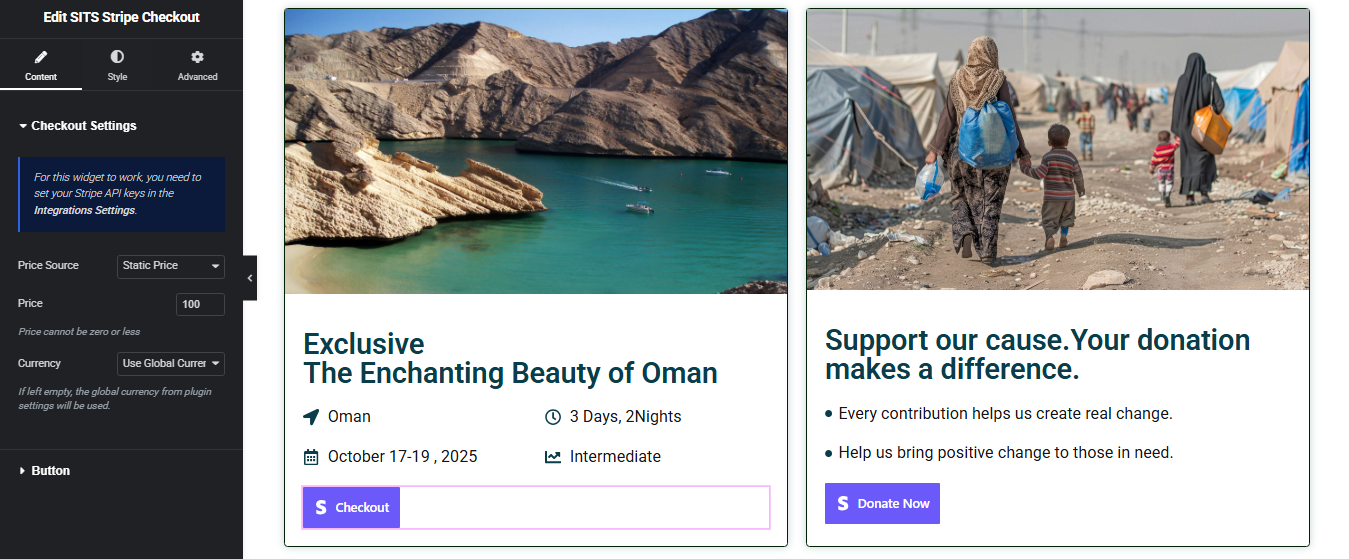
- Stripe Checkout: Success and failed shortcodes can now be used together on the same page; minor issues resolved.
- Loop Grid Slider: Fixed grid column layout issues and resolved arrow icon rendering problems.
- Before After Slider: Added direction control with both horizontal and vertical modes, introduced hover and click trigger options, and added new styling controls.
- New Widgets: Stripe Checkout, Mega Menu
- Improvements: Bug Fixes, Compatibility upgraded
- Enhancements: Improved widget stability and performance
- Documentation: Added comprehensive descriptions for new widgets
- Improvements: Bug Fixes, Compatibility upgraded
- Initial release
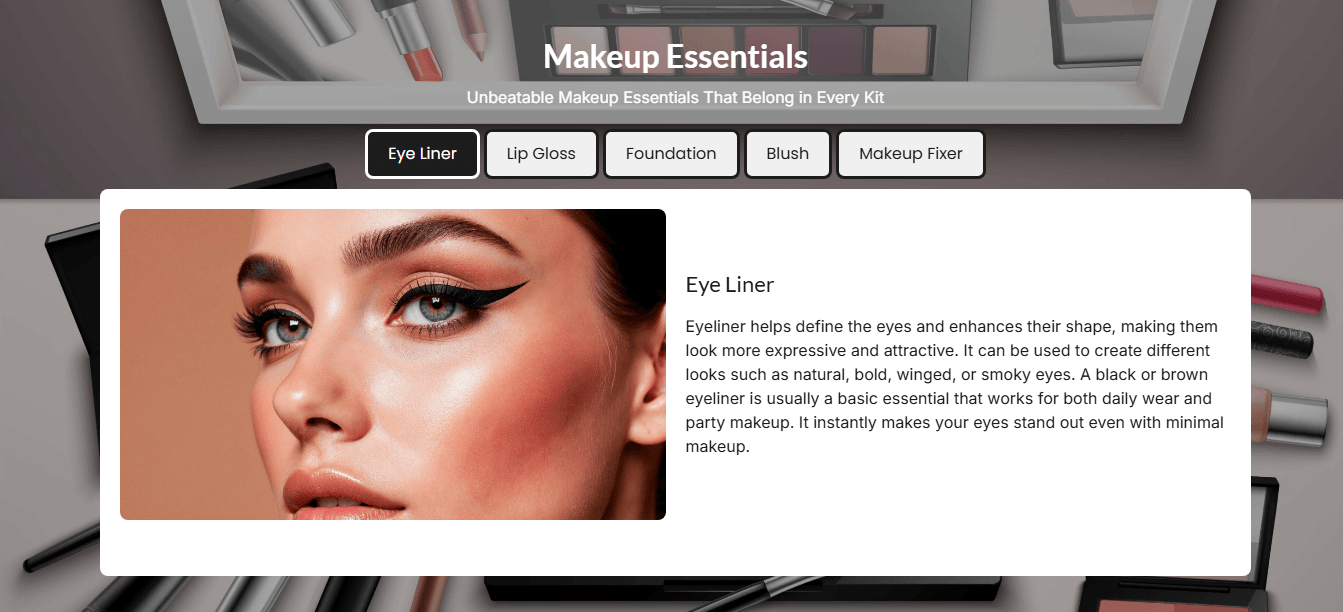
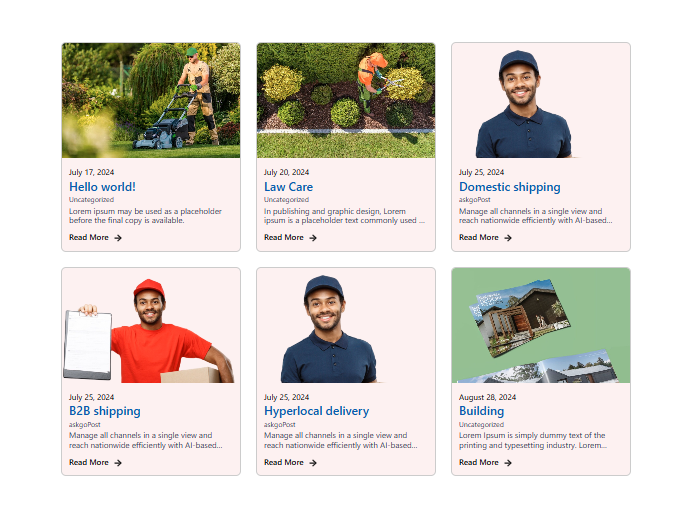
- Widgets: Before After Slider, Loop Grid Slider, Image Accordion, Testimonial Slider, Blob Shapes, Number Box, Dual Color Heading, PDF Viewer, Flip Card