
SolMarrow – Social Media Scheduler
| 开发者 | solmarrow |
|---|---|
| 更新时间 | 2026年11月16日 02:08 |
| PHP版本: | 7.4 及以上 |
| WordPress版本: | 7.1 |
| 版权: | GPLv2 or later |
| 版权网址: | 版权信息 |
详情介绍:
SolMarrow is a social media scheduler. This plugin connects your WordPress site to your SolMarrow account, so every new post or product you publish becomes a social media post in SolMarrow.
What it does
- Shares new posts, pages and WooCommerce products when you publish them (you choose which types).
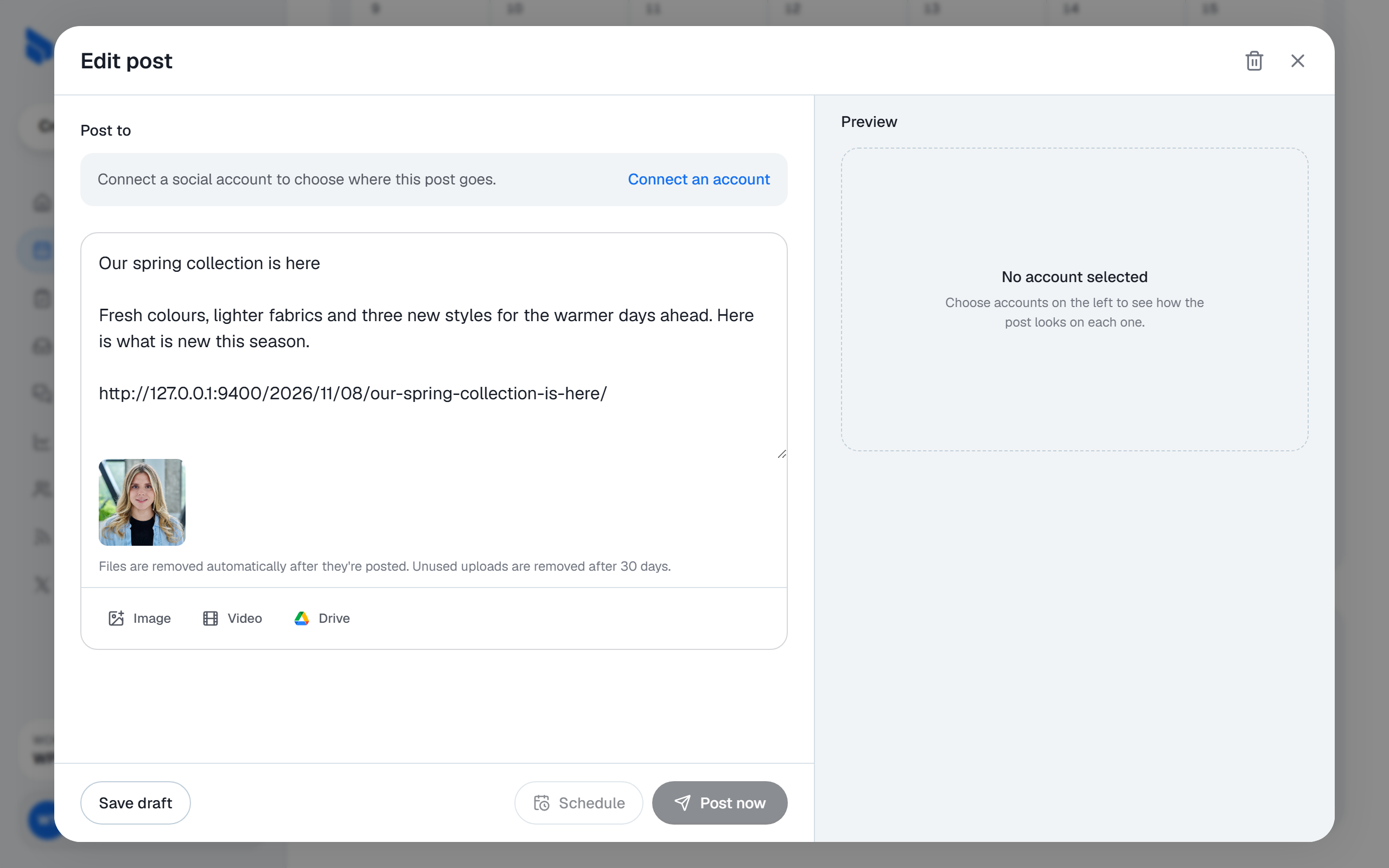
- Saves them as drafts in SolMarrow, schedules them a few minutes later, or publishes them right away.
- Uses your own text template with {title}, {excerpt}, {url}, {site} and {tags} (tags become #hashtags).
- Adds the featured image (or the product image).
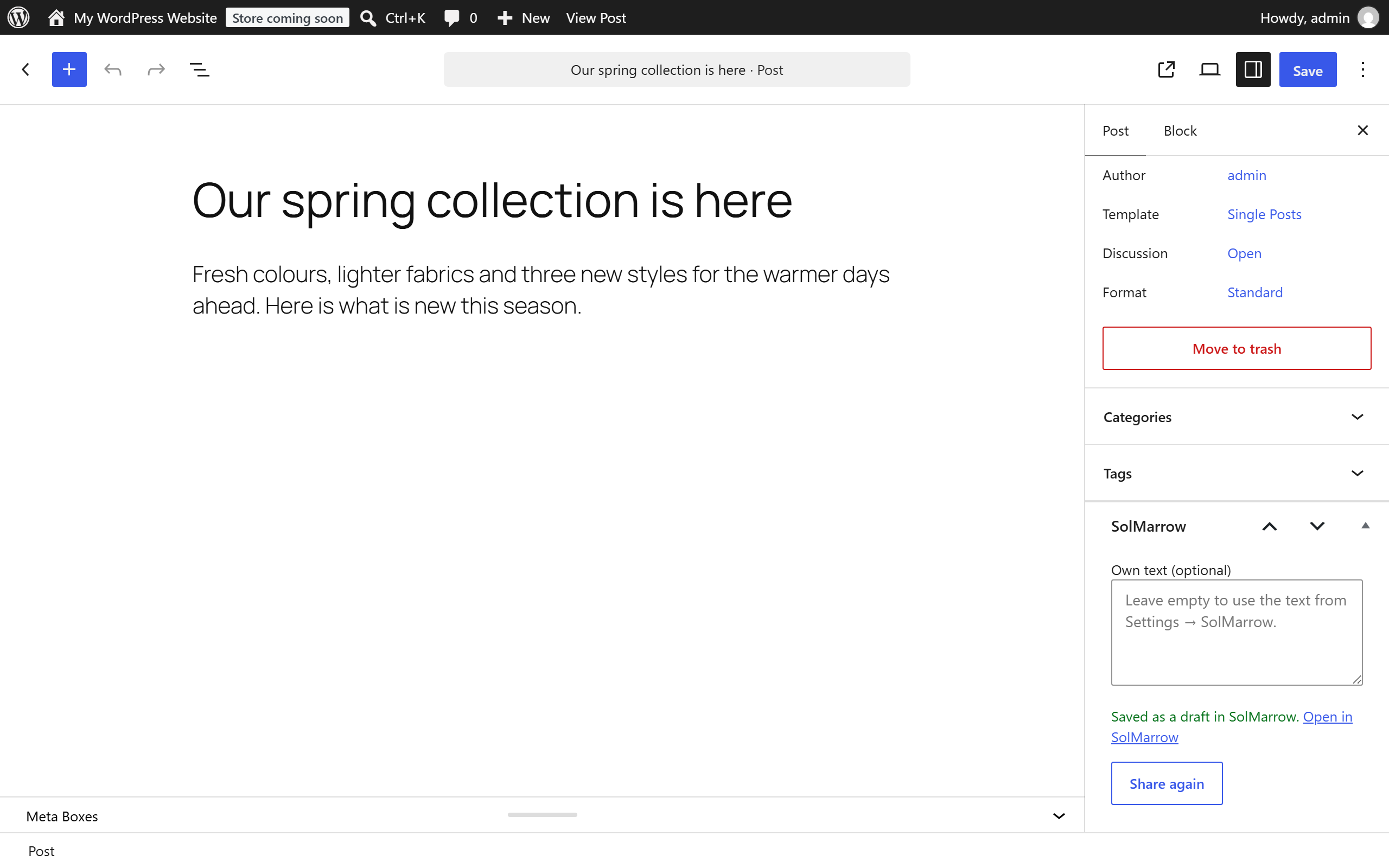
- Gives every post a SolMarrow box: turn sharing on or off, write its own text, and see whether it was shared, with a link to SolMarrow's calendar.
- "Share again" sends an older or already shared post one more time.
- Install and activate the plugin.
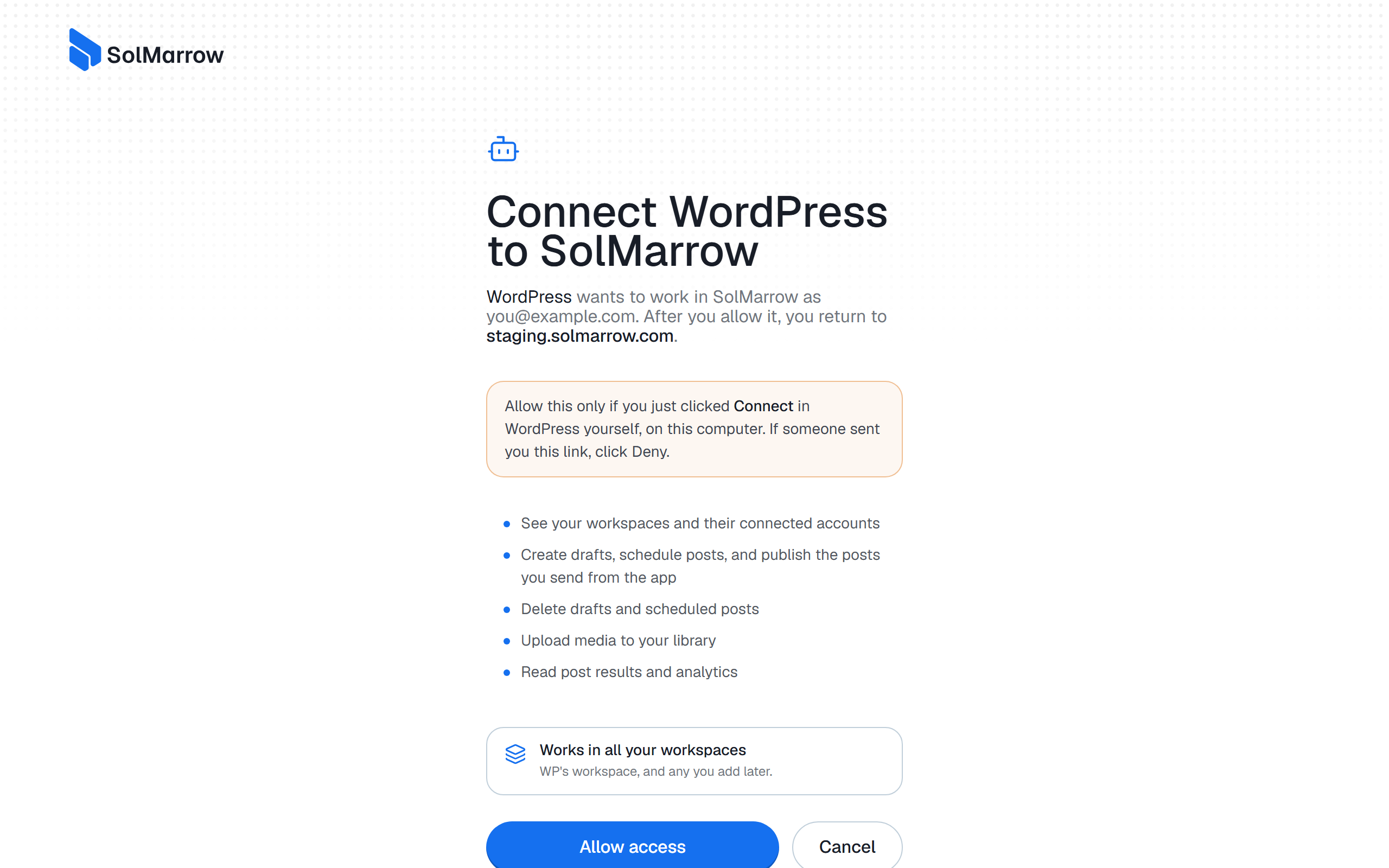
- Go to Settings → SolMarrow and click Connect SolMarrow.
- Sign in to SolMarrow in the new tab and allow access.
- Pick a workspace and the social accounts to share to, and save.
- Publish a post. It shows up in SolMarrow within a minute.
安装:
- In WordPress, go to Plugins → Add New Plugin and search for "SolMarrow". Click Install Now, then Activate.
- Go to Settings → SolMarrow and click Connect SolMarrow.
- Choose your workspace and accounts, and save.
屏幕截图:
常见问题:
Do I need a SolMarrow account?
Yes. Sign up free at https://solmarrow.com/signup.
Will it post everything I publish right away?
Only if you choose "Publish right away". The default saves each post as a draft in SolMarrow, so you can check it there first.
Does it share a post again when I update it?
No. Each post is shared once, when it's first published. Use "Share again" in the post's SolMarrow box to send it again.
Does it work with WooCommerce?
Yes. Tick "Product" under Share automatically. The product image is added, and product tags become hashtags.
Can I use different text for one post?
Yes. Write it in the post's SolMarrow box ("Own text"). The same tags work there.
What happens if a network refuses the post?
The SolMarrow box on the post shows the reason, and the post stays in SolMarrow so you can fix it there.
更新日志:
1.0.0
- First release: connect, share on publish (posts, pages, products), draft / schedule / publish now, text template, featured image, Share again.