Specifico - Product Specifications & Comparison for WooCommerce
| 开发者 |
wpaxiom
shuvo586 |
|---|---|
| 更新时间 | 2026年10月17日 19:48 |
| 捐献地址: | 去捐款 |
| PHP版本: | 7.4 及以上 |
| WordPress版本: | 7.1 |
| 版权: | GPLv2 or later |
| 版权网址: | 版权信息 |
详情介绍:
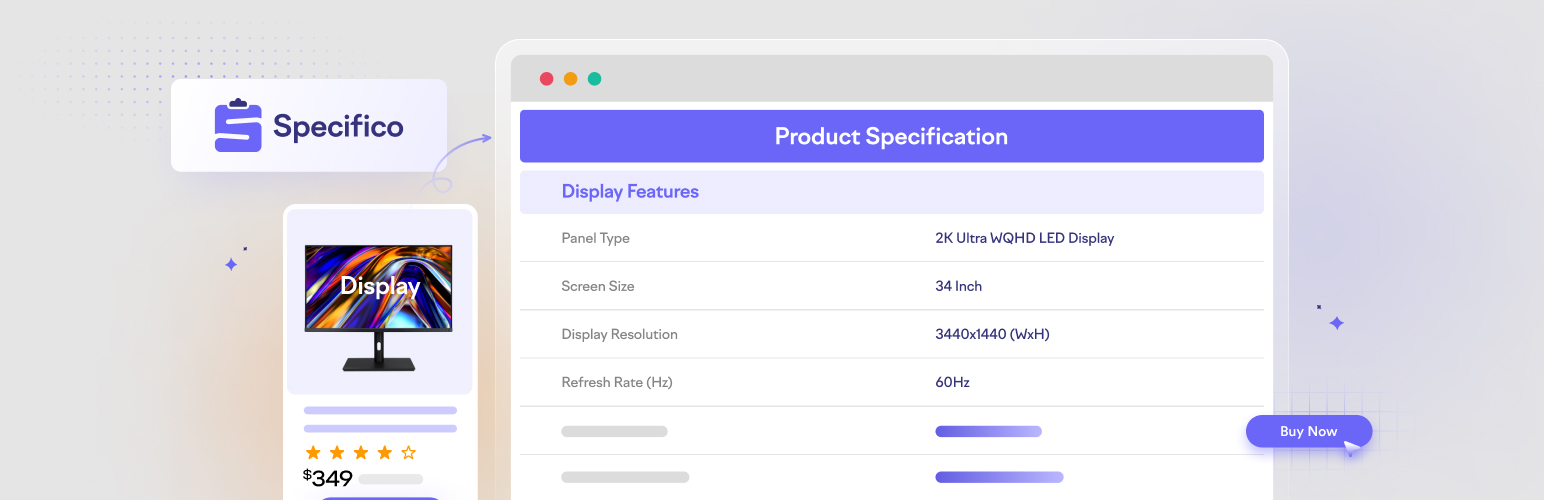
- A structured product specification table shown in a dedicated "Specifications" tab on the product page, keeping key product information organized and easy to scan.
- Reusable attribute groups so common specs (Dimensions, Materials, Connectivity, etc.) are defined once and reused everywhere.
- Category, tag, and per-product mapping rules to decide which table each product uses - no manual assignment needed.
- Per-product overrides: inherit values from the mapped table, or customize values for a single product while labels stay locked to the mapping.
- Variable product support: set specification values per variation and let the table follow the variation selected by the shopper.
- Automatic variation-attribute rows for values such as size, colour, voltage, or capacity, with a Settings toggle to show or hide them.
- Show/Hide toggle for inherited fields so the table stays tidy in the product editor.
- Product comparison - shoppers add products to a compare tray and view their specification tables side by side in a slide-in drawer, with differing rows highlighted. "Add to compare" buttons can be shown on the single product page and the shop/archive loop, and a
[specifico_compare ids="1,2,3"]shortcode or the Comparison Table block embeds a comparison anywhere. - Customizable table styles via the Settings page, plus a customizable Specifications tab title.
[specifico]shortcode to display a product's specification table anywhere - including the block editor (use[specifico id="123"]to target a specific product).- Gutenberg blocks - a Specification Table block (current product or a specific table) and a Comparison Table block (pick two to four products) for the block editor.
- Theme template override - copy the bundled table template into your theme to fully control the markup.
- Developer hooks to filter the groups, labels, values, tab title, table classes, and to inject markup before/after the table.
- Schema.org structured data - specifications are added to the product's
ProductJSON-LD asadditionalPropertyentries, helping search engines understand your product specs. - Built for WooCommerce and compatible with HPOS (High-Performance Order Storage).
- Create attribute groups - Go to Specifico → Groups and add a group (for example, "Dimensions"). Add the attributes that belong to it, such as Height, Width, and Weight.
- Build a specification table - Go to Specifico → Specifications and create a table. Add one or more groups to it to assemble the full set of specs for a type of product.
- Map tables to products - Go to Specifico → Mapping and create rules that assign a specification table to products by category, tag, or specific product ID. Products matching a rule automatically use that table.
- Adjust a single product (optional) - On the WooCommerce product edit screen, open the Specification Settings panel. Enable the Specifications tab, then either inherit the mapped values or switch to "Customize" to set per-product values. For a variable product, choose each variation in the per-variation section and enter only the values that differ; empty fields continue to inherit the product value.
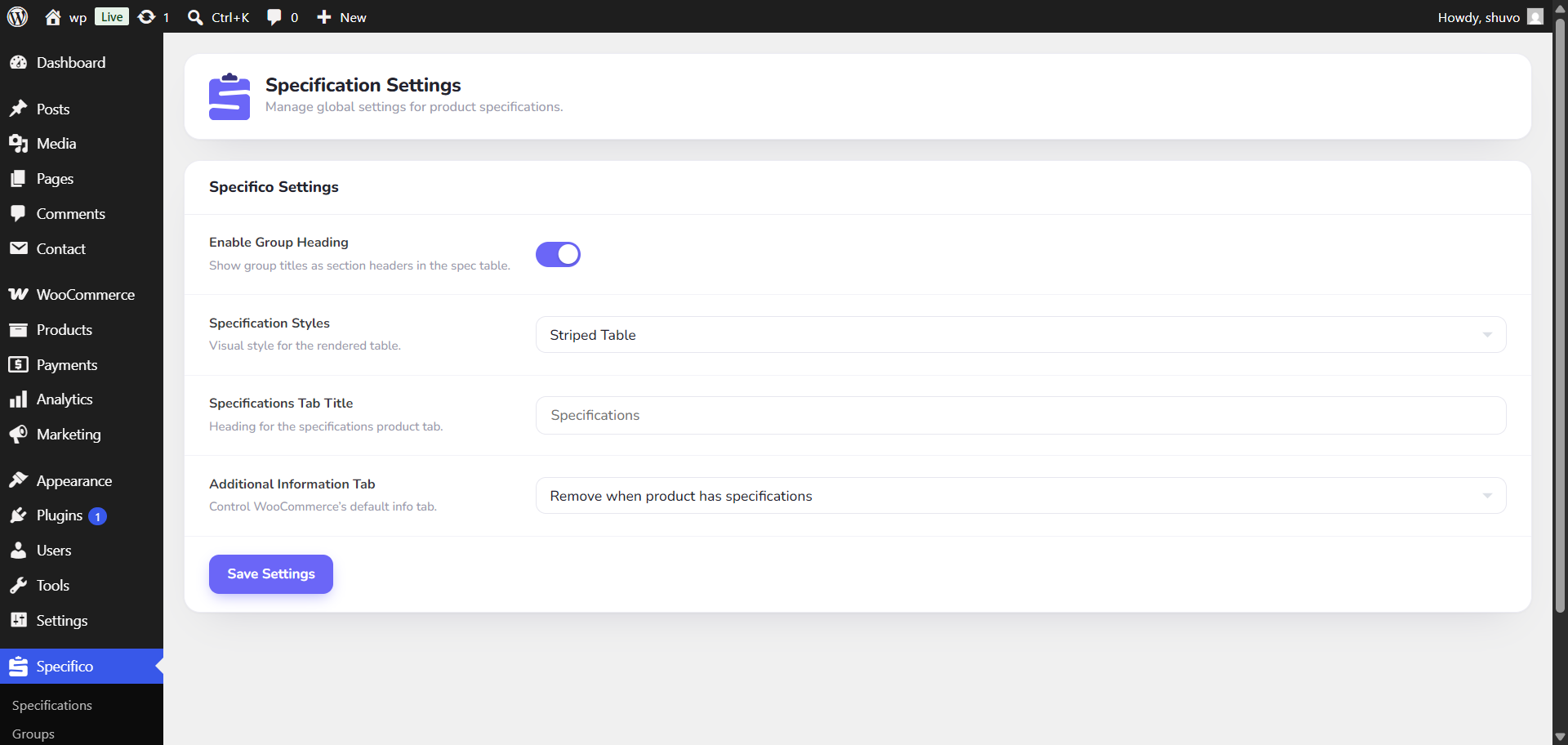
- Style the table - Go to Specifico → Settings to choose the table style that best matches your theme.
- Enable product comparison (optional) - In Specifico → Settings, turn on comparison and choose where the "Add to compare" buttons appear (single product page, shop/archive loop). Shoppers can then add products to the compare tray and open a side-by-side comparison. Use the
[specifico_compare ids="1,2,3"]shortcode or the Comparison Table block to embed a comparison on a dedicated page.
安装:
- Upload the plugin files to the
/wp-content/plugins/specificodirectory, or install the plugin through the WordPress plugins screen directly. - Activate the plugin through the 'Plugins' screen in WordPress.
- Make sure WooCommerce is installed and activated for the plugin to work.
屏幕截图:



常见问题:
Does this plugin require WooCommerce?
Yes, Specifico is designed exclusively for WooCommerce product pages.
Can I customize the specifications table?
Yes, you can customize the look and content of the product specification table via plugin settings and templates, so the product information matches your store's design.
Can I display the specification table somewhere other than the Specifications tab?
Yes. Use the [specifico] shortcode to render the current product's table anywhere a shortcode is supported, including the block editor. To target a specific product, pass its ID: [specifico id="123"].
Can I change the specification table markup?
Yes. Copy the bundled templates/specification-table.php into your theme at yourtheme/specifico/specification-table.php and edit it there. Your override is used automatically and survives plugin updates. It works with both classic and block themes.
Are there developer hooks?
Yes. Specifico provides filters and actions to customize the table programmatically, including specifico_table_groups, specifico_tab_title, specifico_show_table, specifico_table_classes, specifico_row_label, specifico_row_value, and the specifico_before_table / specifico_after_table actions.
Does Specifico add structured data for search engines?
Yes. When a product's Specifications are enabled, Specifico adds each specification to the product's existing Product structured data (JSON-LD) as additionalProperty entries. It enriches WooCommerce's structured data rather than emitting a separate block, so there is only one Product entity per page. Developers can adjust or disable it with the specifico_structured_data filter.
For example, a product's specifications are added to the Product JSON-LD like this:
{
"@context": "https://schema.org/",
"@type": "Product",
"name": "Example Laptop",
"additionalProperty": [
{ "@type": "PropertyValue", "name": "RAM", "value": "16 GB" },
{ "@type": "PropertyValue", "name": "Internal Storage", "value": "256 GB" },
{ "@type": "PropertyValue", "name": "Expandable", "value": "Up to 1 TB" },
{ "@type": "PropertyValue", "name": "GPU", "value": "Integrated" }
]
}
You can verify the output with Google's Rich Results Test or the Schema Markup Validator.
Does Specifico work with WPML or Polylang?
Yes. Specification tables and attribute groups are shared across languages, and their labels and default values are translated as strings: open WPML String Translation or Polylang's Languages > Translations screen and filter by "Specifico". Per-product values are translated with the product itself, and translated products keep the table their mapping rule assigns.
Is Specifico compatible with the latest version of WooCommerce?
Yes, Specifico has been tested with WooCommerce up to latest version.
更新日志:
- New: WPML and Polylang support. Group labels, attribute names, and default values are translatable as strings in the "Specifico" group, and the Specifications tab title is translatable too.
- New: Product specifications translate with the product. Per-product values and custom tables can be different in every language.
- Fix: Translated products now show their mapped specification table. Before, category, tag, and product mapping rules only matched products in the language they were set up in.
- Fix: Per-variation values carry over to a translated product's variations until the translation saves its own values.
- New: Variable product support - set specification values per variation in the product editor, and the table follows whichever variation a shopper picks.
- New: Attribute rows - a variable product's variation attributes (size, colour, voltage, and so on) appear as their own group and update as the shopper changes options. Show or hide them from Settings.
- New: Variation editing shortcuts - reset one variation to inherited product values or copy its overrides to every variation.
- Improve: Variation overrides use stable row identifiers, so reorganizing a specification table does not attach saved values to the wrong row.
- Improve: Export and import include per-variation values and match variations by their attribute combination instead of site-specific IDs.
- Improve: Structured data stays honest - attribute rows and any value that differs between variations are left out of the product's JSON-LD, so the schema only states facts that hold for every variation.
- Compatibility: Tested with WooCommerce 11.2.
- New: Comparison Table block - pick two to four products in the block editor and compare them side by side on any page, straight from the products search.
- New: Comparison Table block preview - the editor shows the live table exactly as shoppers see it, reusing the same renderer as the shortcode and drawer.
- New: Specification Table Gutenberg block - place any saved table or the current product's table on any post or page straight from the block editor, with a source selector for current-product or a specific table.
- Improve: Full uninstall cleanup - deactivating still keeps all your data, but uninstalling the plugin now deletes its options, transients, specification tables and groups, and per-product specification data from the database.
- New: Product comparison - shoppers can add products to a compare tray and view their specification tables side by side, with differing rows highlighted. Compared specs reuse the same mapping resolution as the Specifications tab, so they always match.
- New: "Add to compare" buttons on the single product page and the shop/archive loop, plus a slide-in comparison drawer. Both surfaces can be enabled or disabled from Settings.
- New:
[specifico_compare ids="1,2,3"]shortcode and block to embed a comparison table on any page. - New: Custom appearance controls in Settings - pick a "Custom" style for the specification table and the compare button, then set per-property values (padding, radius, colours, borders) that are emitted as CSS custom properties. Unset values fall back to sensible defaults.
- Improve: Full localization support - all remaining strings are translatable and the
specifico.pottemplate is regenerated on build.
- New: Redesigned admin UI across all screens - cleaner layout, refined typography, updated colour palette, consistent field heights, and improved spacing for a modern editing experience.
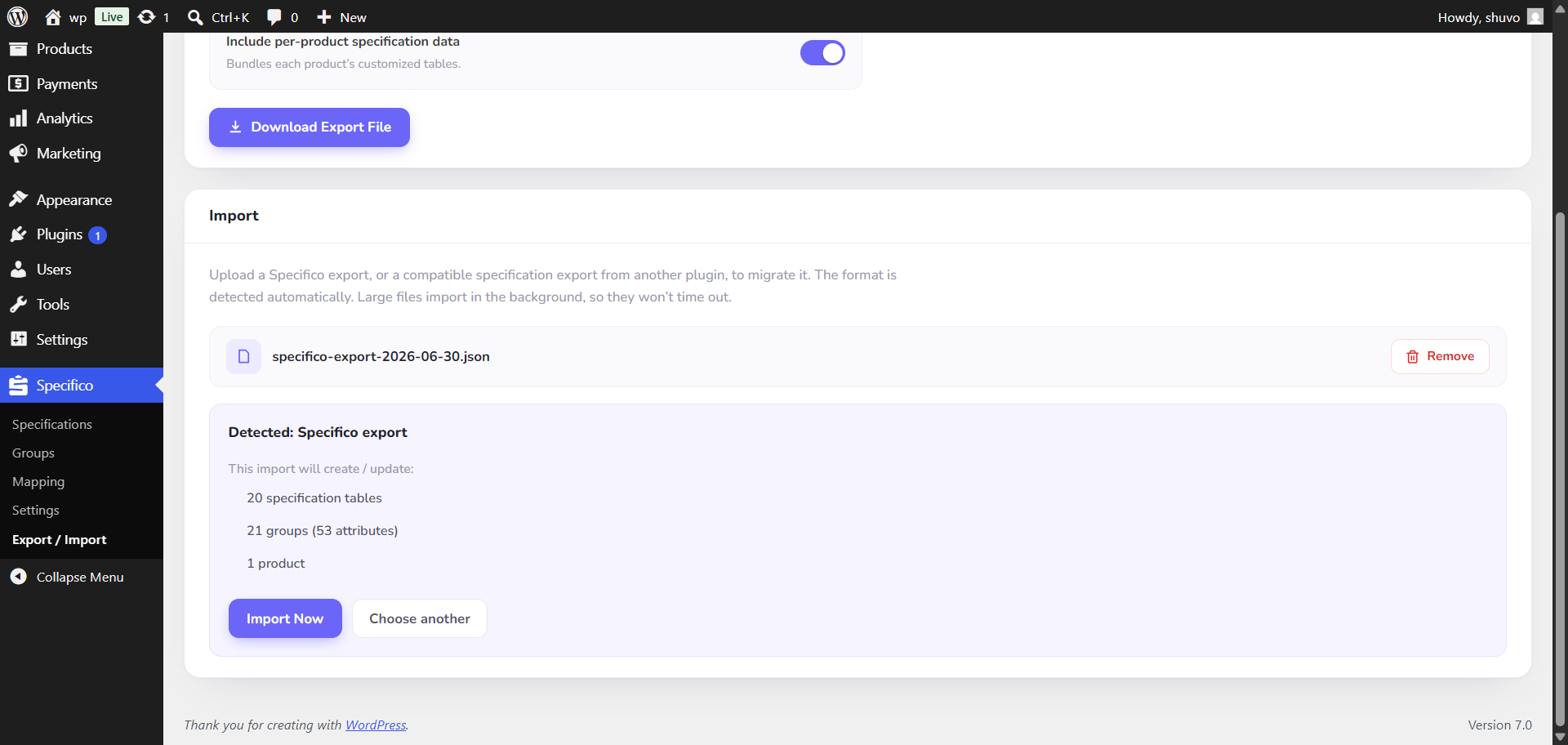
- New: Export - download all your specification tables, groups, mapping rules and settings (and, optionally, per-product specification data) as a JSON file for backup or moving to another site.
- New: Import - upload a Specifico export to restore it on any site. The importer matches tables, groups and products by slug, so re-importing is safe and never duplicates.
- New: Import from other specification plugins - upload a compatible JSON export and Specifico detects the format automatically and imports its tables, groups and per-product specifications.
- New: Schema.org structured data - a product's specifications are added to its
ProductJSON-LD asadditionalPropertyentries, enriching WooCommerce's existing structured data (no duplicate Product entity). Output reflects the visible Specifications tab and can be filtered or disabled via the newspecifico_structured_datafilter.
- New: Theme template override support - copy
templates/specification-table.phpinto your theme (yourtheme/specifico/) to fully customize the specification table markup. - New: Developer hooks for the specification table -
specifico_table_groups,specifico_tab_title,specifico_show_table,specifico_table_classes,specifico_row_label,specifico_row_value, andspecifico_before_table/specifico_after_table. - New:
[specifico]shortcode to display a product's specification table anywhere, including the block editor (use[specifico id="123"]for a specific product). - New: Setting to customize the Specifications tab title.
- New: Setting to keep, always remove, or remove-only-when-specs-exist for WooCommerce's default "Additional information" tab.
- New: Documentation link on the Plugins screen.
- Fix: Mapping screen no longer locks the Values field - existing mappings are editable, and changing the Type refreshes the available values.
- Improve: Consistent field and button heights, dashed section separators, and focus styles across all admin screens.
- Improve: Expanded readme with a feature overview and a step-by-step usage guide.
- New: Per-product value overrides in "Inherit from mapping" mode - labels stay locked to the mapping while values are editable for each product.
- New: Show/Hide toggle for inherited fields in the product metabox so the table stays collapsed by default.
- New: "Start over" link in Customize mode to swap between starting blank or copying an existing table after a choice has been made.
- Improve: Replaced the Add/Edit Specification modal with an inline panel matching the Groups screen for a consistent admin experience.
- Improve: Cancel button on Add/Edit forms; Save is disabled until the title is filled.
- Improve: Row action menu now has pencil/trash icons, closes on outside click, and auto-closes after picking an action.
- Improve: Themed MultiSelect chips, dropdown options, and focus states to match the plugin palette; dropped the redundant clear-all X (per-chip X kept).
- Improve: Pagination simplified to "1-10 of N" with chevron prev/next controls.
- Improve: Mapping page rows now have placeholder hints, larger fields, and a properly sized delete button.
- Improve: Semibold table headers and dashed separators between Add/Edit form sections.
- Fix: Plugin styles no longer leak into the WordPress dashboard - buttons no longer briefly show an unexpected border on first load of unrelated admin pages.
- Fix: Add/Edit form fields no longer carry the previously edited title when switching from Edit to Add.
- Fix: Row action dropdown now closes after clicking Edit (no more lingering menu behind the form).
- Fix: Dashed row separators on Mapping and Add Group screens render correctly.
- Fix: Toggle switch knob now visually slides when toggled.
- Dev: Upgraded @wordpress/scripts to v32.2 (clears 36 of 55 dependency alerts including the critical), dropped the unused
tailwindandreact-modalpackages, scoped Tailwind utilities to a.specifico-appwrapper, and addednpm run make-zipfor release packaging
- Initial release.