
SPHIOR Security
| 开发者 | toraastrta |
|---|---|
| 更新时间 | 2026年11月20日 19:58 |
| PHP版本: | 7.4 及以上 |
| WordPress版本: | 7.1 |
| 版权: | GPLv2 or later |
| 版权网址: | 版权信息 |
详情介绍:
- Automatic domain ownership verification. SPHIOR only scans domains whose ownership has been verified. The plugin adds a verification tag to your site's
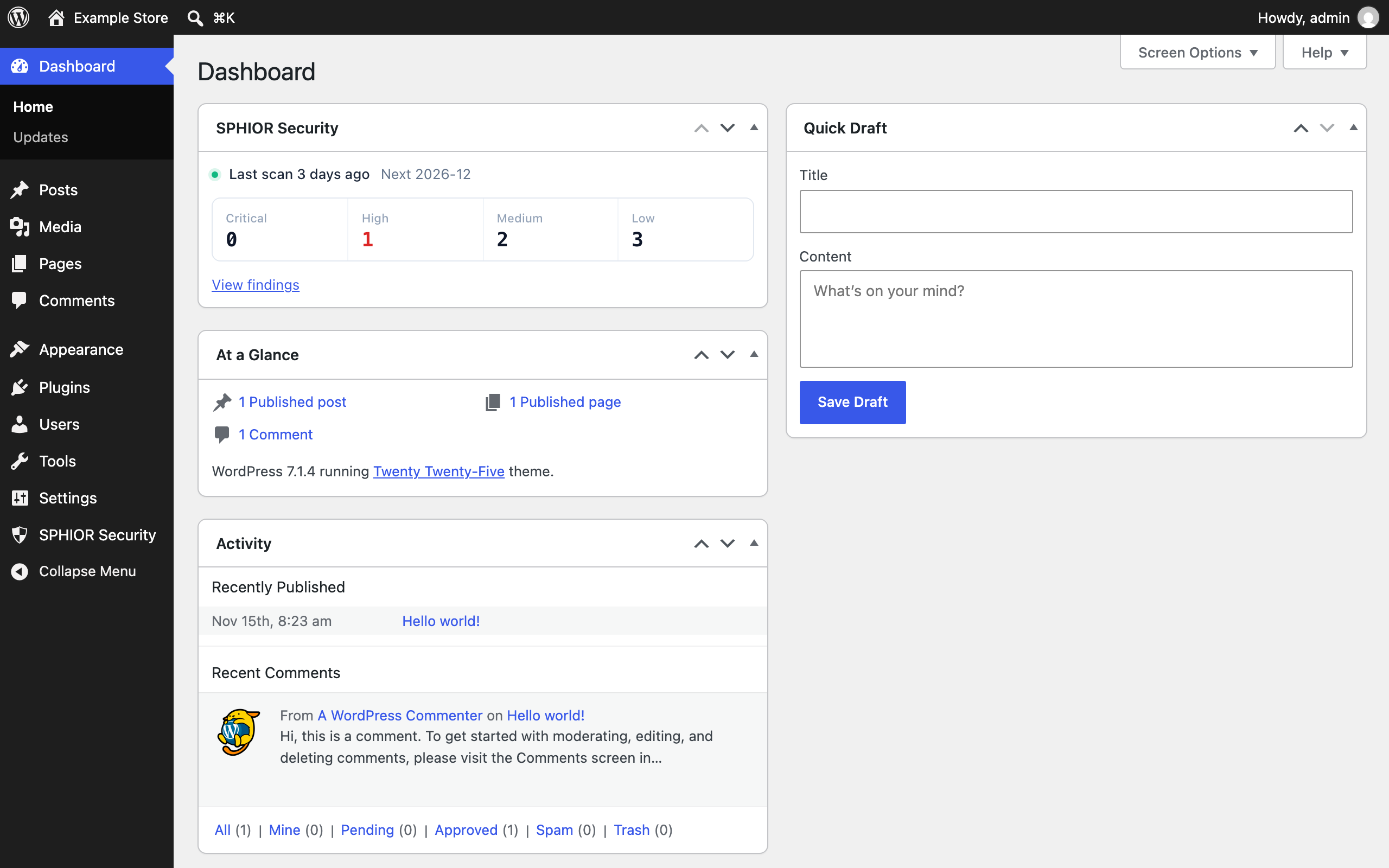
<head>, so you do not need to change DNS settings. - Scan results in your dashboard. See when the last scan ran, when the next one is scheduled, and the open findings by severity, both on the plugin screen and in a dashboard widget.
- One-click access to SPHIOR. Consent, billing, scan scope and finding details are handled in your SPHIOR account.
- A site on a public domain served over HTTPS, with the WordPress admin screen on the same domain.
- WordPress installed at the top of the domain. Sites in a subdirectory, such as subsites of a subdirectory multisite network, can be added in SPHIOR and verified with DNS instead.
安装:
- Install and activate the plugin.
- Open SPHIOR Security in the admin menu.
- Click Start free scan and create your SPHIOR account, or click Connect existing account.
- Approve the connection. You are returned to WordPress and ownership verification runs automatically.
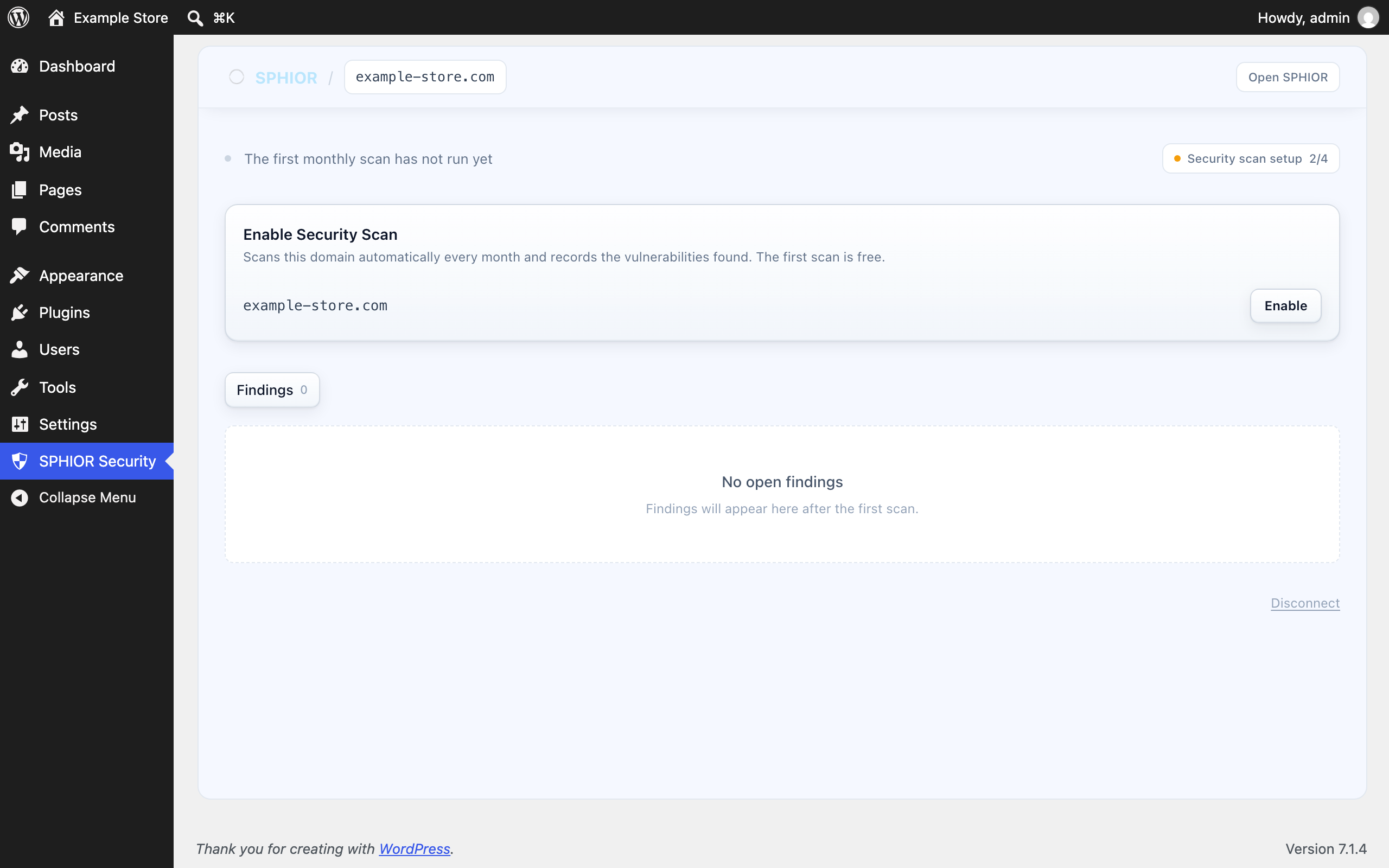
- Click Enable to accept the scan consent and start your free first scan in SPHIOR.
屏幕截图:
常见问题:
Does this replace my security plugin?
No. Firewall and malware plugins protect your site from the inside. SPHIOR scans it from the outside every month and keeps the results as a record. They work well together.
Ownership verification failed. What should I do?
SPHIOR reads the verification tag from your site's home page. The plugin clears the home page cache of common caching plugins before each verification. If the home page is served by a CDN, a firewall that blocks automated requests, a maintenance or coming soon mode, or a different system than WordPress, verify ownership with DNS in your SPHIOR account instead.
I copied my site to a staging site. What happens?
The connection belongs to the site address it was made from. On a copy with a different address, the plugin does not use the original connection and asks you to connect again. Disconnecting or deleting the plugin on the copy does not end the connection of the original site.
Why does SPHIOR say the connection request is invalid?
SPHIOR connects only sites on a public domain served over HTTPS, with the admin screen on the same domain. Local development sites and sites opened by IP address cannot be connected.
What happens when I disconnect or delete the plugin?
The plugin's access key is revoked in SPHIOR and its settings are deleted. If SPHIOR cannot be reached when you click "Disconnect", the connection stays active so that you can try again. If SPHIOR cannot be reached when you delete the plugin, revoke the connection in SPHIOR. Your SPHIOR account, domain and scan subscription are not affected. Manage or cancel the subscription in your SPHIOR account.
Can I revoke a connection from SPHIOR?
Yes. In SPHIOR, open the domain's settings and choose WordPress connections. You can see each connected WordPress site and revoke its access key, for example if a WordPress site is compromised. Administrators and members of your SPHIOR organization can revoke connections.
Which languages are supported?
The plugin is available in English, Spanish, French, German, Portuguese, Japanese and Simplified Chinese. SPHIOR is available in English, Spanish, French, German, Portuguese, Japanese and Chinese.
更新日志:
- Added Spanish, French, German, Brazilian Portuguese and Simplified Chinese translations.
- Regional variants of these languages, such as Spanish (Mexico) and French (Canada), use the closest bundled translation.
- First release.