
SRM Embed (Smart Report Maker)
| 开发者 | webuccino |
|---|---|
| 更新时间 | 2026年1月22日 20:18 |
| 捐献地址: | 去捐款 |
| PHP版本: | 7.4 及以上 |
| WordPress版本: | 6.8 |
| 版权: | GPLv2 or later |
| 版权网址: | 版权信息 |
详情介绍:
- Professional, database-driven reports generated directly from your data, including sales, financial, inventory, and customer reports, making SRM suitable as a reliable WordPress reports plugin for real business use cases.
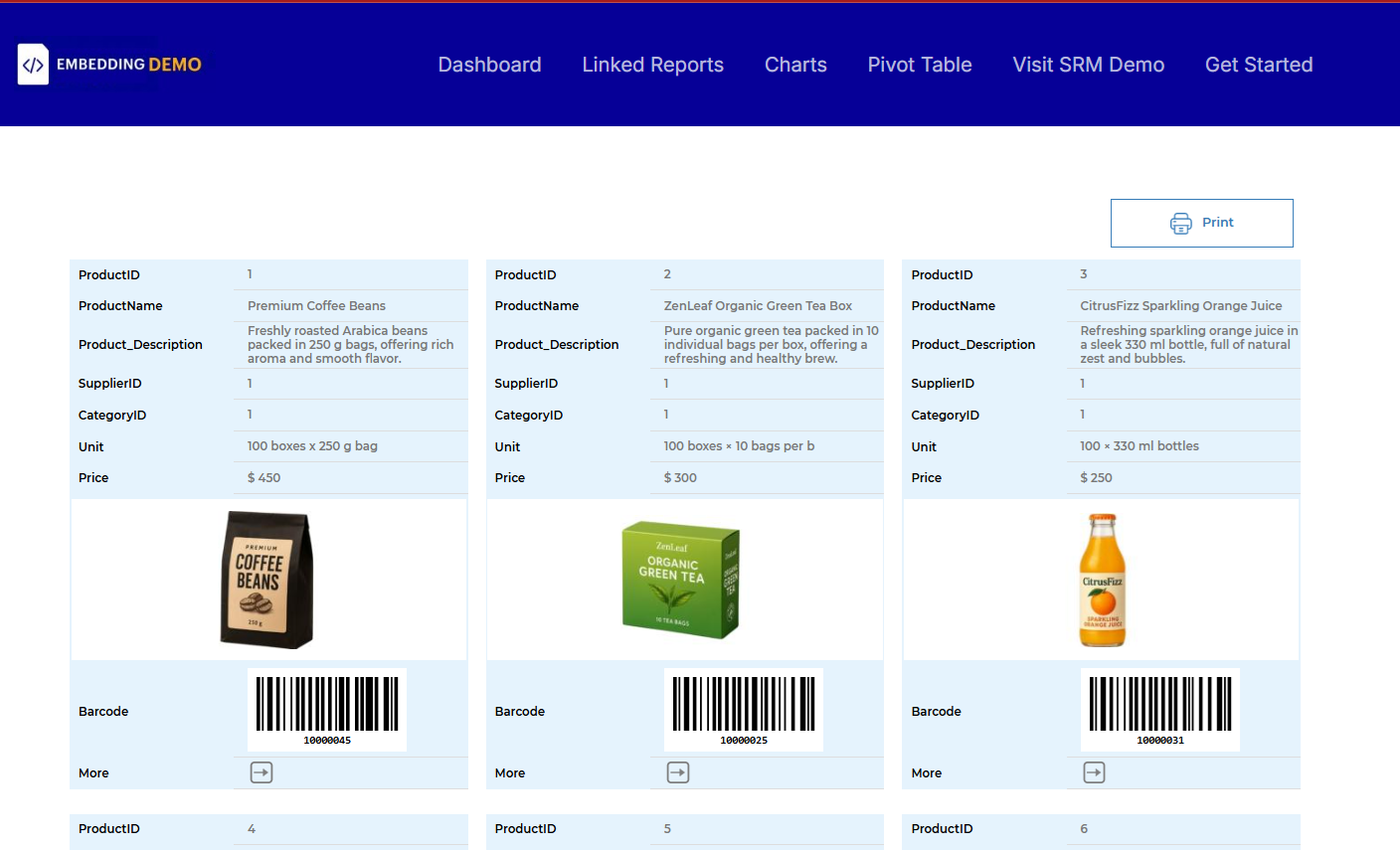
- Interactive dashboards that bring reports, charts, KPIs, and tables together in a single view, delivered through a WordPress dashboard plugin experience inside your site.
- Visual charts and analytics, such as sales performance charts across any time period, created using a WordPress charts plugin approach to clearly highlight trends and patterns.
- Key Performance Indicators (KPIs) that surface critical metrics and support ongoing monitoring and insights, making SRM useful as a WordPress data analysis plugin for data-driven decision making.
- Pivot tables for advanced data analysis, grouping, and summarization, implemented as a flexible WordPress pivot table plugin without the need to export data.
- Business intelligence visualizations rendered securely into WordPress pages and posts, allowing users to interact with live, database-driven data in real time through a complete WordPress business intelligence plugin experience.
安装:
- Log in to your WordPress Admin Dashboard.
- From the left menu, go to Plugins → Add New, then click the Upload Plugin button at the top of the page.
- Upload the plugin ZIP file. Once the upload is complete, activate it from Plugins → Installed Plugins.
- Make sure you have a running copy of Smart Report Maker (SRM) on the same website. If you are only testing the plugin, you can use the official Smart Report Maker online demo
- In Smart Report Maker (either your own installation or the demo version), open the side menu and go to: Embed Manager → SRM WP Plugin.
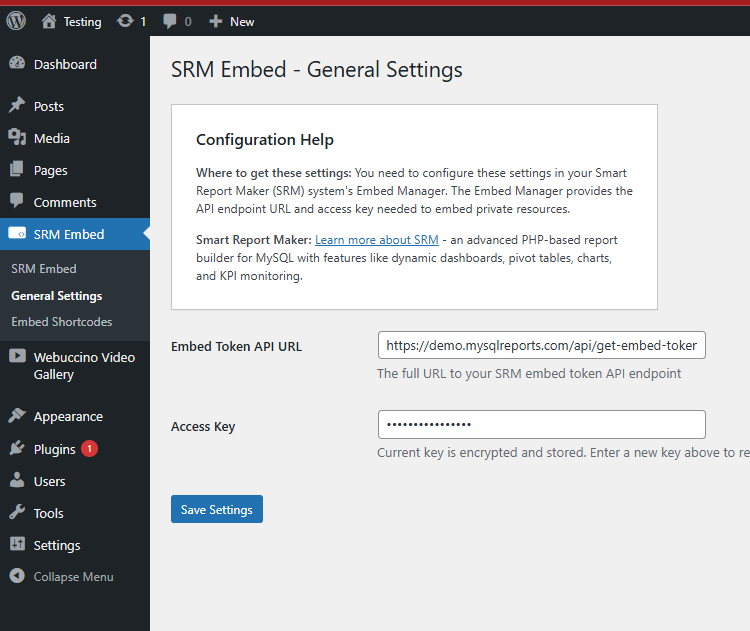
- From this page, copy the required Access Key and API Key. This page is the central place for everything related to the WordPress plugin, including configuration and embed details.
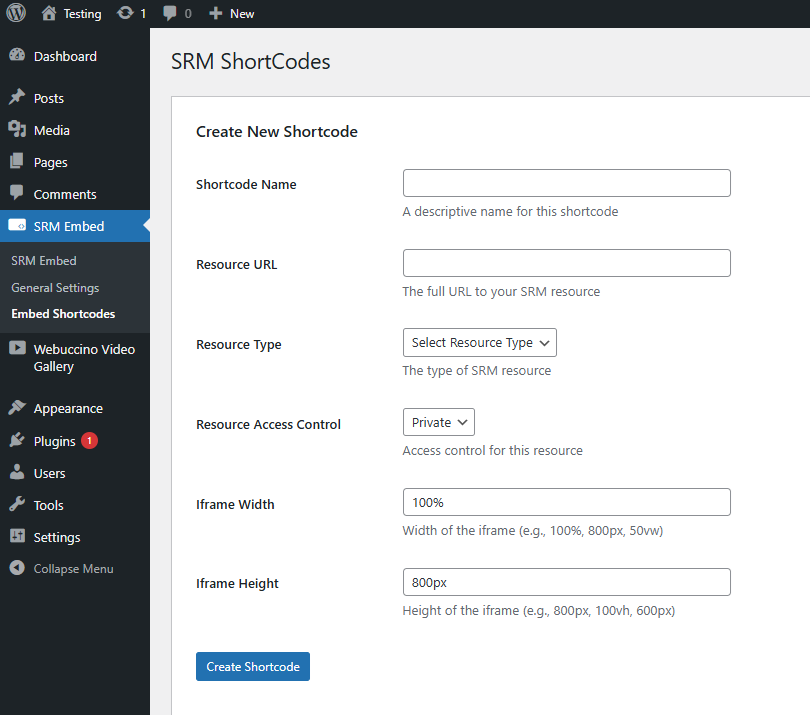
- Using the same SRM WP Plugin page in the Embed Manager, select the report, chart, or dashboard you want to embed and copy its resource URL. Then, go to the plugin admin panel in WordPress and create the corresponding shortcode. All plugin-related configurations and shortcode information are managed from this single SRM page, making the process simple and consistent.
- Insert the generated shortcode into any WordPress page or post to display the embedded content. If the embedded resource is private and intended for specific users only, make sure the WordPress page or post is set to Private or Password Protected to prevent unauthorized access.
屏幕截图:
常见问题:
How can I see this plugin in action?
You can watch the official video tutorials that demonstrate how the plugin works inside WordPress: 📺 Overview Video\ 🎓 Step-by-Step Tutorial You can also try the plugin using Smart Report Maker online demo In the SRM demo, go to Embed Manager → WordPress Plugin to test embedding dashboards and reports.
What is Smart Report Maker?
Smart Report Maker (SRM) is a professional PHP-based reporting and dashboard platform for MySQL & MariaDB databases.\ Learn more about Smart Report Maker
Do I need Smart Report Maker to use this plugin?
Yes. Smart Report Maker (SRM) is required to embed your own private reports and dashboards.\ However, you can test the plugin using the official\ Smart Report Maker online demo.
How do I configure the SRM Reports WordPress plugin?
All required plugin configurations can be found on the “SRM WP Plugin” page under the “Embed Manager” section in the left navigation panel of Smart Report Maker. This is available in both your own SRM installation and the Smart Report Maker online demo if you are testing the plugin.
Where can I read more about this plugin and view examples?
Detailed documentation, examples, and additional resources are available on the official\ SRM Embed WordPress plugin page.
Can users interact with embedded dashboards and reports?
Yes. Embedded dashboards and reports remain fully interactive, including filtering, drill-down, search, paging, and sorting.
Does the plugin store tokens securely?
Yes. Tokens are encrypted using WordPress salts.
更新日志:
- Version bump for WordPress.org resubmission
- Converted inline admin styling to stylesheet classes
- Version update
- Updated text domain to match plugin slug
- Updated all plugin URLs to new domain structure
- Code improvements and bug fixes