
Stealth Login Page
| 开发者 |
PMGLLC
peterdog |
|---|---|
| 更新时间 | 2014年12月9日 21:54 |
| 捐献地址: | 去捐款 |
| PHP版本: | 3.4.2 及以上 |
| WordPress版本: | 4.0.1 |
| 版权: | GPLv2 or later |
| 版权网址: | 版权信息 |
详情介绍:
安装:
- Upload contents of the directory to /wp-content/plugins/ (or use the automatic installer)
- 通过WordPress的“插件”菜单激活插件
- Configure the settings to create the secret authorization code and redirect URL.
- Verify it works by going to your login form.
屏幕截图:
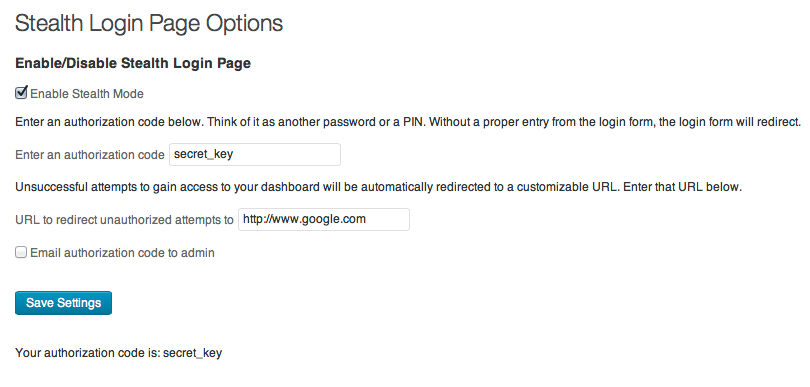
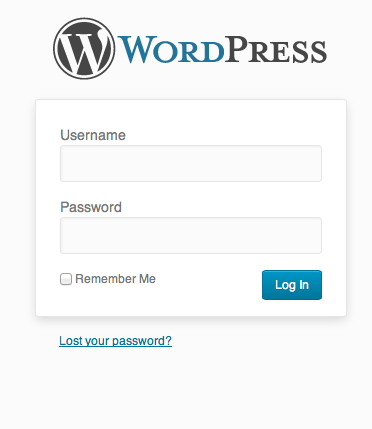
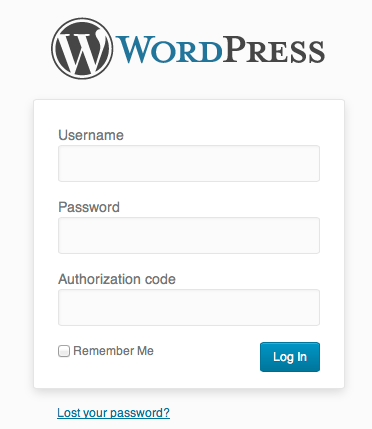
常见问题:
I've been locked out! HELP!
Step 1: breathe Step 2: login to FTP or hosting and rename the stealth-login-page folder in /wp-content/plugins Step 3: login If those steps don't work, then it's possible you have a server caching or a caching plugin or a CDN that is still delivering the plugin files. Clear all caches (not your browser cache).
I never got an e-mail of the code when I clicked the checkbox.
Ensure that you clicked the Save Settings button after the box was checked. In every case I've seen, clicking it a second time always sends it.
Does this work on MU sites?
Version 3.0.0 and greater is fully network-activated, includes uninstall, and bypasses all the settings pages with wp-config.php variables. See the Intallation tab or above in this file for instructions.
I noticed Limit Login Attempts or Login Lockdown still reporting lockouts. Why?
We've realized that bots (or really bored people) can enter a URL string in the address bar that attempts to log in without ever showing the login form. If the guess is unsuccessful, then they are redirected just the same and their IP address is logged by the other plugins. This reinforces the need for a 3-prong approach: strong credentials, login limiter plugin, and a stealthy login page.
Are both the redirected folder /wp-admin and the page wp-login.php secured?
Yes, as long as you are not actively logged into the site on that computer. You may enter your dashboard normally if you're in an active session. Once the session expires, you're further protected by it automatically redirecting rather than gaining access to the login form since WordPress redirects session timeouts to wp-login.php, unaware of the new URL string.
What do I do if I forget my code and can't find the e-mail the plugin sent me?
You'll need FTP access to your site. Renaming the stealth-login-page folder in /wp-content/plugins/ will remove the stealth security and allow you back into your dashboard. If you have used variables in the wp-config.php file, delete or comment out those lines.
更新日志:
- TOTALLY re-worked mehodology. It is backwards compatible.
- WordPress 3.6 compatibility.
- Complete re-build of the structure, code, and methodology of its security.
- Added full MU support.
- Disabled the login/logout/lost-password URL filtering - it knows if you're logged in.
- Added wp-config.php settings support to bypass the settings page if you're locked out or in a MU environment.
- Efficiencies improved.
- Edited global variables for efficiency.
- Eliminated potential conditional statment oversights in later updates.
- Bugfix - stealth re-enabled AND fixed the lost password link on the login page.
- Pending a fix to correct the redirect upon logout. It involves a WP redirect of a one-time URL that the plugin needs to allow. I can't allow it without allowing all remote attacks again.
- This plugin is solid, once again.
- Corrected the logout link in the dashboard and the lost password link on the login page.
- Bugfix - activating plugin error
- Fixed login redirect bug if logged out.
- Updated Polish translation for v2.0.x
- Plugged security hole that allowed remote form submissions - CRITICAL UPDATE
- Requires all fields be filled in on the settings page to avoid saving incomplete entries.
- Added Settings Link on the Plugins page to link to the settings.
- Added useful links to the settings page.
- Polish localization.
- Updated FAQ with new information on why lockouts can still happen. I am working out how to protect from that, also, if it is at all possible.
- Bugfix: PHP debug error when activated by not enabled.
- Elaborated readme.txt to point out that this does not replace "best practices" for security protocol in other areas. This is simply another layer.
- Localization release.
- Initial release.