
Stepless Accessibility Audit
| 开发者 | nicodiangelo |
|---|---|
| 更新时间 | 2026年8月26日 00:39 |
| PHP版本: | 7.4 及以上 |
| WordPress版本: | 7.1 |
| 版权: | GPLv2 or later |
| 版权网址: | 版权信息 |
详情介绍:
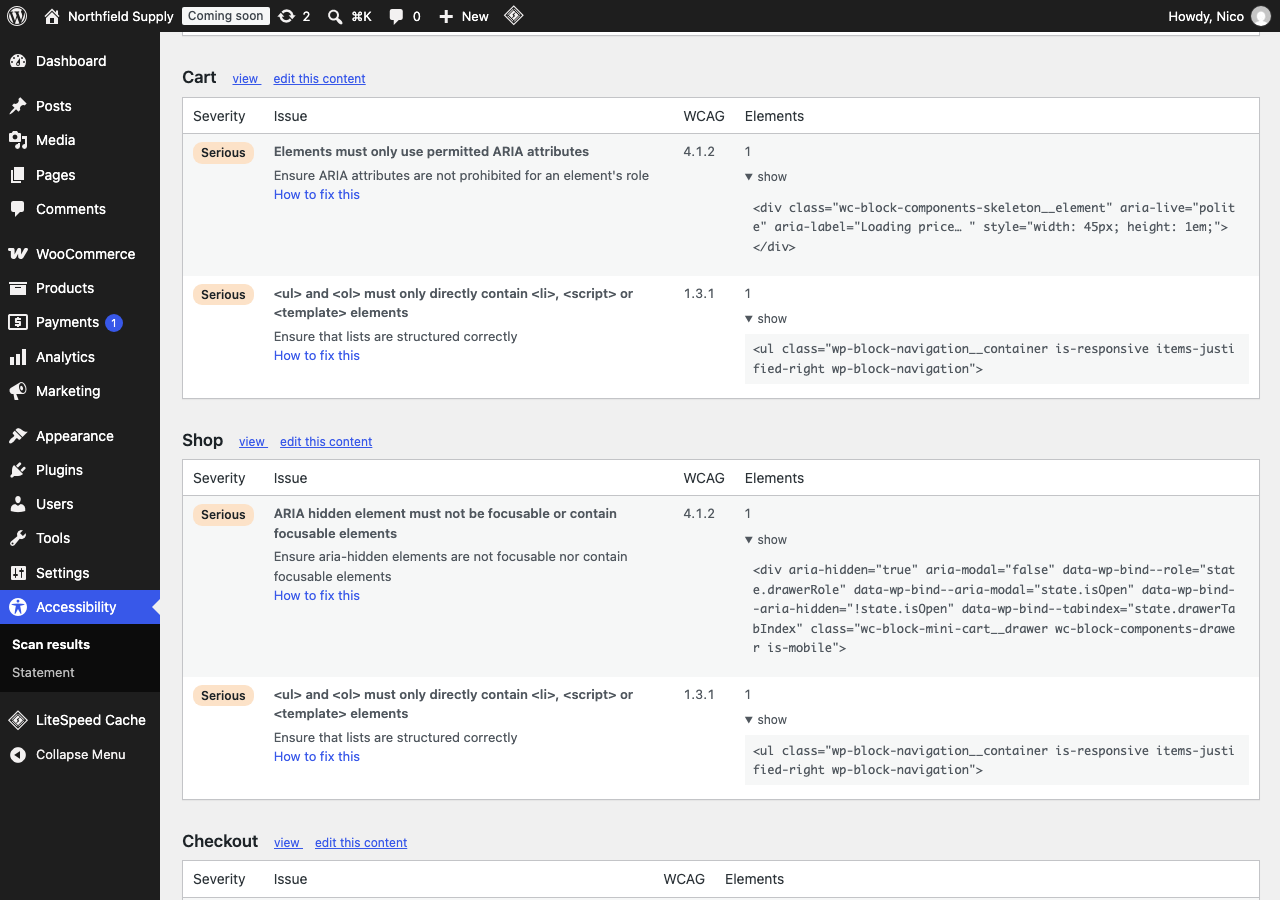
- The WCAG success criterion it breaks (1.4.3, 2.4.4, and so on)
- How severe it is — critical, serious, moderate or minor
- The exact element on the page, with its HTML
- A link to edit the post or page that caused it
- A plain-language explanation and how to fix it
- No external requests. None. Not for the scan, not for telemetry, not for licence checks.
- Nothing is sent to us, because there is no "us" to send it to.
- No account, no API key, no signup.
- Admin-only in practice: no scripts, styles or queries are added for visitors.
- No dashboard widgets, no menus added to unrelated screens, no upsell notices.
- Under 1MB. No bundled framework.
- Removes all of its own data when you uninstall it.
安装:
- Install and activate the plugin.
- Go to Accessibility in your admin menu.
- Click Run a scan.
stepless_accessibility_audit_recent_limit— how many recent posts/pages are scannedstepless_accessibility_audit_history_limit— how many past scans are keptstepless_accessibility_audit_findings_per_page— findings stored per pagestepless_accessibility_audit_nodes_per_finding— example elements per finding
屏幕截图:

常见问题:
Will this make my site compliant?
No, and no plugin can. Automated testing catches roughly half of WCAG issues; the rest needs human judgement. This plugin finds and explains what a machine can detect, which is real, useful progress — but treating any scanner's clean result as legal compliance would be a mistake.
Does it add a toolbar or accessibility widget to my site?
No. This plugin adds nothing to your front end. It reports issues in the WordPress admin so that you can correct them in your content, theme or templates.
Does it send my data anywhere?
No. The scan runs in your browser against your own pages, and the rule engine is served from your own site. The plugin makes no external HTTP requests of any kind.
Will it slow down my site?
No. Nothing is enqueued on your front end — no scripts, no styles, no extra queries. The plugin registers exactly one front-end filter, which hides the admin toolbar during a scan and returns immediately on every ordinary page view.
Which pages get scanned?
Your home page, your five most recently edited posts and pages, and — if WooCommerce is active — your shop, a product, the cart and the checkout.
Why does a page say it could not be scanned?
Some pages send headers that stop them being loaded in a frame, which is how the scan reads them. When that happens the plugin says so plainly rather than reporting the page as clean, because a page that was not checked is not the same as a page with no problems.
What accessibility standard does it use?
WCAG 2.1 levels A and AA, which is the standard referenced by the European Accessibility Act, EN 301 549, and Section 508.
Does it work with page builders and cache plugins?
Yes. The scan reads your pages as a browser renders them, so it sees the final output regardless of how it was built.
更新日志:
- Display name shortened to "Stepless Accessibility Audit".
- Scan history now keeps 30 entries by default instead of 3, and every limit in the plugin is filterable, so nothing is restricted.
- Description rewritten to describe only this plugin.
- Translation files removed; translations come from translate.wordpress.org.
- First release.
- WCAG 2.1 AA scanning, run locally in your browser with no external requests.
- Every finding linked to the post or page that caused it.
- WooCommerce shop, product, cart and checkout included automatically.
- Accessibility statement generator, built from your real scan results.
- Scan history.
- English and German.