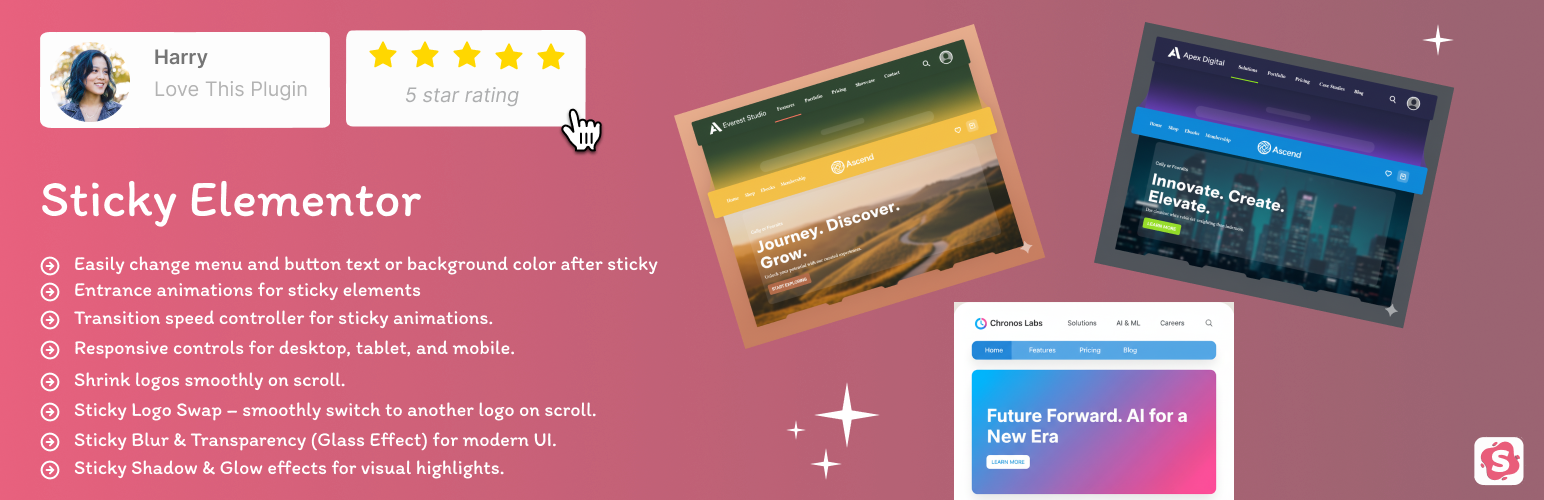
Sticky Elementor – Sticky Header, Menu Color After Sticky, Logo Swap & Back to Top Button
| 开发者 | bhumi239 |
|---|---|
| 更新时间 | 2026年1月18日 13:19 |
| PHP版本: | 7.2 及以上 |
| WordPress版本: | 6.9 |
| 版权: | GPLv2 or later |
| 版权网址: | 版权信息 |
详情介绍:
- Zero Layout Shift (CLS Fix): Our dynamic spacer ensures your content doesn't "jump" when the header becomes sticky, improving your Google Core Web Vitals score.
- Mobile-First Design: Individual sticky controls for Desktop, Tablet, and Mobile.
- All-in-One Solution: Get advanced sticky options, logo swapping, and menu styling in one lightweight package.
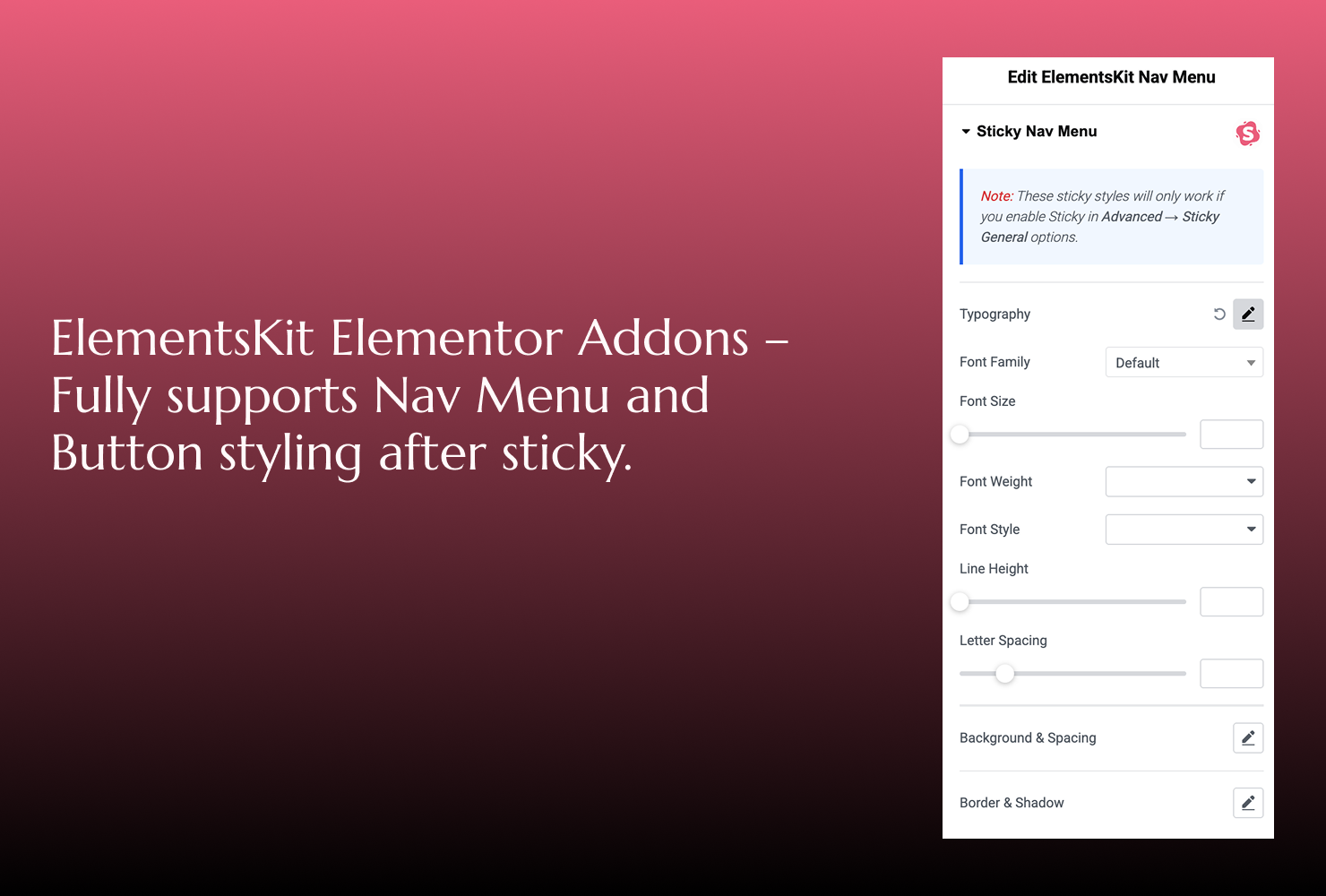
- Works seamlessly with Elementor Flexbox containers and common widgets: Nav Menu, Button, Heading — with full control to change their styles even after they become sticky.
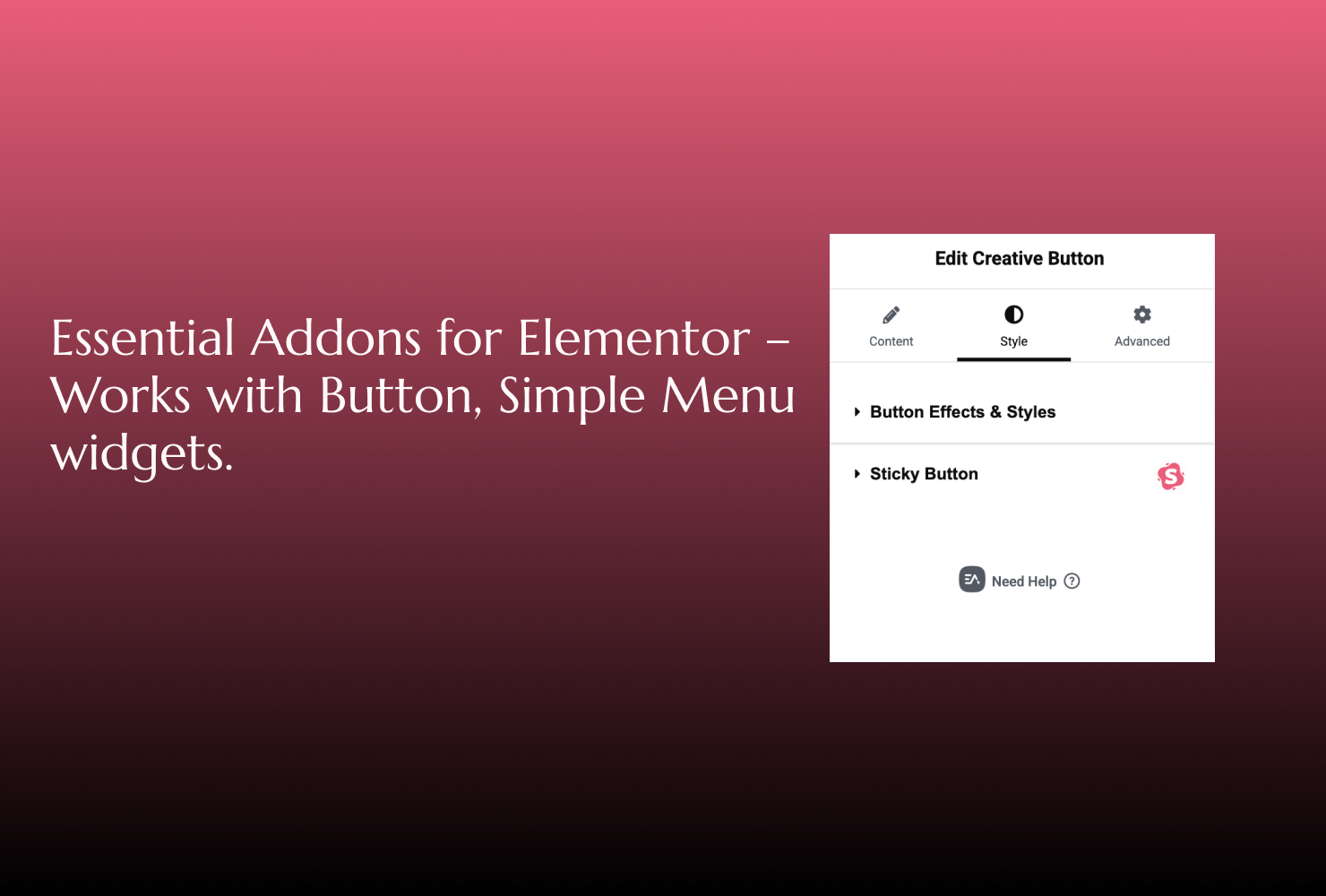
- Compatible with Essential Addons for Elementor (e.g., Button, Simple Menu widgets) – sticky effects work perfectly with them.
- Fully works with Templately templates, so you can directly use sticky effects inside pre-built designs.
- Back to Top button with smooth scroll animation (fully customizable).
- Any container sticky – headers, sections, logos, toolbars, or promo bars.
- Control sticky position: top, middle, or bottom.
- Customize appearance: top offset, padding, background, width, and border radius.
- Entrance animations for sticky elements: fade, slide, zoom, rotate, bounce, and more.
- Transition Speed controller to adjust animation speed.
- Z-Index control to manage stacking of sticky elements.
- Rotation effects (X & Y) on scroll for dynamic animations.
- Responsive controls for desktop, tablet, and mobile.
- Shrink logos and change logo color on scroll.
- Glassmorphism Effects: Add modern Blur (Backdrop Filter) and Transparency effects for a premium look.
- Menu & Button Styling: Change navigation text color and button backgrounds specifically for the sticky state.
- Back to Top Button: Add a smooth-scrolling back to top button with customizable styles.
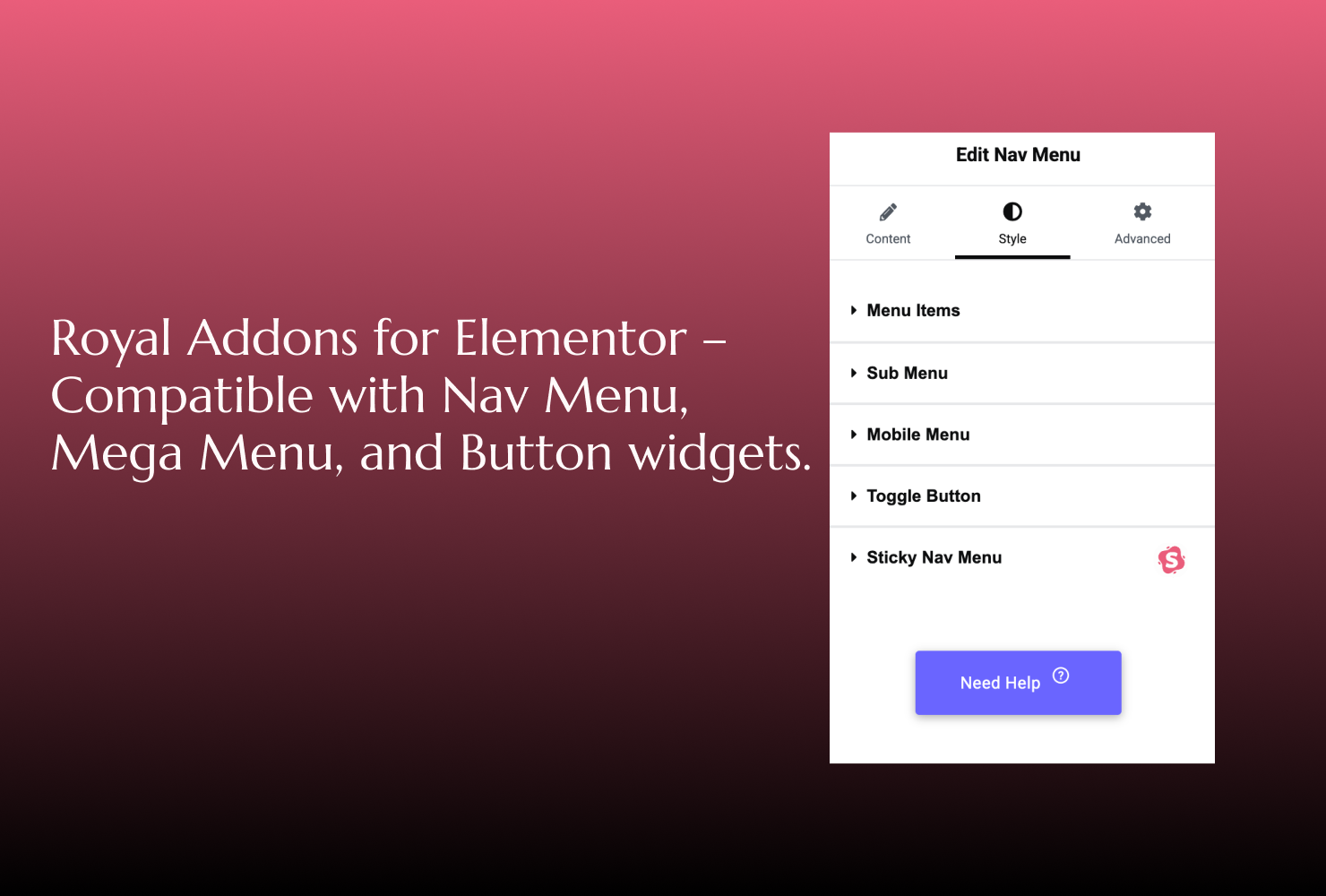
- Works seamlessly with popular Elementor addons (Royal Addons, Premium Addons, ElementsKit, Ultimate Addons for Elementor, plus more) ensuring smooth compatibility.
- Lightweight and optimized with minimal JS & CSS for top performance.
- 100% free and easy to use.
- Lightweight and optimized for performance.
- Designed with SEO-friendly practices.
- Regular updates with new features.
安装:
- Upload the plugin folder to
/wp-content/plugins/directory. - Activate the plugin through the ‘Plugins’ screen in WordPress.
- Edit any page using Elementor.
- Select a container → Go to Advanced tab → Sticky Settings.
- Enable sticky and customize your professional header!
屏幕截图:
常见问题:
How to create a Sticky Header in Elementor Free?
Simply install this plugin, open your Elementor editor, select your header container, and enable "Sticky" under the Advanced tab.
Can I use different sticky settings for Mobile?
Absolutely. Every major setting (Offset, Padding, Background) has responsive controls for Desktop, Tablet, and Mobile.
Does this plugin work with Elementor’s Flexbox Containers?
Yes! It's fully compatible and optimized for the Flexbox system.
Can I use this with free Elementor?
Absolutely. No Elementor Pro required.
Can I change menu text color after sticky without custom CSS?
Yes — Sticky Elementor includes direct controls to change your navigation menu text color after it becomes sticky. No custom CSS is needed.
Can I change button background or text color on sticky?
Absolutely. You can style your header buttons with different colors, backgrounds, and hover effects after sticky without writing code.
Can I change the header background color on scroll?
Yes — you can set a different background color for your header once it becomes sticky, making it stand out as users scroll.
Does it support Elementor Nav Menu widget styling after sticky?
Yes — Sticky Elementor allows you to customize Elementor's Nav Menu widget (text, hover, and active colors) specifically for the sticky state.
Can I make the logo shrink or change color on scroll?
Yes — logo shrink and color filter options are included.
Can I swap my logo on scroll?
Yes — Sticky Elementor now lets you smoothly swap logos on scroll for better branding (e.g., light logo → dark logo).
Is it lightweight?
Yes, it is optimized with minimal JS/CSS to ensure your site stays fast and SEO-friendly.
Will this affect my site’s performance?
Not at all. It uses minimal and optimized JavaScript and CSS. = Does this plugin work with popular Elementor addons? =\ Yes ✅ Sticky Elementor is fully compatible with multiple popular Elementor addons. We have tested and confirmed compatibility with:
- Royal Addons – Nav Menu, Mega Menu, Button
- Premium Addons – Nav Menu, Button
- ElementsKit Addons – Nav Menu, Button
- Ultimate Addons – Nav Menu
- Essential Addons – Button, Simple Menu
Can I show support contact or a help message?
Yes — a support notice control lets you add custom help info, such as a direct link to the WordPress.org support forum, so users can raise a ticket and receive answers quickly.
更新日志:
- Fix: Performance improvement and optimization.
- Fix: Responsive Default top offset value issue fix.
- Fix: Default value issue fix.
- New: Responsive Device Visibility – Introduced a multi-select device control. You can now choose exactly where the sticky effect appears: Desktop, Tablet, or Mobile.
- Fix: Content Jump (Zero CLS) – Added a Dynamic Spacer (Placeholder) system. This prevents the content below from "jumping" when the header becomes sticky, ensuring a smooth user experience and better Core Web Vitals.
- Fix: Inner Container Support – Optimized the fixed-position logic to ensure the sticky effect works flawlessly even when applied to Elementor nested or inner containers.
- Improvement: Enhanced Admin UI – Updated plugin controls with professional-styled descriptions and instructional icons for a more intuitive editing experience.
- Performance: Optimized Scroll Logic – Refined JavaScript execution to prevent memory leaks and redundant DOM operations, ensuring high-speed page performance
- Improvement: Compatibility With Wordpress.
- Improvement: Compatibility With Wordpress.
- Improvement: Bug Fix.
- Improvement: Enhanced smoothness of sticky transitions.
- Improved: Added dynamic width and height support for the sticky logo to ensure consistent sizing with the original logo.
- Fixed: Sticky logo not displaying correct dimensions when loaded dynamically.
- Improved: Added inline styling support to retain original logo proportions.
- Fixed: Border width and height alignment issue in sticky logo wrapper.
- Enhanced: Smooth visibility handling for sticky logo transitions (opacity & visibility now properly initialized).
- New: Compatibility added with popular Elementor addons:
- Royal Addons: Nav Menu, Mega Menu, Button
- Premium Addons: Nav Menu, Button
- ElementsKit Addons: Nav Menu, Button
- Ultimate Addons: Nav Menu
- Improvement: Better stability for menu color and button styling after sticky.
- Fix: Minor CSS and JS improvements for smoother transitions.
- Improvement: Enhanced smoothness of sticky transitions.
- Fix: Small CSS refinements for better compatibility with Elementor widgets.
- Fix: Minor style adjustments for smoother transitions.
- New: Added Sticky Logo Swap feature – change logo image smoothly when sticky activates.
- Improved: Enhanced transition effects for logo changes.
- Fix: Small CSS refinements for better compatibility with Elementor widgets.
- New: Added compatibility for sticky sections — now you can use sticky with Elementor sections along with headers and logos.
- New: Added Hue Rotate sticky effect for creative scroll-based color animations.
- New: Added Sticky Shadow & Glow effect for sticky elements to improve design flexibility.
- New: Compatibility with Essential Addons widgets (Button, Simple Menu, etc.).
- Improvement: Better stability for sticky effects across Elementor widgets.
- Fix: Minor style adjustments for smoother transitions.
- New: Added Sticky Blur & Transparency (Glass Effect) option for modern design.
- New: Added Sticky Shadow & Glow effect when element becomes sticky.
- Improvement: Enhanced smoothness of sticky transitions.
- Fix: Minor CSS adjustments for better compatibility with Elementor widgets.
- Added compatibility with Elementor widgets: Nav Menu (WordPress Menu), Button, Heading. Sticky effects and styles now work after elements become sticky.
- Added 9+ new sticky animations: Rotate In, Bounce In, Slide Left, Slide Right, Fade In Up, Fade In Down, Fade In Left, Fade In Right, Zoom Out.
- New Transition Speed controller for sticky animations.
- New Z-Index control for better stacking of sticky elements.
- Added Border Radius controller for sticky elements.
- Improved UI for easier configuration and better user experience.
- Minor performance enhancements and bug fixes for smoother sticky behavior.
- Fixed smooth animation issue for shrink logo
- Fixed console error issue
- Added "Deactivation Feedback"
- Improved script loading by using proper versioning.
- Code cleanup for WordPress.org compliance.
- Added: Back to Top Button – show a scroll-to-top icon with animations and styles.
- Improved: JS handling for sticky behaviors.
- Fixed: Minor styling issues for sticky icons and buttons.
- Added: Shrink Logo on Scroll – smoothly reduce logo height when sticky activates.
- Added: Sticky Delay – set delay before sticky effect activates.
- Added: Hide on Scroll Down – auto-hide sticky sections when scrolling down.
- Added: Logo Color Filter on Sticky – change image color dynamically with scroll.
- Added: User Support Notice – optional support message with Instagram DM link.
- Improved: Enhanced UI/UX of Elementor controls for Sticky Settings.
- Improved: Transition smoothness for logo height and filter changes.
- Minor bug fixes and performance optimizations.
- Minor code cleanup and structure improvements.
- Minor code cleanup and structure improvements.
- Improved: JS code structure, readability, and performance for better long-term maintenance.
- Fixed: Admin bar height is now properly included in the sticky offset—ensuring perfect alignment when logged in.
- Improved: Sticky behavior now fully respects responsive breakpoints — individual offset, padding, background, and rotation per device (desktop, tablet, mobile).
- Fixed: Removed conflicting reassignments and streamlined unit logic for cleaner and more reliable offset calculations.
- Enhanced: Transform handling now gracefully resets on scroll-out for a smoother user experience.
- Added: Developer-friendly
console.log()to trace applied offsets in debug mode. - Improved: JS code structure, readability, and performance for better long-term maintenance.
- Added animation support for sticky containers (fadeIn, slide, zoom).
- Fixed jerk issue on scroll activation by calculating correct offset.
- Improved popover toggle UX and controls organization.
- Enhanced JS performance and reduced reflows.
- Added button styling controls: background, text, border, radius (optional).
- Added support for smooth transitions and additional responsive tweaks.
- Minor code cleanup and structure improvements.
- Updated all class/function/constant prefixes to meet WordPress plugin review guidelines.
- Fixed potential class loading issues.
- Minor code cleanup and structure improvements.
- Added support for multiple sticky containers.
- Improved JavaScript and CSS structure.
- Minor bug fixes and compatibility updates.