
Sticky Reviews – turn client feedback into trust on every page
| 开发者 |
abuhayat
srabonr bplugins shehabulislam |
|---|---|
| 更新时间 | 2026年9月3日 14:28 |
| 捐献地址: | 去捐款 |
| PHP版本: | 5.6 及以上 |
| WordPress版本: | 6.8 |
| 版权: | GPLv2 or later |
| 版权网址: | 版权信息 |
详情介绍:
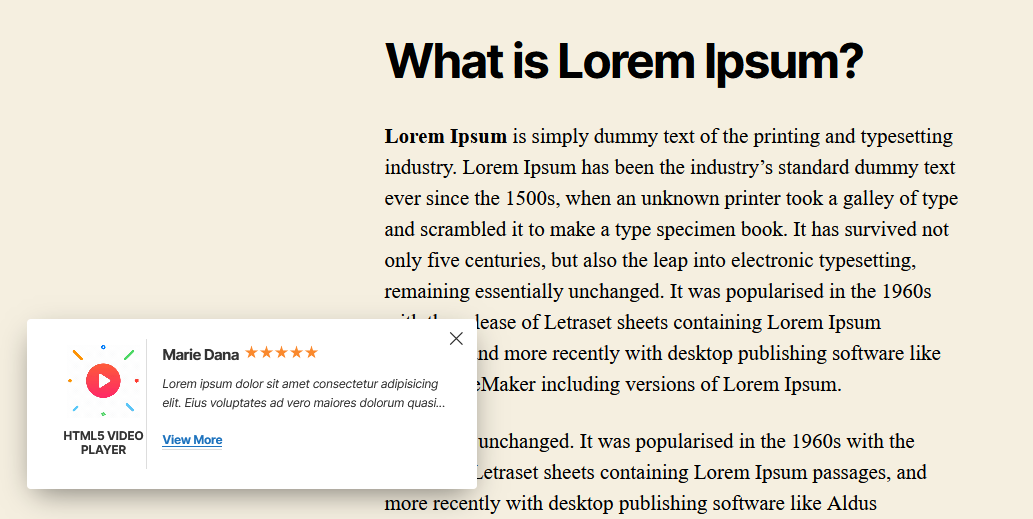
Keep your best client reviews visible on every page – displayed professionally in your site footer – so visitors see social proof wherever they scroll.
Why Sticky Reviews?
Testimonials buried on a single page rarely get seen. Sticky Reviews showcases your clients' and customers' reviews and feedback in the site footer in a professional way, so social proof follows visitors as they browse.
The plugin is very easy to use: add your reviews once, configure the display, and they appear site-wide – a simple, effective way to build trust and attract more customers.
Free Features
- Sticky Footer Display: Show client reviews and feedback in the site footer on every page.
- Left or Right Position: Display the review box on the left or right side of the screen.
- Simple Configuration: Manage everything from a single settings page in your dashboard.
- Easy to Use: Input your review data, configure the options, and you're done.
- Install and activate the Sticky Reviews plugin.
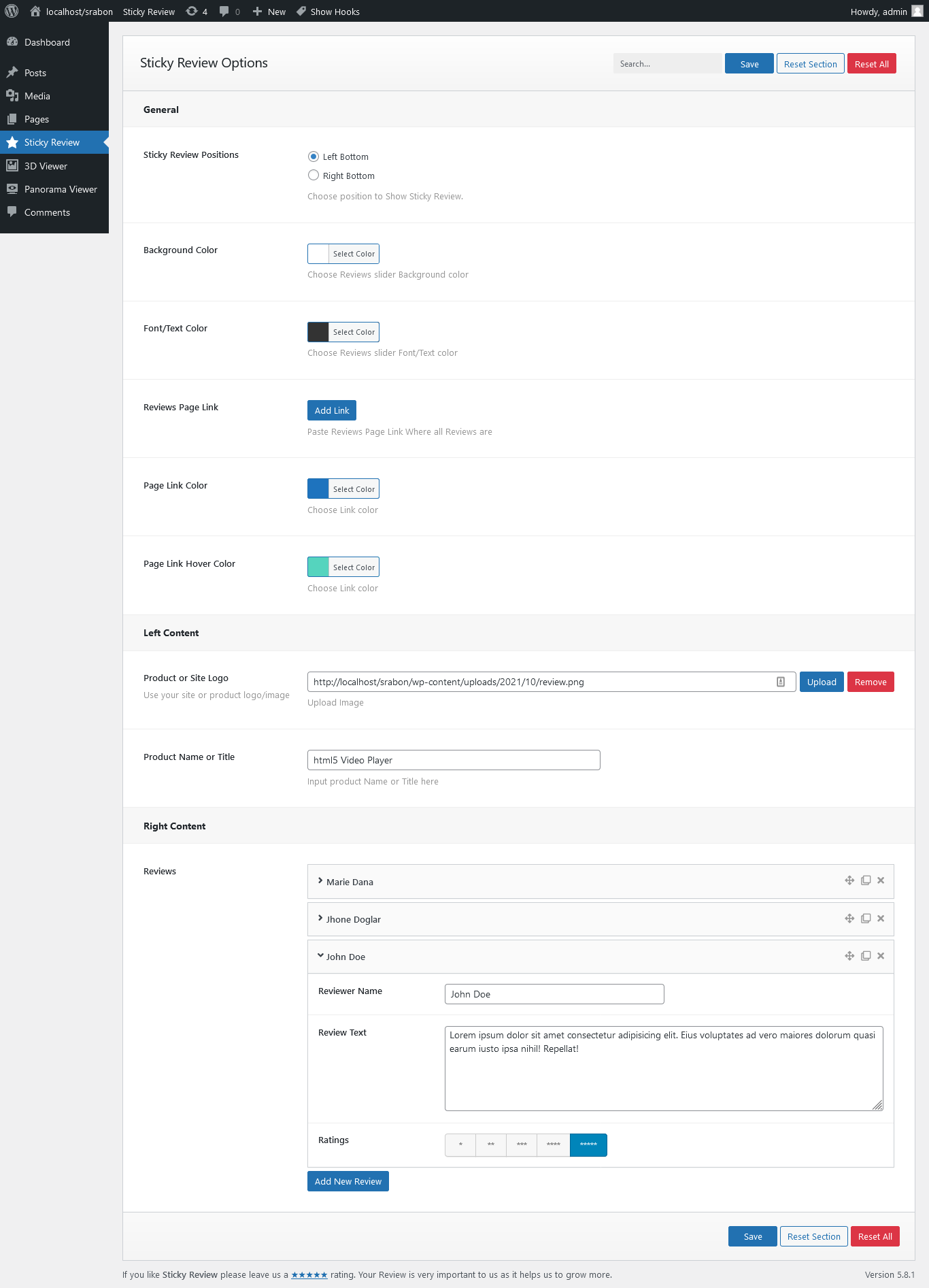
- In your dashboard, go to Sticky Reviews → Sticky Reviews Options.
- Input your review data in the necessary fields and configure the display.
- Save – your reviews now appear in the site footer. Enjoy!
- Service businesses: Keep glowing client feedback in front of prospective customers.
- Online stores: Reinforce buying decisions with customer reviews on every page.
- Freelancers & agencies: Display testimonials site-wide without redesigning pages.
安装:
From your WordPress dashboard (recommended):
- Go to Plugins → Add New.
- Search for "Sticky Reviews".
- Click Install Now, then Activate.
- Go to Sticky Reviews → Sticky Reviews Options to add your reviews.
- Upload the plugin folder to the
/wp-content/plugins/directory. - Activate the plugin through the Plugins menu in WordPress.
- Configure your reviews under Sticky Reviews → Sticky Reviews Options.
屏幕截图:
常见问题:
Is Sticky Reviews free?
Yes, Sticky Reviews is a free WordPress plugin.
Where do the reviews appear on my site?
Reviews are displayed in your site's footer area as a sticky element, so they stay visible while visitors browse.
Can I choose which side the reviews appear on?
Yes. The reviews can be displayed on the left or the right side, as shown in the plugin screenshots.
How do I add and configure my reviews?
Go to Sticky Reviews → Sticky Reviews Options in your dashboard, input your data in the necessary fields, and configure the display settings.
更新日志:
1.0.1
- Issue Fixed
- Initial Release