
Storelly – Product Options, Price Calculator, B2B Quotes & Visual Product Builder for WooCommerce
| 开发者 | storelly |
|---|---|
| 更新时间 | 2026年8月8日 12:59 |
| 捐献地址: | 去捐款 |
| PHP版本: | 7.4 及以上 |
| WordPress版本: | 7.0 |
| 版权: | GPLv2 or later |
| 版权网址: | 版权信息 |
详情介绍:
- Print shops & print-on-demand — quoting custom jobs takes hours, artwork goes back and forth by email, and reorders start from zero. Storelly turns enquiries into priced quotes and saved designs into one-click reorders.
- Solo makers & personalized-gift shops — you need surcharge pricing for engraving, gift wrap, or rush options without hiring a developer. Add an option group, set the price, done.
- Configurable product retailers — furniture, curtains and blinds, signage: products priced by size and material explode into thousands of WooCommerce variations. Storelly replaces variation sprawl with options, conditional logic and live price calculation.
- B2B manufacturers & wholesalers — negotiated prices live in spreadsheets, quotes in inboxes, and net-term balances in your accountant's head. Storelly puts company accounts, per-company pricing, approvals and account credit inside WooCommerce.
- Agencies — one plugin that covers options, calculators, quotes and B2B means one tool to learn and support across every client build.
- Visual product builder — customers personalize products on a live canvas: add text, upload images, pick colors and swatches, and see exactly what they will get before adding to cart.
- Every field type you need — dropdowns, radio buttons, image swatches, text inputs, checkboxes, file uploads, labels and advanced fields, with per-option price surcharges.
- Price calculator & quantity breaks — tiered pricing that updates the price live as customers choose quantity and options. Unlimited tiers, unlimited products.
- Conditional logic — show or hide options based on previous choices, so customers only ever see what is relevant.
- B2B quotes (request a quote) — customers submit a quote request, you reply with a priced quote, they accept online and it converts straight into a WooCommerce order. Expiry dates and email notifications included.
- Company accounts & wholesale pricing — upgrade customers into company accounts with negotiated per-company pricing, assigned catalogs, team members with approval rules, and account credit with net payment terms.
- Quote & order PDF export — a built-in local PDF export for quotes and orders ships free; no external service required.
- Custom orders — design on behalf of a customer from wp-admin and send them a ready-to-pay order.
- Saved designs & reorder — customer designs are stored on your site so repeat orders take one click.
- Import / export — move option sets between sites with JSON import/export, or seed products from your existing WooCommerce variations in the setup wizard.
- Translation-ready — ships in 15 languages with full RTL support.
app.storelly.com) — it never unlocks code on your server:
- Production print-ready PDF rendering — high-resolution, print-shop-grade files with bleed for fulfillment (your free local PDF export always keeps working).
- Order sync & analytics dashboard — option-level revenue analytics for your store.
- Premium template library — industry option presets with one-click import and ongoing updates. Free templates stay free.
- Extended coverage (200+ strings): Vietnamese (vi)
- Menu labels + core admin verbs (~30 strings): French (fr_FR), German (de_DE), Spanish (es_ES), Portuguese-Brazil (pt_BR), Italian (it_IT), Japanese (ja), Chinese-Simplified (zh_CN), Russian (ru_RU), Arabic (ar), Dutch (nl_NL), Polish (pl_PL), Turkish (tr_TR), Swedish (sv_SE), Indonesian (id_ID)
.po file to support@storelly.com.
🔌 Works with
WooCommerce (required), block themes and classic themes, Elementor, WPML/Polylang-style translation workflows, and standard WooCommerce emails, taxes, and payment gateways. Your cart and checkout stay 100% native WooCommerce.
屏幕截图:



常见问题:
Is the free version really unlimited?
Yes. Unlimited products, unlimited option groups, unlimited quantity-break tiers, unlimited quotes and company accounts. Every feature that runs on your own server is free with no caps and no trial timers. We only charge for optional cloud services (production print-ready rendering, analytics, premium templates) that run on our infrastructure.
Do I need WooCommerce?
Yes. Storelly extends WooCommerce, so WooCommerce must be installed and active. Your existing cart, checkout, taxes, and payment gateways keep working exactly as before.
How do I add extra options to a WooCommerce product?
Edit any product and open the Storelly panel: add option groups (dropdowns, swatches, text fields, file uploads and more), set per-option prices, and publish. The options appear on the product page instantly with live price updates.
Can I create a price calculator with quantity discounts?
Yes. Define quantity-break tiers per product (for example 1–49, 50–99, 100+) and the displayed price recalculates live as the customer changes quantity and options.
Can customers personalize products with their own text and images?
Yes. The visual builder lets customers add text, upload images, choose colors and templates, and preview the result live before adding to cart. Their designs are saved on your site for reordering.
How does the B2B request-a-quote workflow work?
A customer submits a quote request from the product page. You review it in wp-admin, adjust pricing, and send the quote by email. The customer accepts online and the quote converts into a normal WooCommerce order. Quotes support expiry dates and full email notifications.
Does Storelly support B2B / wholesale pricing?
Yes. Upgrade any customer into a company account with its own negotiated pricing, assigned products, team members with approval rules, and account credit with net payment terms (wallet, credit limit, statements).
Are PDF exports free?
Yes — quote and order PDFs render locally on your server, free, with no external service. Storelly Cloud additionally offers production print-ready rendering (high resolution, bleed) for print fulfillment, which runs on our infrastructure.
Will it slow down my store?
No. The options and pricing engine runs locally with no external calls on your product pages, and assets only load where they are needed.
What is "Storelly Cloud" and do I need an account?
No account is required to use the plugin. The product builder, pricing options, quotes and custom orders all run locally on your own WordPress site, for free, with no product limit. "Storelly Cloud" is a separate, optional online service (app.storelly.com). It adds print-ready PDF rendering, order sync and a central dashboard. You only need it if you want those cloud features. How connecting works:
- New users: click "Enable Cloud" on the plugin's Overview/Welcome screen. A Storelly account is created and connected for you automatically, right inside wp-admin — you are not redirected to storelly.com. You then receive an email at your site admin address with your Storelly username, password and login link (please sign in and change the password).
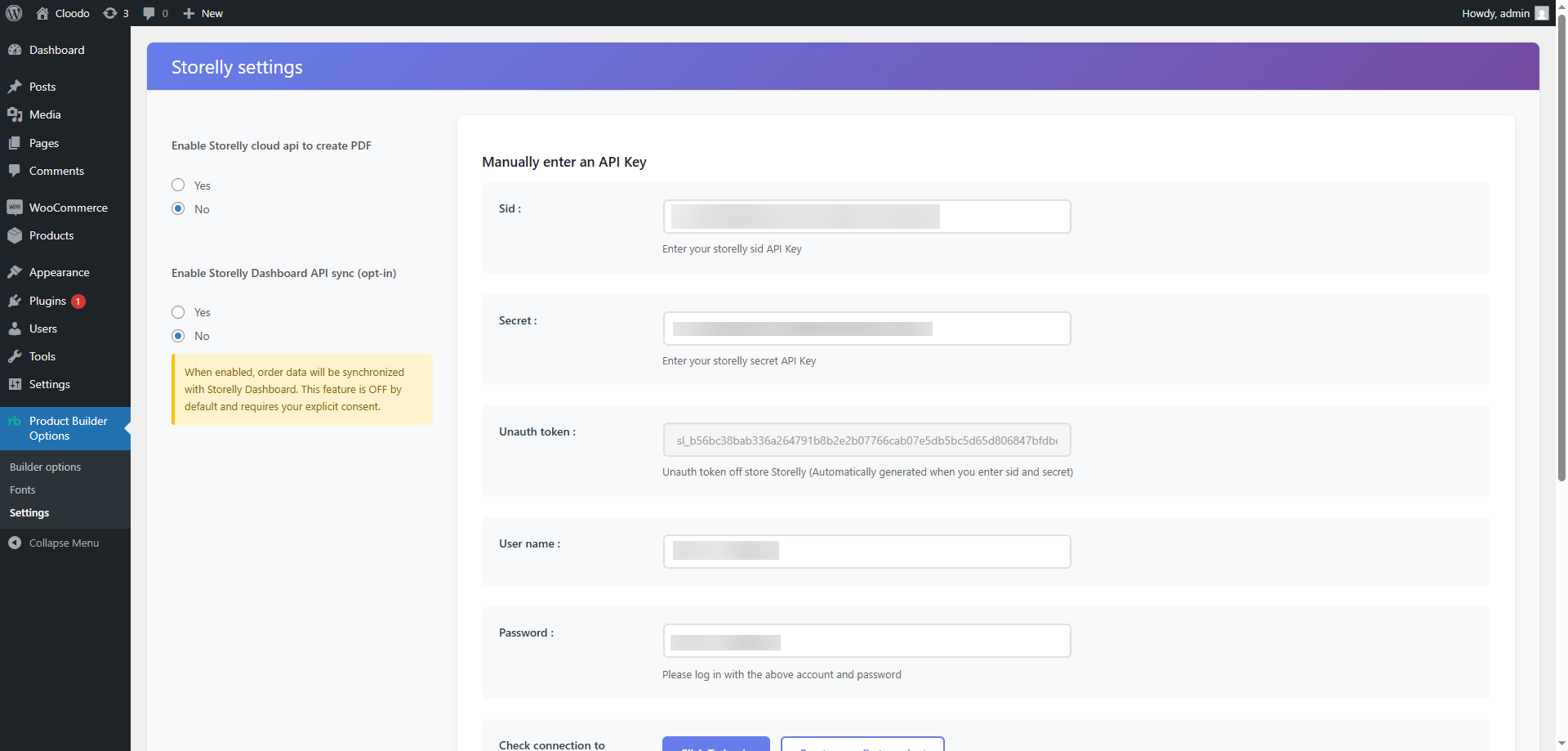
- Existing Storelly users: you can instead paste your API keys (SID + Secret) on Settings → Integration, or paste your Store ID via "Already have a Store ID? Link it" to attach this site to your existing store.
- Reinstalling: the plugin keeps a stable store identifier derived from your site URL and admin email, so reconnecting re-links to the same Storelly store instead of creating a duplicate.
What happens to my data if I cancel a Cloud subscription?
Everything local — products, options, designs, quotes, orders, company accounts — is yours and untouched. Cloud actions simply stop being available; local features including the free PDF export keep working.
How do I use this plugin in my language?
Go to Settings → General → Site Language, pick your language, and save. The plugin admin sidebar, settings pages and Visual Builder will switch to that language immediately. No restart, no cache clearing, no extra plugin needed. Supported languages: Vietnamese, French, German, Spanish, Portuguese (Brazil), Italian, Japanese, Chinese (Simplified), Russian, Arabic, Dutch, Polish, Turkish, Swedish, Indonesian. If your language is not in WordPress's installed list, install it from the same Settings → General page (WordPress will download it).
Can each WP user have a different plugin language?
Yes. Go to Users → Your Profile → Language and pick a per-user language different from the site default — useful when the storefront serves customers in one language but the admin reads another.
My language is missing or incomplete — how do I improve it?
Two paths:
- Quick (just you): Translate the
.potfile inwp-content/plugins/storelly-product-builder-for-woocommerce/languages/using a tool like Poedit, save asstorelly-product-builder-for-woocommerce-{your-locale}.mo, and drop it in the same folder. - Permanent (helps everyone): Submit your translation to the WordPress.org GlotPress project once the plugin is listed there, or email
.pofiles to support@storelly.com — we bundle community translations in the next release.
Does RTL (Arabic, Hebrew) work?
Yes. The plugin ships 18 companion *-rtl.css files that WordPress core auto-loads when is_rtl() returns true. Switch your site to Arabic / Hebrew and the entire plugin UI mirrors right-to-left.
Can I migrate from another product options plugin?
Storelly imports option sets via JSON and can seed options from your existing WooCommerce variations using the setup wizard. It can also import existing quotes from WooCommerce orders, contact-form plugins (Contact Form 7, WPForms, Gravity Forms, Forminator) and quote plugins (ELEX, Addify, B2BKing). For specific migration questions, open a thread in the support forum — we answer fast.
How can I contact support?
You can reach the Storelly team directly:
- Email: support@storelly.com
- WhatsApp: +84 937 869 689
更新日志:
- Fixed: gradient swatches losing their second colour on save. Adding a second colour to a swatch to make a two‑tone gradient, then saving, now keeps both colours instead of reverting to a single colour.
- Fixed: Visual Builder background auto‑save. Auto‑save now reliably persists your most recent edits. Previously it could show "Auto‑saved" while sending an out‑of‑date copy, so changes made since the last manual save could be lost when leaving the page.
- Fixed: right‑to‑left (RTL) storefront layout. The product options, the designer, and the Request‑a‑Quote form now load their RTL stylesheets on RTL sites, so the layout mirrors correctly instead of appearing misaligned.
- Fixed: brief flash of unstyled admin editors. Opening the option builder, Visual Builder or Font Manager no longer momentarily shows raw, unstyled markup before the editor finishes loading.
- Fixed: imported options showing an unrelated image. When an image can't be downloaded during import, the option now falls back to no image instead of pointing at another product's picture.
- Fixed: "Save design" button in the block‑based Cart. The button now attaches to the correct cart line even after items are reordered or removed.
- Fixed: uploaded file name when editing a cart item. Editing a cart item that has an uploaded file now shows the correct file name (and no PHP notice).
- Fixed: advanced dropdown default state. While JavaScript is still loading, an advanced dropdown no longer briefly shows the last option as selected.
- Removed two option controls that had no storefront effect. The per‑tier "Price depend quantity breaks" and "depend quantity" fields were hidden — they never affected the storefront price. Use the Quantity breaks / bulk pricing feature for real tiered pricing. Any previously saved values are preserved.
- Cloud features now follow your plan. Print-ready PDF rendering and order sync now require an active Storelly Cloud plan — matching what the plugin has always described. The full product builder, pricing options, quotes and custom orders stay free and local on your own site, with no product limit; only these optional cloud features are gated.
- "Unlock" prompt instead of a silent failure. A store without a Cloud plan that tries to download a print-ready PDF now sees a clear "Print-ready PDF needs a Cloud plan" message pointing to Account & Plan, instead of an empty download.
- Order sync respects your plan. Orders are uploaded to the Storelly Dashboard only when you have both enabled order sync AND an active Cloud plan that includes it. Your local order data is never changed; sync resumes automatically once a plan is active.
- Fixed: option builder Save / Update. The Save and Update buttons in the admin option builder now save reliably, and the apply-to-products status round-trips correctly after saving.
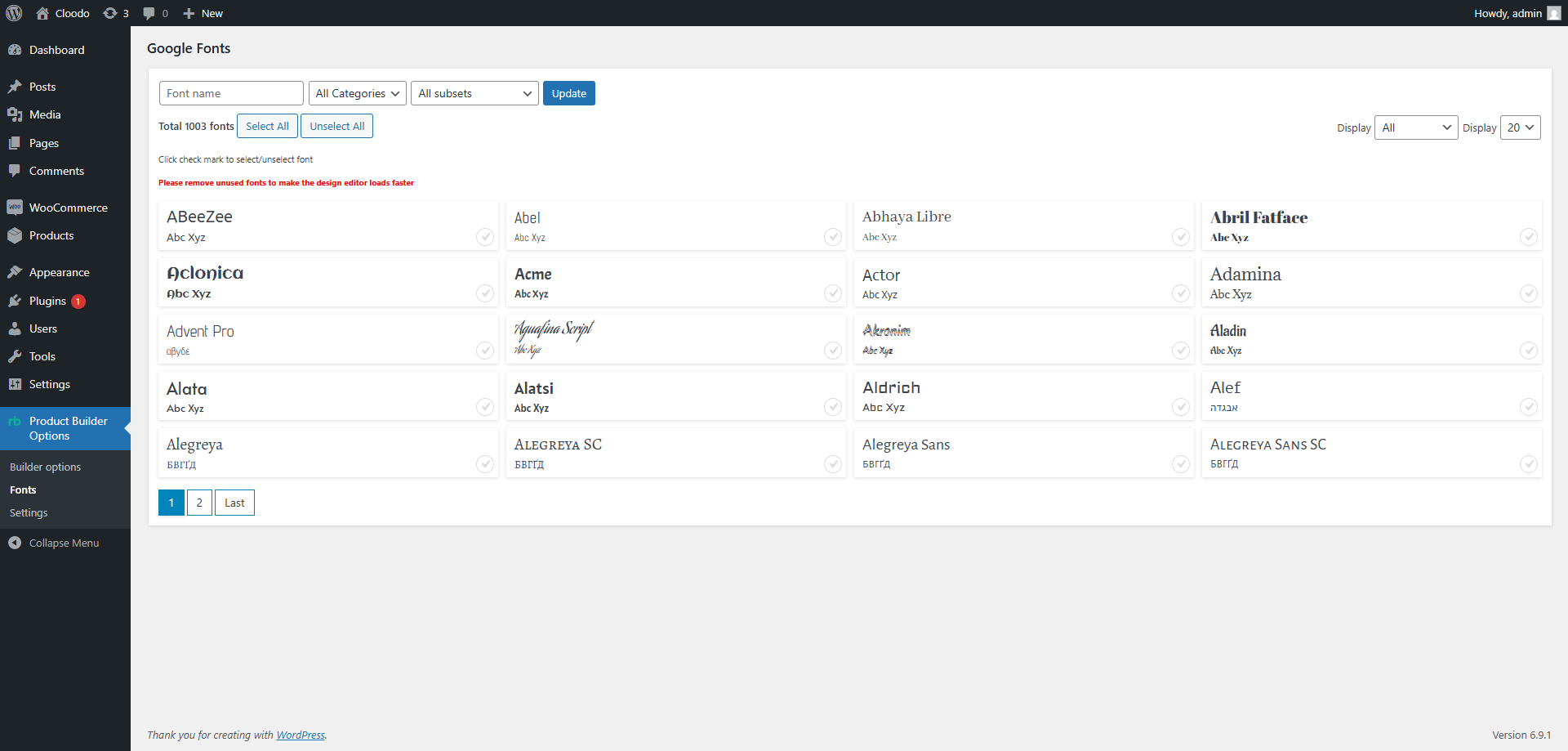
- Store listing. Rewritten plugin intro and an expanded screenshot set: the front-end product builder and live customizer, the admin option builder with quantity & bulk pricing, the product list, the overview dashboard, the Template Library, and B2B company accounts.
- Polish. Token-styled toast for order-download notices with a shared scrim token, plus minor B2B admin and dialog styling cleanups.
- Fixed the demo product installing as duplicates. On some servers activating the plugin could install the bundled demo product several times over (and briefly slow the site) if the first admin page was reloaded while it was still importing. The one-time install is now guarded so it runs exactly once.
- Fixed broken images in the demo product. Component thumbnails and the per-view base images of the demo "bag" now import correctly instead of showing blank or wrong images.
- New: Remove demo data. Storelly › Setup Wizard now has a one-click "Remove demo data" button that deletes the demo product, its option set and bundled images (including any duplicates from older versions). Your own products are never touched.
- Custom Orders — "View in designer" fixed. The button now opens the storefront builder pre-loaded with the buyer's actual saved design (it previously used a legacy link with no effect). Admin-only, nonce-protected.
- Print PDF generation fixed. Saving a design now keeps the vector (SVG) frames the print-PDF engine rebuilds each page from, so "Regenerate PDFs" / Download (PDF) work instead of failing. (Designs saved before this update should be re-saved once from the builder to generate their print files.)
- Order sync no longer duplicates. Each order was being sent to the Storelly Dashboard twice; now sent once. Order sync also moved to a background job so checkout is never slowed by PDF rendering or the dashboard call.
- Cloud connect hardening (wordpress.org compliance). No WooCommerce REST keys are minted on activation; cloud PDF defaults to off until you opt in; uninstall now removes cloud secrets + opt-in flags (the stable store ID is kept so reinstalling re-links to the same store). After connecting, the site emails the admin their new Storelly account details.
- Clearer Storelly guidance. Settings › Integration now explains what is local vs cloud and which fields are optional; the Custom Order screen shows a "Connect Storelly" prompt when cloud PDF is off; the Overview help section adds direct support contacts (email + WhatsApp).
- Removed the vestigial designer-marketplace / "launcher" module entirely. It was bundled-but-disabled scaffolding inherited from the NBDesigner / pc-designer codebase (no UI entry point). Deleting it permanently eliminates any possibility of a symbol collision with another NBDesigner / PC Designer–derived web-to-print plugin — superseding the 1.6.1 / 1.6.2 mitigations. Core product builder, quotes, B2B, custom orders and saved designs are unchanged.
- Comprehensive conflict handling for sites that also run an NBDesigner / PC Designer–derived web-to-print plugin. Storelly now reliably detects a sibling designer plugin (regardless of plugin load order) and cleanly disables only its own optional designer-marketplace module instead of loading code that would collide, with a clear admin notice. This fully resolves the activation fatal introduced when both were active. Core product builder, quotes and B2B features are unaffected.
- Fixed a fatal error ("Cannot redeclare function") that could occur on activation when another NBDesigner / pc-designer–derived web-to-print plugin was already active. The optional designer-marketplace module now detects those legacy helpers and steps aside instead of crashing the site.
- B2B / Wholesale (new). Company accounts (with members and roles), a wholesale tier-pricing ladder, and an Account Credit system: prepaid wallet, net-terms credit line with an over-limit approval workflow, monthly volume rebates, partial-refund reversals and accounts-receivable aging — all on a single signed ledger. Each company gets a public, brand-safe storefront, and payment-term labels are fully customizable.
- Request a Quote (greatly expanded). Add a file-upload field to quote forms (multi-file, drag-and-drop, shown in admin/email/PDF). New multi-product quote cart and a standalone quote page. Import existing quotes from WooCommerce orders, contact-form plugins (Contact Form 7, WPForms, Gravity Forms, Forminator) and quote plugins (ELEX, Addify, B2BKing). Buyers manage, accept and convert quotes to orders from their account.
- Custom Orders. Reworked detail page: instant tabs, clearer CTAs, customer notes, one-click re-order and download-all.
- My Account portal. New customer endpoints — quotes, saved designs, re-orders, brand store, team, approvals and store management.
- Email system. All transactional mail unified on the WooCommerce email engine, plus an email log, a "send test" tool and an admin Emails dashboard.
- Designer canvas. Buyers can now add their own free-form text and images on the canvas alongside admin-defined components, with pricing computed authoritatively on the server.
- Admin redesign. Refreshed Emails / About / System / Orders / Quote screens on a shared component library, and a re-organized menu (placed under WooCommerce) grouped into Build / Sell / Configure bands.
- Reliability & compliance. PHP 8 compatibility fixes, batched several N+1 query paths, hardened account-endpoint rewrite flushing, and a clean Plugin Check pass.
- Onboarding & activation polish: one-click bundled (offline-safe) demo product, "resume setup" link, Request-a-Quote badge on by default, a polite dismissible review prompt (after 2+ weeks of use), and large-catalogue migration safety with a re-entrancy lock so concurrent runs never create duplicate option sets.
- Customizer V3 — Order Summary restructured so the "Add to cart" CTA is the last element pinned to the browser edge and can never be clipped on short viewports. The trust note moved into the scrollable area; the V3 modal now uses a flex column layout so the sticky CTA pins flush to the modal bottom.
- Customizer V3 — preset Fabric layers (colour/material swatches) are now locked (non-selectable) so customers can't accidentally open the layer-transform toolbar; customer text/image layers stay fully interactive. Zoom controls made larger and clearer.
- Customizer V3 — fixed the "white square overlay" bug where picking an option that reused a shared placeholder image rendered a solid white box over the product photo. Passive views (where an option doesn't change the image) now hide the layer instead.
- Customizer V3 — verified primary-view auto-detection against the demo bag product so picking an option always switches the canvas to the view it actually affects.
- Customizer V3 — picking an option whose change lives on a different view now auto-switches the canvas to that view (improved detection), and hid a ghost overlay that could wash out artwork on multi-view products.
- Customizer V3 — localStorage design persistence (reopen the modal and your previous design is restored), a floating toast system, accessibility polish (focus rings, aria-live price announcements), full mobile-responsive layout, empty-state tiles, and option-card micro-interactions.
- Customizer V3 — full UX audit and design-token consistency cleanup; every accent colour now resolves from a single token block so the entire customizer re-themes at once.
- Customizer V3 build-out: 1:1 rewrite of the Order Summary column with live grand total, status progress pill ("5/5 configured"), view-aware accordion that filters to parts affecting the current view, in-canvas view thumbnails, per-attribute filter chips, redesigned Details/Shipping/FAQ tabs, deterministic view switching, and numerous scroll-containment and layout fixes.
- Customizer V3 introduced: new 4-zone layout (product header, vertical tab nav, accordion options panel, canvas, summary column), live grand total, per-component and global reset, progress meter, and a Cloodo/Printcart-aligned design system. Template Library gained a WYSIWYG live preview rendered against a real product, plus restyled storefront option fields. Earlier layouts remain available as fallbacks via filter/constant.
- Compatibility: replace hardcoded Asia/Ho_Chi_Minh timezone with site-configured wp_timezone_string(). Compliance: declare the Storelly demo-data endpoint in External services. Designer Marketplace module bundled but disabled by default.
- Add Category-Based Options & enhance import reliability.
- Fixed Builder Options Export: resolved an issue where export would hang indefinitely.
- Security improvements: fixed nonce verification patterns, improved file upload sanitization.
- Enhance Storelly Settings page with professional styling and API sync.
- Enhance file handling and security checks.
- Security updates: nonce verification and user permissions.
- Enhance settings handling, template rendering, and style CSS in plugin.
- Enhanced security, caching, and code quality across the plugin.
- Initial release.