
StratiSilo
| 开发者 |
woosilo
stratisilo |
|---|---|
| 更新时间 | 2026年4月26日 17:19 |
| PHP版本: | 7.4 及以上 |
| WordPress版本: | 6.9 |
| 版权: | GPLv2 or later |
| 版权网址: | 版权信息 |
详情介绍:
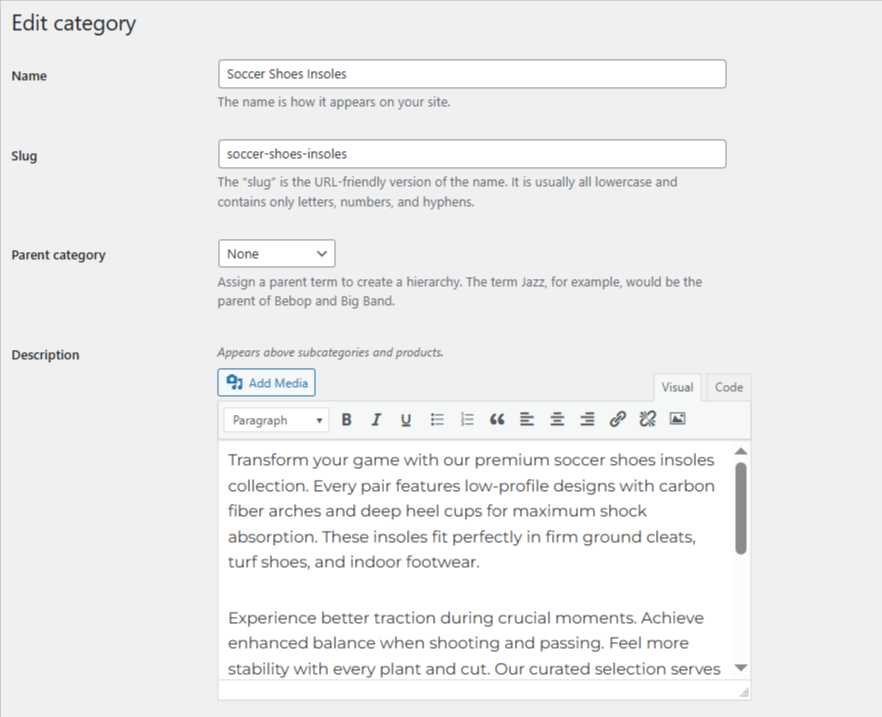
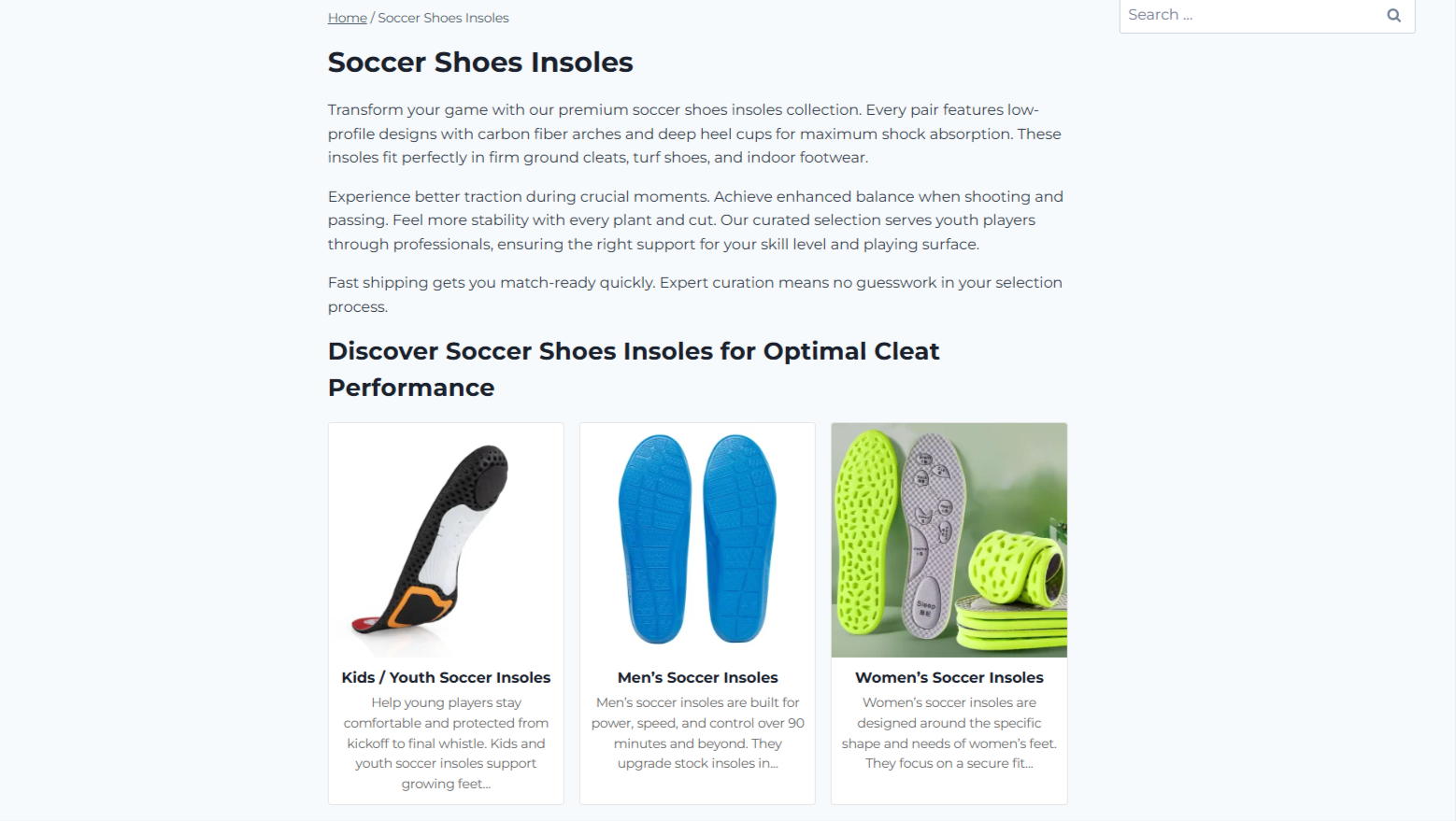
- First description / category description (above products)
- Subcategory cards
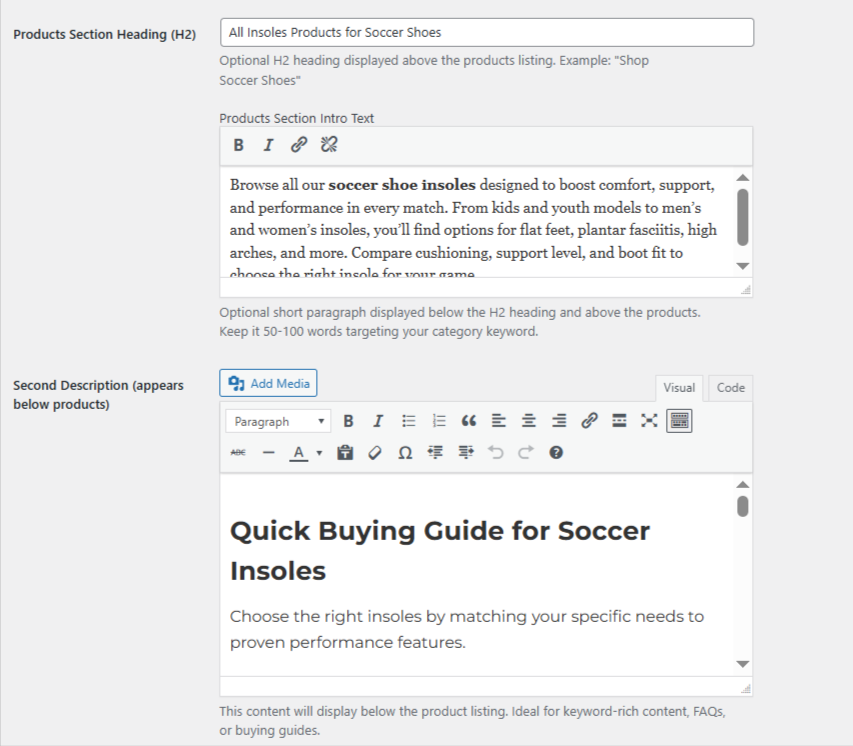
- Products section heading and intro
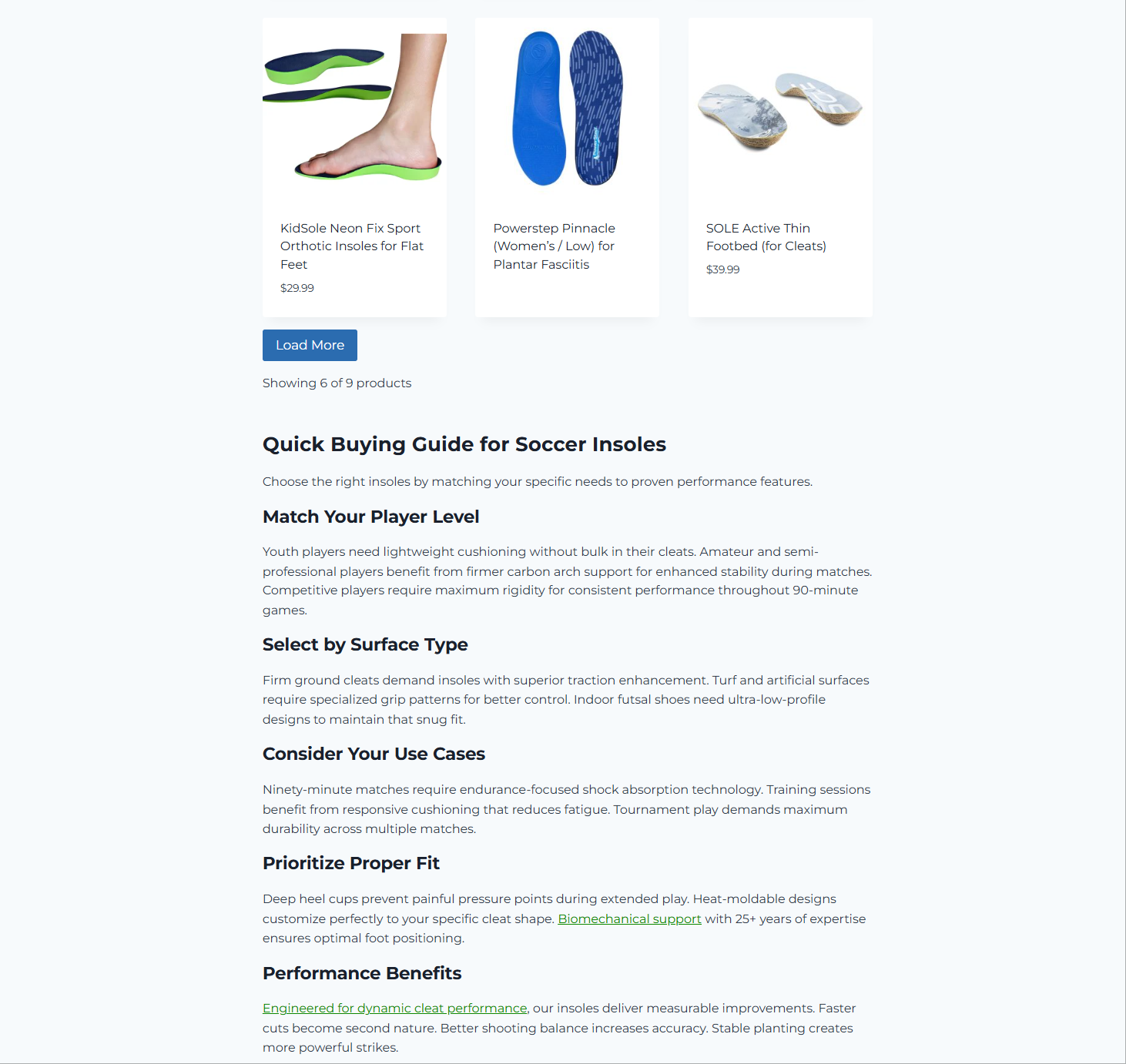
- All products with Load More
- Second description (below products)
安装:
- Upload the stratisilo folder to /wp-content/plugins/
- Activate the plugin through the Plugins menu in WordPress
- WooCommerce must be installed and active
- Go to WooCommerce > StratiSilo Settings to configure display options
- Edit any product category under Products > Categories to add descriptions and headings
屏幕截图:

常见问题:
Does this plugin require WooCommerce?
Yes. StratiSilo requires WooCommerce 7.0 or higher. It will not activate without WooCommerce installed and active.
Where do I add the first description for a category?
Go to Products > Categories, click Edit on any category. You will see a Description field — this appears above subcategories and products on the frontend.
I added content in the sidebar Add new category form but it is not showing.
Open the category in its full edit page (Products > Categories > Edit) and re-enter the content there. The full edit page saves all fields reliably.
Does this affect the shop page?
No. StratiSilo only modifies product category archive pages. The main shop page is not affected.
Will this plugin change my URL structure?
No. The free version does not modify any URL structures. Your existing WooCommerce permalink settings are completely preserved.
Is this compatible with Yoast SEO and Rank Math?
Yes. StratiSilo does not conflict with SEO plugin meta fields, sitemaps, or breadcrumbs.
Is this compatible with the Gutenberg block editor on product pages?
Yes. StratiSilo does not interfere with Gutenberg on single product pages in any way.
What shortcodes are available?
Three shortcodes are available for manual placement: [stratisilo_first_desc], [stratisilo_subcategories], and [stratisilo_second_desc].
更新日志:
- Fixed breadcrumb Shop removal not working — now uses woocommerce_get_breadcrumb filter for universal theme support
- Fixed Load More button not working after plugin rename — corrected JavaScript params variable name
- Fixed settings checkbox not saving correctly after plugin rename — corrected HTML field name attributes
- Fixed default description box still showing in category admin — created missing silo-admin.css file
- Fixed pagination still showing alongside Load More button — improved CSS selectors to hide pagination universally
- Changed Load More button text from "Load More Products" to "Load More"
- Updated shortcode names to stratisilo_first_desc, stratisilo_subcategories, stratisilo_second_desc
- Fixed settings menu slug consistency
- Initial release
- First description editor using native WooCommerce description field with full HTML support
- Second description TinyMCE editor appearing below product grid
- Products section H2 heading and intro text per category
- Automatic subcategory card display with configurable columns 1 to 6
- Subcategory cards with image, title, and plain-text excerpt
- Load More button replacing pagination across all supported themes
- Product loop titles changed from H2 to H3 for correct heading hierarchy
- Breadcrumb Shop removal on category and single product pages
- Shortcode support for stratisilo_first_desc, stratisilo_subcategories, stratisilo_second_desc
- TinyMCE sync fix for sidebar Add new category form
- HTML support in term descriptions
- Theme compatibility with Kadence, Astra, OceanWP, GeneratePress, Storefront
- WooCommerce 10.6.2 compatible
- WordPress 6.9 compatible