
Strikewise – Lowest Price & Price History for WooCommerce
| 开发者 | nhwebstore |
|---|---|
| 更新时间 | 2026年10月27日 05:53 |
| PHP版本: | 7.4 及以上 |
| WordPress版本: | 7.1 |
| 版权: | GPLv2 or later |
| 版权网址: | 版权信息 |
详情介绍:
- It records every price change of your products.
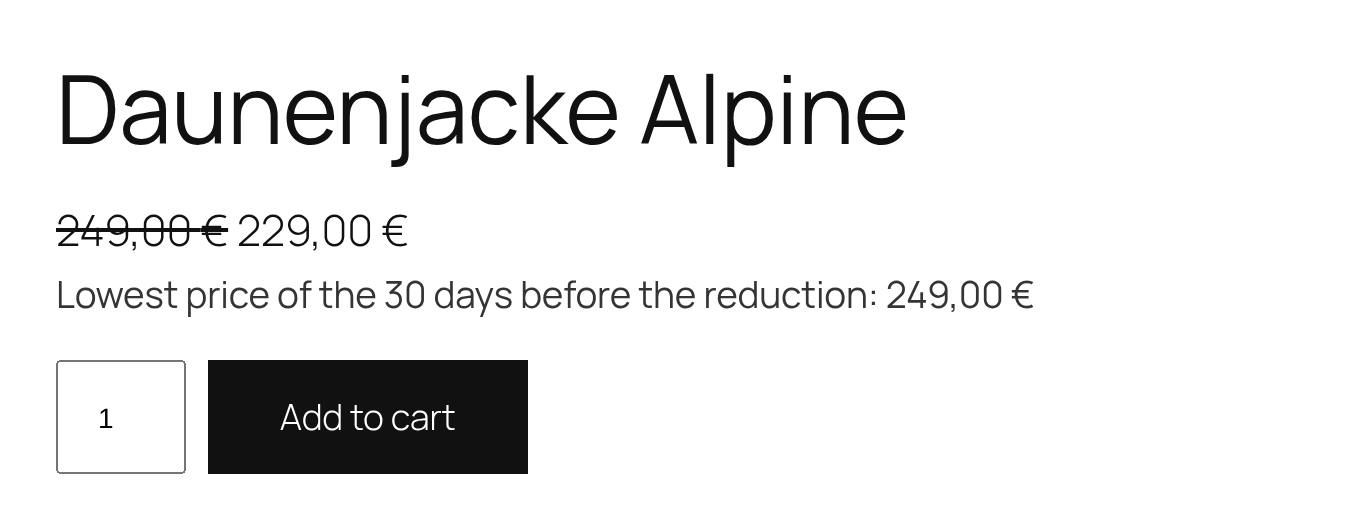
- It shows the lowest price of the 30 days before the reduction below the product price.
- It corrects strike-through prices and does not show reductions that are not real.
- The sale price never counts as its own reference. The window is the 30 days before the reduction started, not the last 30 days.
- Deepened reductions keep their start date. −10 %, then −20 % without interruption: the reference stays the price before the first step.
- Scheduled sales use their real start date, not the time the WooCommerce cron ran.
- Variable products: every variation has its own history.
- Final prices incl. VAT, also if you enter prices excluding tax.
- Correct strike-through prices (CJEU, C-330/23), on by default: the strike-through price is the lowest price of the 30 days before the reduction. A "reduction" that is not below it is not shown as one. Sale badges, the cart and most product feeds use this price, so they are corrected too.
- Price raised shortly before a sale? The lower earlier price counts, and the shop shows it.
- No reduction without an earlier price: products that were never offered at a higher price are not shown as reduced. If Strikewise does not know the earlier price yet, you can enter it in the product.
- Coupon campaigns: mark a coupon code offered to everyone as a public campaign, and its price counts as the lowest price for the 30 days after it.
- Perishable goods: reductions because of an approaching best-before date are exempt (§ 11 para. 4 PAngV). Mark the product, and the shop shows the reason instead of the lowest price.
- Switching from the "Omnibus" plugin? Strikewise imports its price history in one click, so the lowest price is right from day one.
- Price history in the product editor: a chart of the last weeks, the 30-day window and a clear hint when a reduction is not allowed.
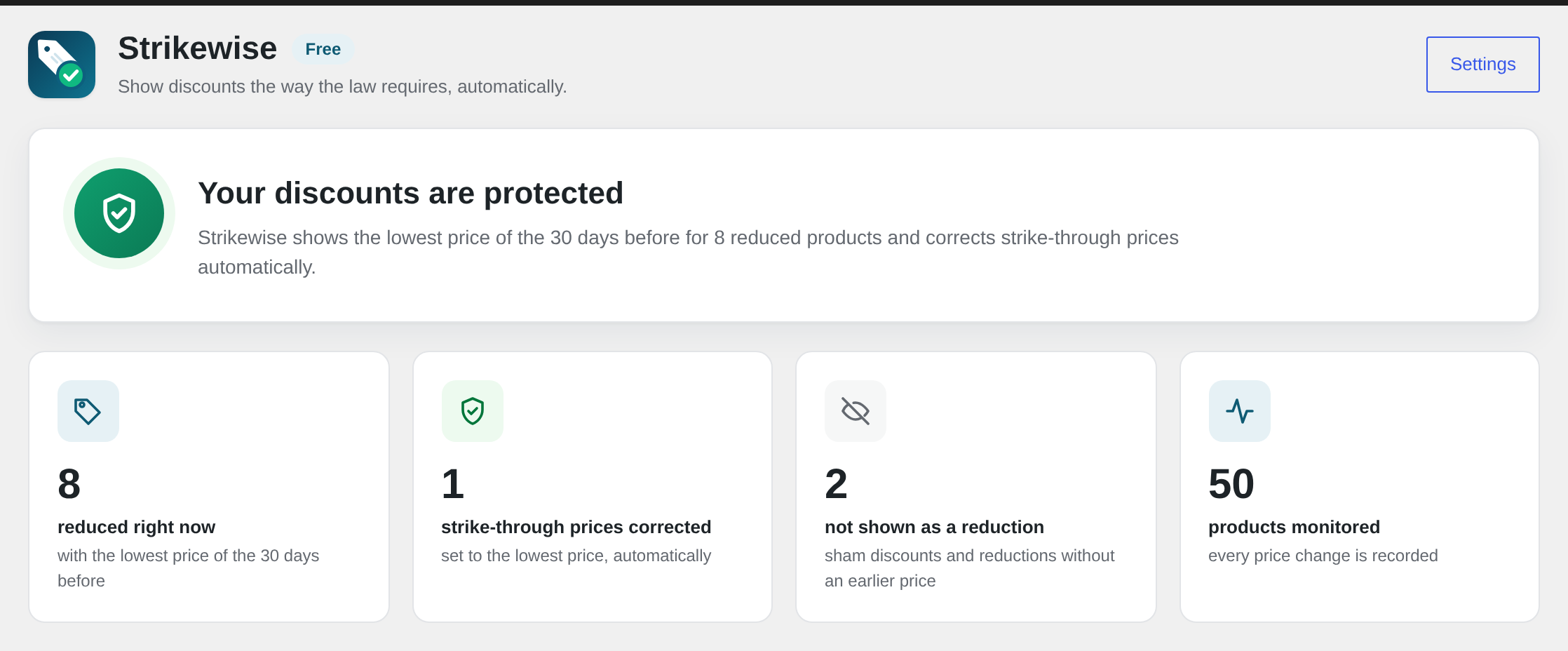
- Overview and dashboard widget: see at a glance how many products are reduced and what Strikewise corrected.
- Your choice of placement: automatically below the price, or with the block "Lowest price (30 days)" or the shortcode
[strikewise]. - Lean and fast: one row per price change in a dedicated table with automatic cleanup. The storefront reads a cached value and never queries the history.
- Compatible with HPOS and the WooCommerce cart and checkout blocks.
- Compliance scanner: checks every reduced product each week and reports problems by e-mail.
- Sale planner: check Black Friday discounts before they go live and schedule them in one click.
- UVP mode: comparisons with the manufacturer's recommended price, labelled correctly as UVP.
- Percentage badge: the sale badge shows the real reduction, e.g. "−20 %", calculated from the lowest price.
- Price log as CSV: the complete history of a product, as evidence for your lawyer.
- Agency cockpit: the status of all client shops on one page, for licenses with 5 or more shops.
安装:
- Install and activate the plugin. WooCommerce must be active.
- Strikewise records the current price of all products in the background.
- Adjust the text and placement under WooCommerce → Settings → Products → Strikewise.
屏幕截图:


常见问题:
Which price is shown?
The lowest final price (incl. VAT) you applied during the 30 days before the current reduction started, including earlier sale prices. If a reduction is deepened step by step without interruption, the start of the first step counts (§ 11 para. 2 PAngV); once the sale price goes up again, a new reduction starts. If the product is newer than 30 days, the lowest price since it was added.
Do I have to show it when a product is not reduced?
No. By default Strikewise only shows the lowest price for reduced products. You can choose to show it always.
Are coupons covered?
Personal coupons, for example after a purchase or on a birthday, are exempt (§ 11 para. 4 PAngV). A coupon code offered to everyone ("20 % off today with code XYZ") counts as a price reduction, though. Tick "Public campaign" in such a coupon: Strikewise then counts the coupon price as the lowest price for the 30 days after the campaign, and if you raised a price shortly before the campaign, it shows the lower price on that product. Percentage and fixed product discounts are supported; cart discounts cannot be assigned to a product price.
What does Strikewise not cover?
Strikewise covers the prices of your WooCommerce shop. Please check these yourself:
- Advertising outside the shop (newsletters, social media, print) that names a reduction.
- Prices set by discount rule plugins, which do not change the product's sale price. Strikewise warns when such a plugin is active.
- Fixed prices per currency set by multi-currency plugins; Strikewise records the base currency and warns when such a plugin is active.
- Coupon codes offered to everyone that you did not mark as a public campaign.
Can I place the notice myself?
Yes, with the block "Lowest price (30 days)" or the shortcode [strikewise] (optionally [strikewise id="123"]).
I used the "Omnibus — show the lowest price" plugin. Do I lose my history?
No. Strikewise finds the Omnibus data and offers to import it (or run wp strikewise import-omnibus). Both the old post meta format and the 3.x price log posts are supported. The Omnibus data is not changed.
Does Strikewise send data anywhere?
Your prices stay in your database. When you activate Strikewise, you can choose whether to share basic information about your site with Freemius, the service that handles licenses and updates for Premium. Skipping this does not limit the free version. The agency cockpit in Premium shares a shop's status only with a cockpit you connect with an access key.
What happens to my data when I delete the plugin?
The price history is kept by default, because it can serve as evidence. Enable "Delete data on uninstall" in the settings to remove everything.