Stringwatch – Untranslated Text Finder for TranslatePress
| 开发者 | bluerivergrowth |
|---|---|
| 更新时间 | 2026年11月4日 03:47 |
| PHP版本: | 8.0 及以上 |
| WordPress版本: | 7.1 |
| 版权: | GPLv2 or later |
| 版权网址: | 版权信息 |
详情介绍:
- Not translated — TranslatePress knows the text but has no translation.
- Translated, not shown — a translation exists, but the page still shows the original, usually because of a spelling difference such as curly quotes, dashes or HTML entities.
- Not in TranslatePress — the text comes from somewhere TranslatePress does not see, such as JavaScript or another plugin.
- Works with any language combination.
- Checks visible text, image alt texts, titles, placeholders, aria-labels, the page title and the meta description.
- Scans only when you open the tab or click Refresh — nothing runs in the background, nothing on the front end changes.
- Results appear while the scan runs.
- Every finding links to the translated page and straight into the TranslatePress editor.
- Re-check a single page after fixing it, without a full scan.
- Header, footer and popup strings are grouped once under "Sitewide".
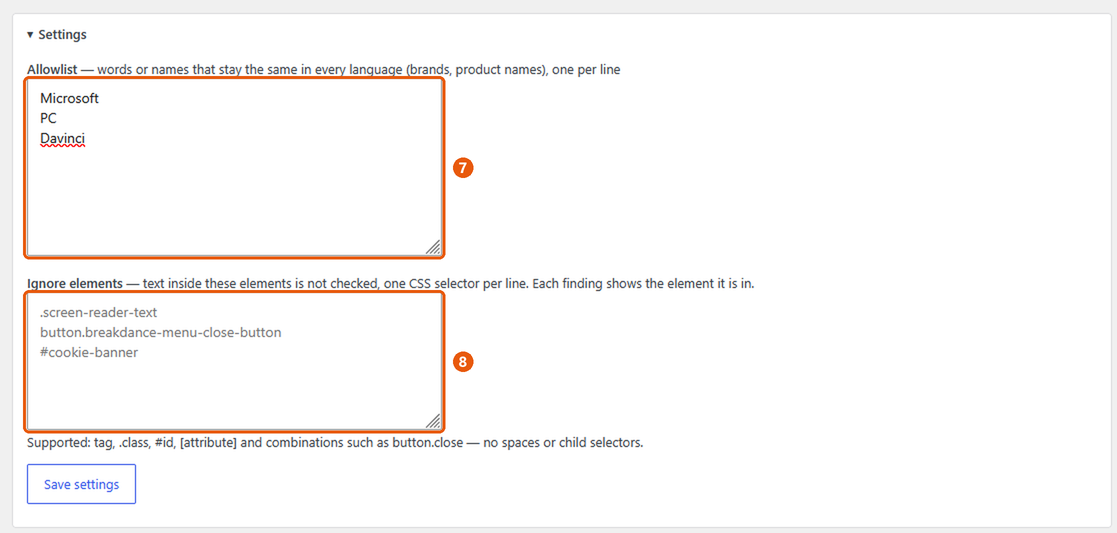
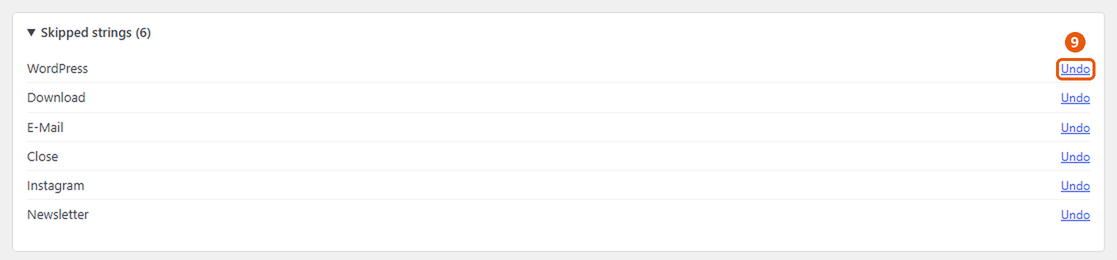
- Skip false positives, keep an allowlist of brand names, ignore whole components by CSS selector, or leave pages out of the scan — all reversible.
- Several translation languages in one scan.
安装:
- Install and activate TranslatePress.
- Install and activate Stringwatch.
- Open Settings → TranslatePress → Stringwatch. The first scan starts automatically.
屏幕截图:
常见问题:
Does it work with my languages?
Yes. It does not need to understand any language: it compares each translated page with its original and reports text that is still the same.
Does it slow down my site?
No. It does nothing on the front end. A scan only runs while you have the Stringwatch tab open, and it fetches your pages the way a visitor would.
Why are brand names or words like "Download" listed?
Some words are the same in both languages, so they look untranslated. Click Skip to hide them, or add brand names to the allowlist under Settings.
A whole component keeps showing up (cookie banner, popup, menu). Can I leave it out?
Yes. Each finding shows the element it is in. Add that element to "Ignore elements" under Settings, and its text is no longer checked. To leave a whole page out of the scan, use "Ignore page".
How long does a scan take?
It depends on the number of pages and your host. Pages are fetched several at a time; results appear while the scan runs.
Does it change my translations?
No. It only reads. You fix translations in the TranslatePress editor, as usual.
更新日志:
- First release on WordPress.org.
- Author: Blue River Growth (bluerivergrowth.com).
- Renamed to Stringwatch – Untranslated Text Finder for TranslatePress (slug and text domain: stringwatch). Settings and scan results are kept.
- "Ignore page" moved to the right, next to "Open in translator".
- Prepared for the WordPress.org plugin directory.
- "Ignore page" on each page card, with Undo under "Ignored pages".
- Page-builder template libraries (e.g. Elementor popups and headers) are no longer scanned.
- Fix: "Check again" on Dashboard → Updates finds new releases immediately.
- Fix: updates to the screen's look and behaviour take effect without a hard reload.
- Content aligned with the TranslatePress header and tabs; no line under the re-check icon.
- Plugin icon, shown on Dashboard → Updates.
- Re-check icon without underline.
- Re-check button next to each page: checks that one page again after you fixed it in the translator.
- No element label on image findings.
- The element is only shown when it has a class or ID, prefixed with "in".
- Each finding shows the element it is in; new setting "Ignore elements" (CSS selectors) to stop checking whole components.
- Language-independent detection (page comparison + TranslatePress string tables), several languages per scan.
- First standalone version.